
Summary
Editor's rating
Value for money: who should actually buy this
Design & setup: compact, practical, but not premium
Daily use: noise, heat, and how it fits into a living room
Build, laser lifespan, and how long I expect it to last
Picture quality & gaming: bright and sharp, with some caveats
What this projector actually offers (beyond the marketing buzzwords)
Pros
- Bright 3,500 ANSI lumen image that holds up well in a typical living room
- Very low input lag and high refresh options make it genuinely good for gaming
- Laser light source rated around 30,000 hours, so no bulb replacements
- Compact and relatively quiet compared to many 4K competitors
Cons
- Colors and HDR need manual tweaking; default picture isn’t great
- Built-in speakers are weak and basically require external audio
- Remote feels cheap and lacks backlighting for dark-room use

Specifications
View full product page →| Brand | ViewSonic |
A laser upgrade that’s good, but not mind-blowing
I’ve been using the ViewSonic LX700-4K for a few weeks as my main living-room projector, mostly for PS5, Netflix and sports. I switched from a decent Full HD lamp-based Epson, so I wasn’t coming from some cheap mini projector. I wanted three things: better sharpness, less hassle with bulbs, and lower input lag for gaming. On paper, this ViewSonic ticks all of that: 4K, laser light source, 240 Hz, 4.2 ms input, 3,500 ANSI lumens. Basically, the spec sheet looks like it’s trying to please everyone at once.
In real life, it’s a bit more grounded. The jump from 1080p to 4K is visible, yes, but it’s not a slap-in-the-face difference if you were already using a good Full HD projector on a 100–120" screen. Text and HUD elements in games are crisper, and fine details in 4K movies (hair, textures, small text) look nicer, but it’s not like going from DVD to Blu‑ray. If you expect that kind of shock, you’ll probably say “okay, that’s it?” like I did on day one.
Where it did impress me more is brightness and practicality. The 3,500 lumens are real enough for a living room with some curtains half-open. It still looks washed out in full daylight, but for daytime sports or cartoons, it’s absolutely usable. At night or with blinds down, it gets properly punchy. Fan noise is also pretty low; you hear it if the room is quiet, but it fades into the background once you have any sound on. Compared to some Optoma and Nebula units I tried before, this one is clearly quieter and more compact.
Overall, my first impression was: solid, clearly more modern than my old lamp projector, but not magic. If you go in thinking it’s going to turn your living room into a real cinema just because it’s 4K laser, you’ll probably be a bit underwhelmed. If you want a bright, low-lag, no-bulb-hassle projector for games and movies and you’re okay tweaking a few picture settings, it already looks like a decent pick after a few weeks.
Value for money: who should actually buy this
Price-wise, the LX700-4K sits in that awkward zone where people expect miracles because “it’s 4K laser”, but the reality is more down to earth. Compared to cheaper Full HD lamp projectors, you’re paying a clear premium. Compared to some other 4K DLP models from Optoma, BenQ and co, it’s usually in the same ballpark or slightly cheaper, depending on discounts. For that money, you get: bright image, real 4K resolution (via DLP tech), very low input lag, and a long-life laser light source. What you don’t get: built-in smart TV system, good speakers, or super accurate color calibration out of the box.
If you’re coming from a basic 1080p budget projector, this will feel like a big step up: sharper, brighter, more responsive for gaming, and you can forget about buying bulbs. In that case, the value is pretty strong, especially if you game a lot and want that low latency. If you’re coming from a good Full HD projector, like a decent Epson or similar, the jump will feel more modest. Yes, you get 4K detail and a brighter image, but it’s not a night-and-day difference. In that situation, I’d say only upgrade if you specifically want the laser lifespan and gaming performance, not just because it says 4K on the box.
There are a few small annoyances that affect the value a bit: slightly off colors out of the box, weak speakers that basically force you to buy external audio, and a cheap-feeling remote on a not-so-cheap device. Also, some product descriptions online are a bit confusing (one reviewer mentioned wrong RGB info), so double-check specs from the manufacturer if something is crucial to you. But once you accept that, what you’re paying for here is a bright, low-lag 4K laser projector with flexible placement. For a dedicated living-room or game-room setup with a soundbar or AV receiver, it makes sense. If you want a compact all-in-one with good built-in sound and streaming apps, there are better options in smart projector land.
Overall, I’d rate the value as good but not unbeatable. It makes the most sense for someone who wants a long-term, low-maintenance gaming and movie projector and is willing to handle sound and streaming separately. If your budget is tight and you don’t care much about gaming lag, a cheaper 4K lamp projector or even a strong 1080p model might give you enough for less money.
Design & setup: compact, practical, but not premium
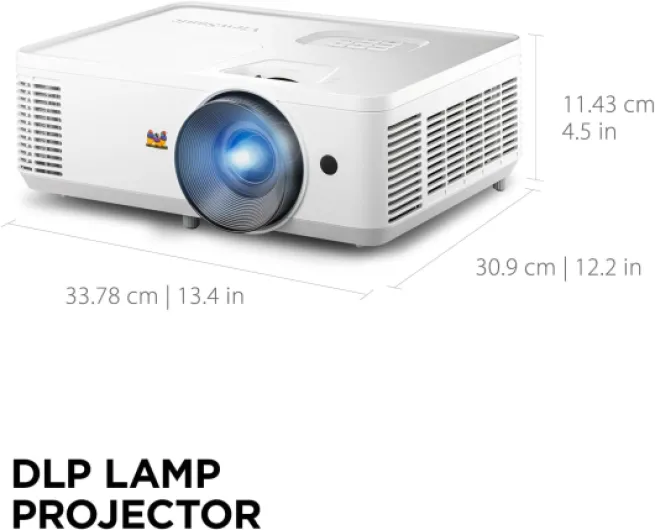
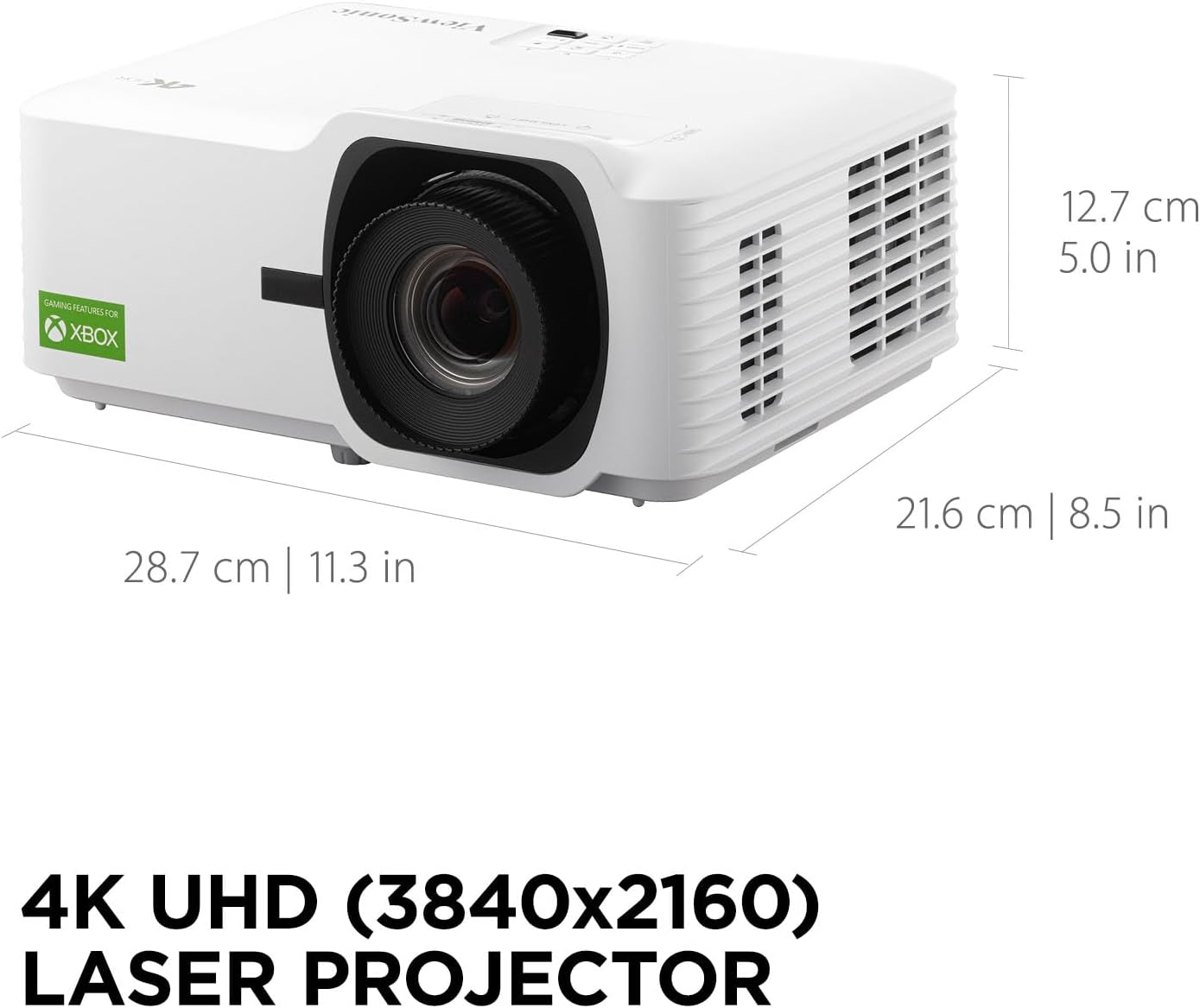
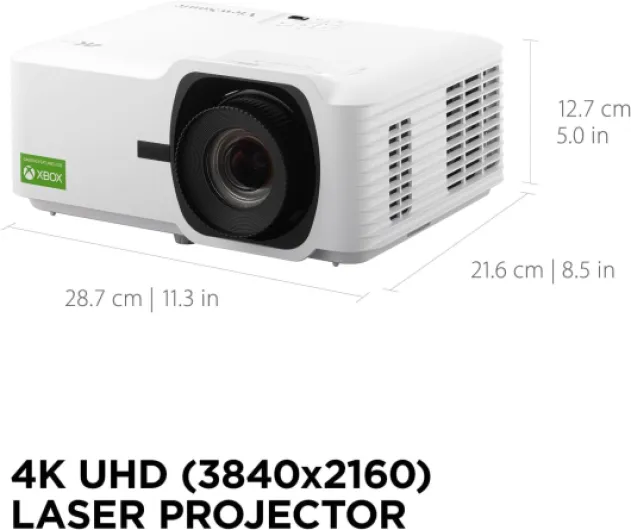
Physically, the LX700-4K is pretty compact for a 4K laser projector. At around 28.6 x 21.6 x 12.9 cm and about 3.3 kg, it’s not a tiny portable gadget, but it’s definitely easier to move around or shelf-mount than some bulky Optoma or Epson units I’ve seen. I’ve had it both on a low table and ceiling-mounted, and in both cases, it was simple enough to position. It’s mostly white plastic with a fairly standard ViewSonic look — nothing that screams luxury, but it doesn’t look cheap either. It’s just… a projector. You don’t buy this for the design.
What I did appreciate is the practical side of the design. You get adjustable feet if you’re using it on a table, plus 1.36x optical zoom and a bit of vertical lens shift, which helps a lot. On my previous projector, I constantly had to stack books or adjust the mount height to get the image exactly where I wanted it. Here, I could fine-tune the image position without going crazy. Horizontal/vertical keystone correction is there, and auto keystone does a decent job, but like always, using too much keystone softens the image a bit, so I tried to rely more on zoom and placement.
The ports are straightforward: HDMI inputs, USB-A (mainly for power or simple media), 3.5 mm audio out. No Ethernet, no fancy extras. For my use, it was fine: one HDMI for PS5, one for a streaming stick, audio out into a soundbar. HDMI-CEC worked properly with my Fire TV Stick, so I could turn the projector on and off with the stick remote, which is the kind of small convenience you end up liking a lot day to day. There’s no lens cover door, just a basic lens, so if you ceiling-mount it, you’ll probably want a dust cover from time to time.
The only part of the design that felt a bit cheap is the remote. It’s light, slightly flimsy, and feels more like something from a budget TV. It works, buttons respond fine, but the look and feel don’t match the price of the projector. Not a huge deal once everything is set up and you rarely touch advanced settings, but it’s worth mentioning. Overall, the design is functional and compact, not premium, and honestly that’s good enough for something that mostly lives on a ceiling or shelf.
Daily use: noise, heat, and how it fits into a living room
Living with the LX700-4K day to day is mostly easy. Fan noise was one of my worries, because I’ve had an Optoma before that sounded like a hairdryer in eco mode. This ViewSonic is noticeably quieter. You can hear a soft whoosh in silent scenes if you sit close to it, but once any soundtrack or game audio kicks in, it fades into the background. Ceiling-mounted above and slightly behind the sofa, I almost forget it’s there. On a table right next to you, you’ll hear it more, but it’s still not annoying unless you’re very sensitive to fan noise.
Heat output is normal for this kind of projector. After a movie, the area around the vents is warm but not crazy hot. The laser light source doesn’t mean zero heat; it’s still a powerful lamp in a small box. Venting seems well managed, and I didn’t notice any thermal throttling or brightness changes after long sessions. I’ve done 4–5 hour gaming sessions and a couple of movie marathons with no shutdowns or weird behavior. Startup and shutdown are faster than old lamp projectors, which is nice when you just want to quickly watch something and then turn it off.
In terms of ease of use, the menus are fairly straightforward. There are a lot of picture options, which is good if you like to tweak, but it can be a bit overwhelming at first. Once I found settings I liked for SDR movies, HDR movies, and gaming, I saved them and just switch modes instead of re-tweaking every time. HDMI-CEC working with my streaming stick means I basically use the projector remote only for switching inputs or doing rare adjustments. That said, the remote itself feels cheap and the buttons aren’t backlit, which is annoying in a dark room.
One thing to be aware of: the built-in speakers are bad. They’re fine for a quick YouTube video or some background TV, but for movies or games, they sound thin and weak, with almost no bass. You’ll want a soundbar, AV receiver, or at least some powered speakers. Thankfully, the 3.5 mm audio out makes it easy to hook something up. Overall comfort is good: quiet enough, easy enough to use, no weird quirks so far. Just don’t expect it to be an all-in-one cinema box; you still need to build a bit of a setup around it.
Build, laser lifespan, and how long I expect it to last
In terms of build quality, the projector feels mid-range. The casing is all plastic, but nothing creaks when you pick it up or adjust it. The vents and lens area look decently finished, and the buttons on the body are firm. It doesn’t give that heavy, tank-like feeling of some higher-end models, but it also doesn’t feel like it’s going to fall apart if you move it occasionally. I’ve taken it down from a shelf, mounted it, unmounted it, and moved it around a few times, and it handled that without any issues.
The big durability selling point is the laser phosphor light source rated for around 30,000 hours. If you do the math, that’s several hours a day for many years before you hit that number. Compared to traditional bulb projectors where you start thinking about a replacement lamp after 3,000–5,000 hours (and pay a good chunk for it), this is a nice change. Obviously, I can’t test 30,000 hours, but after a few weeks of mixed use (gaming, movies, some TV), brightness and color look stable, no flickering or weird color shifts. Based on experience with other laser projectors, I expect it to slowly dim over the years rather than suddenly fail like a bulb.
ViewSonic as a brand has been decent for me in the past. One of the Amazon reviewers mentioned replacing an older ViewSonic 4K model that was still working fine after several years, and that lines up with what I’ve seen. It’s not a boutique brand, but it’s not some random no-name either. The official note about spare part availability (7 years in the EU) is reassuring if you’re worried about repairs. That said, projectors are still delicate devices: they hate dust, smoke, and rough handling. If you’re planning to move it constantly or use it in a dusty garage or something, don’t be surprised if it ages faster.
So far, my confidence level is: it should last a good while if you treat it like a piece of AV gear, not a toy. Keep the vents clear, avoid smoking around it, don’t block the airflow, and give it a quick dusting every now and then. The plastic shell and slightly cheap remote don’t scream premium, but the important parts — optics, light source, and electronics — seem solid enough for long-term home use.
Picture quality & gaming: bright and sharp, with some caveats
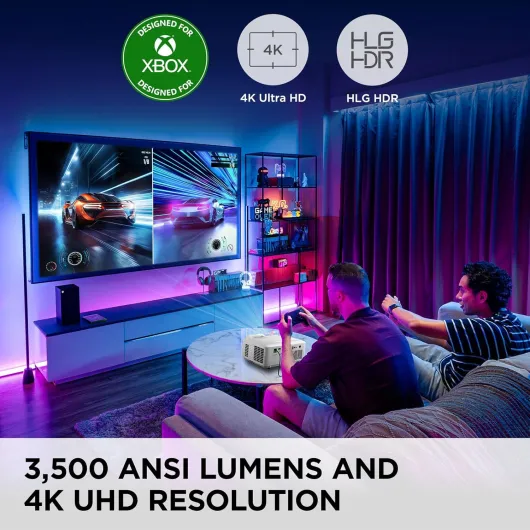
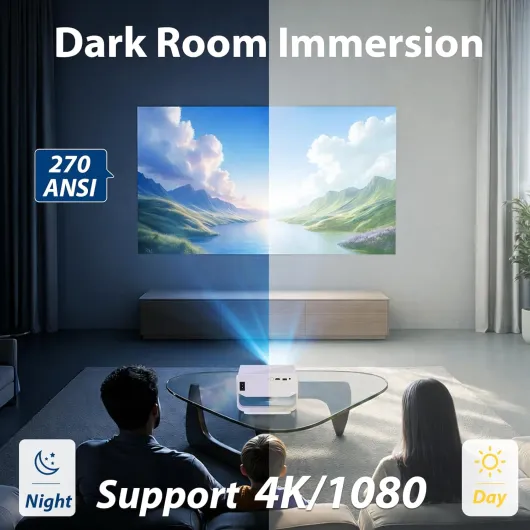
Let’s talk about the part that actually matters: how it looks and plays. In a dim or dark room, the LX700-4K throws a very bright, sharp image. At 100–120" size, 3,500 ANSI lumens is plenty. I could leave a lamp on in the room or have a bit of daylight coming from the side and still see a watchable picture. For serious movie nights, you’ll still want the room as dark as you can, but you’re not forced into total blackout like with some weaker projectors. Colors out of the box are okay but not perfect. Standard mode looked a bit cool (slightly bluish whites) to my eyes. After maybe 20–30 minutes of tweaking color temperature and brightness/contrast, I got something I was happy with.
In HDR, things get more interesting but also more sensitive. On my first HDR movie, dark scenes looked crushed — some detail in shadows was missing, and the overall image felt a bit dim. After copying a tip from another user and pushing brightness up to around 0 and adjusting contrast, HDR started to look much better: richer colors and better separation in highlights. Once dialed in, HDR on 4K content like big-budget movies and some PS5 games looked pretty solid. It’s not on the same level as a good OLED TV, obviously, especially in black levels, but for a projector in this range, it’s decent.
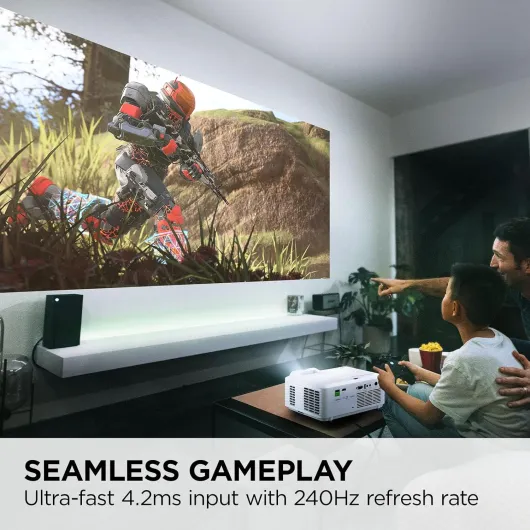
For gaming, this is where the projector actually shines the most. In Game mode with low latency options enabled, input lag feels low enough that I didn’t notice any delay in FPS games or fast racers. Aiming feels natural, steering is responsive, and menu navigation is snappy. If you come from a very slow projector or a basic TV, you’ll feel it right away. The claimed 240 Hz is more relevant for PC gamers; on consoles you’re mostly at 60 or 120 Hz anyway. Still, the motion looks clean, and I didn’t notice obvious ghosting or smearing in fast scenes. For someone who does a lot of couch gaming, it’s a pretty solid experience.
Black levels and contrast are where it’s just “good, not great”. The advertised million-plus contrast ratio is marketing speak; in reality, in dark scenes you’ll notice the usual DLP grayish blacks if your room isn’t fully treated. In a normal living room with white walls, the image looks fine, but you’re not getting deep cinema blacks. Also, if you push keystone too far or project from a weird angle, you do lose some sharpness. Keep placement as straight as you can and use lens shift/zoom first. Overall, performance is strong on brightness and gaming, decent on movie contrast and color once tuned, but don’t expect miracles straight out of the box.
What this projector actually offers (beyond the marketing buzzwords)
On paper, the ViewSonic LX700-4K is sold as a 4K UHD laser projector aimed at gaming and home theater. It claims 3,500 ANSI lumens, a 3,000,000:1 contrast ratio in some descriptions (and 1,000,000:1 elsewhere), 4K resolution (3840 x 2160), 240 Hz refresh rate, and 4.2 ms input lag. It supports HDR, has HDMI inputs, audio out, and a laser light source rated for about 30,000 hours. There’s 1.36x optical zoom, vertical lens shift, auto horizontal/vertical keystone, and it can go up to a 300" image if you have the space and the wall/screen for it.
In practice, here’s how that translates. The 4K part: it’s sharp, especially with native 4K content from a console or streaming box. You do see extra detail compared to 1080p, but if your screen is under 100" or you sit far away, the difference is not huge. On my roughly 110" screen at about 3 meters, I can see the benefit, but it’s more of a “nice upgrade” than a revelation. The HDR support is there, and it helps colors and contrast in darker scenes, but you need to tweak brightness and some color settings. Out of the box, HDR looked a bit dark and slightly off in color until I bumped brightness and did a bit of tuning.
The laser light source is the main practical benefit: no bulb replacements and more consistent brightness over time. If you watch a lot of content (several hours a day), the 30,000-hour rating is reassuring. It’s also quick to turn on and off compared to old lamp units. For gaming, the low input lag and high refresh rate are the interesting bits. With Game mode on, the responsiveness feels close to a good gaming monitor. I didn’t measure it with tools, but in shooters and racing games on PS5 and Xbox, I didn’t feel any annoying delay.
What you don’t get inside the box: no Android TV, no streaming OS, and the built-in speakers are basically there so it makes sound, not so it sounds good. You’re supposed to plug in a streaming stick, console, or media player via HDMI and use external speakers or a soundbar. I actually like that choice; it keeps the projector focused on picture. But if you wanted a “smart projector” that does Netflix on its own and sounds good out of the box, this isn’t it. Think of it as a bright 4K display with a laser light, not an all-in-one entertainment box.
Pros
- Bright 3,500 ANSI lumen image that holds up well in a typical living room
- Very low input lag and high refresh options make it genuinely good for gaming
- Laser light source rated around 30,000 hours, so no bulb replacements
- Compact and relatively quiet compared to many 4K competitors
Cons
- Colors and HDR need manual tweaking; default picture isn’t great
- Built-in speakers are weak and basically require external audio
- Remote feels cheap and lacks backlighting for dark-room use
Conclusion
Editor's rating
After a few weeks of use, my take on the ViewSonic LX700-4K is pretty simple: it’s a solid 4K laser projector for people who care about brightness and gaming, but it’s not some miracle machine. The picture is sharp, the 3,500 lumens give you enough punch for a normal living room, and the low input lag makes console and PC gaming feel responsive. Once you tweak the picture settings, both SDR and HDR content look good enough for regular movie nights, and the laser light source should save you from the usual bulb replacement hassle.
On the flip side, it’s not perfect. Out-of-the-box colors are just okay and need a bit of work, black levels are only decent, and the built-in speakers are weak. The remote feels cheap, and there are no smart features, so you need a streaming stick and proper speakers to get a full setup. If you’re upgrading from a really good Full HD projector and expect to be blown away, you might be slightly underwhelmed by the actual step up in image quality.
I’d recommend this projector to: gamers who want a big, bright, low-lag image; people who watch a lot of content and like the idea of a long-life laser; and anyone building a home theater with separate audio and streaming gear. I’d say skip it if you want an all-in-one smart projector with strong built-in sound, or if you’re extremely picky about perfect black levels and color accuracy out of the box. For most mixed-use living rooms, though, it gets the job done well and feels like a sensible, if not mind-blowing, upgrade.
![[2000ANSI]Smart Projector 4K with Built in Apps YouTube/PrimeVideo & Dolby, Outdoor Camping Projectors Portable Mini Projector Daylight Home Cinema with WiFi 6,Bluetooth 5.3 & HDR10+ Graphite Gray](https://www.home-theater-projector-guru.com/storage/932622/conversions/81tSOWp-GEL._AC_SL1500_-medium.webp)