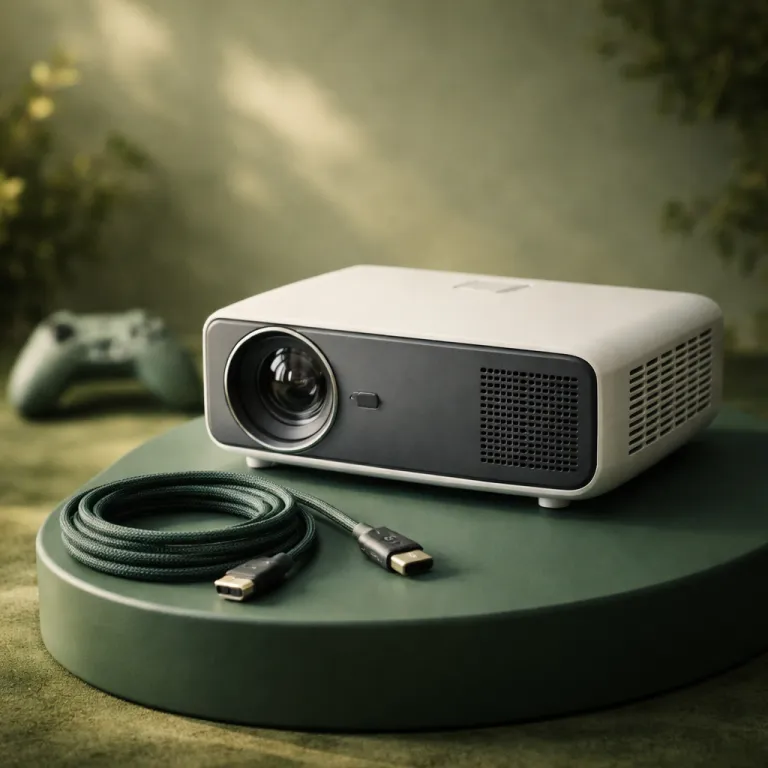
Why 4K 120 Hz gaming projectors are no longer a niche fantasy
A few years ago, calling any projector a serious gaming display felt generous. Today a well chosen 4K 120Hz gaming projector can hold its own against a living room TV, especially in a small apartment where a 120 inch image replaces a bulky panel. On a big screen the combination of high refresh rate, low input lag and credible HDR support finally turns cinematic games into something closer to a playable movie than a blown up monitor feed.
The reputation problem came from early gaming projectors with 80 ms input lag and inflated ANSI lumen claims that collapsed once you measured real brightness on screen. Modern laser projector models from brands such as BenQ, Hisense and Epson have shifted to sub 20 ms input lag at 4K 120 Hz in dedicated game modes. For example, RTINGS’ 2022 review of the BenQ X3000i (around $2,000 at launch) measured roughly 17 ms at 4K 60 Hz and under 9 ms at 1080p 120 Hz, while ProjectorCentral’s tests of Epson Pro UHD units such as the Epson Home Cinema 5050UB (originally about $3,000) often show input lag in the 20 to 25 ms range at 4K. That is still slower than a 5 ms gaming monitor but surprisingly hard to feel at a 3 meter viewing distance. When you sit back from a 120 inch theater projector image, your reaction time is governed more by how quickly you can parse the whole scene than by a single digit millisecond difference.
That is why the question is no longer whether a gaming projector can be used for games, but which models best balance speed, HDR impact and room constraints for renters. A compact DLP portable projector with a laser light source and 2,500 ANSI lumens will behave very differently from a 7 kg Pro UHD LCD unit with 3,000 ANSI lumens and a large lens shift range. The right product for you depends on how dark your room gets, how far you sit, and whether you care more about competitive shooters or slow burn RPGs.
On the spec sheet, a 4K 120Hz gaming projector looks straightforward, yet every line hides a compromise. High refresh rate support over HDMI means nothing if the HDMI ports are limited to the wrong standard or if HDMI eARC is missing for your sound system. Likewise, a projector best known for bright HDR might still disappoint if its HDR10 or HLG tone mapping crushes dark detail in a dim room where your eyes are fully adapted.
For a small space renter, the most important shift is that you can now buy a short throw or ultra short throw laser projector that behaves like a TV replacement. These projectors sit close to the wall, avoid ceiling mounts and drilling, and often include a competent Bluetooth sound system in the chassis. The weight in pounds is usually low enough that you can move the projector between rooms, yet the image size still dwarfs any standard television.
Input lag, once the automatic deal breaker, now sits in a more nuanced place. A good 4K 120Hz gaming projector will hit around 15 to 20 ms at 4K 120 Hz and can drop lower at 1080p 240 Hz, while a high end gaming monitor might sit at 5 to 8 ms. On a 27 inch screen that gap matters for competitive play, but on a 120 inch projection where your eyes scan a much larger field of view, the human factor dominates more than the raw number.
That does not mean every projector is ready for ranked matches. Some DLP projectors still add processing in their HDR modes, pushing input lag back above 30 ms unless you manually enable a gaming mode that disables frame interpolation and aggressive noise reduction. You need to learn how each projector handles its gaming preset, because the best numbers on the box often assume SDR, not HDR10 or HLG content.
For buyers who rely on Amazon reviews, this nuance is often buried under star ratings and vague comments about brightness. Real ANSI lumen measurements, not marketing lumens, tell you whether a projector can maintain contrast in a semi lit room or if it collapses into a washed out haze. When you read that a projector weighs 10 pounds and ships with a two year warranty, that tells you nothing about how it will handle a dark corridor in a horror game at 4K 120 Hz.
Input lag, VRR and why projector scale changes the rules
Input lag is the time between your controller action and the on screen response, and it has long been the Achilles heel of every gaming projector. On a modern 4K 120Hz gaming projector, that delay has shrunk enough that the conversation shifts from “Is this playable?” to “Which genres feel perfect and which still feel compromised?”. The answer depends on both the projector electronics and the way your brain processes motion on a 120 inch image.
Laser projector models such as the Hisense PX4 Pro now advertise 4K 120 Hz input, FreeSync VRR and even 1 ms response at 2K 240 Hz, which puts them in the same conversation as mid range gaming monitors. BenQ gaming projector lines add Auto Low Latency Mode over HDMI, so consoles switch the projector into the fastest preset automatically when a game launches. On the LCD side, Epson Pro models with Pro UHD pixel shifting have narrowed the gap, though they still tend to sit a few milliseconds behind the quickest DLP projectors in independent lab tests.
Does the remaining difference matter? For top tier competitive shooters, yes, a 5 ms monitor still beats a 15 ms projector best in class. For cinematic single player games, racing titles and flight simulators, the sheer immersion of a 120 inch theater projector image outweighs the slight delay, especially when you sit 3 to 4 meters back. The larger the screen, the more your eyes and neck movement become the limiting factor, not the HDMI processing pipeline.
Variable Refresh Rate support is the other big shift. FreeSync and HDMI VRR on projectors reduce tearing and stutter when frame rates fluctuate between 40 and 120 frames per second, which is common on a PlayStation 5 Pro or Xbox Series X running demanding 4K titles. When VRR works correctly, you can keep HDR enabled, maintain low input lag and avoid the judder that used to plague projector gaming whenever frame rates dipped. The key is checking that your chosen projector supports VRR on the same HDMI port that handles 4K 120 Hz and HDMI eARC for your receiver.
Small space renters often lean toward short throw or ultra short throw projectors because they can sit on a low cabinet just centimeters from the wall. A short throw gaming projector with 2,000 to 2,500 ANSI lumens can fill a 100 inch screen from barely over a meter away, which is ideal in a compact room where you cannot place the projector behind the sofa. When you combine that with a decent built in Bluetooth sound system, you get a tidy setup that feels closer to a console plus TV than a traditional ceiling mounted theater.
One model that illustrates this shift is the ViewSonic X2000L, a 4K ultra short throw laser projector rated at around 2,000 ANSI lumens with Wi‑Fi and Bluetooth audio. In real use it behaves like a living room TV replacement, sitting almost flush to the wall while throwing a 100 inch image and handling HDR content with respectable tone mapping. A detailed field test of the X2000L published in 2022 shows how these specs translate into day to day gaming in a family room, including measured brightness and input lag figures that align closely with the manufacturer’s claims.
There is still a trade off between DLP and LCD based projectors. Single chip DLP projectors tend to offer lower input lag and sharper perceived detail at 4K 120 Hz, but some viewers notice rainbow artifacts, especially in high contrast scenes with white HUD elements on dark backgrounds. Three panel LCD projectors such as many Epson Pro UHD models avoid rainbow effects and often deliver richer color gamut coverage, though they can show more motion blur and slightly higher input lag.
Weight in pounds and chassis size also matter more than you might think for renters. A 4 kg portable projector can be moved off the coffee table after a gaming session, while a 10 kg chassis with limited lens shift almost demands a semi permanent stand or mount. When you look at the product page, do not just check lumens and HDR badges; check the weight, the warranty terms and whether the lens shift range will let you keep the projector low without keystone distortion.
For console players, the sweet spot is usually a 4K 120Hz gaming projector with around 2,500 to 3,000 ANSI lumens, HDMI 2.1 inputs, VRR, ALLM and a gaming mode that keeps input lag under 20 ms in both SDR and HDR. PC gamers who chase 240 Hz might still prefer a monitor for competitive play, but many now run a dual setup, using the projector for story driven games and the monitor for ranked matches. That hybrid approach recognizes what projectors best deliver: scale, atmosphere and a sense of presence that no 27 inch panel can match.
HDR, brightness and the reality of gaming in a small apartment room
High Dynamic Range on a projector is not the same as HDR on an OLED TV, and understanding that gap is crucial before you buy anything. A 4K 120Hz gaming projector with HDR10 and HLG logos can still look flat if its real world ANSI lumen output is too low for your screen size and room lighting. In a small apartment with white walls and some ambient light, reflected light bounces everywhere and kills contrast long before the game engine does.
When manufacturers quote 3,000 or 4,000 lumens, they often refer to maximum light output in a harsh, cool color mode that no one would use for gaming. Calibrated brightness for accurate color gamut coverage and decent black levels is usually 30 to 40 percent lower. RTINGS, for instance, frequently measures around 60 to 70 percent of the claimed maximum in real cinema or game presets, while ProjectorCentral’s lab reports show similar reductions once color temperature and gamma are corrected. That means a projector rated at 3,000 ANSI lumens might deliver closer to 1,800 to 2,000 ANSI lumens in a real HDR game mode. That is still enough for a 100 inch screen in a dim room, but it will struggle against daylight unless you pair it with an ambient light rejecting screen.
Laser projector designs help here because their light source maintains brightness and color stability longer than traditional lamps, and they can modulate light output more precisely scene by scene. In practice, this means HDR highlights in a game like Cyberpunk 2077 or Forza Horizon pop more convincingly on a good laser theater projector than on an aging lamp based model with a tired bulb. You also avoid the slow dimming over time that used to make projectors feel like a consumable rather than a long term display.
HLG support matters mainly for broadcast and streaming content, but it is often bundled with HDR10 in the same processing pipeline. The real differentiator is how the projector maps HDR content to its limited dynamic range, especially in dark rooms where black floor and shadow detail are critical. Some DLP gaming projectors crush near black detail to keep highlights bright, while certain Epson Pro UHD models favor mid tone detail at the expense of peak specular sparkle.
For renters, the room itself is the biggest variable. A 4K 120Hz gaming projector can look spectacular in a darkened room with controlled light and a neutral gray screen, yet the same product can look washed out on a bare white wall with a ceiling light on. If you cannot fully darken the room, prioritize higher ANSI lumens, a narrower color gamut mode that trades saturation for brightness, and perhaps a slightly smaller screen size to keep luminance per square meter high.
Sound is another often overlooked part of the equation. Many modern projectors include a built in sound system with stereo speakers or even branded modules from Harman Kardon, but they rarely match a dedicated soundbar or AVR plus speakers. As wireless audio standards evolve, technologies such as Dolby Atmos FlexConnect are starting to make it easier to place wireless speakers around the room without running cables, which is especially attractive for renters who cannot drill or hide wires in walls; a detailed analysis of Dolby Atmos FlexConnect for projector home cinemas shows how this could reshape living room layouts.
Connectivity also shapes how flexible your setup feels. A good 4K 120Hz gaming projector should offer multiple HDMI ports, at least one HDMI eARC output for lossless audio, and a combination of HDMI and USB ports for streaming sticks or external drives. Bluetooth audio support is useful for late night gaming with wireless headphones, though you should be aware that Bluetooth latency can add noticeable delay unless the projector and headphones support low latency codecs.
Portable projectors complicate the picture further. A compact portable projector with 1,000 to 1,500 ANSI lumens and a built in battery is fantastic for casual gaming nights, but it will not replace a main theater projector in a bright room. These portable projectors best serve as secondary displays for co op games in smaller rooms, where their lower weight in pounds and integrated sound system make them easy to move and set up.
Lens shift and placement flexibility are often the deciding factors in a rental. A projector best suited to ceiling mounting with minimal lens shift will force awkward keystone corrections if you place it on a low shelf, which softens the image and can add processing delay. Models with generous vertical and horizontal lens shift let you keep the projector low, avoid keystone and still center the image on the wall, which is invaluable when you cannot drill into the ceiling.
Choosing the right 4K 120 Hz gaming projector for a renter’s life
Once you accept that a 4K 120Hz gaming projector can be genuinely responsive, the harder question is which type fits a renter’s constraints. Ultra short throw projectors behave most like TVs, sitting just centimeters from the wall and throwing a 100 to 120 inch image, while traditional short throw and standard throw models sit farther back but often cost less for the same image quality. Your choice depends on how much floor space you can spare, how often you move, and how permanent you want the setup to feel.
Ultra short throw laser projector models such as the Hisense PX4 Pro or AWOL Aetherion target the living room TV replacement role directly. They offer 4K 120 Hz input, strong HDR performance, wide color gamut coverage and integrated sound systems that rival mid range soundbars, with some even supporting Dolby Vision Gaming on compatible consoles. For a renter, the appeal is obvious: no ceiling mount, no long HDMI runs, and a single chassis that handles both movies and gaming from a low cabinet.
Short throw DLP projectors from BenQ and others strike a different balance. A BenQ gaming projector with a 0.69 to 0.83 throw ratio can fill a 100 inch screen from just over 2 meters, which works well in a small room where the sofa sits close to the back wall. These projectors often weigh under 10 pounds, making them easier to move between rooms, and they typically deliver very low input lag at 1080p 120 Hz or 4K 60 Hz, with some newer models pushing toward 4K 120 Hz over HDMI 2.1.
Standard throw projectors still have a place if you can place a shelf or stand behind the seating position. They often offer the best combination of lens shift, zoom range and overall optical quality, which matters if you want precise geometry and uniform focus across a 120 inch screen. Epson Pro UHD models in this category can deliver excellent color accuracy and strong HDR tone mapping, though you should verify their input lag numbers if competitive gaming is a priority.
Budget is where the projector versus TV debate gets real. A high quality 4K 120Hz gaming projector plus a decent 100 inch screen and a basic sound system can cost roughly the same as a premium 77 inch OLED gaming TV, depending on sales and where you buy. The projector route gives you more screen area and a more theatrical feel, while the OLED offers deeper blacks, higher HDR peak brightness and zero concern about ambient light in a bright room.
For many renters, the right move is to treat the projector as a flexible, semi portable cinema and gaming rig rather than a permanent fixture. A projector weighing under 15 pounds with a solid warranty can be boxed up for a move without drama, and you can always start with a painted wall before investing in a fixed frame screen. If you want a structured overview of the ultra short throw landscape, a detailed buyer’s field guide to ultra short throw projectors is a useful reference when you compare models.
When you read Amazon listings, focus less on marketing phrases such as “projectors best for gaming” and more on hard data. Check the claimed ANSI lumens, the supported HDMI standards, the presence of HDMI eARC, the stated input lag in gaming mode and the type of light source used. A lamp based projector might look cheaper upfront, but a laser light source with a 20,000 hour rating can pay off over time, especially if you game several hours a day.
Weight, dimensions and connectivity should be part of your checklist. A 4K 120Hz gaming projector that weighs 8 pounds and includes dual HDMI, one HDMI plus USB combo port, Bluetooth audio and Wi‑Fi will integrate more easily into a renter’s living room than a 15 pound chassis with a single HDMI input. Think about where the power outlet sits, how long your HDMI cable needs to be, and whether you plan to connect a console, a PC, a streaming stick and maybe a capture card for streaming.
In the end, the case for gaming on projectors comes down to what kind of experiences you value. If you live for competitive shooters and frame perfect inputs, a high refresh gaming monitor will still be your main display, with a projector as a sidekick for big screen nights. If you care more about atmosphere, story and the feeling of being inside the world, a well chosen 4K 120Hz gaming projector turns your small room into a flexible theater, where the limiting factor is not the lumens on the box, but the last row on movie night.
Key figures for 4K 120 Hz gaming projectors
- Most current 4K 120 Hz capable projectors target input lag between 15 and 20 milliseconds in dedicated gaming modes, compared with roughly 5 to 10 milliseconds on high end gaming monitors, which is a small but measurable difference at typical living room viewing distances (data compiled from manufacturer specifications and independent lab tests on sites such as RTINGS and ProjectorCentral).
- Laser light source projectors commonly quote lifespans of 20,000 to 30,000 hours to half brightness, which equates to several hours of gaming every day for more than a decade before noticeable dimming, while traditional lamp based projectors often require a lamp replacement after 3,000 to 5,000 hours (manufacturer documentation across major brands such as Epson, BenQ and Hisense).
- Brightness ratings of 2,000 to 3,000 ANSI lumens are generally considered sufficient for a 100 inch screen in a dim room, but real calibrated brightness is typically 30 to 40 percent lower than the maximum specification, which means buyers should size screens and control ambient light accordingly (measurement data from professional calibration reports and review laboratories including RTINGS and ProjectorCentral).
- Ultra short throw projectors can achieve a 100 inch image from distances as short as 20 to 30 centimeters from the wall, compared with 2 to 3 meters for many short throw models and 3 to 4 meters or more for standard throw designs, which significantly affects suitability for small rooms and rental apartments (throw ratio calculations based on manufacturer specifications).
- Modern HDMI 2.1 equipped consoles such as PlayStation 5 Pro and Xbox Series X support 4K 120 Hz output with Variable Refresh Rate, which aligns directly with the capabilities of newer 4K 120 Hz gaming projectors and allows smoother gameplay when frame rates fluctuate between 40 and 120 frames per second (platform specifications from Sony and Microsoft).
References
- RTINGS – in depth projector and TV testing data, including input lag and HDR performance measurements for specific models such as BenQ X3000i and Epson Pro UHD series, with release year and price context in each review.
- ProjectorCentral – technical databases, throw distance calculators and lab based ANSI lumen measurements for home theater projectors, including detailed test pages for popular 4K 120 Hz capable models.
- AVS Forum – community driven calibration reports and long term owner feedback on gaming with projectors, including real world comparisons between DLP and LCD designs and user posted input lag measurements.
Renter’s quick checklist for 4K 120 Hz gaming projectors
| Spec | Target for renters | Why it matters |
|---|---|---|
| ANSI lumens (real) | 2,000–3,000 calibrated for 100" in a dim room | Ensures HDR games stay bright and punchy without washing out. |
| Measured input lag | < 20 ms at 4K 120 Hz in game mode | Keeps controls responsive for most genres at living room distances. |
| HDMI version / eARC | At least one HDMI 2.1 port with VRR + eARC | Supports 4K 120 Hz from consoles and passes lossless audio to a receiver. |
| Throw ratio | < 1.0 for short throw; ultra short throw for TV replacement | Determines whether you can fill 100–120" from a coffee table or low cabinet. |
| Lens shift | Vertical and horizontal adjustment preferred | Lets you avoid keystone correction and keep the image sharp in rentals. |
| Weight and size | < 15 lb chassis with compact footprint | Makes it practical to move the projector between rooms or apartments. |
Recommended 4K 120 Hz gaming projectors for renters
| Model | Type | Strengths | Compromises | Typical price at launch |
|---|---|---|---|---|
| BenQ X3000i | Short throw DLP | Very low input lag (RTINGS: ~17 ms at 4K 60 Hz, < 9 ms at 1080p 120 Hz), strong gaming presets, compact chassis. | Fan noise in high brightness modes, HDR tone mapping needs tweaking in dark rooms. | Around $2,000 |
| Epson Home Cinema 5050UB (Pro UHD) | Standard throw 3LCD | Excellent color accuracy and contrast, generous lens shift, good HDR handling for movies and games. | Input lag typically 20–25 ms at 4K in tests, larger and heavier chassis that suits semi permanent setups. | About $3,000 |
| ViewSonic X2000L | Ultra short throw laser | TV like placement, integrated sound system, roughly 2,000 ANSI lumens measured in reviews, solid HDR tone mapping for living rooms. | Not as bright as some UST flagships, input lag acceptable for casual play but behind the fastest gaming projectors. | Roughly $2,900 |
| Hisense PX4 Pro | Ultra short throw laser | 4K 120 Hz input, advertised VRR and ALLM, bright image suitable for mixed light, integrated TV platform. | Requires careful setup with an ALR screen for best contrast, gaming features depend on firmware support. | Approximately $3,500 |