
Summary
Editor's rating
Price & value: good package if you want all-in-one convenience
Design & usability: small box, built-in stand, a few quirks
Portability & power: good to move around, but no built-in battery
Build quality, fan noise over time & maintenance
Picture quality & performance: good 1080p, honest brightness, some limits
What the Aurzen BOOM mini actually offers
Smart features, streaming & everyday use
Pros
- True 1080p image with honest 500 ANSI brightness that looks good in dim rooms
- Built-in Google TV and Wi‑Fi/Bluetooth mean no extra streaming stick or speakers needed for basic use
- Integrated gimbal stand and auto keystone make setup fast and flexible in different rooms
Cons
- Fan noise is clearly audible, especially on high brightness
- Auto-focus often needs manual fine-tuning and some streaming apps (like BBC iPlayer/All4) can be unreliable
- No built-in battery, so “portable” still requires a power outlet or external power source

Specifications
View full product page →| Brand | Aurzen |
A compact projector that tries to replace your TV
I’ve been using the Aurzen BOOM mini as my main movie-night setup for a while now, instead of my usual TV and old budget projector. I didn’t baby it: I used it in the living room with some light coming in, in a bedroom pointed at a plain wall, and once in the garden on a cheap screen. In short, I treated it like a normal person would, not like a home cinema nerd with a perfect dark room.
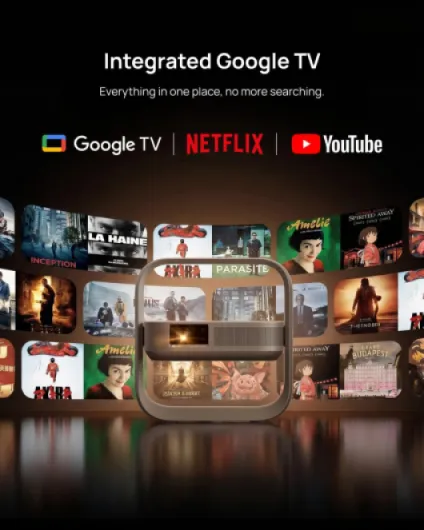
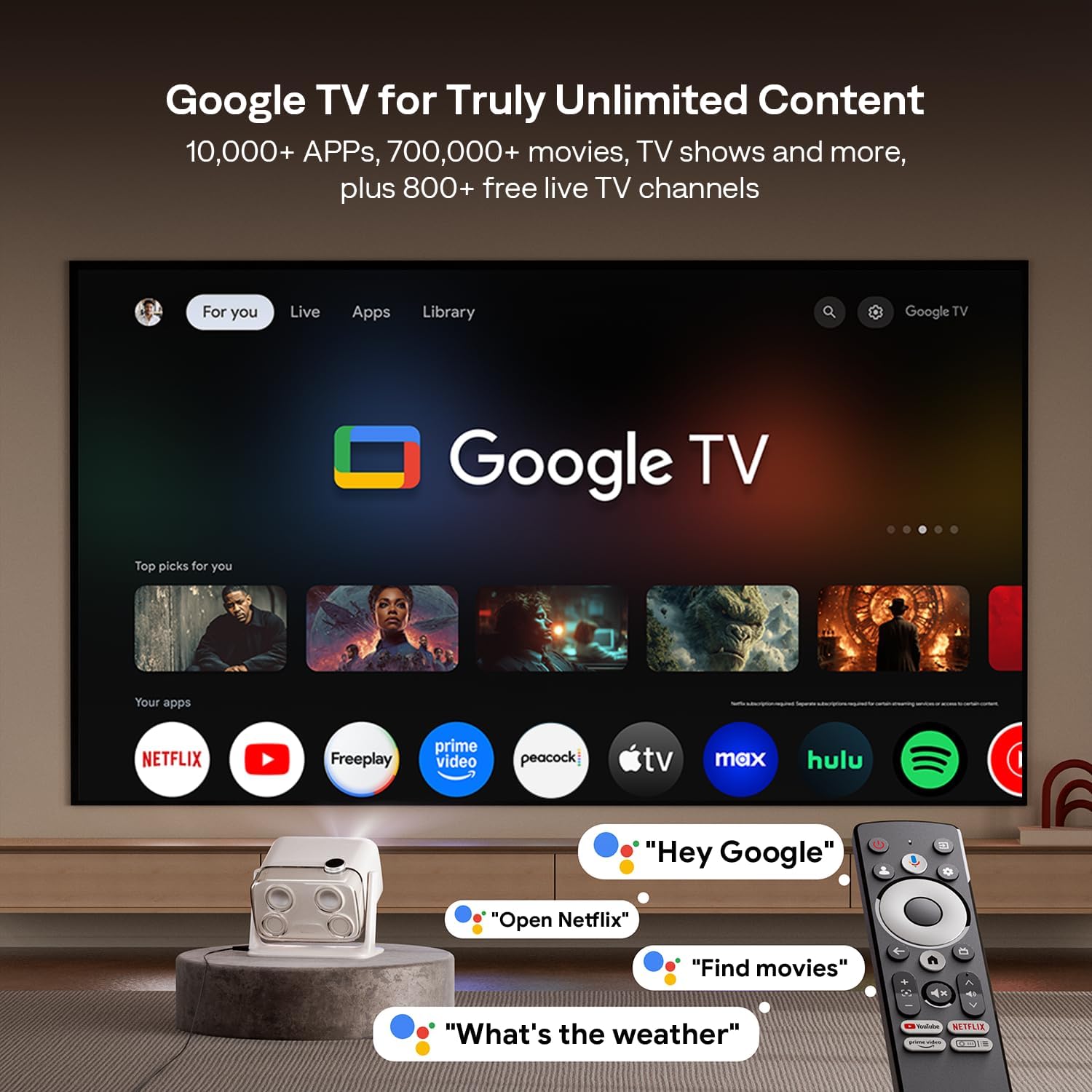
The first thing that stood out is that this is not just a dumb projector. It’s basically a small TV with Google TV built in. I plugged it in, connected Wi‑Fi, logged into my Google account, and I was on Netflix and YouTube in minutes. No Fire Stick, no HDMI box, nothing else needed. That part is genuinely convenient if you hate cable clutter.
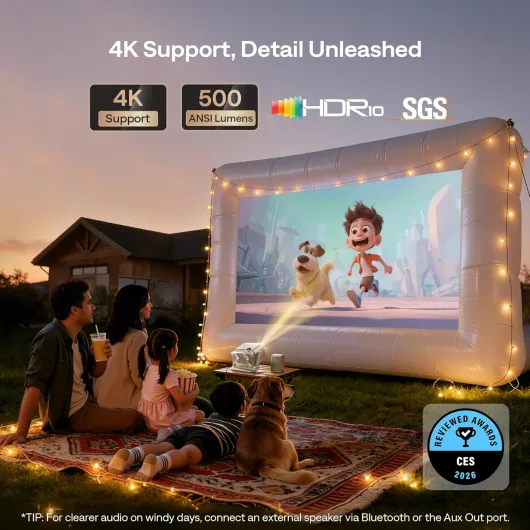
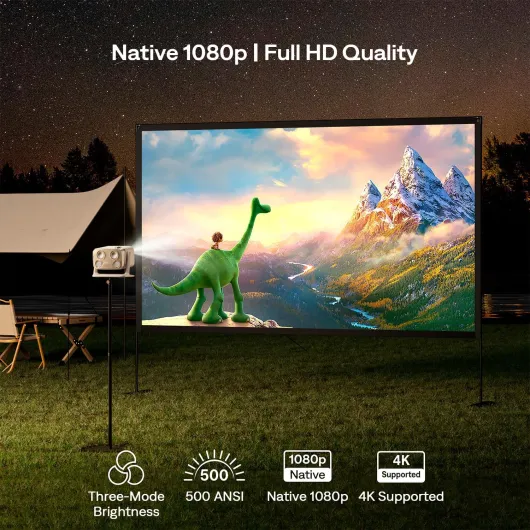
Picture-wise, it’s native 1080p with 500 ANSI lumens. On paper that sounds fine, and in practice it is: in the evening or with curtains half drawn, the image is sharp and the colours look pretty solid. During the day with bright sun, you can still see what’s going on but it loses a lot of punch, so don’t expect it to beat daylight. It’s better than the usual cheap “10,000 lumen” nonsense projectors, but it’s still a projector, not a high-brightness TV.
Overall first impression: it’s a very practical all‑in‑one box with decent brightness and surprisingly good sound for its size. It’s not perfect, there are quirks (fan noise, some app limitations, and the auto-focus isn’t magic), but for everyday use it does the job pretty well. The rest of this review goes into the details: design, performance, sound, smart features, and whether it’s worth the money.
Price & value: good package if you want all-in-one convenience
In terms of value for money, I’d put the Aurzen BOOM mini in the “pretty solid” category. You’re paying for a full package: 1080p projector, Google TV box, 20W speakers, and a flexible stand, all in one device. If you tried to build the same setup piece by piece (separate dumb projector + Fire Stick + Bluetooth speaker + tripod), you’d easily hit a similar price and have more clutter, plus more cables to manage.
Where it earns its keep is the convenience factor. For someone who just wants to plug in one box and have Netflix, Disney+, YouTube and decent sound without thinking too much, it hits that target. The picture is good enough for casual movie nights, sports, and gaming. The speakers are strong enough that you don’t need a soundbar right away. And the stand means you don’t have to buy extra mounting gear for basic use. So from a practical standpoint, you’re getting a lot of function for the price.
On the downside, there are some compromises: fan noise is there, auto‑focus isn’t perfect, some streaming apps can be flaky on Google TV, and it doesn’t have a battery. Also, the contrast ratio (quoted at 1000:1) and black levels are clearly behind a decent TV. If you mainly watch during the day or you’re very picky about image quality, you might be happier putting the money toward a bigger TV instead.
Compared to other projectors around this price, I’d say it’s better than the usual no‑name LED projectors that lie about brightness, and roughly in line with some entry‑level models from bigger brands, but with stronger built‑in smart features and sound. If you catch it on discount (like during Prime Day), it becomes a more attractive deal. At full price, it’s still fair, but not a crazy bargain. It’s a good choice if you value simplicity and all‑in‑one design over squeezing every last bit of picture quality for the money.
Design & usability: small box, built-in stand, a few quirks
The design is pretty straightforward: a compact off‑white box with rounded edges and a built‑in gimbal stand. It looks more like a small speaker than a classic projector, which helps it blend into a living room without screaming “tech toy”. I had it sitting on a sideboard and it didn’t look out of place at all. The off‑white colour is neutral, so it doesn’t clash with most furniture.
The built‑in stand is the bit I appreciated the most. It tilts up to around 110°, so you can point it at a wall, slightly upwards, or even close to the ceiling without stacking it on books or buying a tripod. In practice, this makes a big difference: I stopped fiddling with makeshift stands and just rotated the gimbal until the image was roughly where I wanted, and then let the auto‑keystone do the rest. For a portable device, that’s genuinely useful.
Controls are mostly on the remote; the projector itself has minimal buttons, which is fine because you’ll use the remote 99% of the time. The remote is standard Google TV style: directional pad, back, home, Google Assistant, volume, etc. It works, but feels a bit cheap and, yes, no batteries included (2x AAA). It’s a small thing, but for the price, they could easily throw in a pair. Range and responsiveness were okay; I never had to point it super precisely.
In terms of setup, it’s pretty painless: plug in, choose language, Wi‑Fi, sign in to Google, done. It walks you through keystone, focus, and updates. The only slightly annoying bit is that because it’s a smart device, the first startup takes longer due to updates and login. But once it’s configured, waking it from standby is fairly quick. Overall, the design is practical and compact, not fancy, but clearly thought out for people who will move it around or use it in different rooms.
Portability & power: good to move around, but no built-in battery
Just to clear this up: the Aurzen BOOM mini does not have a built‑in battery. You need to plug it into mains power all the time. So while it’s portable in size, it’s not a fully wireless outdoor projector you can take to a field with no power. For garden movie nights, you still need an extension cable or some kind of power source. I’ve seen people assume it’s battery powered because of the “mini” and “portable” labels, but it isn’t.
That said, the form factor is genuinely easy to move around. It’s light enough to carry in one hand, and the built‑in stand means you don’t have to carry extra tripods. I moved it between the living room, bedroom, and garden several times. Setup in each place took maybe 2–3 minutes: plug in, point at wall/screen, let auto‑focus and keystone run, adjust a bit if needed, and start watching. For someone who doesn’t want a permanent projector install, that’s quite practical.
If you really want to use it off‑grid, you could technically run it off a big power bank or portable power station, but keep in mind it’s rated at around 120W. That will drain most power banks pretty fast. So I’d say it’s more of a “move it between rooms and houses” device than a “camping in the woods” solution. For indoor use and occasional backyard movie nights with access to power, it’s fine.
In daily life, this means it can pretty easily replace a TV in a small flat if you’re okay with plugging and unplugging and don’t mind a slightly darker daytime image. It’s also handy to bring to a friend’s place for a sports night or to a holiday home. Just don’t expect full wireless freedom. In short: portable, yes; battery‑powered, no.
Build quality, fan noise over time & maintenance
Build quality is decent but not premium. The plastic shell feels solid enough, there are no weird creaks when you adjust the stand, and the hinge on the gimbal feels okay – not loose, not super stiff. I wouldn’t throw it in a backpack without some padding, but for normal home use it feels like it will hold up. The buttons and ports don’t feel wobbly, which is usually where cheap projectors show their limits.
The main long‑term concern with projectors is usually the fan and dust. The fan here is always on when the projector is running, and as I mentioned, noise is noticeable, especially on the higher brightness mode. Over a few weeks of use I didn’t notice it getting worse or making strange noises, so at least in the short term it seems stable. But if you’re very sensitive to fan noise, this might bug you in quiet scenes. Personally, after 10 minutes I mostly tuned it out once the speakers kicked in.
Dust is another thing, and Aurzen actually includes a note about cleaning black spots from the image. If you see dark blotches on a white screen, it’s usually dust on the LCD path. They explain how to remove the back cover and use a bendable cotton swab to gently clean the sides of the LCD. This is both good and bad: good because they at least acknowledge it and tell you how to fix it, bad because you might actually have to open the thing if you’re unlucky and dust sneaks in. I didn’t have to do this yet, but it’s something to keep in mind.
There’s a 3‑year manufacturer warranty, which is reassuring given it’s a Chinese‑made projector from a brand that’s not as known as the big names. I’ve seen at least one user mention that customer service was responsive and replaced a faulty unit quickly, which is a good sign. So while you’re not getting the tank‑like build of a professional projector, I’d say for home use it feels reasonably durable, as long as you don’t drop it and you’re okay potentially doing a bit of dust cleaning down the line.
Picture quality & performance: good 1080p, honest brightness, some limits
Let’s talk picture, because that’s what matters most. The BOOM mini is native 1080p, and you can tell. Text from menus, subtitles, and game HUDs are sharp enough, not mushy like the fake‑1080p cheap projectors. I watched a mix of content: Netflix shows, football, YouTube 4K videos (downscaled), and a couple of Blu‑ray rips via HDMI. Overall, the image is clean and detailed for the price bracket.
The 500 ANSI lumens spec feels fairly honest. In a dark or dim room, the image is bright enough up to around 100–120". Colours look good, not washed out, and the HDR10 support helps a bit with contrast on compatible content, though don’t expect true HDR like on a high‑end TV. In the daytime with curtains half open, it’s still watchable, which matches what some reviewers said, but you lose a lot of depth and black levels. Direct sunlight on the screen is a no‑go, as usual with this type of projector.
The auto‑brightness and picture modes are decent. I ended up turning off most of the aggressive processing and stuck with a more neutral mode. There are presets for sports, movies, etc. that tweak sharpness and colour saturation. They’re okay, but nothing magical. If you’re picky, you’ll want to spend 10–15 minutes adjusting brightness, contrast and colour to your taste. Once dialled in, it’s solid for casual movie nights.
Where it stumbles a bit is auto‑focus and fan noise. The ToF auto‑focus and auto‑keystone kick in quickly (about 3 seconds), and usually get it 80–90% right. But quite often I had to fine‑tune focus manually via the remote to get that last bit of sharpness. It’s not a big deal, but don’t expect it to always nail it perfectly. As for the fan, on Standard mode it’s audible but tolerable once the sound is playing. On Eco it’s quieter but you sacrifice brightness. On High backlight, the fan ramps up and becomes pretty noticeable, and the picture doesn’t improve enough to justify that in my opinion. So I mostly left it on Standard and lived with the noise.
What the Aurzen BOOM mini actually offers
On paper, the BOOM mini is a 4‑in‑1 device: projector, Google TV streaming box, Bluetooth speaker, and a sort of stand/mini mount all in one. Specs-wise, you’re getting native 1080p resolution, 500 ANSI lumens, HDR10 support, built‑in Google TV, dual‑band Wi‑Fi, Bluetooth (both ways), and 20W speakers with Dolby/“DoIby” audio branding. It supports 4K input, but just to be clear, it downscales to 1080p – the panel itself is not 4K.
In terms of connections, it’s fairly basic but enough for most people: HDMI, USB, 3.5 mm audio jack, Wi‑Fi and Bluetooth. You can plug in a laptop, console, Fire Stick, or just rely on the built‑in Google TV apps. I mostly used the built‑in streaming and a Nintendo Switch over HDMI. Input lag felt fine for casual gaming; I wouldn’t use it for competitive shooters, but for Mario Kart or FIFA it’s totally usable.
The projector claims a maximum 200" image, but realistically the sweet spot is more like 80–120". Beyond that, the image is still watchable but you start to notice the limits in brightness and sharpness, especially if the room isn’t properly dark. The minimum distance is about 1.2 m for a 40" image, which is handy if you’re in a small bedroom or want to project on a wall fairly close to the bed or sofa.
One thing that’s worth mentioning: it runs real Google TV, not some weird off-brand Android skin. That means you get access to the usual big apps, voice control with the remote, and regular updates from Google. However, some UK catch‑up apps (like BBC iPlayer and All4) are still picky and may not work properly, which lines up with what other users are seeing. So if you rely heavily on those, plan to maybe plug in a separate stick as a backup.
Smart features, streaming & everyday use
The Google TV integration is one of the main reasons to buy this instead of a dumb projector. In daily use, it’s genuinely convenient. I turned it on, landed straight on the Google TV home screen, and everything felt familiar: rows of apps, recommendations, and a search bar. I installed Netflix, Prime Video, Disney+, YouTube, and a couple of smaller apps without any issue. Logging in with a phone or QR code speeds things up, so you’re not typing passwords with the remote for half an hour.
Streaming performance over dual‑band Wi‑Fi (2.4G & 5G) has been stable. On 5 GHz, 1080p and 4K streams (downscaled) ran smoothly without buffering, even when someone else was browsing on their phone on the same network. Casting from my Android phone worked fine too, both via built‑in Chromecast and basic screen mirroring. For presentations or showing photos, it’s more than enough. I also like that, besides Google TV, it still supports traditional Wi‑Fi screen projection for devices that don’t play nicely with Chromecast.
There is a catch though: some apps, especially UK catch‑up services like BBC iPlayer, All4, and Freeview Play, can be a pain or just not work properly due to DRM or certification issues. Other buyers have mentioned this and I ran into similar behaviour. That’s more of a Google TV/platform problem than Aurzen specifically, but it still affects your experience. If those apps are a big part of your viewing, it might annoy you. The workaround is to plug in a streaming stick that you know supports them well.
On the Bluetooth side, it works both as a Bluetooth speaker and as a receiver for external speakers or soundbars. Using it as a speaker alone is a bit of a novelty, but it does work – you can play music from your phone through its 20W speakers. I used Bluetooth mostly to test pairing with a small Bluetooth speaker and some headphones, and the connection was stable with no major sync issues. Overall, as a smart projector for everyday Netflix/YouTube/Disney+ use, it does the job very well. Just be aware of those few picky streaming apps and don’t expect a perfect TV‑replacement experience for every single service.
Pros
- True 1080p image with honest 500 ANSI brightness that looks good in dim rooms
- Built-in Google TV and Wi‑Fi/Bluetooth mean no extra streaming stick or speakers needed for basic use
- Integrated gimbal stand and auto keystone make setup fast and flexible in different rooms
Cons
- Fan noise is clearly audible, especially on high brightness
- Auto-focus often needs manual fine-tuning and some streaming apps (like BBC iPlayer/All4) can be unreliable
- No built-in battery, so “portable” still requires a power outlet or external power source
Conclusion
Editor's rating
The Aurzen BOOM mini is a practical all‑rounder for people who want a simple, compact way to get a big screen at home without juggling multiple devices. The native 1080p picture is clean, the 500 ANSI lumens are honest for evening use, and the built‑in Google TV means you can stream Netflix, YouTube, Disney+ and more out of the box. Add to that the 20W speakers, which are genuinely decent for movies and sports, and the built‑in stand that saves you from stacking books, and you end up with a projector that’s easy to live with.
It’s not perfect. Fan noise is there, especially on higher brightness settings, the auto‑focus usually needs a small manual tweak, and some region‑specific apps (like BBC iPlayer/All4) may give you trouble on Google TV. There’s also no internal battery, so “portable” still means you need a power outlet nearby. But none of these are deal‑breakers if you go in with realistic expectations of what a mid‑range smart projector can do.
If you want a no‑fuss home cinema setup for evenings, occasional garden screenings, or to replace a TV in a small flat, this is a solid option. It makes sense for families, students, or anyone who just wants to plug in one box and start watching. If you’re very sensitive to noise, obsessed with perfect black levels, or rely heavily on picky streaming apps, you might be better off with a bigger TV or a more specialised projector plus an external streaming stick. Overall, I’d give it a strong 4/5: good value for what it offers, with clear strengths and a few trade‑offs you should be aware of.