
Summary
Editor's rating
Is it worth the asking price?
Chunky cube with a smart gimbal idea
Daily use, noise and built-in sound
Build quality feels solid, but reliability is a question mark
Image, motion and 3D: good overall, but not perfect
Specs look great, reality is a bit more grounded
Pros
- Bright 2500 ANSI lumen laser light source works well even in dim or slightly lit rooms
- Gimbal design and auto focus/keystone make setup quick and flexible for different locations
- Built-in JBL speakers are actually usable for movies and better than many TV speakers
Cons
- Average contrast and greyish blacks, especially noticeable in dark-room movie watching
- Bulky and heavy for a so-called "mini" portable projector (over 6 kg)
- High price compared to alternatives and some user reports of reliability issues like colour flickering

Specifications
View full product page →| Brand | Hisense |
A "mini" projector that’s not that mini
I’ve been using the Hisense Laser Mini Projector C3 for a couple of weeks at home, mainly in the living room and occasionally in the garden on a portable screen. On paper it ticks a lot of boxes: 4K, 2500 ANSI lumens, Dolby Vision, JBL speakers, gimbal design, 3D, 240 Hz… the spec sheet looks like someone tried to cram everything into one box. The price is close to 2000€, so I went in with fairly high expectations.
First thing to know: despite the "mini" and "portable" marketing, this isn’t a pocket gadget. It weighs over 6 kg and takes up real space on a coffee table. You can move it around, but it’s more like carrying a small desktop PC than a travel gadget. The included bag is decent and makes it easier to move between rooms or to a friend’s place, but I wouldn’t call it travel friendly in a backpack sense.
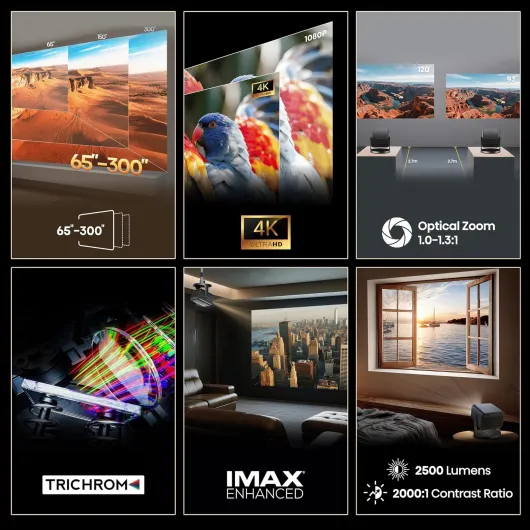
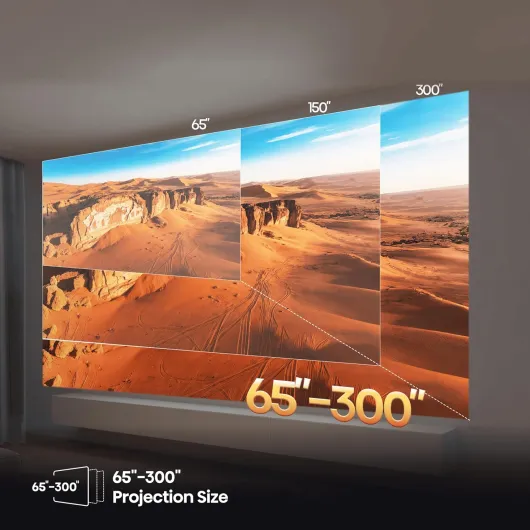
In daily use, I’ve mainly used it between 100" and 150" at around 2.5–3.5 m throw distance. I also tried pushing it close to 250" on a big outdoor screen just to see if the 2500 lumens claim holds up. I didn’t bother with 300" because at that size you start to see the limits of brightness and the quality of your screen and environment matters a lot more.
Overall, the first impression is: image quality is pretty solid when you set it up right, brightness is good for a living room, and the JBL sound is better than many built-in projector speakers. But it’s not flawless: the contrast is limited, the fan can be heard, and at this price point you start noticing all the little compromises. I’ll go through what worked for me and what annoyed me in a bit more detail.
Is it worth the asking price?
This is where things get tricky. The Hisense C3 sits in a price range where you can already find other solid 4K projectors, sometimes with higher contrast or more established home cinema pedigrees. At close to 2000€, it’s not an impulse buy. For that money, you expect strong performance, decent reliability, and a fairly polished user experience. The C3 delivers good brightness, nice colours, a flexible gimbal design, and usable built-in sound. But the contrast is only okay, and the Amazon average rating of 3.8/5 shows that not everyone is fully convinced, especially when a unit has issues like colour flickering.
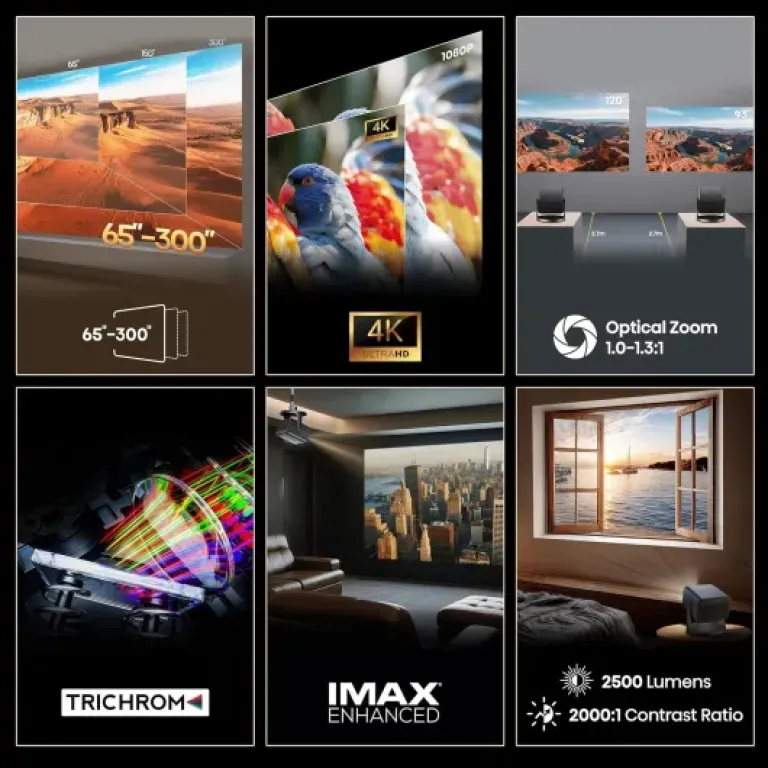
From a pure performance-for-price angle, if your main use is big, bright image in mixed lighting (living room, garden evenings, parties), the C3 makes some sense. The 65"–300" range, easy setup, and 2500 lumens give it a clear advantage over cheaper dim projectors that only work well in a fully dark room. If you often host friends for sports or movie nights and don’t want to permanently install a ceiling-mounted projector, the flexibility here is worth something.
On the other hand, if you’re mainly watching movies in a dedicated dark room and care a lot about deep blacks and contrast, you might find better value in a more classic home cinema projector with a higher contrast ratio, even if it’s slightly less bright or less "portable". Also, if your budget is tight, there are cheaper 4K or 4K‑compatible projectors that give you 70–80% of this experience for a lot less money, at the cost of some brightness and features.
So for me, value is decent but not amazing. It’s not overpriced to the point of being ridiculous, but it’s also not a bargain. If you specifically want a bright, fairly portable laser projector with good sound and easy setup, and you’re okay paying for that convenience, it can make sense. If you’re just chasing the best picture quality per euro, I’d say look around and compare a few alternatives before pulling the trigger.
Chunky cube with a smart gimbal idea
Design-wise, the C3 is basically a metallic grey/silver cube: 24.6 × 24.6 × 25.2 cm and about 6.2 kg. It looks more like a small desktop appliance than a slim gadget. On a TV bench or a sturdy coffee table it feels fine, but if you’re used to tiny LED projectors, this one will surprise you a bit. The finish is clean, no flashy lights or weird shapes, more like a piece of audio gear than a toy. I personally like that – it doesn’t scream for attention when it’s off.
The gimbal design is the main design trick here. The projector head can tilt up and down pretty freely, so you don’t need a stack of books or a tripod just to aim at the screen. For living room use, this is genuinely practical: I dropped it on a low table, tilted it up, and had a 100" image on the wall in seconds. For outdoor use, same thing: on a garden table, tilt, focus, done. The auto focus and obstacle avoidance usually work well; it detects frames, shelves or plants on the wall and adjusts the image area to avoid them. It’s not magic, but it saves a bit of manual fiddling.
On the downside, the weight and size mean you need a stable surface. On my slightly wobbly IKEA coffee table, if someone bumped into it, the image moved enough that I had to re‑adjust. Also, calling it "portable" is a bit of a stretch. Yes, it has a carrying bag and a handle, but you’re still dragging around a 6+ kg cube plus cables. For moving around the house or taking it in the car to a friend’s place, fine. For regular travel or camping on foot, it’s too bulky and heavy for my taste.
One more small detail: the ports are all on the back, fairly easy to access, but once you plug in HDMI, Ethernet, and maybe a USB drive, cable management gets messy quickly. There’s no real channel or clip to guide cables, so if you care about a clean setup on a low table in the middle of the room, you’ll probably end up taping or routing cables yourself. Not a deal breaker, just something you notice after a few days of use.
Daily use, noise and built-in sound
Using the C3 on a daily basis is fairly straightforward, but there are a few quirks. The remote is the main way to control it, and like one Amazon review said, if you forget the remote, it gets annoying quickly. There are only basic buttons on the body, so navigating menus or changing settings without the remote is a pain. Keep the remote in the carry bag or taped to the projector if you move it a lot. The software menus are okay, not super polished but clear enough once you’ve gone through them once or twice.
Fan noise is noticeable but not unbearable. In Eco mode it’s quieter, but then you lose some brightness. In normal mode, sitting about 2–3 meters away, I can hear a steady hum, especially in quiet scenes. Once the movie gets going, my brain mostly tunes it out, but if you’re very sensitive to fan noise and like watching at low volume, it might bother you. The laser light source itself is instant on/off, which is nice: no long warm‑up or cool‑down like old lamp projectors.
The JBL sound is better than what I expected from a built-in projector speaker. For casual use, it’s actually fine: dialogues are clear, and there’s a bit of bass so it doesn’t sound completely flat. I’d compare it to a mid-range small soundbar. For movies, if you’re not super picky about audio, you can absolutely live with it. One Amazon user mentioned the sound is better than small TVs, and I agree. That said, if you’re already spending this much on a projector, pairing it with at least a basic soundbar or AV receiver still makes sense. Once I plugged it into my existing 2.1 setup, the whole experience felt more like real cinema.
In terms of eye comfort, the large image at moderate brightness is much less tiring than watching a bright TV in a dark room. For long series binges at 100–120", I felt less eye strain. Auto focus and obstacle avoidance also reduce the constant fiddling, which indirectly helps comfort. Overall, for day-to-day use, it’s quite practical, but between the fan noise, reliance on the remote, and the bulk, it’s clearly a home device, not something you casually set up for 20 minutes and pack away every night.
Build quality feels solid, but reliability is a question mark
The chassis of the C3 feels sturdy. The plastics and metal parts don’t creak when you lift it, and the gimbal hinge doesn’t feel loose or flimsy. At 6.2 kg, it has that "chunk of hardware" feeling, not something hollow. The carry bag is padded enough for normal handling around the house or in the car. I wouldn’t throw it around, but I’m not afraid to move it between rooms or to a friend’s place. The finish didn’t pick up scratches or marks during my test, though I was reasonably careful.
Where I have a small doubt is long-term reliability, especially given the price. One Amazon review mentions that after only a few days, the colours started flickering and the unit had to be returned. I didn’t experience that, but I only had it for a limited time. Laser projectors in general should have good lifespan on the light source, but they’re also more complex than basic LED units. If something goes wrong, you’re not just swapping a cheap lamp. At almost 2000€, sending it in for repair would be annoying, even with the 2‑year manufacturer warranty.
The 2‑year guarantee is standard for this type of product, so at least you’re covered for early defects. I’d still keep the original box and the carry bag and avoid exposing it to dust, moisture, or big temperature swings. I also noticed that after long sessions (2–3 movies back to back), the body gets warm but not alarmingly hot, so the cooling system seems dimensioned correctly. The fan ramps up slightly over time but never reached a "jet engine" level in my case.
In short, build quality feels reassuring, but given the price and the few negative reliability comments online, I’d buy it from a seller with good return service and maybe consider extra warranty if you’re unlucky with tech. It doesn’t feel fragile in the hand, but it’s still a complex, heavy piece of electronics that you probably won’t want to repair out of pocket if something critical fails after two years.
Image, motion and 3D: good overall, but not perfect
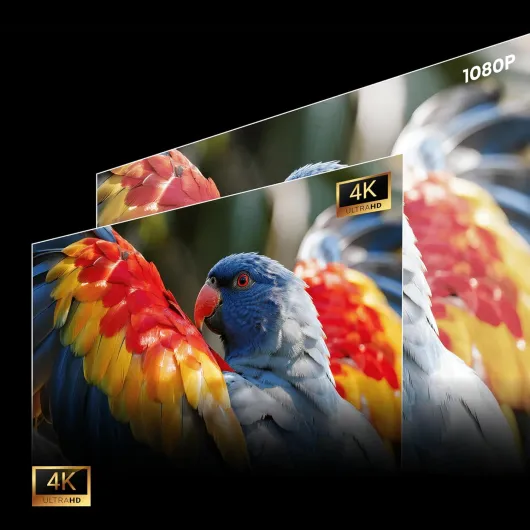
On the image side, I mostly watched 4K HDR content from a streaming box and a Blu‑ray player. The sharpness is genuinely good at typical sizes (100–150"). Text in menus is clean, you can see skin texture and fabric details, and there’s no obvious blur at the edges if you’ve set focus properly. The 4K upscaler does a decent job with 1080p content; old HD series still look fine, not razor sharp, but not mushy either. At 200" and above, the image remains watchable, but you start noticing the limits of brightness and the screen material. For me, the sweet spot is around 100–140".
Brightness is the main strength: at 2500 ANSI lumens, you can watch in a dim room without needing absolute darkness. With a bit of ambient light, colours still hold up, especially cartoons, sports, and bright movies. Dark horror movies or sci‑fi with a lot of night scenes are more sensitive; you either close the curtains or accept greyer blacks and some loss of mood. Contrast at 2000:1 is okay but nothing more. You won’t get deep inky blacks; you get dark grey. If you’re coming from a cheap 500–800 lumen projector, this still feels like a big upgrade.
Motion handling is where the 240 Hz spec comes in, but in practice it’s more about reduced blur and smoother movement than raw refresh rate like on a gaming monitor. Fast sports and action scenes look smooth, and I didn’t notice major judder or tearing. There are motion smoothing options (the usual TV-style settings) that you may want to dial down to avoid that "soap opera" effect. For gaming, input lag felt acceptable on a console; I’m not a hardcore competitive gamer, but I didn’t feel delayed in racing games or shooters. If you’re ultra sensitive, you might want lab measurements, but for normal living-room gaming, it gets the job done.
I also tried the 3D function with a couple of old Blu‑ray 3D discs and active glasses I already had. It works, and the brightness of the laser helps compensate the dimming from the glasses, but 3D isn’t mind-blowing. It’s more of a bonus feature if you already own 3D content. One Amazon user mentioned colour flickering issues after a few days and had to return it. I didn’t hit that problem during my test period, but with a laser light engine and moving colour wheel / modulation, I can believe there’s some unit variability. For a nearly 2000€ device, that kind of reliability concern is worth keeping in mind.
Specs look great, reality is a bit more grounded
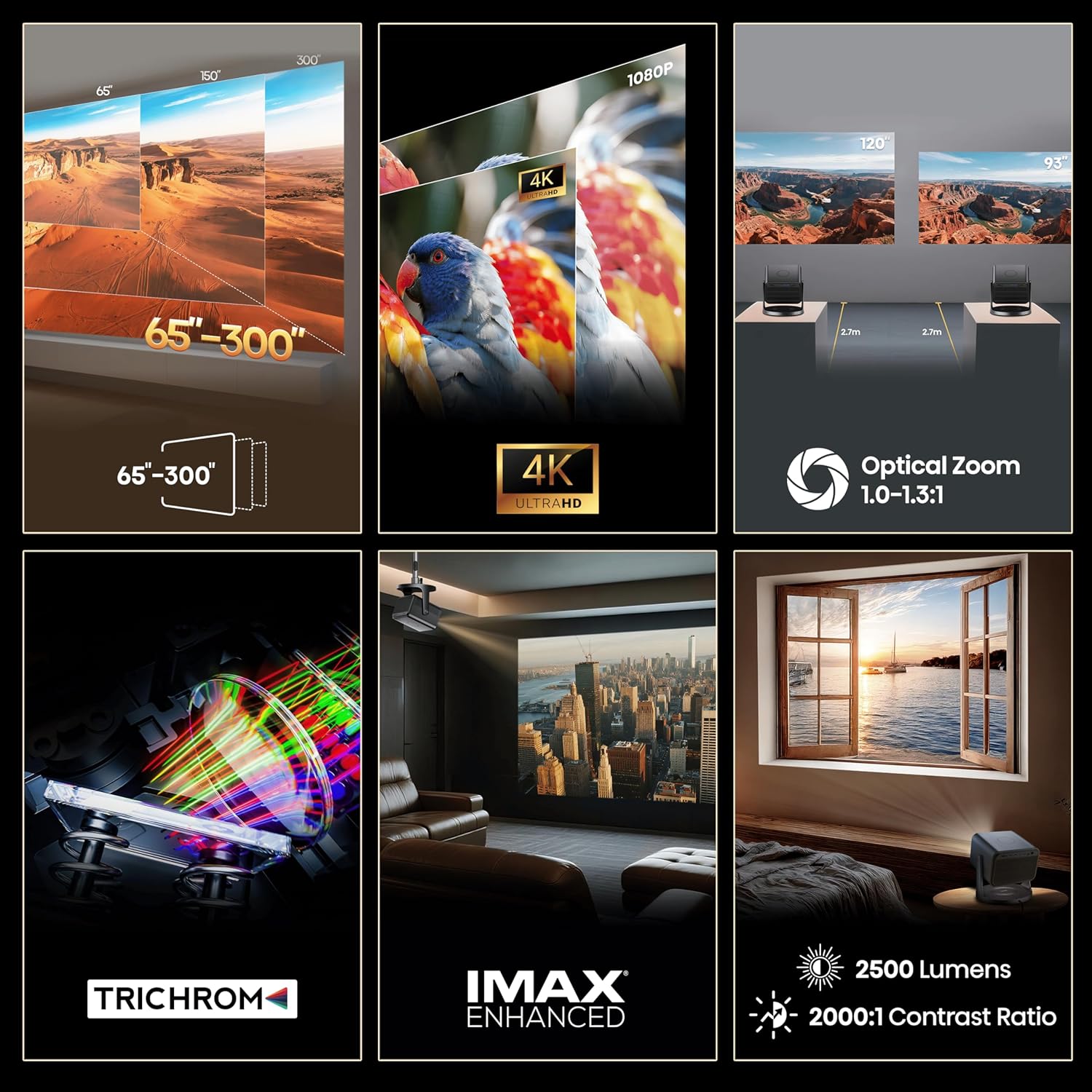
On the spec sheet, the Hisense C3 looks like a serious home cinema machine. You get native 4K (3840 × 2160), 2500 ANSI lumens, a quoted 2000:1 contrast ratio, and support for Dolby Vision plus some picture modes like Filmmaker Mode. It takes HDMI, USB, Ethernet, Wi‑Fi, Bluetooth 5, and can handle all the usual video formats (MPEG, AVC, HEVC, VP9, etc.). In short, it should read any normal movie file or streaming box output without drama. There’s also 3D support, which is becoming rare, and a 240 Hz mode that’s more for gamers.
In practice, what stands out most are three things: brightness, colour, and ease of placement. The pure three-colour laser light source gives strong, punchy colours out of the box. Reds and greens in animated content and sports look lively without you having to dig into the menu too much. The 2500 lumens help a lot if you don’t have a perfectly dark room. I watched a football game on a 120" screen with curtains half‑closed in the afternoon and it was very watchable. Blacks were washed out compared to my OLED TV, but that’s normal for a projector in a semi-lit room.
The optical zoom (1.0–1.3:1) and gimbal design make it easier to drop it in the middle of a room and angle it roughly at the wall or screen. Auto focus and digital keystone correction kick in pretty quickly. I rarely had to spend more than a minute adjusting the image. That’s nice if you use it in different rooms or for outdoor movie nights. Still, if you want the best image, you’ll want to keep keystone to a minimum and actually place it more or less straight on.
Where the reality is a bit less shiny is the claimed contrast and overall "cinema" feeling. The 2000:1 contrast ratio on paper is modest, and you feel it in darker movies. In a dark room with a decent screen, blacks are more dark grey, and some shadow detail gets a bit crushed unless you tweak gamma and brightness. Compared to cheaper LED projectors, it’s still a clear step up, but if you’re used to a good OLED or a high‑end home cinema projector, you’ll notice the gap. So yes, the specs are serious, but they don’t magically break physics.
Pros
- Bright 2500 ANSI lumen laser light source works well even in dim or slightly lit rooms
- Gimbal design and auto focus/keystone make setup quick and flexible for different locations
- Built-in JBL speakers are actually usable for movies and better than many TV speakers
Cons
- Average contrast and greyish blacks, especially noticeable in dark-room movie watching
- Bulky and heavy for a so-called "mini" portable projector (over 6 kg)
- High price compared to alternatives and some user reports of reliability issues like colour flickering
Conclusion
Editor's rating
After using the Hisense Laser Mini Projector C3 for a while, my feeling is pretty straightforward: it’s a solid, versatile projector with good brightness and colours, but it doesn’t blow me away for the price. The gimbal design and auto features make setup easy, even if you move it between rooms or use it in the garden. The 2500 ANSI lumens mean you’re not stuck waiting for total darkness, and the JBL sound is actually usable without an external system, which is rare for a projector.
On the flip side, contrast is only average, fan noise is audible, and the size/weight make the "mini" label a bit optimistic. Add the mixed Amazon reviews and at least one report of colour flickering after a few days, and reliability becomes a question mark for a device that costs this much. It’s not a disaster, but it’s enough to keep me from calling it great value.
If you want a bright, somewhat portable 4K laser projector for casual home cinema, sports, and outdoor sessions, and you’re ready to pay extra for convenience and features like 3D, Dolby Vision, and the gimbal, the C3 can fit your use case. If you’re a picture-quality purist focused on deep blacks in a dark room, or if you’re careful with your budget, I’d look at other projectors in the same price range before deciding. It’s a good product in many ways, just not the obvious best choice for everyone.