
Summary
Editor's rating
Value for money: who gets the most out of it?
Design: not tiny, but still moveable and living‑room friendly
Battery and portability: portable, yes – cordless, no
Build quality and how solid it feels long term
Performance: brightness, 4K sharpness and real‑world usage
What the Hisense C2 Ultra actually is (beyond the buzzwords)
Does it actually replace a TV for everyday use?
Pros
- Very bright 3000 ANSI lumens, usable in a normal living room with some ambient light
- Real 4K UHD image with good sharpness at 90–120 inches
- Built‑in JBL speakers are decent enough to use without an external sound system at first
Cons
- VIDAA smart system is loaded with ads and not the nicest interface to use long term
- No internal battery despite being marketed as portable, and the unit is quite heavy to move often

Specifications
View full product page →| Brand | Hisense |
A portable projector that actually feels like a TV replacement?
I’ve been using the Hisense C2 Ultra 4K laser projector for a bit now, mainly in the living room and sometimes dragging it to a friend’s place for movie nights. I didn’t get it for “portable fun” only – I wanted something that could realistically replace a big TV without needing to drill into walls or commit to a 75‑inch panel. So I went into it with fairly high expectations on brightness, ease of use, and sound.
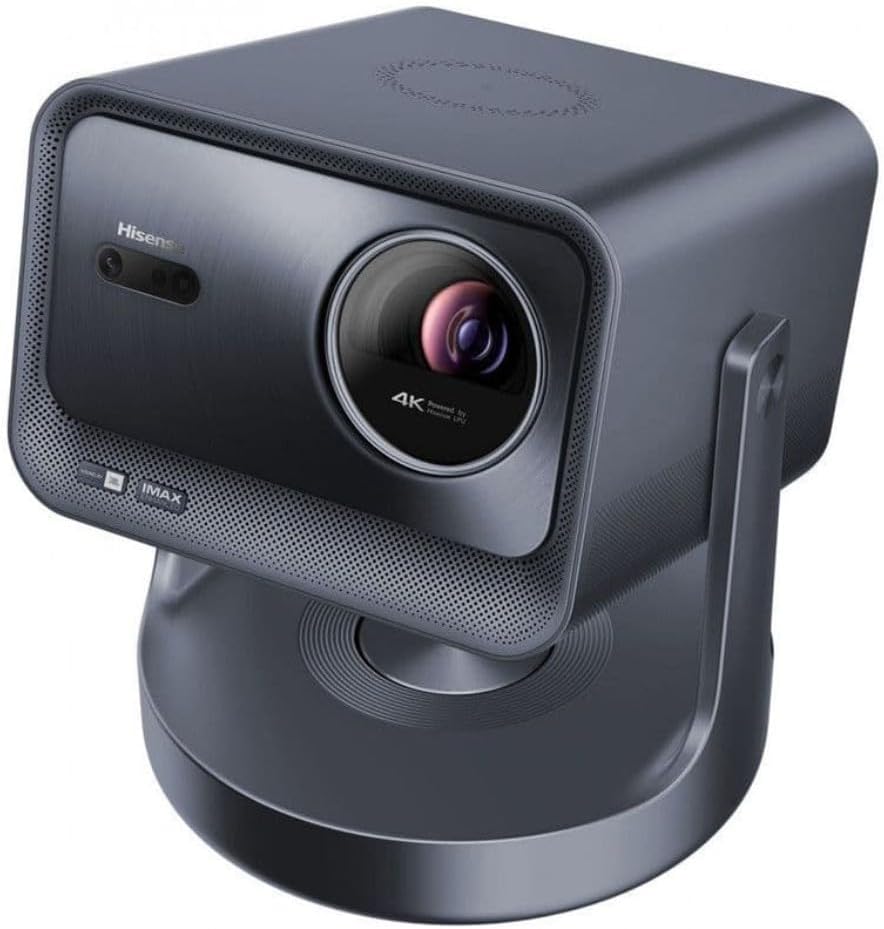
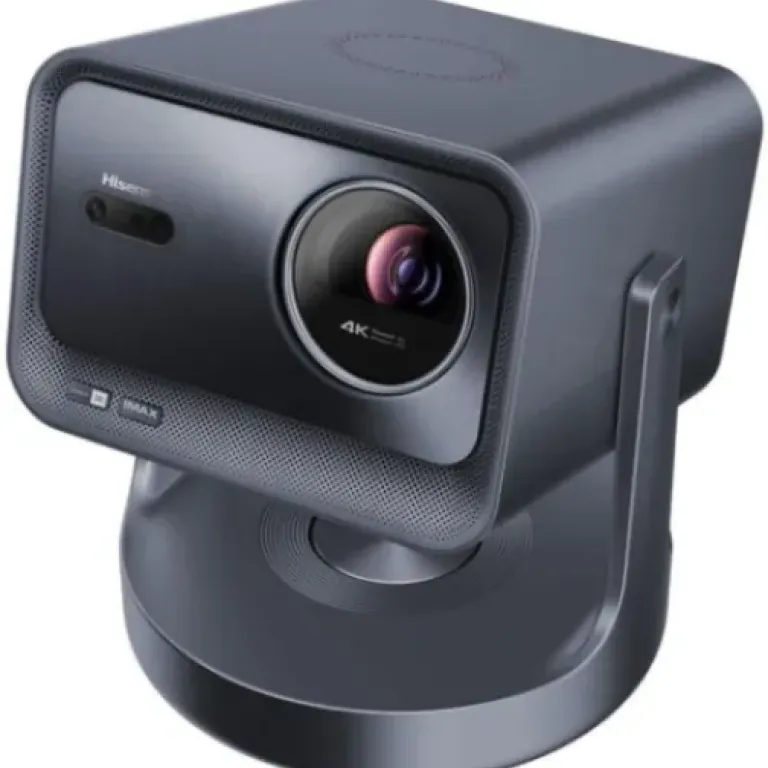
First impression: this thing is not a toy. At 6.3 kg, it’s technically “portable”, but it’s way closer to a compact home cinema unit than a pocket projector. You don’t throw it in a backpack like a Bluetooth speaker. It’s more: unplug, carry with two hands, set it on a table, done. That being said, compared to a big 65–77'' TV, it still feels flexible and way easier to move around or store.
What pushed me to try it was the combo of 4K UHD, 3000 ANSI lumens, Dolby Vision, and the built‑in JBL speakers. On paper it’s the kind of spec sheet that sounds too good for a “mini” projector. I was curious to see if it actually holds up in a regular living room with some light, not just in a fully dark bat cave. And I also wanted to see if I could live with the internal smart system (VIDAA) instead of adding another box.
Overall, after several movie nights, a couple of gaming sessions, and a lot of YouTube, I’d say it’s a pretty solid home cinema machine with some clear strengths and a few annoying details. It’s not perfect, and there are cheaper ways to get a big image, but if you want something bright, sharp and semi‑portable, it does the job better than most projectors I’ve tried so far.
Value for money: who gets the most out of it?
On value, this is not a budget projector. You’re paying for 4K, 3000 lumens, laser tech, Dolby Vision, JBL sound, and a semi‑premium build. If your goal is “get the biggest image for the lowest price”, there are cheaper 1080p LED projectors that will do the job in a dark room. But if you want something you can actually use in a normal living room without total blackout and you care about sharpness, then the price starts to make more sense.
Where it feels like good value is if you were already considering a large 75–85'' 4K TV. For a similar budget, you can get the C2 Ultra and a proper projection screen and end up with 100–120'' on the wall. You lose some convenience (no instant on/off like a TV, more room‑light sensitivity), but you gain a much larger image and that cinema feeling at home. For people who watch a lot of movies and series, that trade‑off can be worth it.
However, if you mostly watch daytime TV, sports with all the lights on, or just want something simple that everyone in the house can use without thinking, a standard TV is still the better value. The projector shines when you actually take advantage of what it does best: big image, darkened room, and decent sound out of the box. If you use it like a TV that’s always running in the background, you’re not really getting your money’s worth.
In short, I’d say value is solid for home cinema fans, especially if you pair it with a good screen and maybe a soundbar or AV receiver later. For casual users who just want “a screen that works anytime”, it’s probably overkill and not the smartest way to spend that kind of budget.
Design: not tiny, but still moveable and living‑room friendly
Design‑wise, the Hisense C2 Ultra sits in that middle zone: not huge like an old home cinema projector, but not super compact either. At 6.3 kg, you feel the weight when you carry it, but it’s still something you can move between rooms without a workout. I’ve carried it from the living room to a friend’s place a couple of times – it’s manageable, but you do think twice before doing it every weekend. This is more “move it when needed” than “throw it in your bag for a trip”.
The form factor is tabletop mount, which is actually practical. You just drop it on a coffee table or a TV bench, plug power and HDMI, and you’re ready. No ceiling mounting, no drilling, no permanent installation. The downside of that is you constantly end up adjusting height, distance and keystone when you move it even a little. If you’re a bit OCD about a perfectly straight image, you’ll spend a few minutes tweaking every time you reposition it.
The overall look is pretty neutral – it blends into a living room without screaming “gamer gear” or “office projector”. That’s something I liked: it doesn’t look cheap, but it doesn’t try to look like some luxury object either. Ventilation noise is present, but for me it stayed at a level where, once the movie or game sound starts, I mostly forget it. If you sit very close to it in a quiet scene, you will hear the fan, but it’s not crazy loud.
One thing I wish was better: accessories and mounting options. Several users mention it and I agree – Hisense should sell more official mounting accessories or a dedicated stand. Right now you’re kind of on your own to find a good stand or tripod that fits your room. It’s usable as is, but for the price, a better integration solution or at least some clear recommendations from the brand would be welcome. Design is overall solid, but practical details like that keep it from feeling fully thought‑through.
Battery and portability: portable, yes – cordless, no
Just to be clear: the Hisense C2 Ultra does not have an internal battery. You need to plug it into power every time you use it. The spec sheet mentions 180 V and 180 W lamp wattage, but that’s about power consumption, not a battery. So when they say “portable”, it only means you can move it around easily, not that you can run it wire‑free in the garden for hours. I’ve seen some people confuse that, so it’s worth pointing out.
In practice, this means you always need to plan around a power outlet and, if you’re using external devices, maybe a power strip. For indoor use, that’s not a big deal – most of us already do that with TVs and consoles. For outdoor movie nights or moving it between rooms, you just have to accept the cable situation. One Amazon review mentioned wanting a “cargador de energías” and more accessories from Hisense – and I get that. An official battery pack or at least a suggested solution would make the “portable” label feel more honest.
Because there’s no battery, there’s also no worry about battery degradation over the years, which is a plus in a way. You’re basically just dealing with the laser light source and general electronics. But if you had some fantasy of taking it to the park or camping without a power source, this is not that product. You’d need an external power station that can handle roughly 200 W and that’s another cost.
So on the portability vs. battery topic: it’s portable in the sense that it’s compact enough to move and set up quickly in different places, but it’s absolutely not a cordless solution. For me, that’s fine because I mostly use it at home, but if you specifically want something to use off‑grid, this model isn’t the right pick.
Build quality and how solid it feels long term
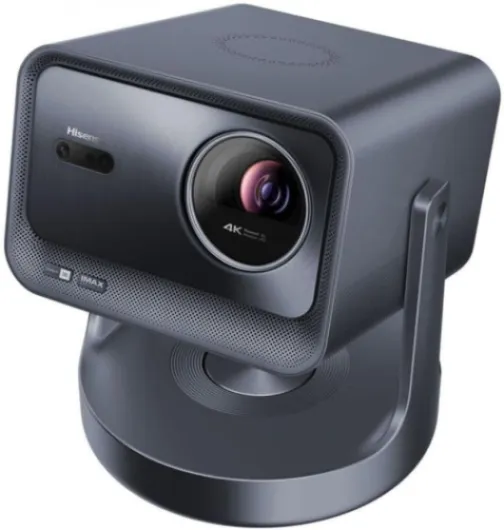
On durability, I obviously can’t tell you what happens after five years, but I can talk about how it feels and what the specs suggest. The unit itself feels solid and dense, not like cheap plastic. At 6.3 kg, there’s some heft, which usually means a more serious build inside. Nothing creaks when you move it, the buttons and ports feel correctly fitted, and I didn’t notice any weird noises apart from normal fan noise.
Hisense states EU spare part availability of 7 years, which is a good sign. It means that, at least on paper, you should be able to get parts or service for a decent amount of time. That’s more than what you get from many no‑name projectors that basically become disposable if anything breaks. For a device in this price range, that kind of support is almost mandatory, so I’m glad it’s there.
The laser light source is another plus for durability. Compared to traditional lamp projectors, laser systems usually last longer and lose brightness more slowly. You don’t have to think about replacing a bulb every couple of years. You still get some brightness drop over time, but for most home users, the projector will probably be outdated before the light source fully dies, assuming normal use.
The weak spot in terms of perceived durability is more about the ecosystem than the hardware: VIDAA and app support. One Amazon user was already hoping for more updates and mentioning that some apps (they called it “Vida app”) are bad. That’s my worry too: the hardware will probably outlive the software. In a few years, some apps might stop working or feel ancient. The workaround is simple: just use an external streaming device. But if you were hoping to rely only on the built‑in OS long term, don’t count on it aging as nicely as the physical projector itself.
Performance: brightness, 4K sharpness and real‑world usage
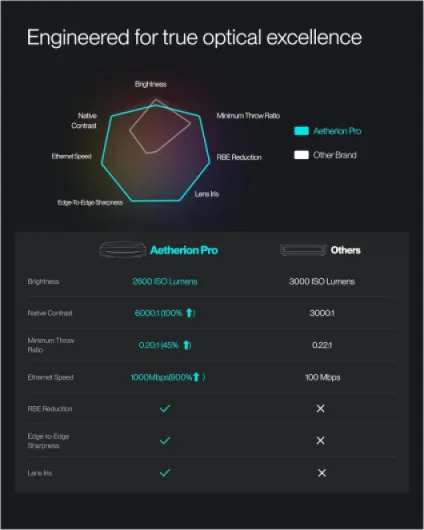
The 3000 ANSI lumens are the main reason to look at this projector, and in practice, it delivers. In a dim room or at night, the image is bright and sharp, even at around 100–120 inches. I’ve used cheaper projectors before that looked washed out unless the room was completely dark; here, you can leave a lamp on or have a bit of daylight and still watch comfortably. In direct sunlight it’s still a projector, so don’t expect miracles, but for late afternoon with curtains partly closed, it’s fine.
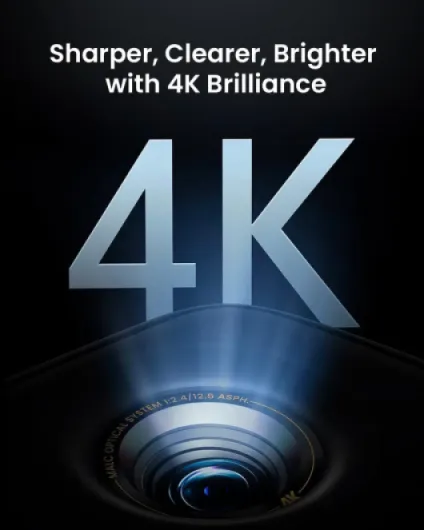
The 4K UHD resolution (3840 x 2160) actually shows. Text from console menus and subtitles are clean, and 4K streaming content looks detailed. Compared to a mid‑range 4K TV, it’s obviously not as crisp if you go up to 150'' or more, but at 90–110'' it’s genuinely good. A user review said “don’t compare definition with a TV because they work differently” – and I get that. A TV will always have more punch and perceived sharpness on a smaller surface, but here, the size of the image makes up for it. It’s more about immersion than pixel peeping.
HDR with Dolby Vision and IMAX Enhanced content is handled decently. Colors have good punch without looking cartoonish. Blacks are the weak point, like on almost any projector. In dark scenes, you can see the limitations of the 2000:1 contrast ratio, especially if your wall or screen is not great. On a proper screen, it looks better; on a plain white wall, you lose some depth. Motion handling for sports and gaming is okay – not perfect, but I didn’t see horrible smearing or lag that made things unplayable.
Gaming on a console is fine for casual play. I wouldn’t recommend it to hardcore competitive players who care about every millisecond, but for story games or couch co‑op it’s a nice experience, simply because of the screen size. The projector also wakes up and connects fairly quickly, so you’re not waiting ages for it to be ready. Overall, in real use, the performance is strong, especially on brightness and clarity. The weak spots are black levels and the fact that you still depend a lot on your room conditions, but that’s normal for this kind of device.
What the Hisense C2 Ultra actually is (beyond the buzzwords)
The Hisense C2 Ultra is a 4K UHD RGB laser projector that can throw an image from about 65 inches up to 300 inches. The native resolution is 3840 x 2160, so it’s real 4K, not some vague “HD-ready” marketing. Brightness is listed at 3000 ANSI lumens, which is the key number here, because that’s what makes it usable in a normal living room where you don’t want to sit in total darkness all the time.
It’s officially tagged as portable and designed to sit on a table rather than be ceiling‑mounted. The maximum throw distance is around 15 feet (about 4.5 m), which in practice means you can easily get something like a 100–120'' image in a typical apartment living room. The contrast ratio is listed as 2000:1, which on paper is fine for a projector in this category, but don’t expect OLED‑style deep blacks – it’s still a projector shining on a wall or screen.
On the multimedia side, it supports Dolby Vision and is IMAX Enhanced, which sounds fancy, but in everyday use it basically means it handles HDR content fairly well and some movies formatted for IMAX look a bit more punchy. It decodes H.264 and H.265, so it has no problem with modern streaming and 4K files. Connectivity is focused on HDMI (no crazy number of ports, but enough for a console and maybe a streaming stick if you hate the built‑in system). It’s clearly meant for home cinema and gaming, not office PowerPoints.
The built‑in JBL speaker system runs at about 20 W, which is decent for a projector. It’s not going to replace a proper 5.1 setup, but for casual watching or if you don’t want extra gear, it’s actually usable. Add to that voice command support and the VIDAA smart platform, and you basically have a “TV in a box” approach: set it on a table, plug power, connect Wi‑Fi, and you’re watching Netflix or playing on your console without much fuss. That’s the idea, at least. In reality, a couple of things could be smoother, especially on the software side.

Does it actually replace a TV for everyday use?
In terms of effectiveness, the main question for me was: can this realistically replace a big TV for most of my watching? After using it for a while, I’d say yes for movie nights and weekend gaming, and partly for daily use. For news, quick YouTube clips or casual background TV, I still prefer a normal TV just because it’s instant and you don’t need to dim the room. But when I want to actually sit down and watch something properly, the C2 Ultra gives a more “cinema” feel without much effort.
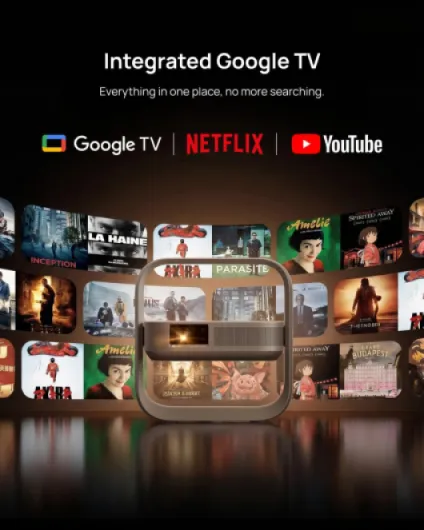
The built‑in smart system (VIDAA) is a bit of a mixed bag. On the positive side, it’s fast and responsive, apps open quickly, and streaming in 4K doesn’t stutter if your connection is okay. On the negative side, there is a lot of built‑in advertising and content suggestions you can’t fully remove. One Amazon reviewer called out the “publicidad recargada que ya trae y que no puedes quitar”, and I agree – it’s annoying. It doesn’t break the device, but it makes the interface feel cluttered. Personally, I ended up mostly using an external streaming stick or my console to avoid dealing with it.
Voice command is there and works, but it’s not something I used a lot. It’s handy to search for a movie or open an app when the remote is buried in the couch, but it’s not as polished as what you get on a high‑end TV with Google TV or similar. For basic stuff it’s fine, but don’t expect miracles. The good point is that the core functions – turning on, selecting HDMI, adjusting picture – are straightforward and don’t require diving into complicated menus all the time.
So, as a daily driver, I’d say it’s very effective if you’re okay with dimming the room in the evening and you mostly watch movies and series. If you want something always‑on like a TV in a bright room, it’s less ideal. It does what it promises on the home cinema side, but it doesn’t fully replace the convenience of a regular TV for quick, casual watching.
Pros
- Very bright 3000 ANSI lumens, usable in a normal living room with some ambient light
- Real 4K UHD image with good sharpness at 90–120 inches
- Built‑in JBL speakers are decent enough to use without an external sound system at first
Cons
- VIDAA smart system is loaded with ads and not the nicest interface to use long term
- No internal battery despite being marketed as portable, and the unit is quite heavy to move often
Conclusion
Editor's rating
The Hisense C2 Ultra is a strong 4K laser projector for people who actually plan to use it as a home cinema and not just as a gadget. The brightness (3000 ANSI lumens) and real 4K resolution make a clear difference compared to cheaper projectors I’ve tried before. In a dim room, movies and series look sharp and punchy, and the built‑in JBL sound is good enough that you don’t need an external system right away. If you’re coming from a smaller TV, the jump to a 100–120'' image is honestly the main selling point – it feels like going to the cinema without leaving your couch.
On the downside, the VIDAA smart system and its built‑in ads are the weakest part of the experience. It works and it’s fast, but it’s cluttered and a bit annoying. Using an external streaming stick solves most of that, but it’s one more thing to buy. Also, the “portable” label is a bit optimistic: yes, you can move it around, but there’s no battery and it weighs over 6 kg, so this is more of a movable home device than a travel gadget.
If you’re into movie nights, series binges, and casual console gaming in a dark or semi‑dark room, the C2 Ultra gets the job done very well and feels like money reasonably well spent. If you mainly want something for bright daytime viewing and quick zapping, I’d stay with a big TV instead. It’s a solid product with clear strengths and a few flaws you should be aware of before pulling the trigger.