Why wireless surround sound matters more with projectors
A television usually hides HDMI and power cords behind a cabinet, but a projector tends to drag them across the floor into the middle of the room. When you place a short throw or UST projector at coffee table distance, or a traditional long throw unit on the back wall, the cable run to your sound system becomes the real problem, not the picture. A wireless surround sound projector setup tries to keep the big screen magic while removing the trip hazards snaking through your living room.
Think about your own room before you obsess over specifications. A budget conscious family usually wants a 100 to 120 inch image, solid audio quality, and a clear path between sofa and kitchen, which is exactly where old school speakers and black cables tend to pile up. Wireless speakers and a wireless surround system do not remove every wire, but they move most of them away from the middle of the room and back toward the walls where they belong.
The cable free myth is persistent, so it helps to be precise. A wireless surround sound projector still needs an HDMI cable for video, a power cord, and usually an HDMI ARC or eARC link to some kind of soundbar or external AV receiver. What wireless audio actually eliminates are the long speaker runs from the front of the theater to the rear speaker positions, which is exactly where kids, pets, and vacuum cleaners do their worst work during movie nights.
WiSA: uncompressed wireless surround for serious home theater
WiSA, short for Wireless Speaker and Audio, is the only mainstream wireless surround standard built from the ground up for home theater. A WiSA compatible projector or WiSA transmitter sends uncompressed 24 bit / 96 kilohertz audio to certified wireless speakers with effectively zero perceivable latency. The WiSA Association cites typical latency around 2 to 5 milliseconds, which keeps dialogue locked to lips even on a 120 inch screen.1 In practice, that makes WiSA one of the most reliable ways to get full surround sound or even Dolby Atmos height channels from projectors without running speaker wire across the carpet.
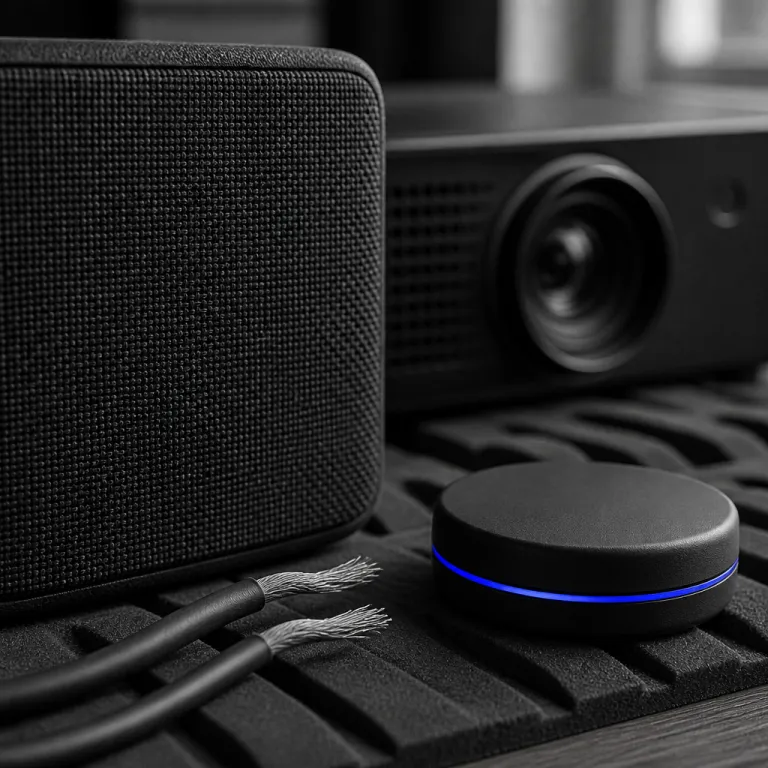
Most budget projectors do not include WiSA inside the chassis, but WiSA SoundSend fills that gap neatly. This small black puck plugs into your projector HDMI ARC or optical output, then beams multichannel audio to any WiSA certified speaker system you choose, from compact 2.1 setups with a wireless subwoofer to full 5.1 or 5.1.2 layouts. Brands such as LG, Hisense, Klipsch, Enclave, and Platin Audio offer WiSA ready gear, with starter bundles often landing in the $500 to $1,000 range and more ambitious systems stretching well beyond that. For a family that already owns a solid projector and wants a step up in audio experience without replacing everything, WiSA SoundSend is often the best price to performance move.
Portable and mini projectors benefit even more from this approach. A compact model like the Luma 450, reviewed in depth as a portable full HD smart projector for casual movie nights, has limited built in speakers and modest audio power, so pairing it with WiSA wireless speakers can transform a basic living room into a credible small theater. You still use HDMI to connect streaming sticks or consoles, but the heavy lifting for sound shifts to the wireless surround system, which keeps the projector light, flexible, and easy to move.
Bluetooth 5.4 and Auracast: casual wireless, not reference theater
Bluetooth 5.4 with Auracast finally lets one projector broadcast audio to multiple receivers at once. In theory, that means a wireless surround sound projector could send sound to several Bluetooth speakers scattered around the room, or even to headphones for late night movie sessions when the kids are asleep. In practice, compression and latency still make Bluetooth a better fit for background listening than for precise surround sound imaging on a 120 inch screen.
Most budget projectors advertise Bluetooth audio output, but the implementation varies wildly. Some models only support basic SBC codecs, which hurt audio quality and can add 150 to 200 milliseconds of delay, while better units add AAC, aptX, or low latency variants that can drop lag closer to 40 to 80 milliseconds. Newer Auracast capable devices lean on LC3 or LC3plus for improved efficiency and range, but they still compress the signal and typically sit above 30 milliseconds of end to end delay.2 A smart model such as the Google TV based unit reviewed as a short throw smart projector for bedroom and living room use shows how integrated streaming and Bluetooth can simplify setup, but even there, wired HDMI ARC to a soundbar remains the more stable theater grade path.
Bluetooth speakers still have a place in a projector based sound system, especially for families on tight budgets. A single compact Bluetooth soundbar under the screen can be the best soundbar option under a certain price, while a pair of small wireless speakers behind the sofa can handle rear channel duties in a pinch. Just remember that Bluetooth surround sound is more about convenience than about matching the precision of WiSA or a well tuned wired soundbar based system with a dedicated subwoofer and clear channel separation.
Soundbar on eARC vs WiSA vs Bluetooth: choosing for your room
When you strip away marketing, three real world options remain for a wireless surround sound projector setup. You can run a single soundbar on HDMI eARC under the screen, you can build a WiSA based wireless speaker system around your projector, or you can lean on Bluetooth speakers for a lighter, more casual audio experience. Each path trades cables, channel count, and price differently, and the right choice depends more on your living room layout than on any spec sheet.
A soundbar with HDMI ARC or eARC is the simplest upgrade for most families. You run one HDMI cable from the projector to the soundbar, place a wireless subwoofer near a wall outlet, and let the bar handle virtual surround sound processing, sometimes with Dolby Atmos height virtualization. A model like Sonos Arc shows how far this can go, combining a sleek black chassis, strong projector audio integration over eARC, and optional wireless surround speakers for the rear, although the total price quickly climbs beyond many budget conscious buyers.
WiSA sits in the middle ground between that simplicity and full separates. A WiSA SoundSend or a WiSA ready UST projector can talk directly to multiple wireless speakers, giving you true discrete surround sound without long speaker cables, while still relying on a single HDMI ARC link from the projector for audio. Bluetooth 5.4, by contrast, is best treated as a flexible add on for portable projectors and quick setups, where a small soundbar combo or a pair of compact wireless speakers can follow the projector from living room to backyard without much planning.
| Option | Best for | Typical channels | Latency & quality | Approx. cost band |
|---|---|---|---|---|
| HDMI ARC / eARC soundbar | Simple living room upgrade | 2.1 to 5.1.2 (virtual Atmos) | Wired, effectively zero lag | ~$150–$1,000+ |
| WiSA wireless surround | Serious home cinema without long speaker wires | 2.1 to 7.1.4 (discrete channels) | 24 bit / 96 kHz, ~2–5 ms | ~$500–$2,000+ |
| Bluetooth / Auracast | Portable, casual viewing | Mostly stereo or 2.1 | Compressed, ~40–200 ms | ~$50–$400 |
Projector types, laser light, and planning your wireless setup
The type of projector you choose shapes your wireless surround sound strategy more than most buyers expect. A traditional long throw projector mounted at the back of the room keeps cables near the rear wall, which makes it easier to hide an HDMI cable and to place rear speakers without crossing the floor. A short throw or UST projector sitting near the screen flips that logic, concentrating video and audio connections at the front of the theater while pushing the seating and rear speakers deeper into the living room.
Laser projector designs, especially modern RGB triple laser units, have made it easier to treat projectors as semi permanent televisions. With long light source life and stable brightness, a laser projector encourages a more serious sound system, whether that means a robust soundbar with HDMI ARC, a WiSA based wireless surround system, or a hybrid with a wired front stage and wireless rear speakers. If you are weighing lamp versus laser and want a deeper dive into how falling laser price points change the equation, a detailed analysis of RGB triple laser projectors and their impact on home cinema budgets is worth reading before you commit.
Whatever light source you pick, plan the audio layout on paper before buying gear. Mark where the projector sits, where the screen ends, and where each speaker in the sound system can realistically live without blocking doors or windows, then decide whether a soundbar, WiSA speaker array, or Bluetooth based setup fits that map. For example, in a 12 by 16 foot living room with a 100 inch screen and a mid range short throw projector, a $300 to $500 HDMI ARC soundbar with wireless subwoofer under the screen plus the option for add on rear speakers will usually beat the built in projector speakers by a huge margin while keeping cables away from bare feet.
FAQ
Does wireless audio mean I can remove every cable from my projector setup ?
No, a wireless surround sound projector system still needs power and video cables. Wireless audio mainly removes the long speaker wires that used to run from the front of the room to the rear channels. You will still use at least one HDMI or HDMI ARC cable between the projector and your main soundbar or WiSA transmitter.
Is WiSA better than bluetooth for home theater projectors ?
WiSA is designed for uncompressed multichannel audio with very low latency, which makes it better suited to precise surround sound and Dolby Atmos layouts. Bluetooth 5.4 with Auracast is more flexible for casual multi speaker use, but it still relies on compressed codecs and generally higher latency. For serious movie nights on a large screen, WiSA or a wired HDMI ARC soundbar usually delivers a more convincing theater experience.
Can I use a soundbar and wireless rear speakers together with a projector ?
Yes, many modern soundbars support optional wireless surround speakers and a wireless subwoofer, even when connected to a projector. In that case, the projector sends audio over HDMI ARC or eARC to the soundbar, which then handles wireless communication with the rear speakers and sub. This hybrid approach keeps the front of the room tidy while still giving you more immersive surround sound than a bar alone.
What is the easiest audio upgrade for a budget projector in a living room ?
For most families, the easiest upgrade is a single soundbar with HDMI ARC placed under the screen. You run one cable from the projector to the bar, add a wireless subwoofer if the model supports it, and let the bar handle virtual surround processing. This keeps setup simple while delivering a much stronger audio experience than the tiny speakers built into most projectors.
Do I need dolby atmos for a good projector sound system ?
You do not need Dolby Atmos to enjoy a cinematic sound system with a projector, especially in smaller living rooms. A well tuned 3.1 or 5.1 layout with clear dialogue and a capable subwoofer often matters more than virtual height effects. Atmos becomes more valuable as your screen size, seating distance, and overall theater ambitions grow.
Note 1 – WiSA latency: The WiSA Association specifies uncompressed 24 bit / 96 kHz transmission with typical latency in the 2–5 ms range for certified speakers, which is below the threshold most viewers can perceive as lip sync error.
Note 2 – Bluetooth codecs: Bluetooth SIG documentation and codec vendor data sheets list SBC latency commonly around 150–200 ms, while tuned low latency profiles such as aptX LL and LC3 based Auracast implementations can reduce delay closer to tens of milliseconds, at the cost of additional compression.