
Summary
Editor's rating
Is it worth the money?
Chunky box, but flexible placement
Unboxing and first setup
Build quality, lifespan and potential issues
Picture quality and brightness: where it actually shines
What this projector actually offers in real life
Everyday use: autofocus, apps and living with it
Pros
- Very sharp and bright 4K image with strong colours thanks to triple laser and 2600 ANSI lumens
- Flexible placement with 0.9–1.5:1 throw ratio, 1.67x optical zoom and wide angle adjustment
- Usable built‑in JBL speakers and integrated Netflix/Prime/YouTube for out‑of‑the‑box use
Cons
- Fan noise is noticeable in quiet scenes, especially if you sit close
- Smart OS (VIDAA) is less complete and polished than a good external streaming box
- Needs good light control or an ALR screen to fully benefit from the picture quality

Specifications
View full product page →| Brand | Hisense |
A serious home‑cinema upgrade in a box
I’ve been using the Hisense 4K Trichroma Laser Mini Projector C2TUK-PRO for a while now, mainly for films, TV series and a bit of PS5 gaming. I swapped it in for a mid‑range 1080p LED projector that I’d been using for about two years, so I wasn’t coming from nothing. I wanted something brighter, sharper, and with built‑in apps so I didn’t need to plug in a streaming stick every time.
First impression: this thing means business. It’s not a toy pico projector you move around with one hand, it’s closer to a compact TV replacement. 4K, triple laser, Dolby Vision, Dolby Atmos, 2600 ANSI lumens, built‑in JBL speakers and VIDAA with Netflix/Prime/YouTube out of the box – on paper it ticks pretty much every box I care about for a living-room setup.
In practice, it’s not perfect, but it’s pretty solid. Picture quality in 4K is honestly the main reason to consider it: sharp, bright and with strong colours, especially in a dim or dark room. The auto focus and auto alignment save a lot of time, and the zoom/angle options make it easier to fit into a normal flat without going crazy with mounts and brackets. It really does feel closer to using a big TV than using a typical fiddly projector.
But there are some downsides. It’s not cheap, it’s not that portable given the weight and size, the fan is audible in quiet scenes, and VIDAA is still behind the likes of Google TV or Apple TV in terms of comfort and app choice. If you mostly watch in a bright room during the day, you’ll also need to manage your expectations and probably invest in a decent ALR screen. So overall: strong product, but you need to know what you’re getting and what you’re not.
Is it worth the money?
Price‑wise, the Hisense C2TUK-PRO sits in the upper mid‑range of home projectors: not entry level, but not in the crazy high‑end laser TV territory either. For that money, you get native 4K, triple laser, 2600 lumens, HDR (including Dolby Vision), a decent built‑in sound system, smart apps, and solid build quality. If you were planning to buy a big 77" or 83" TV, this gives you a much larger image (up to 120–150" comfortably, and more if you have the space) for a similar or slightly higher budget.
Compared to cheaper 1080p LED projectors, the difference is clear: much better brightness, sharper image, and colours that actually look close to what you see on a good TV. Compared to more expensive ultra‑short‑throw laser TVs, you lose the convenience of putting it right against the wall, but you save quite a bit of money and still get a large and clean picture if you have 2–3 m of space to work with. For many living rooms, that trade‑off makes sense.
Where the value drops a bit is if you already own a good streaming box and sound system. In that case, some of what you’re paying for (VIDAA OS, JBL speakers) is less useful, and you’re mainly paying for the image. Also, if your room is always bright and you can’t control the light, you’re not going to fully use the projector’s capabilities, and a large TV might be a better use of your budget.
Overall, I’d say the value is good but not cheap. If you seriously want a home cinema setup, you watch a lot of films/series in the evening, and you have the space for 100"+ projection, the cost makes sense. If you just want something to throw occasional YouTube videos on the wall, this is overkill and you’d be better off with a cheaper LED model or a mid‑size TV.

Chunky box, but flexible placement
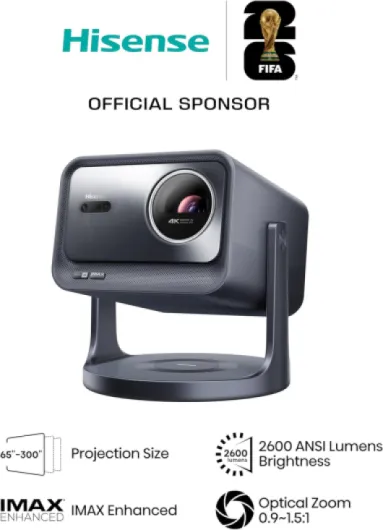
Design‑wise, the C2TUK-PRO is a fairly chunky cube: about 24.7 x 24.7 x 28.6 cm and around 6.3 kg. So it’s not huge like a classic cinema projector, but it’s also nowhere near as small as the mini LED projectors you see on TikTok. I’d call it “moveable” rather than portable – you can carry it from room to room, but you’re not throwing it in a backpack without thinking about it. The gun metal grey finish looks decent and doesn’t scream cheap plastic, which I liked on the TV stand.
The main thing I appreciated is the angle adjuster and flexibility. You get 360° horizontal rotation, plus 90° upward and 45° downward tilt, which makes it surprisingly easy to aim at a wall, screen or even the ceiling without stacking books under it. I tested it on a coffee table, TV unit and a low shelf; in all cases I could get the image straight without going mad. Combined with the 0.9–1.5:1 throw and 1.67x optical zoom, you can adapt it to a lot of rooms without having to mount it to the ceiling.
Controls are simple: a few buttons on the device itself, but you mostly use the remote, which is light and straightforward. It’s not a premium metal remote, but it gets the job done and the buttons are laid out logically. Connectivity is on the back: HDMI, USB 3.0, Ethernet, audio out, plus Wi‑Fi and Bluetooth 5 inside. I plugged in a PS5 and a Blu‑ray player, and both were recognised quickly, no weird handshake issues. Bluetooth to a soundbar worked fine too, with only minor audio delay that I could fix with the settings.
One thing to flag: ventilation and fan noise. The projector needs space around it to breathe, and you do hear the fan in quiet scenes. It’s not a jet engine, but in Eco off / brighter modes, you’ll notice it if you’re sitting close. For me, at about 2 m away, it faded into the background once a film started, but if you’re sensitive to fan noise, you’ll want to test some settings or position it further away. Overall, the design is practical and solid, not pretty for the sake of it, but it’s clearly built to be used as a main living‑room unit.
Unboxing and first setup
The packaging for the Hisense C2TUK-PRO is pretty straightforward. Inside the box you get the projector, power cord, remote, user manual and warranty card – that’s it. No fancy extras like a carry case or HDMI cable. Honestly, I don’t mind; I prefer brands to put the money into the hardware rather than overdoing the unboxing. The unit is well protected with foam, and mine arrived without any marks or damage.
First setup was simple. You plug it in, the projector walks you through language, Wi‑Fi, account setup and basic picture alignment. The on‑screen instructions are clear enough, and even if you’re not tech‑savvy, you can get to Netflix in under 15–20 minutes. Firmware update popped up on first boot; it downloaded and installed without any drama. I’d recommend doing that straight away in case there are fixes for bugs or app issues.
The remote pairs quickly and has direct app buttons, which saves a bit of time. The only slightly annoying thing is entering passwords and Wi‑Fi keys with the on‑screen keyboard – same as any TV, to be fair. After that, I went straight to testing 4K YouTube and Netflix to check for dead pixels or weird lines, as I’d seen in one Amazon review. Everything was clean on my unit.
In terms of packaging “experience”, there’s nothing special here, but it’s functional and safe. If you’re expecting some premium Apple‑style unboxing moment, this isn’t it. But it arrives well protected, easy to get out, easy to set up, and that’s all I personally need from a projector box.
Build quality, lifespan and potential issues
The Hisense C2TUK-PRO feels solidly built. The body is mostly metal with tight seams, and nothing creaks when you pick it up. At 6.3 kg, it has a bit of heft, which actually makes it feel more stable on a table. I moved it around several times between a living room, bedroom and an office room, and it didn’t feel fragile at all. The finish doesn’t scratch easily either, at least not from normal handling.
The rated light source life is 25,000 hours. If you watch 4 hours a day, that’s over 17 years on paper. Realistically, you’ll probably change projectors or something else will fail before the lasers do, but it’s reassuring. There’s no lamp to replace like on older projectors, so no surprise maintenance cost there. The downside is if something inside the optical block fails (like the white line issue that one reviewer had), you’re looking at a repair or replacement, not a quick bulb swap.
Heat and cooling are handled by a reasonably sized fan and vents. During long sessions (3–4 hours), the casing got warm but not hot to the touch. I kept about 20–30 cm of space around the back and sides as a precaution. Fan noise stayed consistent; it didn’t ramp up to crazy levels over time. For long‑term durability, giving it good airflow and not stuffing it in a closed cabinet is probably the main thing to watch.
On the support side, the Amazon review mentioning good customer service is encouraging. They had a defective unit with a white line and got it swapped, and the second one was fine. My advice: test the projector thoroughly in the return window – check for uniformity issues, dead pixels, weird noises. If it passes those early tests, I don’t see any obvious weak points in the build that would fail quickly. It feels like a product designed to sit in one place and run for years rather than a fragile gadget.
Picture quality and brightness: where it actually shines
The triple laser light source is the main selling point here. Compared to my older single‑chip LED projector, colours are much stronger and whites look cleaner, without that washed‑out, greyish look. Hisense markets “zero harmful blue light”; I can’t measure that, but what I can say is that after long movie sessions (2–3 films back‑to‑back), my eyes felt less tired than with my old unit, especially with the brightness dialled in and some ambient light in the room.
In a dark or dim room, the 4K picture is genuinely very sharp and detailed. 4K Netflix shows and UHD Blu‑rays look crisp, and fine textures (faces, clothes, grass in football matches) come through clearly. The 2600 ANSI lumens are enough for evening viewing without needing total blackout curtains. In daytime with curtains half‑open, you still see the image, but contrast drops a lot, like with most projectors. If you plan to watch a lot in bright daylight, you either close the blinds or invest in an ALR screen like one of the Amazon reviewers mentioned – on a plain white wall in full sun, you’ll be disappointed.
HDR support is decent. Dolby Vision content from Netflix showed better highlights and deeper blacks than standard SDR, though don’t expect OLED‑level black; it’s still a projector, so the “black” is your wall/screen. Motion for sports and gaming was fine on my end; I didn’t notice major judder, and input lag felt acceptable for PS5 casual gaming. I wouldn’t recommend it as a dedicated esports setup, but for story games and racing titles, it was fun and perfectly usable.
One thing to mention from the Amazon reviews: someone had a white faint line on dark scenes and had to return their first unit. I didn’t get that on mine, but it’s something I checked for after reading that. If you buy it, I’d strongly suggest testing a few dark films and looking for uniformity issues in the first week. If you see a line or a blotch that doesn’t go away, don’t hesitate to swap it. When you get a clean unit, the overall performance is strong for a home projector in this price range.
What this projector actually offers in real life
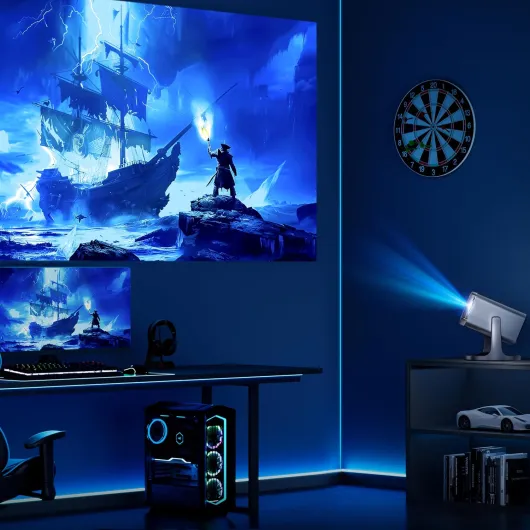
On paper, the Hisense C2TUK-PRO is a 4K laser projector with a triple laser light source (no colour wheel), 2600 ANSI lumens and a throw ratio of 0.9–1.5:1 with 1.67x optical zoom. In normal words: you can get a big picture from a fairly short distance, and you can adjust the size with real optical zoom, not just digital zoom that ruins the image. I used it at around 2.5–3 m from the wall and got roughly a 100–120" image without having to rearrange the whole room.
It supports Dolby Vision, HDR10, HDR10+, Filmmaker Mode and is IMAX Enhanced, which is nice if you watch a lot of 4K HDR content from Netflix, Prime Video or 4K Blu-ray. Compared to my old 1080p LED projector, the jump in detail is obvious even on regular streaming content. Hisense also adds a 4K AI upscaler, and honestly, it does a decent job on HD content from broadcast or older shows – you don’t suddenly mistake it for native 4K, but it cleans things up and reduces that blurry look.
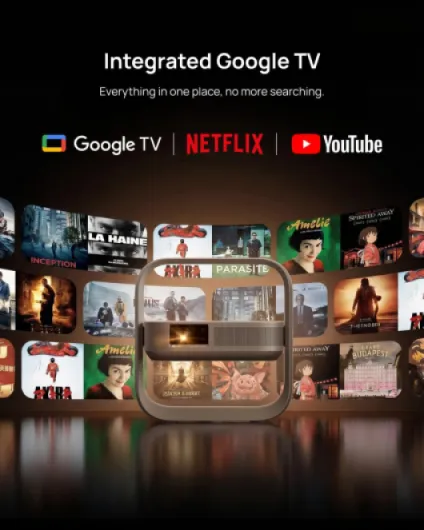
Smart‑TV‑wise, it runs VIDAA OS with Netflix, YouTube and Prime Video preinstalled. The interface is usable and reasonably quick; it’s not as slick as a good Google TV box, but it’s not a disaster either. I had it on Wi‑Fi first, then switched to Ethernet, and both were stable for streaming in 4K. For sound, there are built‑in JBL speakers with Dolby Atmos support. The speakers are clearly better than what you usually get in a projector – enough for films in a small to medium room without instantly needing an external soundbar.
Where it fits best, in my opinion: home cinema in a dim or dark room, occasional gaming, and even some business/education use if you need a bright, large image. Hisense claims up to 25,000 hours on the light source, which should last years even with regular use. Just be aware this is a mains‑powered desktop unit, not a battery projector you throw in a backpack. It’s more like a compact TV replacement than a portable gadget.
Everyday use: autofocus, apps and living with it
In daily use, the auto focus, auto keystone and auto screen alignment are what made the biggest difference for me compared to older projectors. You put it down, point it roughly at the wall, and within a few seconds it focuses and straightens the image. It’s not magic – sometimes it needs a manual nudge – but 90% of the time I didn’t have to touch anything. For someone who moves it between rooms or doesn’t want to mess with settings every night, this matters more than you think.
VIDAA as a smart OS is… fine. It boots reasonably fast, and switching between Netflix, Prime Video and YouTube is quick enough. The Netflix app is official and works in 4K HDR, which is not always the case on projectors. One Amazon user mentioned the Apple TV app being limited (no store/library) – I had a similar experience with some apps not being as complete as on an Apple TV box. My simple solution: I plugged in an external Apple TV and just used the projector as a display. If you’re picky about apps, plan on adding a streaming box; if you just need the big three (Netflix, YouTube, Prime), VIDAA is okay.
The built‑in JBL speakers are better than I expected. For films in a 15–20 m² room, they are totally usable: clear voices, decent bass for a projector, and enough volume to fill the room. Are they as good as a proper soundbar with subwoofer? No, but if you’re starting from scratch, you can live with these speakers for a while. Later you can add a soundbar through HDMI ARC or Bluetooth. I tested both: HDMI ARC was solid, Bluetooth had a tiny bit of delay but was fixable with audio sync settings.
Overall, in terms of effectiveness, it really does replace a TV for most of what I do: watching series at night, films at the weekend, some football, and a bit of gaming. You just need to accept the usual projector compromises: managing light in the room, some fan noise, and a bit of fiddling with picture modes at the start (Filmmaker Mode for films is nice). Once set up, I often forgot it was a projector and just used it like a big screen.
Pros
- Very sharp and bright 4K image with strong colours thanks to triple laser and 2600 ANSI lumens
- Flexible placement with 0.9–1.5:1 throw ratio, 1.67x optical zoom and wide angle adjustment
- Usable built‑in JBL speakers and integrated Netflix/Prime/YouTube for out‑of‑the‑box use
Cons
- Fan noise is noticeable in quiet scenes, especially if you sit close
- Smart OS (VIDAA) is less complete and polished than a good external streaming box
- Needs good light control or an ALR screen to fully benefit from the picture quality
Conclusion
Editor's rating
The Hisense 4K Trichroma Laser Mini Projector C2TUK-PRO is a strong option if you’re serious about a big‑screen setup at home. Picture quality in 4K is sharp, bright and colourful, especially in a dim or dark room. The triple laser light source, 2600 ANSI lumens and HDR support give you a clear step up over cheap LED projectors. Add the 1.67x optical zoom and flexible angle adjustment, and it’s relatively easy to fit into normal living rooms without crazy mounting work. The built‑in JBL speakers and Netflix/Prime/YouTube apps mean you can use it straight out of the box without extra gear.
It’s not perfect though. The fan is audible, the smart OS is decent but not on the level of a good streaming box, and you really need some control over room light (or an ALR screen) to get the best out of it. There’s also the occasional risk of panel issues like the white line one user reported, so you should test your unit properly in the return window. And it’s not cheap – this is a serious purchase, not an impulse buy.
Who is it for? People who want a TV replacement for films, series and casual gaming, mainly in the evening, and who have enough space for 100"+ projection. If you like the idea of a cinema‑like image at home and you’re okay dealing with curtains and a bit of fan noise, it’s a solid choice. Who should skip it? If you mostly watch daytime TV in a very bright room, or you just want something quick for occasional use, a large TV or a cheaper projector will probably suit you better and save you money.