Laser projector lifespan: how long your light source really lasts
The 20,000 hour promise and what it means on your wall
Manufacturers love printing “20,000 hour laser projector lifespan” on every brochure. In practice that number usually means the laser light source will drop to about fifty percent of its original brightness, not that the projector suddenly fails. On a 100 inch home theater screen, that half brightness point can still look usable in a dark room but noticeably dim in a brighter living space.
Think of the quoted projector lifespan as a curve rather than a cliff, because laser projectors slowly lose brightness and shift color instead of dying like a blown lamp bulb. A traditional lamp based projector often gives you full output for a few thousand hours, then the lamp pops and you pay the cost for lamp replacement, while a solid state laser lamp module fades more gracefully over many years. For a first time buyer, that long lasting fade can feel reassuring, yet it also hides the moment when performance quietly slips below the high quality level you paid for.
On paper, single laser phosphor engines are usually rated around 20,000 to 25,000 hours to half brightness, while RGB tri laser projectors often claim 25,000 to 30,000 hours. Those numbers assume ideal cooling, clean air, and proper maintenance, which real living rooms rarely provide over such long periods. If you watch four hours of projection every evening, even a conservative 20,000 hour rating translates to more than ten years of use before the light output halves, but picture quality may stop feeling cinematic well before that milestone.
Laser phosphor versus RGB tri laser aging and color drift
Not all laser light sources age in the same way, and that matters more than the headline hours figure. Single blue laser phosphor designs, like many Epson and BenQ home theater projectors, use a blue laser to excite a phosphor wheel that creates other colors, while RGB tri laser projectors use separate red, green, and blue lasers as independent light sources. The first type tends to show gradual yellowing and reduced brightness, whereas the second type more often keeps color balance stable but can show uneven fading between channels.
Independent calibration reports on early Epson LS series models, such as measurements published by ProjectorCentral and ProjectorReviews, documented measurable yellow shift after roughly 5,000 to 8,000 hours of real world projection compared with factory baselines. That kind of drift does not make the projector unusable, yet it turns a once neutral white screen into something closer to warm paper, subtly lowering perceived quality in a carefully calibrated theater. If you are sensitive to skin tones and grayscale tracking, that slow change can bother you long before the laser projector lifespan spec says the product is halfway through its life.
RGB tri laser projectors such as the Hisense PX1 Pro or some ultra short throw models from Samsung often maintain better color accuracy over many years, but they are not immune to aging either. Long term tests from enthusiast forums and calibration logs have shown that individual laser light channels can fade at different rates, and if the red laser weakens faster, you end up with a cooler, slightly cyan image that no amount of basic maintenance can fully correct. When you compare lamp projectors and led projectors to these led laser and laser projection systems, the long projector advantage is clear, yet the failure mode shifts from sudden lamp death to slow, sometimes annoying, color and brightness changes.
To put the differences in context, the table below summarizes typical ratings and behavior reported by manufacturers and reviewers:
| Light source type | Rated hours to 50% output | Common aging pattern | Suggested maintenance focus |
|---|---|---|---|
| Single blue laser phosphor | 20,000–25,000 hours | Gradual yellow shift, overall dimming | Filter cleaning, cooling, periodic recalibration |
| RGB tri laser (solid state) | 25,000–30,000 hours | Channel imbalance, subtle tint changes | Vent cleaning, color checks, conservative power modes |
| Traditional UHP lamp | 3,000–6,000 hours | Fast dimming, occasional sudden failure | Regular lamp replacement, dust control |
Choosing the brightest projector for your home theater becomes more complicated once you factor in how different light sources age, because the brightest projector on day one may not be the brightest after several thousand hours.
Brightness, lumens inflation, and how to spot fading at home
Marketing departments love big lumen numbers, but real brightness on your wall depends on calibration, mode, and how many hours are already on the laser. A projector that claims 3,000 lumens in its brightest mode might only deliver 1,600 calibrated lumens in a cinema preset, and after several years that figure can quietly slide toward 1,000 without any warning message. For a 100 to 120 inch screen in a dark theater, that may still look acceptable, yet in a living room with ambient light the image starts to look flat and washed out.
You do not need a professional meter to track your own projector lifespan and brightness decay, although a basic lux app on your phone can help. Once every few months, put up a full white test pattern from a streaming box or Blu ray player, stand at a fixed distance, and record the lux reading at the center of the screen, then compare the numbers over the years. When you see a drop of around thirty percent from your baseline, you are well on the way to that rated lifespan projector midpoint, and the cost benefit of keeping versus replacing the unit becomes a real question.
To make those checks repeatable, follow this simple procedure at home:
- Set the projector to your usual picture mode and laser light output, then darken the room as much as practical.
- Display a full white image from a streaming device or Blu ray player and let the projector warm up for at least fifteen minutes.
- Stand roughly one third of the screen width away from the center of the image, hold your phone flat against your chest, and point the light sensor directly at the screen.
- Open a lux meter app, note the reading, and write down the date, hours on the laser, and settings so you can repeat the test under the same conditions.
- Repeat the measurement every three to six months; once the reading has fallen by about thirty percent, expect visible changes in HDR punch and overall brightness.
Even without tools, your eyes can catch fading if you know what to watch for in everyday projection. Pay attention to how bright HDR highlights look in familiar movies, whether letterbox bars stay deep black, and whether skin tones retain subtle shading or start to look dull under the same laser light output setting. For more context on how much brightness you truly need, especially around the 2,000 lumen mark, it is worth reading a detailed guide on understanding the brightness of 2000 lumens in home theater projectors, then mapping those expectations against your own long lasting laser projector as it ages.
Heat, dust, and placement: the silent killers of laser modules
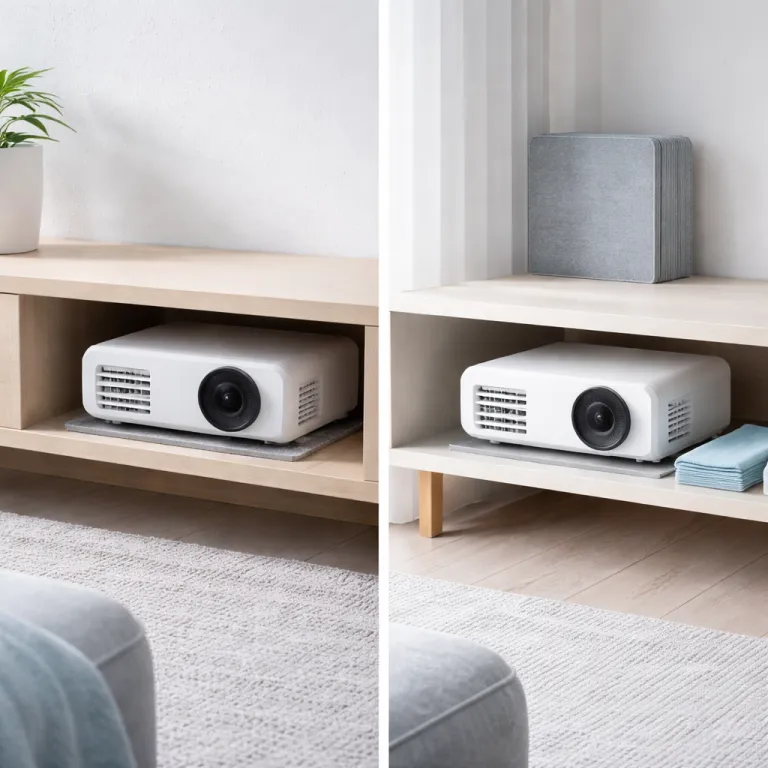
What really kills laser projectors early is rarely the laser itself, but the environment you put the projector in. Heat and dust are the two main enemies of any light source, whether you are talking about a traditional lamp based projector, a modern led laser design, or a premium solid state RGB system. Ceiling mounting a long projector directly above a sofa where warm air collects, or boxing it into a tight shelf, quietly cooks the light engine and shortens the practical lifespan.
Sealed optical engines from brands like JVC and Sony do a better job keeping dust off the light path, while semi sealed designs from companies such as XGIMI or Epson rely more on filters and regular maintenance. Ignore those filters and you get restricted airflow, higher internal temperatures, and eventually thermal throttling that accelerates phosphor decay and reduces brightness long before the rated hours are up. In other words, poor maintenance can turn a projector advertised for 20,000 hours into something that feels tired after half that time, even if the laser lamp has not technically failed.
Placement also affects how much dust and pet hair reach the intake vents, which in turn influences how often you need to clean or replace filters to protect the light sources. A projector sitting on a low media console in a carpeted room will inhale more debris than one on a high shelf, and that extra dust can settle on panels or DLP chips, creating faint blobs that no amount of calibration will fix. If you want your laser projector lifespan to match the marketing promise, treat airflow, filter cleaning, and room cleanliness as part of your theater setup, not as optional chores.
When you plan your room, it helps to think about throw distance and mounting height together with cooling, and a detailed guide on how to size any projector to any room using throw ratio can keep you from choosing a placement that bakes your investment over the years.
When repair beats replacement, and how brightness guides that call
At some point every home theater owner faces the same question about their aging projector lifespan, namely whether to repair the light engine or move on to a new model. With older lamp projectors the math was simple, because a new bulb or lamps module cost a few hundred euros and instantly restored most of the original brightness. Laser projectors complicate that decision, since the laser light source is usually integrated into the chassis and replacing it can approach the cost of a whole new unit.
High quality models like the JVC NZ series or Sony XW line are built as long projectors in every sense, with robust cooling, sealed optics, and solid state light sources that are not meant to be user replaceable. If a laser module or driver board fails outside warranty, you are often looking at a repair bill that makes more sense only when the rest of the projector still offers reference level performance. For midrange lamp projectors and led projectors, especially those that have seen many years of use and thousands of hours, the smarter move is usually to put the repair cost toward a newer laser projector with better native contrast, quieter fans, and more efficient laser projection.
One interesting example is the Hisense PX4 PRO, whose IRIS lens system dynamically reduces laser power in dark scenes, slightly extending module life while also improving perceived contrast. Features like that, combined with careful maintenance and realistic expectations about brightness decay, can stretch the practical lifespan projector window enough that you upgrade for better performance rather than because the light source has failed. In the end, what matters on movie night is not the lumens on the box, but the last row on movie night.
FAQ
How many years will a home theater laser projector usually last?
For a typical home user watching three to four hours per day, a laser projector rated for 20,000 hours to half brightness can easily run for more than ten years before the light output drops by fifty percent. That said, heat, dust, and poor maintenance can shorten that lifespan by several years, especially in cramped ceiling installations. Most people end up upgrading for better features or higher brightness long before the laser light source actually fails outright.
Is a laser projector really better than a traditional lamp based model for longevity?
Laser projectors generally offer a longer and more stable light output curve than lamp projectors, which rely on high pressure lamps that dim quickly and can fail suddenly. With a solid state laser lamp or led laser engine, you avoid recurring bulb costs and get more consistent brightness over many years of projection. However, if you neglect filter cleaning or run the projector in a hot, dusty room, you can still kill a laser module early and lose much of that theoretical advantage.
How can I tell if my laser projector is getting dimmer without special tools?
You can track brightness by using a simple white test pattern and a free lux meter app on your phone, measuring from the same spot on the screen every few months. When the reading drops by around thirty percent compared with your first measurement, you are well into the second half of the projector lifespan and may notice HDR highlights looking flatter. Even without an app, if you find yourself raising the laser light output or switching to a brighter picture mode to get the same punch, that is a clear sign of aging.
What placement mistakes most often shorten laser projector lifespan?
The most common killers are mounting the projector in a tight shelf or soffit with poor airflow, placing it directly in a stream of warm air near the ceiling, and ignoring clogged filters. Those choices raise internal temperatures, which accelerates phosphor decay and stresses the solid state light sources, leading to faster brightness loss and potential failure. A clean, open installation with regular filter maintenance will usually add several effective years to your laser projector lifespan compared with a cramped, dusty setup.
When does it make sense to repair a fading laser projector instead of replacing it?
Repairing a laser module only makes financial sense on very high end projectors where the rest of the hardware still delivers reference level performance and features. On midrange models, the cost of a major light engine repair often approaches the price of a new projector with better contrast, quieter operation, and more efficient laser projection. As a rule of thumb, if the repair quote exceeds half the price of a comparable new unit and your current projector already has many thousands of hours, replacement is usually the smarter long term move.