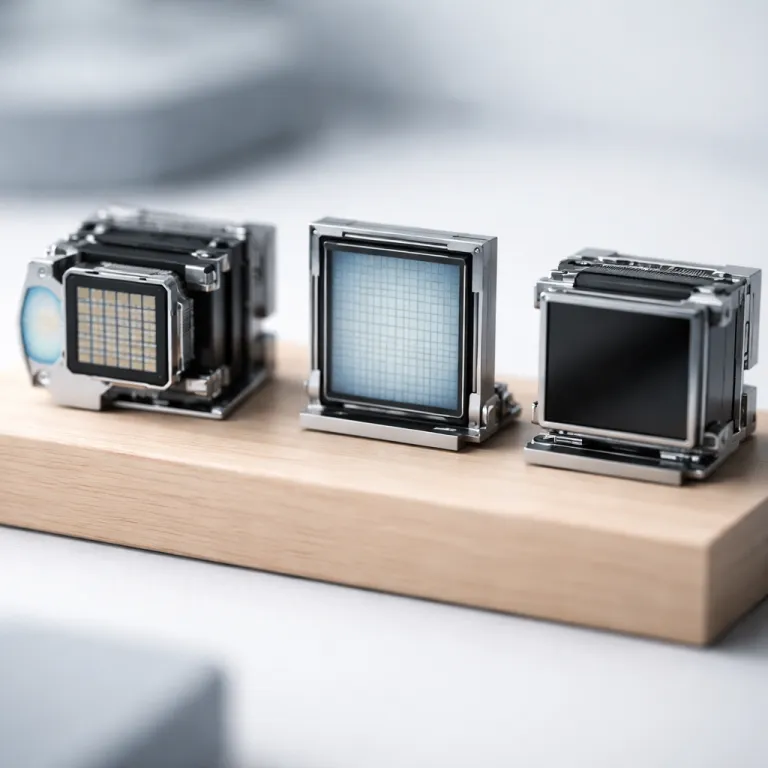
How DLP, LCD and LCoS projectors actually create an image
Every DLP vs LCD vs LCoS projector comparison starts with how each projector turns light into a moving image. A digital light processing or DLP projector uses a tiny digital micromirror device, often called a DMD chip, covered in micro mirrors that tilt thousands of times per second to modulate light and form each pixel on the screen. In this technology the light path usually runs from a high intensity light source through a spinning color wheel that splits white light into red green and green blue segments before it reaches the single chip DLP device.
By contrast, an LCD projector relies on three separate LCD panels that act like miniature liquid crystal shutters for red green and blue light. White light from the lamp or laser passes through a prism assembly, is split into three primary colors, then each liquid crystal panel modulates its share of the image before the projection lens recombines them into full color projection. Because the liquid crystals twist to block or pass light, LCD projectors tend to show a visible pixel structure at close seating distances, especially on a 1080p projector with a large screen size.
LCoS projectors, sold as SXRD by Sony and D ILA by JVC, combine elements of both LCD and DLP technologies. In an LCoS projector the imaging surface is a reflective layer behind liquid crystals, so light bounces off the panel rather than passing through it, which is why people often describe LCoS as a hybrid of LCD LCoS design. This reflective liquid crystal structure allows extremely tight pixel packing and very high native contrast, so the contrast ratio between deep blacks and bright highlights is usually far better than what most DLP LCD competitors can achieve.
Strengths and weaknesses of each projection technology in real rooms
When you compare DLP vs LCD vs LCoS projector options in an actual living room, the tradeoffs become clearer than any spec sheet. Single chip DLP projectors like the BenQ HT3550 or Optoma UHD35 often look razor sharp because the chip DLP architecture keeps pixel alignment perfect, but the sequential color system can create rainbow artifacts for sensitive viewers. Those flashes of red green and green blue along high contrast edges come from the spinning color wheel in the light path, which shows each color in sequence instead of all three at once.
Three chip LCD projectors from Epson, such as the EH TW7100 series, avoid that sequential color issue by using three LCD panels, one for each primary color. This three panel approach delivers full time color and strong brightness from the light source, which helps in rooms with some ambient light, yet the pixel grid of the liquid crystal structure can create a subtle screen door effect if you sit too close to the screen. Modern 4K enhancement with pixel shifting reduces that grid, but it does not fully match the seamless pixel structure of LCoS projectors when you examine the image up close.
LCoS technology, whether in Sony VPL series models or JVC DLA projectors, usually wins on native contrast and black level in a dark home theater. Because the reflective liquid crystals sit on a smooth silicon backplane, the pixel boundaries almost disappear and the contrast ratio can reach levels that make space scenes and shadowy interiors look truly cinematic. If you are weighing different light sources for these projectors, such as traditional lamps versus laser engines, it is worth reading a detailed guide on choosing between laser and lamp projectors for your home theater before you lock in a purchase.
4K vs 1080p: resolution, pixel structure and real perceived detail
Resolution is where many buyers get stuck, because a DLP vs LCD vs LCoS projector comparison at 4K looks different from the same comparison at 1080p. A native 1080p DLP projector with a fast DMD chip and clean optics can look crisper than a budget 4K LCD projector that relies heavily on pixel shifting to simulate extra pixels. Pixel shifting moves each pixel diagonally by half a pixel between refreshes, which improves perceived resolution but does not change the underlying pixel count on the imaging chip.
Three panel LCD projectors that use 4K enhancement often start from 1080p LCD panels, then use rapid pixel shifting to create a denser image on the screen. This approach narrows the visible pixel grid and makes the liquid crystal structure less obvious, yet the underlying contrast ratio and motion handling still depend on the core LCD technology. LCoS projectors with native 4K panels, such as many JVC DLA and Sony VPL models, combine very small pixel sizes with high native contrast, so fine textures in 4K HDR movies look more lifelike even before you consider any extra processing.
Motion format also matters, especially for sports and gaming, because interlaced signals can expose weaknesses in processing. If you want to understand why progressive scan signals usually look cleaner on modern projectors, a technical explainer on interlaced versus progressive video for home theater projectors is worth your time. In practice, a well tuned 1080p LCoS projector with strong native contrast and a stable light source can beat a cheap 4K DLP LCD hybrid design that inflates resolution numbers but struggles with black levels and uniformity.
Use cases: cinema, gaming and mixed living room viewing
Choosing between DLP, LCD and LCoS projectors gets easier when you anchor the decision to how you actually watch. For fast paced gaming, a single chip DLP projector with a modern DMD and low input lag, such as the BenQ X3000i, often feels more responsive than many LCD LCoS competitors, because the micro mirrors switch faster than liquid crystals can twist. The tradeoff is that some players will notice sequential color artifacts, especially against high contrast HUD elements on a bright screen.
For mixed living room use with sports, streaming and casual movie nights, three panel LCD projectors offer a strong balance of brightness, color and price. Their three chip architecture avoids the rainbow effect entirely, and the high color brightness from the light source helps maintain saturation when some room lights stay on. You may still see a faint pixel grid at shorter viewing distances, but on a 100 to 120 inch projection screen that effect fades for most people once they sit at least three times the screen height away.
Dedicated cinema rooms are where LCoS projectors justify their premium, because native contrast and black floor matter more than raw lumen output. When the room is fully dark, the superior contrast ratio of LCoS technology makes shadow detail and subtle color gradients stand out in a way that even very good DLP projectors rarely match. If you are also weighing whether to build around a projector or a large flat panel, a broader comparison of ultra short throw laser TVs versus OLED in the living room can help you decide where projection truly shines.
Light sources, long term reliability and what really matters on movie night
Underneath the DLP vs LCD vs LCoS projector debate sits a quieter shift in light sources, because laser and LED engines now appear across all three technologies. A traditional lamp based DLP projector may start bright but dim noticeably over a few thousand hours, while a laser light source in a similar DLP LCD hybrid chassis holds brightness and color more consistently over time. The same pattern applies to LCD and LCoS projectors, where solid state light sources reduce maintenance but do not change the fundamental behavior of the imaging chips or the native contrast they can achieve.
Reliability also depends on how each technology handles heat and dust, since both can affect image quality and lifespan. DLP projectors with sealed DMD chips and enclosed light paths tend to resist dust blobs better than some older LCD projectors, where dust on the LCD panels can create faint spots on the screen that require service. LCoS projectors usually use more complex optical blocks and higher end components, which helps maintain uniformity and contrast ratio over time, but they also cost more to repair if something in the liquid crystal or projection assembly fails.
When you step back from the acronyms, the most cinematic experiences usually come from pairing the right technology with the right room and screen. A bright DLP projector with a single chip DLP engine and strong optics can be perfect for a multipurpose space, while a carefully calibrated LCoS projector with high native contrast can turn a dark room into a reference grade cinema. In the end, what matters is not the lumens on the box, but the last row on movie night.
FAQ
Is DLP or LCD better for a first home theater projector
For a first setup in a typical living room, three panel LCD projectors usually offer the safest balance of brightness, color and price. They avoid the rainbow artifacts that some people see on DLP projectors, and their high color brightness works well with modest ambient light. If you sit at a sensible distance from the screen, the remaining pixel structure of the liquid crystal panels is rarely distracting.
Why do some people see rainbows on DLP projectors
The rainbow effect comes from sequential color in single chip DLP designs that use a spinning color wheel. When your eye tracks bright objects across a dark background, you may briefly see separate red green and blue flashes instead of a single blended color. People vary in sensitivity, so it is wise to audition a DLP projector in person if you worry about this artifact.
Are LCoS projectors worth the extra cost for movies
For serious movie watching in a dark room, LCoS projectors from JVC and Sony often justify their higher prices. Their reflective liquid crystal panels deliver much higher native contrast and smoother pixel structure than most DLP LCD competitors, which makes black levels and shadow detail look more like a commercial cinema. If film is your priority and your budget allows it, LCoS is usually the reference choice.
Does 4K always look better than 1080p on projectors
4K can look better, but only when the rest of the system supports it. A well calibrated 1080p projector with strong contrast and accurate color can beat a cheap 4K model that relies heavily on pixel shifting and has weak black levels. Screen size, seating distance and source quality all influence whether you actually see a meaningful difference in pixel detail.
Should I choose a lamp, LED or laser light source
Lamp based projectors usually cost less upfront but need periodic bulb replacements and dim over time. LED and laser light sources last much longer, maintain brightness and color more consistently, and start up faster, though they raise the initial purchase price. If you watch frequently and plan to keep the projector for many years, a solid state light source often offers better long term value.