
Summary
Editor's rating
Value for money: worth it, but only if you use it the right way
Design & build: compact, neat, but not flawless in practice
Everyday comfort: setup, noise, and ease of living with it
Durability & reliability: promising on paper, mixed in real life
Picture quality & usage: strong image, weak software
What this projector actually offers (beyond the spec sheet)
Does it actually replace a big TV for movies and games?
Pros
- Sharp 4K image with good colors and enough brightness for evening use
- Ultra short throw design gives a 100-inch image from around 23 cm from the wall
- Built-in Harman Kardon speakers with Dolby/DTS are strong enough for casual use
Cons
- Remote control is laggy and unreliable, making setup and built-in apps annoying
- Smart platform/app store is very limited; you basically need an external streaming device
- Only 2 HDMI ports and some user reports of fan errors and ghosting raise long-term concerns

Specifications
View full product page →| Brand | ViewSonic |
A living-room cinema without drilling the ceiling?
I picked up the ViewSonic X2000L-4K because I was tired of ceiling-mounting normal projectors and running long HDMI cables across the room. Ultra short throw sounded perfect: stick it near the wall, get a big picture, and keep the room looking normal when it’s off. On paper, this thing ticks a lot of boxes: 4K, laser, Harman Kardon speakers, Wi‑Fi, Bluetooth, and a pretty compact body.
I’ve used it mainly in a living room for films, TV shows, and some PS5 gaming, replacing an older 1080p standard-throw projector. I’m not a home cinema purist with calibration gear, but I know when a picture looks off or motion is weird. I also care a lot about ease of use: if my partner can’t turn it on and watch Netflix without swearing, the product is a fail for us.
Over a few weeks, I’ve run it on a plain white wall and on a proper ALR screen. I’ve played with the built‑in apps, tried Wi‑Fi casting, and also just plugged in an Apple TV and a console. I’ve also paid attention to fan noise, how hot it gets, and whether the remote and menus are annoying or not, because that’s the stuff that ends up mattering every day.
Overall, it’s a mixed bag: the core projection part is pretty solid for a living room setup, but the smart features and remote feel half-baked. If you’re thinking about this as an all‑in‑one smart TV replacement, you might end up irritated. If you just want a bright, sharp image from very close to the wall and you’re happy to plug in a streaming box, it starts to make more sense.
Value for money: worth it, but only if you use it the right way
Price-wise, the X2000L‑4K sits in that slightly painful zone: it’s not budget, but it’s also not at the very top of the premium UST market. For what you pay, you’re mainly buying the laser light source, 4K resolution, ultra short throw convenience, and built‑in speakers. If you compare it to a big 85‑inch TV, it can look like decent value—especially if you’re going up to 100–120 inches. But if you compare it to cheaper standard‑throw projectors, it will feel pricey for the raw specs.
In my view, it’s good value only if you actually care about the UST form factor and plan to use the built‑in audio. If you’re fine with a normal projector placement or already have a strong sound system, you might get more bang for your buck with a different model, maybe even a non‑UST laser or a brighter lamp‑based 4K projector. The 2000 lumens are fine but not outstanding at this price, especially if you want to watch with some ambient light.
The main hidden cost is that you almost have to add a streaming device and maybe an HDMI switch. The built‑in smart platform is too limited and clunky to rely on, and two HDMI ports go fast. So you’re not just buying the projector; you’re also budgeting for a Fire TV Stick, Apple TV, or similar, plus possibly a soundbar or AV receiver if you want better sound. Once you factor all that in, the total setup cost climbs.
Overall, I’d call the value “pretty solid but not amazing.” It makes sense for someone who really wants a neat living‑room UST setup with a big image and doesn’t want ceiling mounts or visible cables. If you’re just chasing the best picture per euro and don’t care where the projector sits, there are better deals out there. The 4.1/5 average rating on Amazon feels about right: good, but with enough quirks that it won’t suit everyone.
Design & build: compact, neat, but not flawless in practice
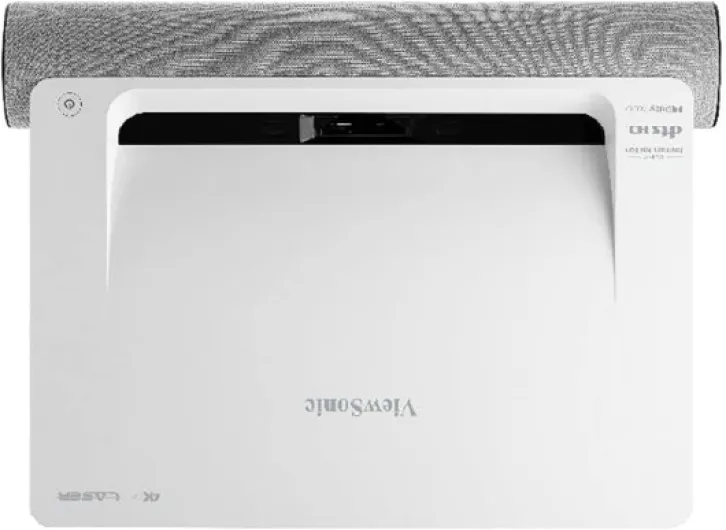
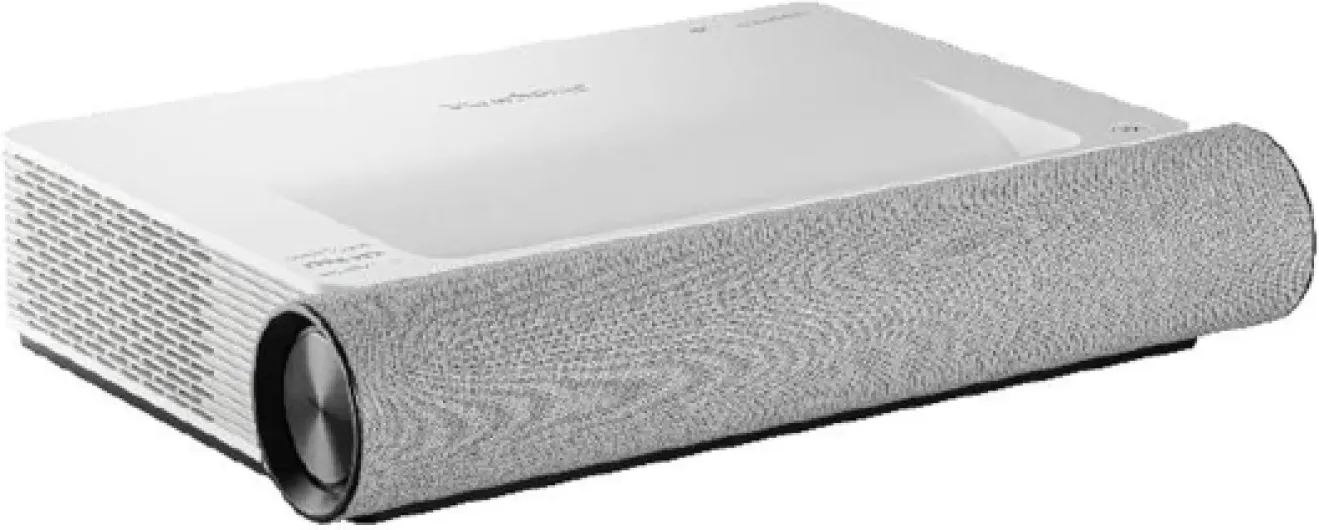
Physically, the X2000L-4K is smaller than I expected for an ultra short throw laser unit. At around 33.2 x 10 x 45.1 cm and 6.8 kg, it’s chunky but not ridiculous. It sits low and wide on a TV unit, and the white finish blends pretty well in a normal living room. It doesn’t scream “giant piece of AV gear” like some black home cinema projectors do. If you care about your living room not looking like a dedicated movie cave, that’s a plus.
The lens is tucked away at the top, pointing up towards the wall or screen. There’s no motorized lens cover or anything fancy: you basically just place the projector at the right distance and fine‑tune with the 4‑corner and 60‑point corrections. I’ll be honest: that correction system is both a blessing and a pain. It’s powerful—you can fix a lot of odd angles or slightly curved walls—but spending 15–20 minutes nudging points with a laggy remote isn’t exactly fun.
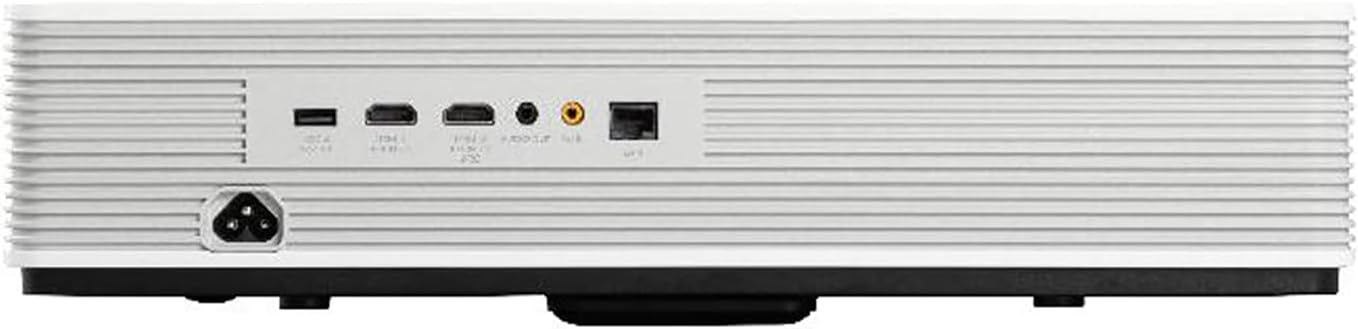
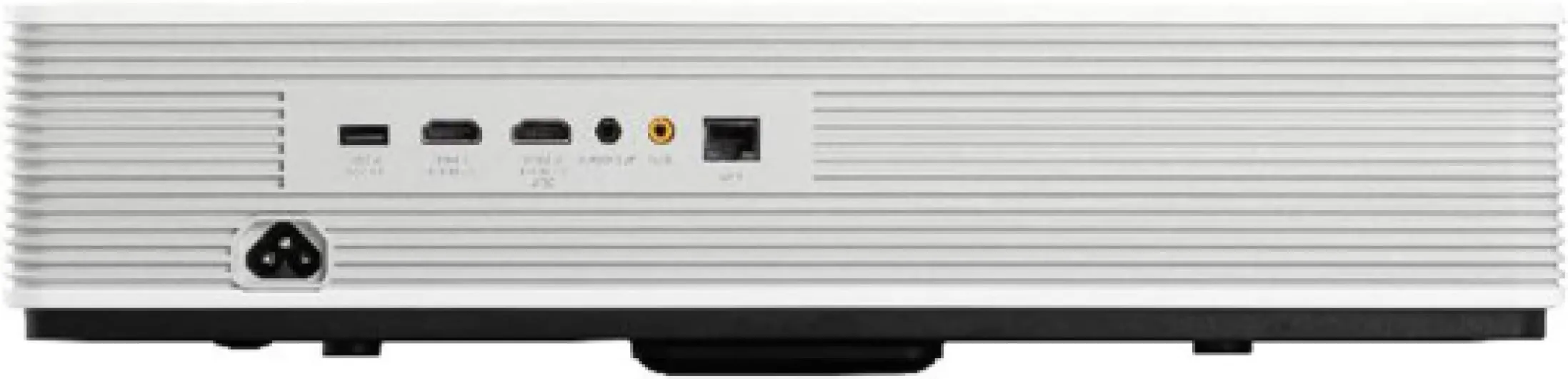
Ports are on the back, which keeps cables reasonably tidy, but it also means if your TV unit is tight against the wall you’ll be fiddling to plug things in. Two HDMI ports are just on the low side in 2026, especially for a device that’s meant to be the heart of a home cinema. At minimum I’d want three: one for a streaming box, one for a console, and one spare for a laptop or Blu‑ray player. You can work around it with an HDMI switch, but that’s extra clutter and cost.
Build quality feels pretty solid. Nothing creaks, the plastics don’t feel cheap, and the unit has enough weight that it doesn’t move every time someone bumps the TV stand. The downside I noticed is ventilation: it’s not crazy loud, but you do hear the fans, and I did see at least one user mention a fan error shutdown. I haven’t had that error myself, but it doesn’t give you a lot of confidence when you read that kind of feedback on a device in this price range.
Everyday comfort: setup, noise, and ease of living with it
From a day‑to‑day comfort point of view, the biggest win is the ultra short throw placement. Not having a projector hanging from the ceiling or sitting halfway across the room is great. You can push the unit close to the wall, hide the cables fairly easily, and you’re done. No drilling, no long HDMI runs, no people walking through the beam and casting shadows during the film. That alone makes the experience feel more like a big TV than a traditional projector setup.
Setup is reasonably simple: you place it roughly at the recommended distance using the paper guide, turn it on, and then start adjusting. The 4‑corner and 60‑point correction tools are powerful, but they’re also a bit fiddly, especially with the remote acting up. I’d recommend spending time getting the physical placement as good as possible first (height, distance, angle) and then using the correction only for fine‑tuning. If you rely too much on digital correction, you also slightly degrade the image and risk weird geometry issues.
Fan noise is there, but in Movie mode with normal volume, I mostly forgot about it. In quiet scenes you can hear a soft whoosh, but it’s not a high‑pitched whine, more like background airflow. If you’re very sensitive to noise and sit close to the unit, you might notice it more. The person who had a fan‑error shutdown clearly had a worse experience than me; I haven’t hit that, but it’s something to keep in mind as a potential annoyance.
In terms of user comfort, the weak point is clearly the remote and software. My partner tried to use the built‑in apps once and gave up after fighting with the remote delay and empty app store. With an external streaming stick, it’s fine because you barely touch the projector menus. But if you were hoping for a one‑remote, built‑in apps solution like a modern smart TV, this just isn’t there yet. It gets the job done once configured, but it’s not what I’d call hassle‑free.
Durability & reliability: promising on paper, mixed in real life
On the spec sheet, the X2000L‑4K looks very reassuring in terms of durability: 20,000 hours of lamp‑free laser life, no bulb changes, and a 2‑year manufacturer warranty. If you watch 3 hours a day, that’s theoretically more than 18 years before the light source is done. In practice, most people will upgrade long before that. The advantage is you don’t get the usual brightness drop you see on traditional lamps, so the image should stay fairly consistent over time.
Physically, the unit feels solid enough to survive regular living‑room life. It’s heavy enough that kids won’t easily knock it off a TV stand, and the finish doesn’t mark too easily. I moved it a few times between rooms and didn’t notice any new rattles or issues. It doesn’t feel fragile, and there aren’t any moving lens parts to worry about, which is one of the perks of UST designs.
However, user reviews already show a few red flags. One buyer mentioned fan errors that caused shutdowns, plus ghosting/burn‑in‑style artifacts that only cleared after going back to the home screen and reselecting HDMI. That kind of glitch is worrying on a device that’s not exactly cheap. Software issues can sometimes be fixed with firmware updates, but a fan error suggests possible hardware or thermal management problems. I haven’t had those issues myself so far, but I also haven’t run it for marathon sessions every day.
Given the price, I’d say durability is “probably fine but not bulletproof.” I’d strongly recommend registering the product, keeping your proof of purchase handy, and maybe even buying from a retailer with good return and extended warranty options. If you’re the type who wants a projector you never think about for 10 years, this might not fully reassure you. If you’re okay with a bit of risk and you’re within the warranty window, it’s acceptable, but not what I’d call rock‑solid peace of mind.
Picture quality & usage: strong image, weak software
Let’s start with the good part: the picture quality is genuinely solid for a living-room setup. The 4K resolution looks sharp enough that you’ll notice the upgrade if you’re coming from a 1080p projector, especially on a 100‑inch image. Text in menus and subtitles is clean, and you don’t see obvious pixel structure from a normal viewing distance. HDR content has a bit more punch, though don’t expect OLED‑level contrast—this is still a projector with all the usual limitations on black levels.
The 2000 ANSI lumens are fine for evening use and dim rooms. In full daylight with curtains open, the image looks washed out on a plain wall, which is normal. On an ALR screen, it holds up better, but if you’re planning to watch a lot of daytime sports with sun blasting in, this might feel a bit weak. For films at night, it’s more than enough; I found the Movie mode with a slight brightness tweak gave a comfortable image without blowing out highlights.
Where things fall down is the smart platform and remote. The remote itself is backlit, which is nice, but the responsiveness is frankly poor. I had the same experience as the 2‑star reviewer: missed button presses, lag in menus, and a general feeling that the IR or Bluetooth implementation is flaky. Doing the initial Wi‑Fi setup and typing passwords was a chore. The built‑in app store is bare, and getting Netflix running properly is more trouble than it’s worth. At one point, the remote basically stopped responding in the Netflix app, just like the other user described.
In the end, I treated it like a “dumb” projector: I plugged in an Apple TV and my console and ignored the built‑in apps completely. Once you do that, performance is much better. Input lag for gaming is acceptable for casual play—racing games and story games felt fine, but competitive FPS players might still prefer a dedicated gaming monitor or a faster projector mode. I didn’t notice major ghosting in normal use, but reading that someone saw burn‑in‑like artifacts and a fan error makes me a bit cautious about long‑term reliability.
What this projector actually offers (beyond the spec sheet)
On paper, the ViewSonic X2000L-4K is a laser ultra short throw projector with 4K resolution (3840 x 2160), 2000 ANSI lumens, and a claimed 20,000‑hour light source life. It can throw up to a 100‑inch image from about 23 cm away from the wall, and you can push it up to 150 inches if you’ve got the space and a decent surface. It supports HDR, has a 100,000:1 contrast ratio (on spec, at least), and covers 100% Rec.709 according to ViewSonic’s marketing.
Connectivity-wise, you get 2 HDMI ports, USB, Ethernet, Wi‑Fi, and Bluetooth 4.0. That’s enough for a streaming stick plus a console, but not a whole AV rack, so if you have more than two HDMI devices, you’ll end up buying a hub or an HDMI switch, like one of the Amazon reviewers mentioned. There’s also an app control option, but in practice I found myself relying on the physical remote more, even though it has its own issues.
The projector comes with a power cable, remote with batteries, a USB‑C cable, and a small guide that helps you place it at the right distance from the wall. Out of the box, setup is fairly quick: plug it in, pick the language, connect Wi‑Fi, and you’re good. The menus are simple enough, and there are various picture modes (Movie, Standard, Gaming, etc.) plus options to tweak brightness, contrast, and color temperature.
In daily use, the main value of this thing is big screen from almost no distance. Compared to my old ceiling projector, not having a long throw and cables everywhere is a real quality‑of‑life upgrade. The downside is that the promised “smart” side feels tacked on. The built‑in app store is pretty bare, Netflix is awkward to get working properly, and I basically gave up and just plugged in an external streamer. As a plain projector, it holds up well for home cinema. As a smart device, it feels behind what you get from even a cheap Fire TV Stick.
Does it actually replace a big TV for movies and games?
For what I wanted—a big screen for films and casual gaming without turning my living room into a full cinema room—the X2000L‑4K is effective enough. For movie nights, it delivers a large, sharp image, decent color, and surprisingly good built‑in sound. Compared to my old 1080p projector plus cheap speakers, the upgrade in both image and audio is clear. You can genuinely sit down, fire up a streaming box, and feel like you’re watching on a 90–100 inch “TV” in a dim room.
The Harman Kardon speakers are one of the nicer surprises. They won’t beat a proper AV receiver and 5.1 setup, but for built‑in speakers they’re pretty solid. Dialog is clear, there’s some bass presence, and Dolby/DTS support helps with streamed content. For everyday TV shows and casual films, I didn’t feel forced to hook up external speakers right away. Later, I still plugged it into a soundbar to get more punch, but that was more of a nice‑to‑have than a must.
For gaming, it’s decent but not “pro gamer” level. Input lag feels okay for story games and sports titles; I didn’t feel like I was fighting the controls on PS5. Fast shooters are playable but not ideal if you’re picky. Motion handling is about what you’d expect in this class: some slight blur in very fast pans, but nothing that ruins the experience. Again, this is a living‑room entertainment device, not a high‑end esports monitor.
Where it falls short as a TV replacement is the smart side and reliability concerns. The built‑in apps are clunky, the remote is unreliable, and seeing reports of ghosting/burn‑in‑like artifacts and fan errors doesn’t inspire long‑term confidence. I didn’t get those issues myself, but they’re in the back of your mind when you’re spending this kind of money. So yes, it effectively gives you a big, good‑looking image and decent sound, but you’ll probably want an external streamer and you may want to keep an eye on warranty and support just in case.
Pros
- Sharp 4K image with good colors and enough brightness for evening use
- Ultra short throw design gives a 100-inch image from around 23 cm from the wall
- Built-in Harman Kardon speakers with Dolby/DTS are strong enough for casual use
Cons
- Remote control is laggy and unreliable, making setup and built-in apps annoying
- Smart platform/app store is very limited; you basically need an external streaming device
- Only 2 HDMI ports and some user reports of fan errors and ghosting raise long-term concerns
Conclusion
Editor's rating
The ViewSonic X2000L‑4K is a solid ultra short throw projector if you focus on the basics: you get a sharp 4K image, decent brightness for dim rooms, and surprisingly capable Harman Kardon speakers. The ultra short throw design really does make life easier—no ceiling mounts, no long cables, and no one walking through the beam. As a simple “plug in a streaming stick and watch movies” machine, it does the job well enough.
Where it stumbles is on the “smart” part and some reliability concerns. The remote is frustratingly unresponsive, the built‑in apps feel half‑finished, and you pretty much end up ignoring the smart platform and using an external streamer. Add in reports of fan errors and odd ghosting from some users, and it’s hard to call this bulletproof given the price. You’re paying mainly for the form factor and the laser light source, not for a polished smart TV experience.
I’d recommend this to people who want a tidy, big‑screen setup in a living room, care about getting 90–120 inches from right up against the wall, and don’t mind adding a Fire Stick or Apple TV. If you’re picky about software, want rock‑solid reliability, or need more HDMI ports and higher brightness, you should probably look at other options or higher‑end UST models. It’s a good product with clear strengths, but it’s not flawless, and you need to go in knowing you’ll be working around its weak smart features.