
Summary
Editor's rating
Value for money: bright short‑throw on a reasonable budget
Design & build: functional plastic box, nothing fancy
Durability, lamp life and long‑term use
Brightness & image performance: great for bright rooms, basic for movies
What this projector actually is (and what it isn’t)
Effectiveness in real use: meetings, classrooms and golf sims
Pros
- Very bright (4,000 ANSI lumens), usable in bright rooms and with lights on
- Short‑throw 0.52 ratio gives a 100" image from about 1.1 m, great for small spaces and golf sims
- Dual HDMI and USB‑A power make it easy to hook up laptops and streaming dongles
Cons
- WXGA (1280 × 800) resolution is basic compared to 1080p alternatives
- Fan noise is noticeable in high‑brightness modes
- Built‑in speaker is weak, external audio is almost mandatory for anything serious

Specifications
View full product page →| Brand | ViewSonic |
A short‑throw projector that’s clearly built for work… but also golf sims
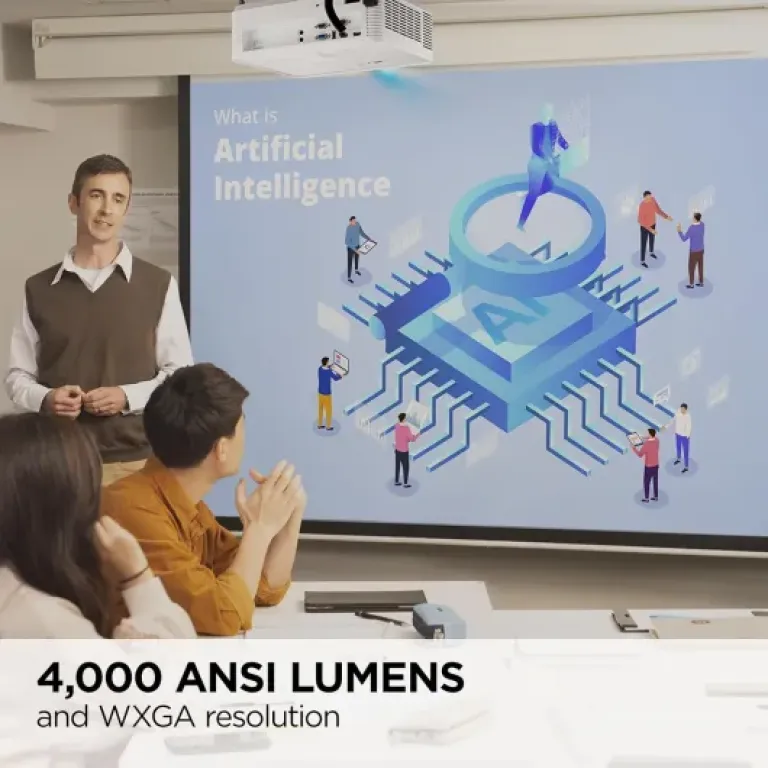
I’ve been using the ViewSonic PS502W mainly in a meeting room and for a DIY golf simulator setup, so not in a fancy home cinema. This is a short‑throw business/education projector with 4,000 ANSI lumens, so it’s clearly designed to fight ambient light more than to give you perfect movie colours in a dark cave. That’s exactly how I used it: lights on, blinds half‑open, people walking in front of the screen, all that fun stuff.
The first thing that stood out is how bright it is. At 4,000 lumens, you really do get a clear, readable image even in a pretty bright space. For slides, Excel sheets, and golf sim software, it just works. It’s not a 4K home cinema toy, it’s WXGA (1280 × 800), so you need to be realistic: text is clear, graphics are fine, but you’re not getting razor‑sharp movie detail. For work and sims, I found it perfectly usable.
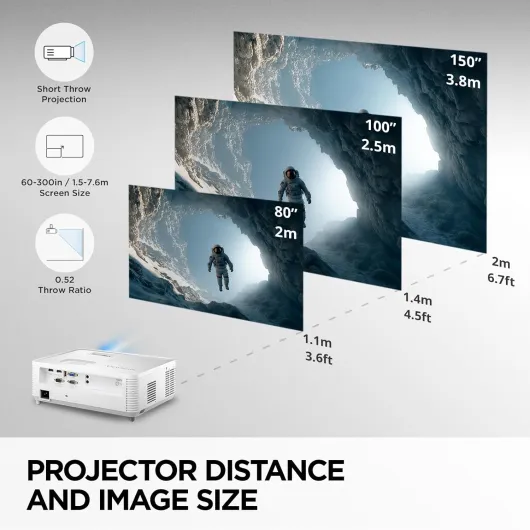
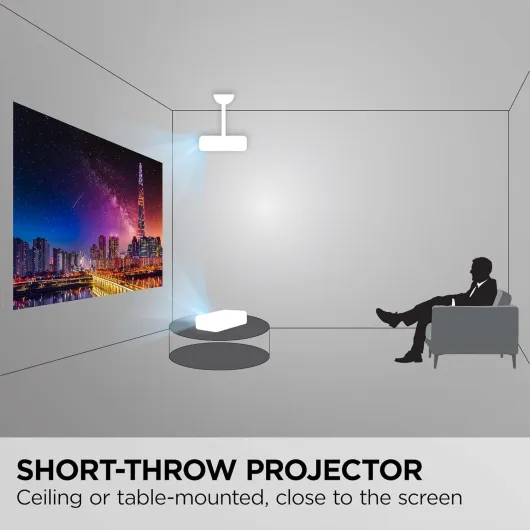
The short‑throw part is not just marketing. With the 0.52 throw ratio, I was getting around a 100" image from roughly 1.1 m away, which matches the specs. In a small room or a single garage bay, that’s very handy. You don’t have people’s heads constantly blocking the beam, and you don’t need to mount it halfway across the room. That alone makes it way more practical than standard throw projectors I’ve tried before.
Overall, my first impression was: this is a practical, no‑nonsense projector. It’s bright, it throws big from close, and it’s easy enough to hook up via HDMI. It’s not perfect – the resolution is basic by today’s standards and the speaker is weak – but if your main goal is presentations or a budget golf sim in a tight space, it gets the job done without too much fuss.
Value for money: bright short‑throw on a reasonable budget
In terms of value, I’d call the PS502W good but not mind‑blowing. You’re paying for three main things: 4,000 ANSI lumens, short‑throw (0.52 ratio), and a known brand. For business, education, and golf sim use, those three points matter more than having 4K resolution or smart apps. Compared to cheap generic projectors that claim crazy lumen numbers but look washed out, this one actually delivers usable brightness and a stable image.
Where the value is a bit mixed is the resolution vs price. At WXGA in 2026, you can find 1080p projectors that are cheaper, but they usually don’t match this brightness or short‑throw combo. If you don’t need short throw and you mostly watch movies in a dark room, you can probably get better picture quality for the same money from a standard‑throw 1080p unit. So the value is very tied to whether you truly need the short‑throw and high brightness.
The running costs are also something to consider. It’s a 240 W lamp (295 W total power draw), so it’s not exactly energy‑saving. If you use it daily for many hours, both electricity and eventual lamp replacement will add up. On the flip side, you’re getting up to 300" image without buying a massive TV, so the cost per inch is still very low. For offices, schools, churches, or a dedicated sim space, that trade‑off made sense to me.
Given the Amazon rating around 4.5/5 and my own experience, I’d say the value is strong if your use case matches what it’s built for: bright rooms, short distance to the screen, and mostly functional content (slides, data, sims). If you’re chasing pure image quality for movies, the value drops and you should look at different models. But as a practical tool that just gets the job done in tough lighting and tight spaces, it’s a pretty solid deal.
Design & build: functional plastic box, nothing fancy
Physically, the PS502W is a typical business projector: white plastic shell (or black in some listings), about 31 × 23.4 × 11.4 cm and 2.86 kg. It’s not ultra‑slim or stylish, but it’s compact enough to carry around between rooms or toss in a bag if you need to move it. I’ve carried it between home and office a few times; it’s light enough to do that without feeling like a workout, but it’s not pocketable either. Think "small briefcase" size.
The lens is offset to one side with basic manual focus and zoom rings. They’re firm enough that the settings don’t drift when you bump the projector, which I appreciated, especially for the golf sim where I was swinging nearby. On the top, you get simple button controls for power, menu, navigation, and source selection. They feel a bit plasticky but responsive. I mostly used the remote, but it’s handy to have physical buttons when the remote disappears under a pile of papers.
In terms of layout, the dual HDMI and other ports are at the back, which keeps cabling tidy if you’re leaving it set up. There are adjustable feet underneath for basic height and tilt. No fancy lens shift, so you still need to physically place it roughly in front of the screen. For a short‑throw, that’s pretty standard, but you should know upfront: placement matters, and you can’t fix everything with keystone correction without losing some sharpness.
Build quality overall feels solid but basic. The plastic doesn’t creak, and ventilation seems decent. It does look and feel like a typical office projector, not a premium home cinema unit. Personally, I’m fine with that. It sits on a ceiling mount or a table, the lights are usually on, and nobody is admiring the design. If you care about aesthetics or ultra‑quiet operation, you might find it a bit utilitarian, but for classrooms, churches, or a garage golf setup, it fits right in.
Durability, lamp life and long‑term use
On the durability side, the PS502W feels solid enough for regular handling, but remember it’s mostly plastic. I’ve moved it around between rooms, tossed it in a backpack with some padding, and it hasn’t picked up any rattles or loose parts. The casing doesn’t flex much, and the lens mechanism has stayed smooth. It’s clearly made to live in classrooms and meeting rooms where people aren’t ultra careful, but I still wouldn’t treat it like a rugged field device.
The lamp is rated up to 12,000 hours (likely in Eco mode). In normal brightness, you’ll realistically get less, but even 5,000–8,000 hours is years of use for most people. For a church or school using it several times a week, you’ll eventually be buying a replacement lamp, so factor that into the long‑term cost. It’s not a laser projector, so there is maintenance over time. That said, this is pretty standard in this price range and brightness level.
Ventilation seems well thought out. After longer sessions (2–3 hours), the body gets warm but not scary hot. The fan ramps up in bright modes, which is noisy but also means it’s pushing heat out properly. I haven’t had any thermal shutdowns or weird behaviour. Dust can always be an issue with projectors, so if you’re in a dusty garage or workshop, I’d at least wipe the vents regularly and maybe avoid placing it on the floor.
Another durability angle is software updates via USB. That doesn’t sound like durability, but it means you don’t have to send it off for basic firmware fixes. You can hook it up to a laptop and update at home or in the office. That’s cheaper and less risky than shipping the unit back and forth. Overall, I’d say the PS502W feels like a typical mid‑range business projector: not indestructible, but solid enough for regular use if you don’t abuse it, with the usual lamp‑based maintenance expectations.
Brightness & image performance: great for bright rooms, basic for movies
Performance wise, brightness is the star here. At 4,000 ANSI lumens, this thing cuts through ambient light better than most cheap projectors I’ve used. In a lit meeting room, slides and text are easy to read at 100–120". For the golf sim, I could keep the garage lights on and still clearly see the fairway and ball data on a door‑sized screen. That lines up with the positive Amazon reviews from people using it for golf simulators and churches; it’s simply bright enough for those use cases.
Resolution is where it’s just "good enough". WXGA (1280 × 800) is fine for PowerPoint, spreadsheets, and sim graphics, but if you sit close and feed it HD video, you’ll see the lack of detail compared to a 1080p projector. Text is still clear if you don’t go overboard on screen size, but for tiny fonts or super detailed CAD drawings, I’d prefer full HD. For movies, it’s watchable, but if your main hobby is film nights, I’d put my money into a 1080p or 4K unit instead.
The colour performance is decent thanks to ViewSonic’s SuperColor tech. Out of the box, colours are a bit cool and punchy, very "presentation" style. For work and sims, I didn’t bother fine‑tuning too much; it looks lively enough, and skin tones and greens (fairways) looked acceptable. Contrast is okay for a bright room projector, but in the dark you’ll notice the blacks are more grey. That’s normal for a lamp‑based, high‑brightness unit – it’s built to fight light, not to give cinema‑grade blacks.
One thing to keep in mind: the fan noise is noticeable in brighter modes. In Eco or lower brightness presets, it calms down a bit, but if you’re running it full blast, you will hear it. In a classroom or a garage, it gets drowned out by people talking or impact sounds. In a quiet living room movie night, some people will find it distracting. For me, for work and golf sim, it was a trade‑off I could live with: very bright, slightly noisy, but the overall performance for its purpose is pretty solid.
What this projector actually is (and what it isn’t)
The PS502W is a WXGA (1280 × 800) short‑throw projector with 4,000 ANSI lumens. The brand markets it for business and education, and that’s accurate. It’s more of a tool than a toy. The image size goes from 60" to 300", with a throw distance from 0.67 m to 3.36 m. In plain terms: you can fill a big wall from very close, which is why so many people use it for golf simulators or classrooms. It uses a traditional lamp rated up to 12,000 hours (in eco modes), not a laser, so expect the usual lamp maintenance down the line.
Connections are straightforward: dual HDMI ports, VGA, USB‑A (for power and updates), and a 3.5 mm audio jack. No smart OS, no Wi‑Fi built in. If you want streaming, you plug in a Fire TV / Chromecast / HDMI wireless dongle and power it from the USB‑A port. I liked that setup because it keeps the projector simple, and I can just swap sources quickly between a laptop and a dongle without digging behind a TV or receiver.
Aspect ratio wise, it’s 16:10 native, but you can run 4:3 and 16:9. One Amazon reviewer mentioned buying it specifically for a more square, 4:3‑style projection on a wall, and that lines up with the flexibility I saw in the menus. For golf sims and PowerPoints, it’s fine. If you’re picky about movies and want full HD 16:9, you’ll notice the lack of 1080p. For me, for work and sim use, the resolution is acceptable, but it’s definitely not its strongest point.
So in short: this is a bright, short‑throw, office‑style projector with enough flexibility to double as a golf sim projector or a general purpose big screen in a bright room. If you’re expecting a smart 4K living‑room cinema with deep blacks and fancy HDR, you’re looking at the wrong category. If you want something you can slam on a table 1 m from the wall and still get a huge, usable picture, then it starts to make sense.
Effectiveness in real use: meetings, classrooms and golf sims
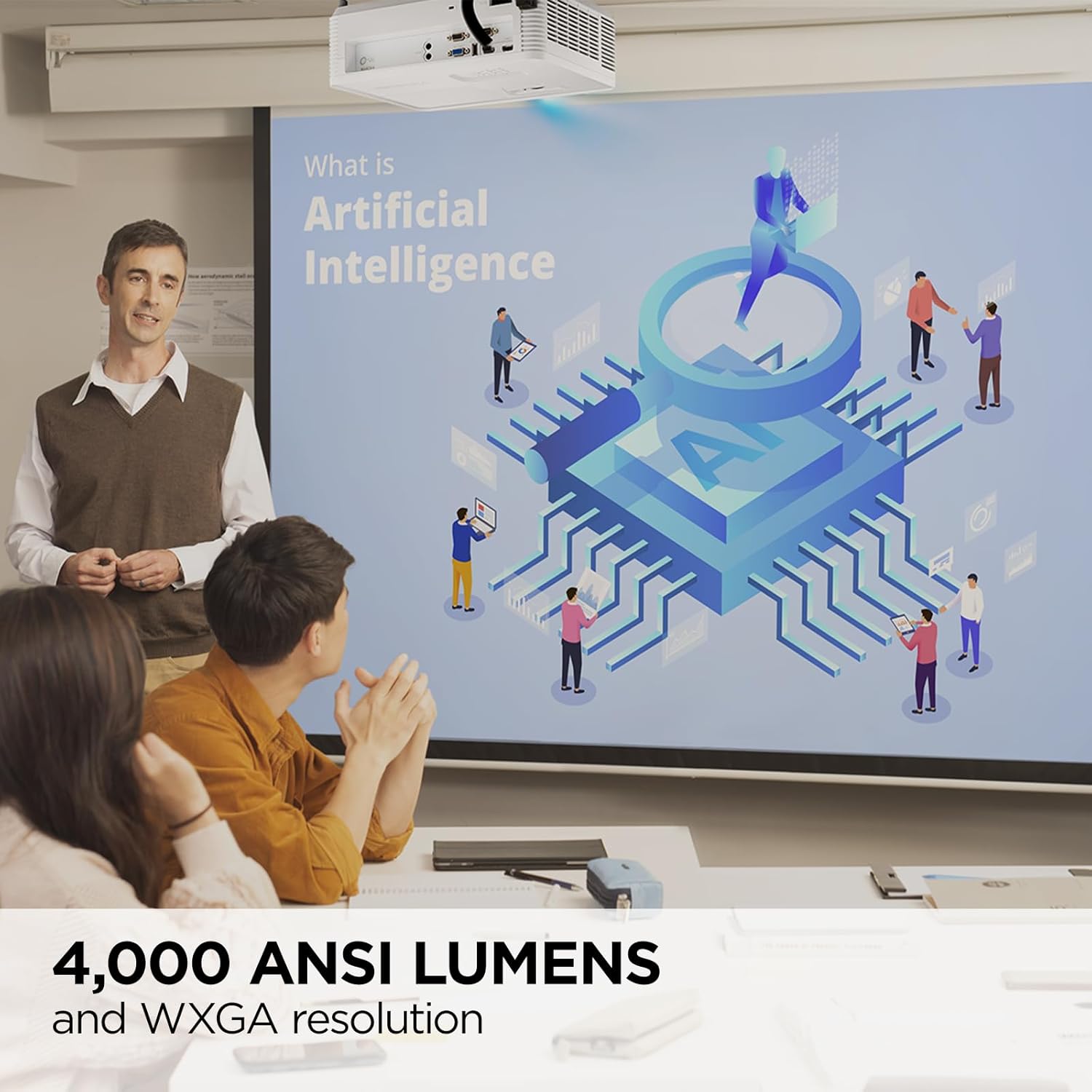
In actual day‑to‑day use, the PS502W is very effective for what it’s built for. In meetings, I could plug in a laptop via HDMI, hit source, and be ready in under a minute. No weird handshakes, no constant re‑focusing. Text and charts at 100" were clear enough that people in the back of the room didn’t complain once, even with blinds half‑open. Compared to older 2,500‑lumen projectors we had, this one handled sunny days way better. You simply don’t have to dim the room as much, which is nice when people need to take notes.
For education or church use, the feedback is similar to what you see in the Amazon reviews: big, bright image that people can see from far away. One reviewer mentioned their church loved it, and I see why. You can project lyrics or slides on a large wall and still keep the house lights on. The short throw also means you can place it close to the wall and keep the middle of the room clear, which is very practical in crowded spaces.
On the golf sim side, that’s where it shines (pun intended). The short throw lets you put it just in front of the hitting area and still fill a big impact screen or garage door. Multiple reviewers use it exactly for that and compare it favourably to more expensive BenQ units. I had the same experience: picture size and clarity are absolutely fine for simulator software, and the brightness helps when you don’t want to stand in total darkness swinging a club.
The only area where I’d say its effectiveness drops is when you try to use it as a dedicated home cinema projector. It works, but between the WXGA resolution, the relatively basic contrast, and the fan noise at high brightness, it’s clearly not tuned for that. If you stick to its strengths – business, education, sims, general big‑screen use in bright rooms – it does the job very well for the price bracket.
Pros
- Very bright (4,000 ANSI lumens), usable in bright rooms and with lights on
- Short‑throw 0.52 ratio gives a 100" image from about 1.1 m, great for small spaces and golf sims
- Dual HDMI and USB‑A power make it easy to hook up laptops and streaming dongles
Cons
- WXGA (1280 × 800) resolution is basic compared to 1080p alternatives
- Fan noise is noticeable in high‑brightness modes
- Built‑in speaker is weak, external audio is almost mandatory for anything serious
Conclusion
Editor's rating
The ViewSonic PS502W is a practical short‑throw projector that shines in classrooms, meeting rooms, churches, and garage golf simulators. Its 4,000 ANSI lumens make a real difference in bright spaces, and the 0.52 throw ratio lets you get a 100" image from around 1.1 m away. That combination is the main reason to buy it. Setup is simple, the dual HDMI ports are handy, and the USB‑A power for streaming dongles keeps things clean. For presentations, spreadsheets, and simulator graphics, the WXGA resolution is perfectly usable.
On the downside, this is not a home cinema dream machine. The 1280 × 800 resolution, average contrast, and noticeable fan noise in bright modes mean movie enthusiasts will want something else, ideally 1080p or 4K with better black levels. The built‑in speaker is basic, so plan for external audio if you care about sound. You also have the usual lamp‑based maintenance to think about. So who is it for? It’s ideal if you need a bright, short‑throw workhorse: teachers, small churches, offices with bright meeting rooms, or anyone building a budget golf simulator with limited space. Who should skip it? People looking mainly for a quiet, high‑res cinema projector for dark rooms. If you go in with the right expectations, it’s a reliable, no‑frills tool that does its job well.