
Summary
Editor's rating
Is the W2720i worth the money?
Big, serious box – not exactly discreet
LED lifespan vs real-world reliability concerns
Image quality, brightness and AI Cinema in real use
What this projector actually offers
Smart features, sound handling and daily practicality
Pros
- Very good out-of-the-box color accuracy (DCI-P3 / Rec.709, Delta E < 3)
- Long-lasting LED light source rated around 30,000 hours
- Three HDMI 2.1 ports with eARC and Dolby Atmos pass-through for easy audio setup
Cons
- Mixed user feedback on reliability and return experiences
- Brightness is decent but not ideal for very bright rooms
- Built-in speakers are weak for home cinema and fan noise is noticeable at close range

Specifications
View full product page →| Brand | BenQ |
A 4K LED projector that looks great on paper
I’ve been using the BenQ W2720i at home for a few weeks as my main living-room projector, mostly for Netflix, Prime Video, some Blu-rays and a bit of PS5. On paper, it ticks a lot of boxes: 4K, LED light source, Android TV, HDR, eARC, and all the color accuracy stuff (DCI‑P3, Rec.709, Delta E < 3). It sounds like the kind of device you buy once and forget about for a few years.
In practice, it’s a bit more down to earth. The image quality is clearly the strong point, especially if you watch a lot of movies in the evening with the lights dimmed. Colors look very natural out of the box, and I didn’t have to dive into calibration menus for hours, which I honestly appreciate. The 2500 lumens are fine for a living room with controlled light, but it’s not a daylight monster either.
Where I started to be more cautious is when I read some user reviews about reliability and returns. One person had a unit fail after two months, another received what looked like a returned unit sold as new. I personally haven’t had a failure yet, but with that kind of feedback, I wouldn’t throw away the box and invoice too quickly. The 3‑year warranty is reassuring on paper, but the hassle of returns is still a thing.
Overall, my first impression is: picture and features are pretty solid, but it’s not a cheap toy, so the small annoyances stand out more. If you just want a simple, bright living‑room TV replacement with zero tweaking, this might feel a bit overkill and pricey. If you care about image quality and like to tinker a bit, it starts to make more sense, as long as you accept that reliability might be a bit of a lottery based on current reviews.
Is the W2720i worth the money?
In terms of value for money, it really depends on what you’re comparing it to and what you expect. If you come from a cheap no‑name projector under a few hundred euros, the W2720i will feel like a big upgrade: sharper image, far better colors, proper HDR support, and a much longer‑lasting LED light source. In that sense, you’re paying for something that feels more serious and more cinema‑oriented, not just “a big picture on the wall”.
Compared to other branded 4K home cinema projectors in the same general price range, it’s more balanced. You’re not getting the brightest projector on the market, and you’re not getting the best black levels either, but you do get very decent color accuracy out of the box, Android TV built‑in, and a proper audio setup with eARC and Dolby Atmos pass‑through. If you were going to buy a projector plus an external streaming stick anyway, this integrated approach makes some sense and saves you one device and one remote.
The downside is that at this price, the small issues hurt more. The Amazon rating at 3.8/5 is not terrible, but it’s not reassuring either, especially with comments about early failure and returned units. When you’re dropping this kind of money, you want to feel safe. Also, if you mainly watch casual content in a bright room and don’t care much about color accuracy, you could probably get a cheaper, brighter projector and be just as happy. The W2720i starts to make more sense if you actually watch a lot of movies or series in a dim room and you notice color differences.
So overall, I’d say value is decent but not mind‑blowing. You’re paying for a mix of picture quality, LED longevity, and convenient features. If those specific points matter to you and you’re okay with the potential reliability lottery, it’s a reasonable buy. If you just want a simple big screen for sports and cartoons, you can save money elsewhere and not miss much.
Big, serious box – not exactly discreet
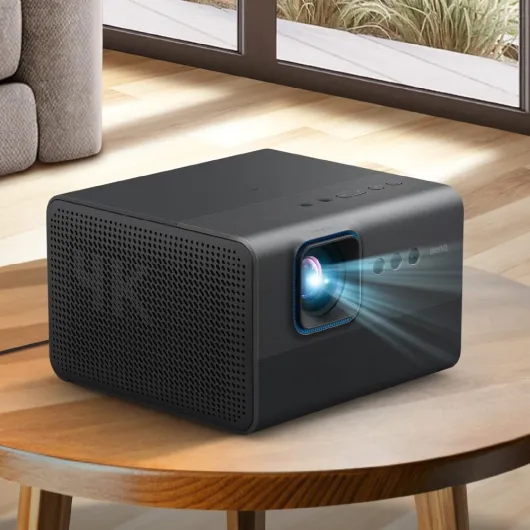
Physically, the W2720i is a fairly big and heavy unit. Around 42 x 30.5 x 14.3 cm and about 5.1 kg, so it’s not something you casually move around every evening. I initially thought I’d store it in a cupboard and take it out for movie nights, but after a few days I gave up and left it set up on a shelf. If you’re in a small flat or you need something super portable, this isn’t it.
The design itself is pretty standard BenQ: mostly black, rectangular, and very much “projector-looking”. Nothing ugly, but nothing that blends into a living room like a design object either. It’s clearly more home cinema gear than decor. The build feels solid enough in the hand, no cheap creaks, and the plastic doesn’t feel flimsy. On the other hand, for the price, I wouldn’t call it premium either – it’s just decent, functional plastic housing that looks like it’ll survive normal use.
The buttons on the device are basic but usable, and thankfully you mostly use the remote anyway. Ventilation grills are on the sides, and it does push out some warm air, but for an LED unit it doesn’t roast the room like some lamp projectors I’ve had before. One German reviewer mentioned it “doesn’t get very warm” and I’d agree: you feel the heat, but it’s not crazy, even after a full movie. Fan noise is there, but at a normal viewing distance, with sound at a reasonable level, it fades into the background.
Placement wise, it’s a tabletop mount by default, but it can be ceiling mounted if you get the right bracket. Just keep in mind the size and weight when you pick a shelf or a mount. Also, visually, once the lights are off you forget what it looks like, but during the day, it’s a big black box in the room. If your living room is super minimalist and you hate seeing gear, that might bother you a bit. For me, it’s acceptable, but nothing that makes you say “nice object” when you see it.
LED lifespan vs real-world reliability concerns
On paper, durability is one of the selling points here. The LED light source is rated at about 30,000 hours, which is a huge jump compared to traditional lamp projectors where you often have to think about replacing bulbs after a few thousand hours. If you watch 3 hours a day, that’s over 25 years in theory. So from a light-source perspective, you can more or less forget about lamp replacements, and that’s nice for long-term cost and peace of mind.
However, real‑world reliability is not just about the light source. Looking at the Amazon reviews, you see a mixed picture. One French user reported that their unit failed after about two months, and they mentioned it was already their third BenQ projector in six months, all with problems. That’s pretty harsh and obviously raises questions. Another user complained about receiving what seemed like a returned unit sold as new and then waiting weeks for a refund. That’s more about seller practices than the projector itself, but as a buyer, it’s part of the experience.
My own unit hasn’t died or shown any obvious defect so far, but we’re talking about a few weeks of use, not years. Build quality feels decent enough – no loose parts, no weird noises when moving it, and the ventilation seems properly managed. The plastic shell doesn’t feel fragile, and the connectors don’t wobble when you plug and unplug HDMI cables. Still, with that kind of price, you’d expect more consistent user feedback than a 3.8/5 average rating with a few 1‑star horror stories.
The good point is the 3‑year manufacturer warranty, which is longer than what you get on many cheaper projectors. That doesn’t remove the inconvenience if something fails, but at least you’re not left hanging after a year. If you buy it, I’d keep the box, the invoice, and maybe test it heavily during the first weeks to be sure you don’t have a dud. In short: on paper, durability is strong thanks to LED and the warranty, but user reviews suggest quality control or logistics can be hit‑or‑miss, so don’t assume it’s bulletproof.
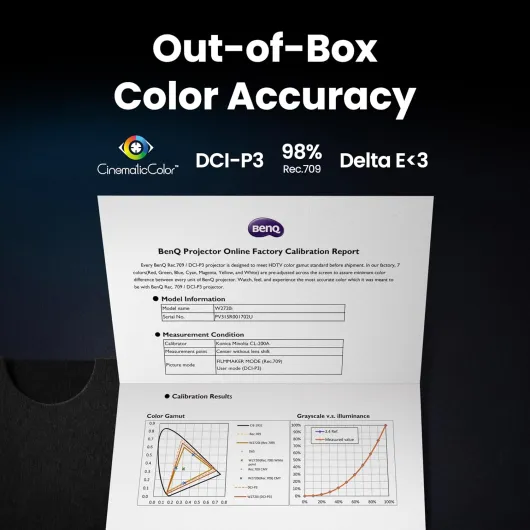
Image quality, brightness and AI Cinema in real use
This is the part where the W2720i actually shines: image quality is pretty solid for the price bracket. In 4K with good sources (UHD Blu‑ray or high‑bitrate streaming), the picture is sharp, and the colors look natural right out of the box. I didn’t have to spend an evening tweaking the settings, which is rare for projectors. The factory calibration and all the DCI‑P3 / Rec.709 talk is not just marketing fluff; you can see that skin tones and movie colors look more balanced than on cheaper projectors I’ve used.
The 2500 ANSI lumens are enough for evening viewing with a lamp on or a bit of ambient light. In a bright room during the day, you’ll still lose contrast and blacks, that’s normal for most projectors. If you want a “daytime TV replacement with sun blasting in”, you’ll be a bit disappointed. But in a dim or dark room, the brightness is fine and doesn’t feel dull. HDR content is where it gets interesting: HDR10 and HDR10+ do bring more punch to highlights, but don’t expect TV-level HDR. It’s more about slightly better dynamic range than a huge wow effect.
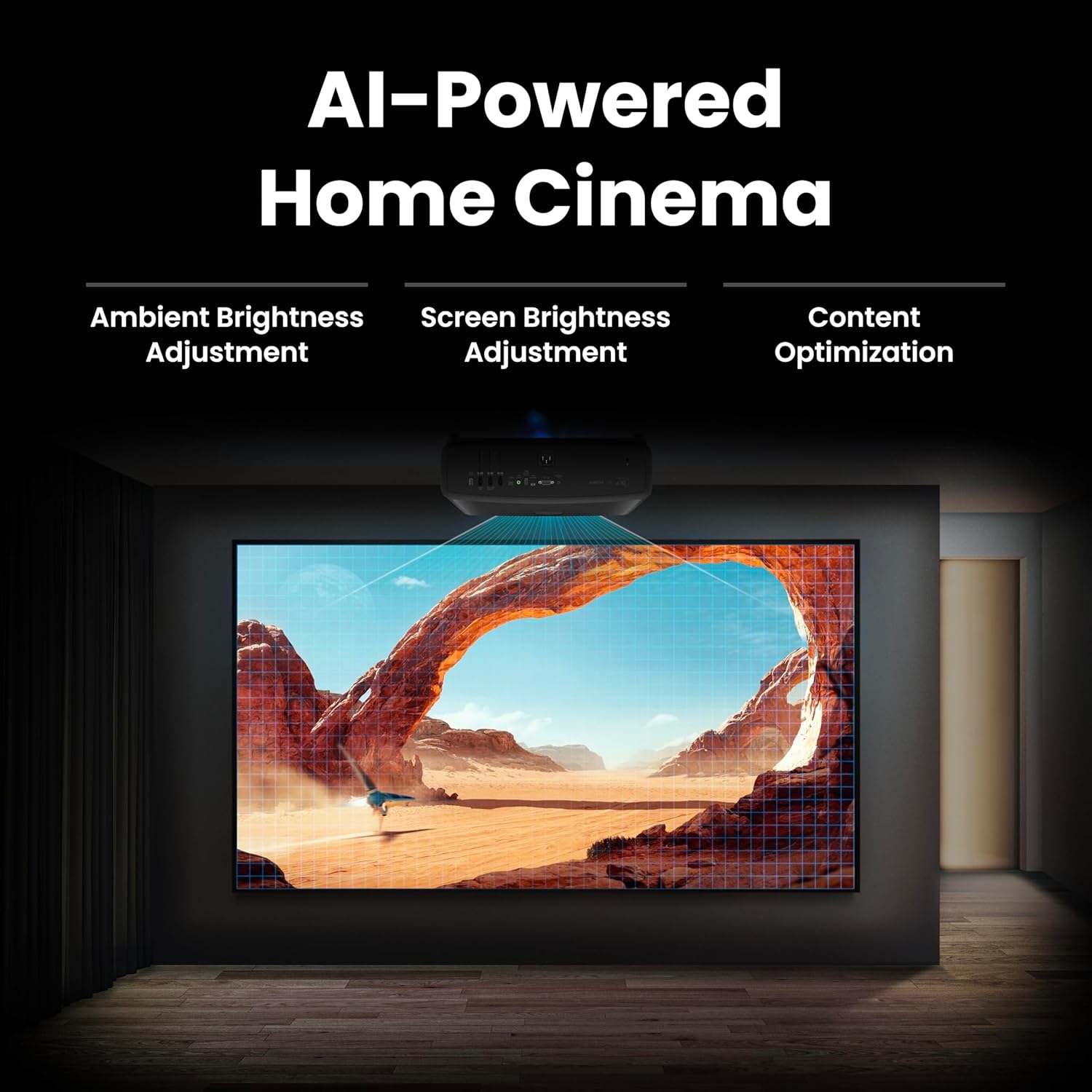
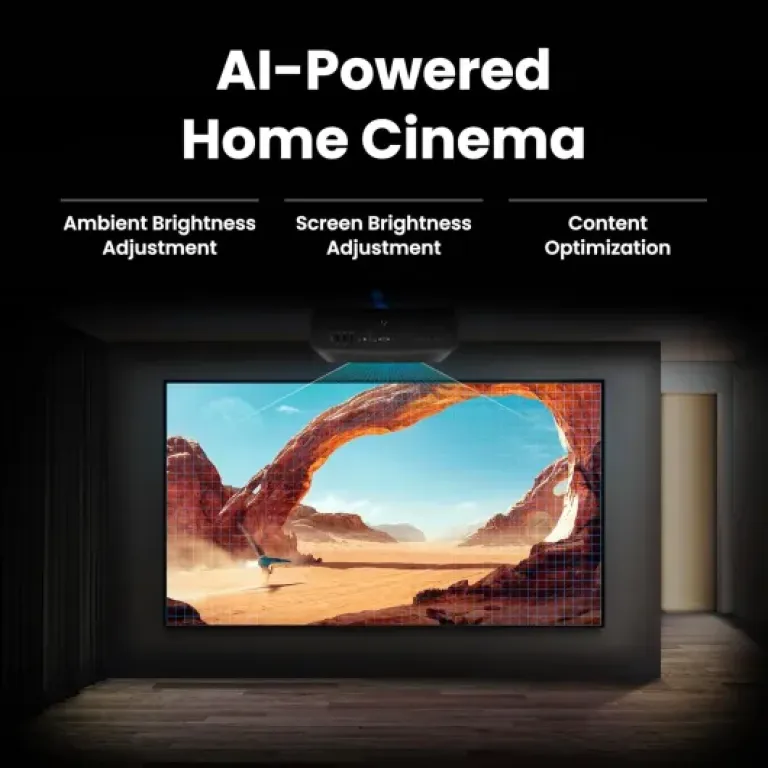
The AI Cinema Mode is… okay. It adjusts colors and brightness depending on ambient light and the scene. In practice, I left it on for a while, then turned it off. Sometimes it helps a bit when you switch between dark scenes and brighter content, but other times it felt like the image was changing a bit too much for my taste. If you’re not picky, you’ll probably just leave it on and forget about it. If you’re more sensitive to picture changes, you might prefer a manual mode you tune once.
For motion, sports and casual gaming, it holds up well. There’s no crazy input lag reduction mode advertised like on gaming projectors, but for single-player games and normal use, it’s totally fine. Colors stay consistent, and I didn’t notice weird artifacts or banding in normal content. Overall, from a pure performance standpoint, this is the strong side of the W2720i: you get a clean, sharp, well-calibrated image without needing to be a calibration nerd, as long as you use decent sources and a half-decent screen or wall.
What this projector actually offers
Let’s break down what the W2720i really is. It’s a 4K UHD LED home cinema projector rated at 2500 ANSI lumens, with support for HDR10, HDR10+, and HLG. It covers about 90% of DCI‑P3 and 98% of Rec.709, and BenQ insists a lot on the factory calibration (Delta E < 3). In simple terms, it’s meant for people who actually care about color accuracy, not just brightness. It’s also LED, not lamp-based, so the light source is rated around 30,000 hours, which is a big plus if you watch a lot of content.
On the connectivity side, it’s pretty complete: three HDMI 2.1 ports (HDCP 2.3), eARC for sending audio to a soundbar or AV receiver, SPDIF, plus USB ports and a mini USB for service. The HDMI 2.1 part is nice for modern consoles and AV setups, even if you’re still limited by projector refresh rates for gaming. It’s not a gaming-focused projector, but for casual PS5 or Xbox sessions, it’s fine. There’s also built‑in Android TV, so you can install apps like Netflix, YouTube and Prime Video directly without an external box.
The claimed contrast ratio is 2,000,000:1, which in the real world you should take with a grain of salt. Projector contrast numbers are always optimistic. In my living room, with a grey wall and a mid‑range screen, blacks are decent for an LED projector, but it’s not going to beat a proper OLED TV in dark scenes. Still, for a 100–120 inch image, it’s more than acceptable if you dim the lights.
Use case wise, I’d say it’s clearly aimed at home cinema: movie nights, series, sports, maybe some casual gaming. It’s not really for office PowerPoints or dragging around for presentations; it’s too bulky and the features are overkill for that. If all you want is a cheap projector for kids’ cartoons, this is probably too expensive and too focused on color accuracy to be worth it. But if you’ve already tried cheaper projectors and were annoyed by washed‑out colors and noisy fans, the W2720i will feel like a decent step up.
Smart features, sound handling and daily practicality
Beyond pure image quality, the question is: does it actually make your life easier as a home cinema device? On that front, it’s a bit mixed but mostly positive. The built-in Android TV is handy. Setup was straightforward: connect to Wi‑Fi, log into Google, install Netflix, YouTube, Prime Video, and you’re good to go. I like not having to plug a separate streaming stick, especially if you’re short on HDMI ports. The interface is smooth enough; not blazing fast, but good enough that it doesn’t annoy you every time you turn it on.
The auto screen alignment and digital keystone are useful if your setup isn’t perfect. I tested it on a low table and a high shelf; the projector managed to correct the image to stay rectangular without me spending 10 minutes in menus. That said, like all digital keystone, you lose a bit of sharpness if you push it too far. If you can line it up properly with the screen, do it; keystone should be a backup, not the main plan. The vertical correction of around 10 cm helps, but it’s not magic.
On the audio side, the built-in speakers are just “it works” level. They’re fine for watching news or a quick YouTube video, but for movies and series, you’ll want a soundbar or AV receiver. The good news is that eARC and SPDIF work as expected. I plugged it into a soundbar with Dolby Atmos support, and the pass‑through was straightforward. No weird sync issues on my side, and volume control from the projector remote worked. This is a big plus if you want a clean setup with just one HDMI cable going to your sound system.
Day‑to‑day, turning it on, launching an app, and starting a movie takes a bit longer than a TV, but you get used to it. One annoyance: like with many projectors, there’s a bit of fan noise at startup and during operation. It’s not crazy loud, but in quiet scenes you do hear it if you sit close. With a decent sound system at normal volume, it fades into the background, but if you’re very sensitive to noise, keep it in mind. Overall, in terms of effectiveness as a home cinema hub, it gets the job done well, but it’s still a projector, with the usual small compromises compared to a TV.
Pros
- Very good out-of-the-box color accuracy (DCI-P3 / Rec.709, Delta E < 3)
- Long-lasting LED light source rated around 30,000 hours
- Three HDMI 2.1 ports with eARC and Dolby Atmos pass-through for easy audio setup
Cons
- Mixed user feedback on reliability and return experiences
- Brightness is decent but not ideal for very bright rooms
- Built-in speakers are weak for home cinema and fan noise is noticeable at close range
Conclusion
Editor's rating
The BenQ W2720i is a solid 4K LED home cinema projector if your priority is a good, calibrated picture and you usually watch in a dim or dark room. The colors are genuinely well tuned out of the box, the image is sharp, and the 2500 lumens are enough for evening use without feeling too dim. Android TV and eARC make it practical as a central home cinema device: you can stream directly from the projector and send audio cleanly to a soundbar or AV receiver without juggling too many boxes.
On the flip side, it’s not perfect. It’s quite bulky, the built‑in speakers are basic, fan noise is present, and some user reviews raise doubts about long‑term reliability and quality control. The LED light source should last for years, but that doesn’t help if another component fails early. Also, brightness is fine but not crazy, so if you want a pure daylight TV replacement, you may be disappointed. Value for money is okay rather than outstanding: you’re paying for picture accuracy and LED longevity, not flashy extras.
If you’re the type who cares about film colors, watches a lot of series or movies at night, and wants a fairly complete all‑in‑one projector with good connectivity, the W2720i is a decent candidate. Just keep your packaging, check the unit thoroughly in the first weeks, and pair it with a proper sound system. If you mainly want something cheap and bright for casual viewing in a bright living room, or if reliability horror stories scare you a lot, you might want to look at simpler or more proven alternatives.