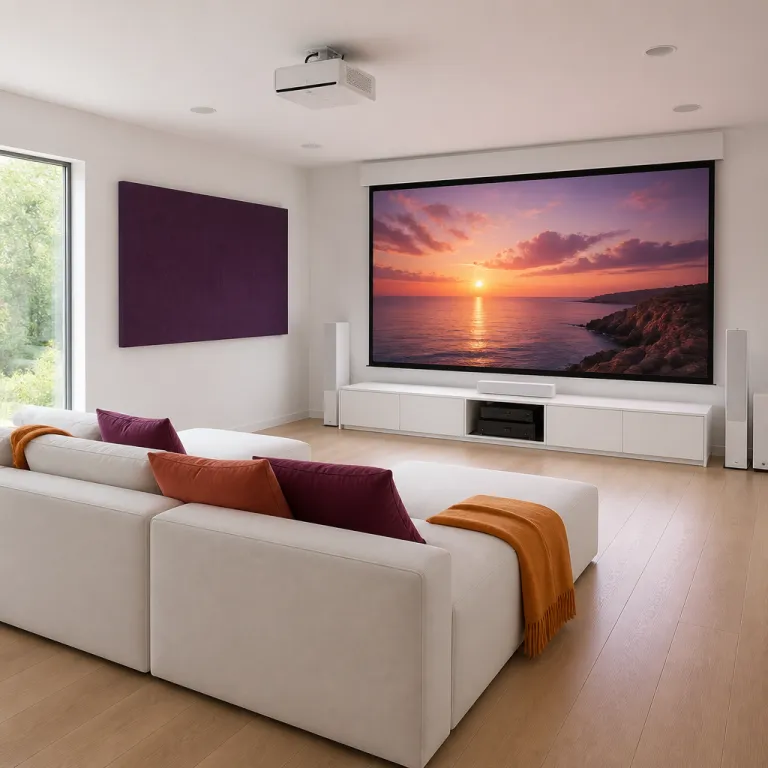
Dolby Vision on projectors versus HDR10 and HDR10 plus
Dolby Vision on a projector promises dynamic high dynamic range, but the hardware reality is very different from a television. A Dolby Vision projector has to squeeze that dynamic metadata into a light output range of roughly 1 500 to 3 000 ANSI lumens, while even a midrange OLED television can hit well over 1 000 nits on a much smaller screen. That gap in peak brightness and native contrast means tone mapping choices matter more than logo stickers on the box.
On televisions, Dolby Vision uses scene by scene or frame by frame metadata to guide tone mapping, while HDR10 relies on a single static metadata set for the entire piece of content. When you move to projectors, both HDR standards run into the same physical wall, because a reflected image on a 100 inch screen simply cannot match the punch of a self emissive panel, so highlight detail and specular sparkle are always a compromise. HDR10 plus tries to close that gap with dynamic metadata similar to Dolby Vision, but again the limited light source output and room reflections define the ceiling.
In practice, a well tuned HDR10 implementation on a high contrast projector can look closer to Dolby Vision than marketing suggests. If the projector’s tone mapping is smart and respects the mastering intent, you will see better color reproduction, smoother highlight roll off and more stable midtones than on a poorly implemented Dolby Vision mode that clips aggressively. The real question is not which HDR logo appears in the menu, but how the projector handles contrast, brightness and color across a range of real world content.
Which projectors actually support Dolby Vision today
The list of true Dolby Vision projectors is still short, but it is finally growing. XGIMI has been one of the most aggressive brands here, with the XGIMI Mira and Mira Pro 4K ultra short throw models offering Dolby Vision, HDR10 plus and HLG on an RGB triple laser light source. That combination of triple laser and Dolby Vision tone mapping gives these projectors a wide color gamut, although you still need careful setup to avoid laser speckle on certain screens.
Optoma has joined the Dolby Vision projector club with the Optoma HCPro 5400, which supports both Dolby Vision and HDR10 plus over HDMI. This model targets living room users with a bright laser light source and a claimed high native contrast ratio, but as always you should treat contrast numbers as marketing until measured in a dark room. AWOL Vision, Hisense and newer XGIMI Horizon projectors are also rolling out Dolby Vision support, especially in their premium ultra short throw lines aimed at replacing large televisions.
These Dolby Vision projectors still rely on DLP chips with limited native contrast, so they lean heavily on dynamic iris systems and tone mapping tricks. The XGIMI Horizon Ultra, for example, pairs a hybrid laser and LED light source with Dolby Vision processing and a smart projector platform, but its black levels remain closer to a good television in a bright room than to a dedicated cinema projector. If you want a deeper dive into how smart projector software has evolved around these features, a detailed analysis of Google TV integration and AI features on modern smart projectors is available in this guide on how smart projector software finally grew up.
Why projector brightness and contrast limit Dolby Vision’s impact
Every Dolby Vision projector is fighting physics before it even renders a frame. A typical living room setup might use a 2 000 ANSI lumens laser projector on a 100 inch matte white screen, which translates to a peak brightness far below what HDR grading suites assume. That mismatch forces aggressive tone mapping, pulling highlights down and lifting shadows to keep detail visible.
Native contrast is the second hard limit, especially on single chip DLP projectors that dominate the Dolby Vision capable market. Even with a strong light source and clever dynamic dimming, their native contrast often trails three chip LCD or LCoS designs from brands like Epson and JVC, so black levels look more charcoal than inky in a dark room. Dolby Vision’s dynamic metadata can help allocate limited brightness more intelligently scene by scene, but it cannot conjure deep blacks where the optical system simply cannot go.
Ultra short throw projectors such as the JMGO Ultra and various AWOL Vision models add another complication. They rely on very bright triple laser engines to fight ambient light, which raises the black floor and makes subtle HDR shadow detail harder to see, even with Dolby Vision engaged. In that context, a well calibrated SDR or HDR10 image with careful color and contrast control can look more natural than a pushed Dolby Vision mode chasing spec sheet numbers.
Real world models compared: XGIMI Horizon Ultra, JMGO Ultra and others
When you compare specific Dolby Vision projectors, patterns emerge that matter more than any single spec. The XGIMI Horizon Ultra is a good example, combining a hybrid laser light source with a compact chassis, a smart projector platform and Dolby Vision support, yet still behaving like a DLP projector in terms of native contrast and motion. Its color reproduction is rich out of the box, but you need calibration to tame oversaturated reds and to balance brightness against fan noise.
The JMGO Ultra takes a different path with a triple laser light engine and a very wide color gamut, which can look spectacular on animated content and sports. That same triple laser system can introduce laser speckle on certain ALR screens, though, and the projector’s tone mapping sometimes prioritizes peak brightness over shadow detail, even when Dolby Vision metadata is present. In both models, low latency gaming modes reduce input lag, but they often bypass some HDR processing, so you trade tone mapping precision for responsiveness.
Lens shift and optical zoom options are still limited on most Dolby Vision capable projectors, especially in the ultra short throw category. If you need flexible placement, a more traditional long throw laser projector with good lens shift and a solid HDR10 implementation may serve you better than a fixed lens UST with Dolby Vision. For a sense of how a non Dolby Vision smart projector with strong HDR10 performance behaves in a bedroom or small living room, you can look at this hands on test of a 4K capable smart projector with Google TV and HDR10 support on a modern HDR10 smart home cinema projector.
Source chain, HDMI quirks and when Dolby Vision actually helps
Getting Dolby Vision from your streaming service to your projector is often harder than it should be. You need a compatible source such as an Apple TV 4K or Nvidia Shield, a receiver or soundbar that passes Dolby Vision correctly and a projector that negotiates the right HDMI handshake without dropping to HDR10. Any weak link in that chain can silently downgrade your content, leaving you with standard HDR even though the on screen logo suggests otherwise.
Projectors are also more sensitive to HDMI bandwidth and cable quality than televisions, especially at 4K 60 with HDR and low latency gaming modes enabled. If you push long cable runs or cheap switches, you may see intermittent signal drops, forced 8 bit color or the loss of Dolby Vision flags, which then changes the projector’s tone mapping behavior. Checking the projector’s info screen for actual signal format and color standard is more reliable than trusting the streaming app’s icon.
Dolby Vision tends to matter most in a dark room with a high contrast screen and a projector that already has strong native contrast. In that scenario, the dynamic metadata can subtly preserve highlight detail in bright scenes while keeping black levels stable, especially on challenging mixed content like night cityscapes. In a bright living room with an ultra short throw projector blasting onto a gray ALR screen, ambient light often dominates the image so thoroughly that Dolby Vision’s advantages shrink to the point of being hard to notice.
How to choose between Dolby Vision and a well tuned HDR10 projector
If you are upgrading from a 1080p lamp projector, it is tempting to chase every new logo. A Dolby Vision projector can be a smart buy, but only if the fundamentals of brightness, native contrast, lens quality and sound quality are already strong for your room and screen size. In many cases, a carefully calibrated HDR10 projector with a stable laser light source and good color reproduction will beat a weaker Dolby Vision model on overall cinematic impact.
Look first at measured ANSI lumens, not marketing peak numbers, and match that to your screen size and gain. Then evaluate native contrast and black level performance in reviews that include dark room measurements, because those factors shape perceived depth more than any HDR format choice. Finally, consider practical features such as lens shift, optical zoom range, input lag for gaming and the maturity of the smart platform, since these determine how easy the projector is to live with every night.
If you want a sense of what a capable non Dolby Vision smart projector can deliver in real rooms, there is a detailed test of a 1 200 ANSI lumens Google TV smart projector with HDR10 support and a 30 watt speaker system on a smart projector with HDR10 for bedroom use. That kind of baseline helps you judge whether paying extra for Dolby Vision, triple laser engines or ultra short throw convenience actually serves your viewing habits. In the end, the best projector for your home theater is the one that balances light output, contrast and tone mapping so the last row on movie night forgets they are watching a projector at all.
Key figures on Dolby Vision projectors and HDR performance
- Most consumer 4K projectors with HDR support deliver between 1 500 and 3 000 ANSI lumens in calibrated modes, which is far below the 1 000 nit peak brightness often used as a reference for HDR mastering on televisions, so tone mapping must compress highlights significantly.
- Single chip DLP projectors, which dominate the current Dolby Vision capable market, typically measure native contrast ratios in the 800:1 to 2 000:1 range, while high end LCoS projectors from brands like JVC can exceed 20 000:1 native contrast, giving them a clear advantage in dark room HDR even without Dolby Vision.
- Ultra short throw projectors often target 3 000 to 4 000 ANSI lumens to fight ambient light in living rooms, but their effective on screen contrast can drop by more than 50 percent compared with the same projector in a fully dark room, which reduces the visible benefits of Dolby Vision’s dynamic metadata.
- Streaming devices such as the Apple TV 4K and Nvidia Shield can output Dolby Vision at up to 4K 60 Hz, but the full signal requires HDMI 2.0 or better and high quality cables, because bandwidth limitations can force a fallback to HDR10 or even SDR without obvious warnings to the user.
- Measured input lag on many smart projectors with Dolby Vision or HDR10 processing ranges from 30 to 60 milliseconds in standard modes, while dedicated gaming modes can reduce that to around 15 to 25 milliseconds by simplifying tone mapping, which slightly alters HDR rendering but significantly improves responsiveness.
FAQ about Dolby Vision on projectors
Does Dolby Vision make a big difference on projectors compared with HDR10
On projectors, the difference between Dolby Vision and HDR10 is usually smaller than on televisions because overall brightness and native contrast are much lower. Dolby Vision’s dynamic metadata can help preserve highlight detail and stabilize midtones scene by scene, but it cannot overcome a weak light source or poor black levels. A well implemented HDR10 mode on a high contrast projector can look very close to Dolby Vision in many real world setups.
Which projectors currently support Dolby Vision
Confirmed Dolby Vision projector models include the XGIMI Mira and Mira Pro 4K ultra short throw projectors, the Optoma HCPro 5400 and several ultra short throw models from AWOL Vision and Hisense. Some newer XGIMI Horizon series projectors, such as the Horizon Ultra, also advertise Dolby Vision support alongside HDR10 plus and HLG. The list is expanding, but it remains small compared with the number of HDR10 only projectors on the market.
Do I need a special streaming device to use Dolby Vision on a projector
You need a source that can output Dolby Vision over HDMI, such as an Apple TV 4K, a recent Nvidia Shield or certain 4K Blu ray players. Your AV receiver or soundbar must also pass Dolby Vision correctly, and the projector has to negotiate the right HDMI handshake to avoid falling back to HDR10. Checking the projector’s input information screen is the best way to confirm that a Dolby Vision signal is actually being received.
Is a Dolby Vision projector worth it for a bright living room
In a bright living room with lots of ambient light, the advantages of Dolby Vision shrink because the room itself washes out contrast and shadow detail. Ultra short throw projectors with high ANSI lumens ratings and ambient light rejecting screens can improve daytime visibility, but they still cannot match a good television for HDR punch. In that context, prioritizing brightness, screen quality and viewing angle often matters more than paying extra for Dolby Vision support.
Should gamers prioritize Dolby Vision or low input lag on a projector
For gaming, low input lag and stable motion handling usually matter more than Dolby Vision support. Many projectors disable or simplify advanced HDR processing in their gaming modes to reduce latency, which can lessen the impact of Dolby Vision’s dynamic tone mapping anyway. If you play fast paced titles, choose a projector with a dedicated low latency mode and acceptable HDR10 performance, then treat Dolby Vision as a bonus rather than a requirement.