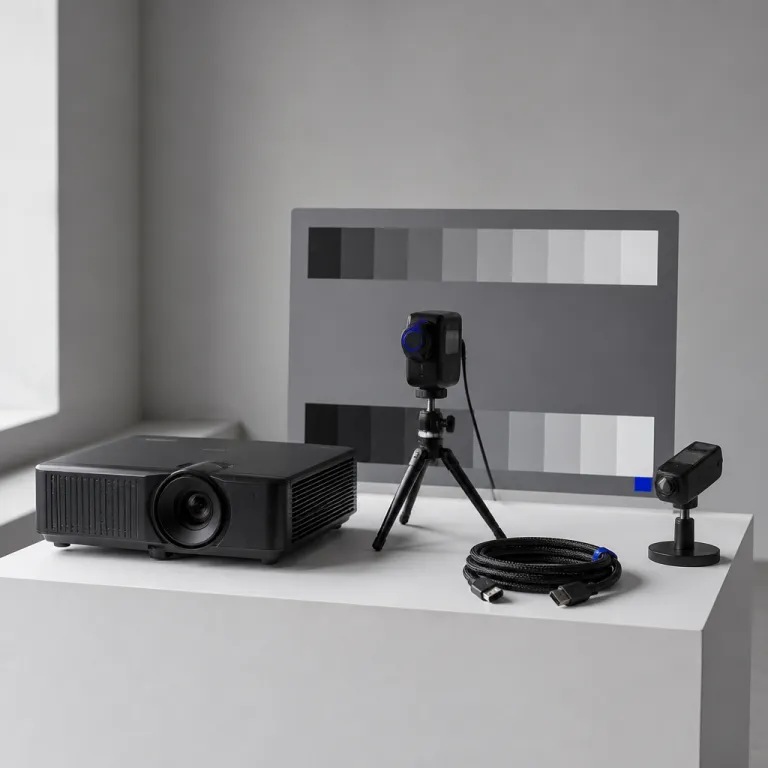
HDR projector tone mapping sits at the heart of modern home cinema. When you move from a 1080p lamp projector to a 4K HDR projector, the way it handles tone and mapping will decide whether your upgrade feels cinematic or strangely dim. Understanding how each projector compresses HDR dynamic range into limited projector brightness is more important than chasing another few hundred advertised lumens.
HDR was designed for flat panels that can hit 1 000 nits or more. A typical home theater projector peaks between 50 and 200 nits on screen, even before you factor in screen size and gain. That mismatch forces every projector to apply some form of tone mapping curve, and the quality of that mapping will determine how your HDR content actually looks in both bright scenes and dark scenes.
Think of tone mapping as a translator between HDR content and your projector’s limited light output. The HDR signal arrives with a defined dynamic range, a mastering max brightness and often static metadata that assumes a much brighter display. The projector must compress that range into its own max brightness while preserving creative intent, so the mapping isn’t just math, it is a series of aesthetic decisions about which details to keep and which to sacrifice.
Static tone mapping uses a single mapping curve for all HDR content. Many budget projectors apply one fixed hdr tone profile that never changes, no matter whether you watch a dim drama or a bright animated film. This static tone approach is simple but often wrong for real world viewing, because it cannot adapt when a title suddenly shifts from dark scenes to bright scenes within the same movie.
Dynamic tone mapping, often shortened to dtm, tries to solve that rigidity. Instead of one static tone curve, dynamic tone systems analyze each scene or even each frame and adjust the mapping on the fly. When implemented well, dynamic tone mapping preserves highlight detail in bright scenes while lifting shadow detail in dark scenes, so the image feels more consistent and closer to the director’s creative intent.
JVC’s Frame Adapt HDR is still the reference for projector dtm in many enthusiast setups. It reads HDR metadata, analyzes the incoming image frame by frame and then recalculates the mapping curve based on your screen size, gain and estimated on screen nits. Combined with Theater Optimizer, this dynamic tone system lets you pre order different screen profiles, so the projector will adapt tone mapping dtm to your actual room rather than a lab spec sheet.
Epson takes a different path with its Scene Adaptive Gamma on models like the LS12000. Instead of full frame by frame mapping hdr, it applies per scene adjustments to the gamma curve and brightness contrast balance. The result is a kind of hybrid between static tone and dynamic tone, where the projector tries to avoid obviously wrong replies to sudden shifts in HDR content without fully rewriting the mapping curve every frame.
Ultra short throw projectors from brands like XGIMI and Hisense often rely on more basic static tone mapping. Some models add a simple dynamic range slider or HDR brightness control, but these are usually coarse tools that shift the entire mapping curve up or down. In practice, you may find yourself constantly sending a reply to your own settings, nudging brightness and contrast between titles because the default hdr sdr balance feels off.
Dolby Vision complicates the picture further, especially on projectors. On TVs, Dolby Vision uses dynamic metadata to guide tone mapping scene by scene, but most projectors still treat Dolby Vision as another HDR input that must be squeezed into limited nits. A few laser UST models from Hisense and AWOL advertise Dolby Vision support, yet their internal mapping dtm still has to compress the same dynamic range into similar max brightness, so the benefit depends heavily on how their dynamic tone logic is tuned.
When a projector handles Dolby Vision well, you see smoother transitions between dark scenes and bright scenes. The mapping hdr process uses Dolby metadata to avoid crushed blacks and blown out highlights, especially in challenging titles with extreme contrast. However, if the internal tone mapping curve is poorly designed, Dolby Vision can still look wrong, with odd color shifts or a flat image that feels less punchy than a well tuned HDR10 profile.
The most common complaint from new HDR projector owners is simple. HDR content often looks darker than SDR, even when the projector’s max brightness rating seems generous on paper. This happens because static tone mapping frequently prioritizes highlight preservation over midtone visibility, so the gamma curve pushes most of the image into a lower brightness range that feels dull in a real living room.
In side by side tests, SDR on a calibrated projector can look more satisfying than badly mapped HDR. SDR uses a simpler gamma curve and assumes a lower peak brightness, so the projector does not need aggressive mapping to fit the signal into its dynamic range. When HDR sdr comparisons favor SDR, the culprit is rarely the hdr format itself, but rather a tone mapping implementation that is either too conservative or simply wrong for the room.
To judge HDR projector tone mapping, start with how it handles midtones. A good mapping curve keeps faces, fabrics and subtle textures visible without washing out specular highlights like sun glints or neon signs. If the image looks flat, with no sparkle in bright scenes and no depth in dark scenes, the mapping isn’t respecting the creative intent encoded in the title.
Next, evaluate how the projector transitions between dark scenes and bright scenes within the same title. On a well tuned dynamic tone system, you should not feel the mapping dtm pumping or see sudden jumps in brightness contrast. If you notice that one reply from the projector makes a night scene murky while the next scene looks fine, the dynamic tone algorithm may be overreacting to short term changes in hdr content.
Brightness controls on projectors can mislead you when you try to fix tone mapping issues. Raising the brightness slider often lifts black levels and ruins contrast, while lowering it can crush shadow detail and hide information in dark scenes. Instead, look for dedicated HDR tone or HDR mapping controls, sometimes labeled as HDR level, dynamic range or gamma curve presets, because these adjust the mapping curve rather than just shifting the entire image up or down.
On JVC models, the Frame Adapt HDR menu lets you choose different mapping profiles. Low, medium and high settings change how aggressively the projector compresses highlights and lifts shadows, effectively changing the shape of the mapping curve. In practice, you will often pick a middle profile for mixed content, then fine tune with a small adjust preference to match your screen size and room darkness.
Epson’s LS series offers fewer explicit tone mapping options but still allows some control. Scene Adaptive Gamma can be combined with manual gamma curve adjustments and HDR brightness steps to refine how the projector handles both bright scenes and dark scenes. The key is to avoid extreme settings that make the image pop in a demo clip but look wrong across a full movie title.
Budget DLP projectors with static tone mapping usually hide their limitations behind simple HDR presets. Modes like HDR, HDR bright or HDR vivid change the mapping hdr behavior, but they often just tilt the gamma curve and color saturation. You may need to cycle through these presets, watch a few challenging dark scenes and bright scenes, then send yourself a mental reply about which compromise feels least wrong for your room.
Color handling is another casualty of poor tone mapping. When a projector squeezes a wide dynamic range into limited nits, it can also distort color volume, making bright colors look either clipped or desaturated. A good HDR tone implementation preserves both color and luminance, so a red neon sign in a rainy street scene retains its punch without turning into a flat patch of overexposed image.
Dolby Vision content can help here, because its dynamic metadata guides both brightness and color decisions. On projectors that truly integrate Dolby Vision with their internal mapping dtm, you often see more consistent color in difficult titles mastered at very high max brightness. However, if the projector simply treats Dolby Vision as another HDR input without smart dynamic tone logic, the replies you see on screen may not justify choosing Dolby Vision over a well tuned HDR10 profile.
Gamma curve selection remains critical even in the HDR era. Some projectors let you blend traditional gamma curves with HDR tone mapping, effectively shaping how midtones roll off into highlights. If the gamma curve is too aggressive, dark scenes become inky but unreadable, while a too shallow curve makes the entire image float above black with no real depth.
When calibrating, start by setting SDR correctly before touching HDR. A well calibrated SDR profile gives you a reference for natural skin tones, neutral grays and proper brightness contrast at your typical viewing distance. Once SDR looks right, you can switch to HDR content and adjust tone mapping so that HDR feels like an extension of that baseline rather than a completely different and wrong display mode.
Pay attention to how the projector handles specular highlights like reflections, fireworks or sun glints on water. With good dynamic tone mapping, these highlights should stand out without turning into pure white blobs that lose texture. If every bright element in the image hits the same flat max brightness, the mapping curve is likely clipping too early, sacrificing detail that HDR was meant to preserve.
Dark scenes are equally revealing, especially in titles with subtle shadow detail. Look for gradations in black coats, dimly lit rooms and night skies, where a careful mapping hdr process will keep noise under control while still revealing texture. If you see either crushed blacks or elevated gray haze, the tone mapping dtm is not balancing dynamic range and brightness contrast effectively.
Some projectors offer separate HDR profiles for different content types. You might have one profile tuned for streaming HDR content, another for UHD Blu ray and a third for gaming, each with its own mapping curve and gamma settings. This can feel like overkill, but it allows you to adjust preference per source, especially when streaming apps send inconsistent HDR metadata that would otherwise lead to wrong replies from a single global tone mapping profile.
Gaming adds another layer of complexity to HDR projector tone mapping. Low latency modes sometimes bypass or simplify dynamic tone processing to reduce input lag, which can flatten the image or reduce highlight detail. If you care about both responsiveness and picture quality, you will need to test different profiles and decide where to compromise, because max brightness and mapping sophistication rarely coexist in the fastest gaming modes.
When evaluating reviews, focus less on marketing claims about hdr and more on measured behavior. Look for tests that show how a projector tracks EOTF, how its dynamic tone mapping responds to different mastering levels and whether its mapping curve changes intelligently between 1 000 nit and 4 000 nit titles. Helpful feedback from long term owners often reveals whether the projector’s replies to real world HDR content feel consistent or require constant tweaking.
Do not ignore the role of screen size and gain in all this. A projector that measures 150 nits on a 2,0 gain 100 inch screen may only deliver 70 nits on a larger, lower gain surface, which completely changes how its tone mapping should behave. Systems like JVC’s Theater Optimizer explicitly ask for screen data so they can adjust the mapping hdr process, while simpler projectors assume a generic display and therefore risk being wrong for your specific setup.
Some enthusiasts pre order calibration sessions specifically to tame HDR projector tone mapping. A professional calibrator can measure your actual on screen nits, then shape the gamma curve and mapping dtm parameters to match your room and viewing habits. This level of tuning is not mandatory, but it often turns a frustrating HDR experience into a reliable, repeatable image that respects creative intent across many different titles.
Ultimately, the goal is not to chase the brightest possible image at all costs. A well balanced HDR projector tone mapping strategy preserves dynamic range, maintains accurate color and keeps both bright scenes and dark scenes readable without constant manual intervention. The best projectors make HDR feel like a natural extension of SDR, where the mapping isn’t something you think about, only something you appreciate when the last row on movie night can still see every detail.
References
- RTINGS – HDR tone mapping and real scene brightness measurements for projectors and TVs
- ProjectorCentral – Technical guides on HDR implementation, gamma curves and projector brightness
- AVS Forum – Long term user reports and calibration threads on JVC, Epson and UST HDR performance