


What is sub crossover and why it matters
Understanding the Role of Subwoofer Crossover in Home Theater Audio
When setting up a home theater system, the subwoofer crossover is a key element that can make or break your audio experience. The crossover is an electronic filter that determines which frequencies are sent to your subwoofer and which go to your main speakers. This process is essential for managing bass and ensuring your sound system delivers clear, powerful audio.
In simple terms, the crossover frequency is the point where your receiver or amplifier decides to "hand off" low frequencies from your main speakers to the subwoofer. If you set the crossover too high, your subwoofer might play sounds it’s not designed for, leading to muddy bass. Too low, and your main speakers could struggle with deep bass, especially if they’re not full range models. The right balance helps each driver in your system perform at its best, whether you’re watching movies or listening to music.
- Bass management: The crossover helps your system manage bass by sending only low frequencies to the subwoofer, letting your main speakers focus on mid range and high frequencies.
- Speaker compatibility: Not all speakers are created equal. Some are passive, some are active, and each has its own freq response and watts peak rating. The crossover ensures that each speaker, whether it’s a compact satellite or a powerful floorstander, only receives the frequencies it can handle.
- Sound quality: A well-set crossover frequency can expand your system’s dynamic range, reduce distortion, and help you find the sweet spot where your audio sounds best.
Price can also play a role in the quality of your crossover. More advanced receivers and subwoofers often offer flexible crossover points and better bass subwoofer management. Some systems even allow you to set different crossover frequencies for each speaker set, giving you more control over your sound.
For those looking to optimize their home theater projector setup, understanding subwoofer crossover is just as important as choosing the right sound bars or speakers. If you want to learn more about selecting sound bars that mount to your TV, check out this guide on how to choose sound bars for your home theater projector setup.
Getting the crossover right takes a bit of time and experimentation, but the payoff is a more immersive, balanced sound system. In the next sections, we’ll look at how crossover interacts with your projector setup, how to choose the right frequency, and practical steps to set crossover for the best results.
How sub crossover interacts with home theater projectors
How Subwoofer Crossover Settings Influence Your Home Theater Experience
When setting up a home theater system, it’s easy to focus on the visuals and forget how much the audio side matters. The subwoofer crossover is a key part of this, and it directly affects how your speakers and subwoofer work together to deliver impactful sound. Even though your projector handles the picture, the audio system—including the crossover—shapes the immersive experience you get. The crossover frequency is the point where your receiver decides which sounds go to your main speakers and which go to the subwoofer. If you set the crossover too high, your subwoofer might try to play sounds it’s not designed for, like mid range or high frequencies. Too low, and your main speakers might struggle with deep bass, especially if they aren’t full range models. This balance is crucial for clear dialogue, punchy bass, and a seamless transition between speakers. Here’s how the crossover interacts with your projector-based system:- Audio Routing: Projectors often connect to receivers that manage both video and audio. The receiver’s bass management system uses the crossover to split low frequencies (bass) to the subwoofer and higher frequencies to the main speakers.
- Speaker Types: If you use passive speakers or a mix of different driver sizes, the crossover points become even more important. Smaller speakers set as ‘small’ in your receiver will rely more on the subwoofer for low end, while larger, full range speakers can handle more bass themselves.
- System Matching: The crossover frequency should match your speakers’ frequency response. For example, if your main speakers have a freq response down to 60 Hz, setting the crossover around 80 Hz is a common starting point. This ensures the subwoofer handles the deep bass while the speakers focus on mid and high frequencies.
- Power Handling: Subwoofers are built to handle watts peak at low frequencies, so letting them take over the bass subwoofer duties prevents your main speakers from distorting or being damaged.
Choosing the right sub crossover frequency
Finding the Sweet Spot for Crossover Frequency
Choosing the right subwoofer crossover frequency is key to getting the most out of your home theater sound system. The crossover acts as a dividing line, sending low frequencies to your subwoofer and higher frequencies to your main speakers. If you set the crossover point too high, your bass may sound boomy or muddy. Set it too low, and you might lose the impact of deep bass, leaving a gap in your audio. Most home theater receivers let you adjust the subwoofer crossover frequency, often between 40Hz and 200Hz. The ideal setting depends on your main speakers’ freq response and how much low end they can handle. For example, if your main speakers are full range and can play down to 40Hz, you might set the crossover at 60Hz or 80Hz. For smaller speakers set with limited bass, a higher crossover frequency (like 100Hz or 120Hz) might sound best.- Main speakers’ freq response: Check your speaker specs for their low-end limit. This helps you find the right crossover point.
- Subwoofer capability: A subwoofer with higher watts peak and a strong driver can handle lower frequencies, so you can set the crossover lower for deeper bass.
- Room size and acoustics: Larger rooms may benefit from a slightly higher crossover to fill the space with bass.
- System integration: Make sure your speakers and subwoofer blend smoothly. Avoid overlapping frequencies that can cause muddiness.
Common mistakes when setting sub crossover
Frequent Pitfalls When Setting Subwoofer Crossover
Getting the subwoofer crossover right can make or break your home theater sound system. Many users, even with high-wattage subwoofers and quality speakers, fall into common traps that impact the overall audio experience. Here’s what to watch out for:- Setting the crossover frequency too high or too low: If the crossover frequency is set too high, your subwoofer may start handling sounds meant for your main speakers, making the bass muddy and overwhelming. Too low, and you lose the deep bass impact, leaving a gap in your system’s freq response.
- Ignoring speaker capabilities: Not all speakers are full range. If your main speakers can’t handle low frequencies, but you set the crossover too low, you’ll miss out on crucial bass. Always check your speaker’s frequency response and driver size before setting the crossover point.
- Overlooking bass management in the receiver: Many receivers offer advanced bass management features. Failing to use these can result in poor integration between your subwoofer and speakers. Make sure to set crossover frequencies in both your receiver and subwoofer, if possible.
- Forgetting about phase and polarity: Sometimes, even with the correct crossover frequency, the bass sounds weak or out of sync. This could be due to phase issues between your subwoofer and main speakers. Adjusting the phase or polarity can help align the sound waves for tighter, more impactful bass.
- Not considering room acoustics: Your room’s size and shape affect how bass is distributed. Placing your subwoofer in a corner might boost low frequencies, but can also cause boomy or uneven bass. Take time to experiment with placement and crossover settings for the best results.
- Mixing passive and powered crossovers incorrectly: If you use a passive crossover with a powered subwoofer, or vice versa, you might not get optimal results. Always match your crossover type to your system’s needs.
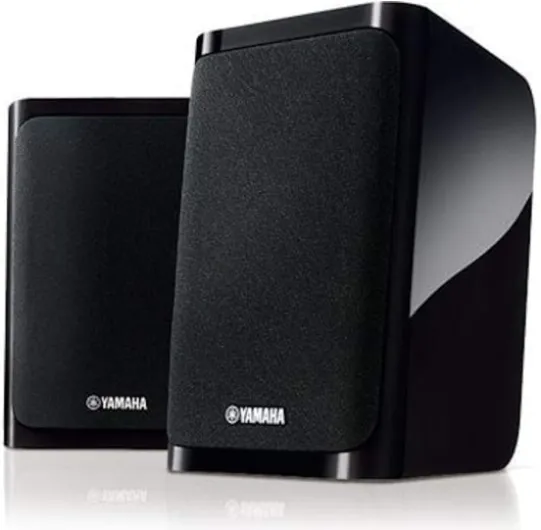
- + 5.1-channel surround for immersive audio
- + 4K Ultra HD passthrough for high-resolution video
- + Bluetooth wireless streaming from phones and tablets
- + Complete package including receiver and speakers for quick setup
- + Trusted brand with reliable build quality

Practical steps to adjust your sub crossover
Step-by-step guide to dialing in your sub crossover
Getting your subwoofer crossover set correctly can make a huge difference in your home theater sound system. Here’s a practical approach to help you find the crossover frequency that sounds best for your room and speakers.- Know your main speakers’ frequency response: Check the specs for your main speakers. Look for the lowest frequency they can handle (often called freq response or low end). This helps you set the crossover point so the subwoofer takes over where your speakers drop off.
- Set the crossover frequency on your receiver: Most AV receivers let you adjust the subwoofer crossover. A common starting point is 80 Hz, but if your main speakers are smaller or have a higher low-end limit, you might need to set the crossover higher (100 Hz or even 120 Hz). For larger, full range speakers, you can go lower.
- Adjust the subwoofer’s low pass filter: If your subwoofer has its own low pass or crossover knob, set it to the same frequency as your receiver’s crossover, or turn it all the way up to let the receiver handle bass management.
- Balance the levels: Use your receiver’s test tones or an SPL meter app to match the volume of your subwoofer to your main speakers. This helps avoid a bass subwoofer that’s too loud or too quiet.
- Listen and tweak: Play familiar audio tracks or movie scenes with a good mix of mid range and low frequencies. Listen for a smooth transition between your speakers and subwoofer. If you hear a gap in bass or muddy sound, try adjusting the crossover frequency up or down in small steps.
- Consider your room and system: Room size, speaker placement, and even the price or quality of your drivers can affect how bass sounds. Don’t be afraid to experiment with crossover points and subwoofer placement to find what works best for your setup.
Tips for passive crossovers and expanding your system
If you’re using passive crossovers or thinking about expanding your sound system, remember:- Passive crossovers are fixed, so you’ll need to match your speakers and subwoofer carefully. Check the crossover frequencies and watts peak ratings to ensure compatibility.
- When adding more speakers set or upgrading your subwoofer, revisit your crossover settings. Each driver and speaker can interact differently, so it’s worth taking the time to re-balance and re-tune.
- High frequencies and low frequencies should blend naturally. If you notice harshness or a lack of bass, double-check your crossover points and connections.
Troubleshooting sub crossover issues
Pinpointing and Solving Subwoofer Crossover Problems
When your home theater sound system doesn’t feel right—maybe the bass is muddy, or the speakers sound disconnected—the culprit is often the subwoofer crossover settings. Troubleshooting these issues can save you time, money, and frustration. Here’s how to approach common problems and find solutions that bring out the best in your audio setup.- Check your connections: Start with the basics. Make sure your subwoofer, receiver, and speakers are all properly connected. Loose cables or incorrect input/output choices can cause weak bass or no sound at all.
- Review your crossover frequency: If the bass sounds boomy or the mid range is thin, your crossover frequency might be set too high or too low. Most systems sound best when the subwoofer crossover is set around 80 Hz, but this depends on your main speakers’ freq response and the size of your drivers.
- Match crossover points: Avoid gaps or overlaps in your audio by ensuring the crossover frequencies on your receiver and subwoofer match. If your main speakers are set to "full range," try setting the subwoofer’s low pass filter just below their low frequency limit.
- Adjust bass management: Many receivers offer bass management features. If you hear distortion or missing bass, check these settings. Sometimes, setting speakers to "small" and letting the subwoofer handle low frequencies improves clarity.
- Test with different content: Play a variety of music and movie scenes. If the system sounds good with one but not the other, you may need to tweak the crossover or adjust speaker placement.
- Consider your room: Room acoustics can impact bass. If you’ve set everything correctly but still have issues, try moving your subwoofer or adding acoustic treatments. Sometimes, a passive crossover or a different subwoofer driver with higher watts peak can help.
- Don’t ignore the price-to-performance ratio: Sometimes, entry-level systems struggle with precise crossover control. If you’ve tried everything and still aren’t satisfied, upgrading your receiver or subwoofer may be worth the investment.
| Issue | Possible Cause | Solution |
|---|---|---|
| No bass | Subwoofer not powered, low pass filter off, incorrect crossover frequency | Check power, set crossover, ensure low pass is enabled |
| Boomy or muddy bass | Crossover set too high, room acoustics, subwoofer placement | Lower crossover, move subwoofer, add acoustic panels |
| Gap in sound | Crossover frequency too low, main speakers not full range | Raise crossover, check main speaker freq response |
| Distorted sound at high volume | Subwoofer driver underpowered, receiver settings, watts peak exceeded | Lower volume, upgrade subwoofer, check receiver output |