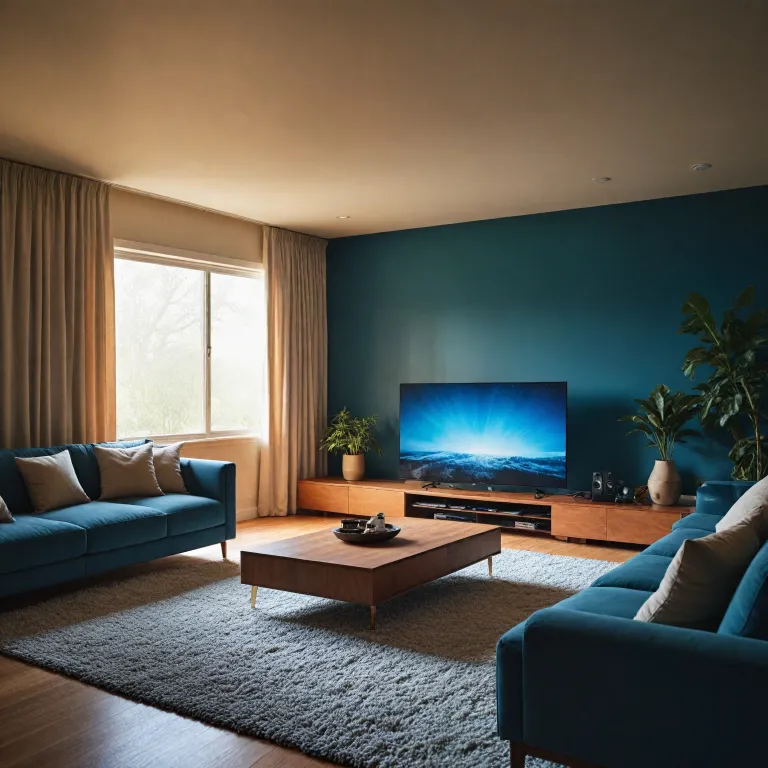

Why a smart home controller matters for home theater projectors
A smart home controller can quietly transform a basic projector setup. When the smart home system links every compatible product, the projector becomes part of a coordinated scene rather than a lonely screen. This shift from isolated devices to orchestrated devices is where a home cinema starts to feel genuinely premium.
Many people bought a projector first and only later think about smart control. Yet the smartest path is to plan the smart home controller, the smart lighting, and the audio layout together, because this allows quick adjustments to brightness, sound, and screen modes. With a good hub and app, one tap can dim lights, switch inputs, and set the projector focus while the home assistant quietly manages background tasks.
In a projector room, remote control clutter is a constant irritation. A central hub that supports alexa, Google Assistant, and other assistant platforms lets you park most remotes in a drawer and rely on voice or a single app. This works especially well when the hub supports zigbee smart protocols, long range Wi-Fi, and infrared blasters to reach older devices.
Think of the controller as the conductor and the projector as one instrument. The hub, the smart plug, the smart switch, and the smart dimmer all feed data back to the system, allowing you to view energy use and automate warm up times. Over a month of use, patterns emerge that help you control smart scenes more intelligently and protect the projector lamp.
Choosing the right hub and ecosystem for projector focused homes
Selecting a smart home controller for a projector space starts with ecosystem choices. Platforms such as samsung smartthings, homey hubitat, and various hubs controllers each offer different balances of simplicity, long range radio support, and advanced automation. Your decision should reflect how many devices you plan to add, and whether you prefer a visual app or more technical rule building.
For many households, a hub that is certified for major voice platforms is essential. Integration with alexa and other assistant services allows you to say a single phrase to lower blinds, power the projector via a smart plug, and fade smart lighting to a preset level. When the hub can also talk to your AV receiver and streaming box, the home assistant effectively becomes the projectionist for every movie night.
Projector rooms often mix old and new devices. A flexible hub that supports zigbee smart bulbs, Wi-Fi smart plugs, and infrared blasters can bridge this gap, giving you unified control smart options even when some hardware predates the smart home era. This is particularly useful if you use compact devices such as pico projectors for secondary spaces, which you can explore further in this guide on pico projectors for home theaters.
Look for hubs controllers that expose detailed home energy data. When you can view per device consumption, you can schedule the projector, smart wall lights, and ventilation to run only when needed, protecting both equipment and budget. Over time, the smart home controller becomes not just convenient but a business like tool for managing costs in a dedicated cinema room.
Power management, smart plugs, and protecting projector hardware
Home theater projectors are sensitive to power cycles and heat. A well configured smart home controller, combined with smart plug and smart switch hardware, can enforce gentle shutdown routines that extend lamp or laser life. Instead of abruptly cutting power, the controller can wait for the fan cycle to finish before turning off related devices.
Using smart plugs and smart switches for amplifiers, subwoofers, and ambient smart lighting keeps standby consumption under control. You can group these devices in the app so that a single remote control command or alexa phrase powers the entire rack in a safe order. Over a month of usage, this approach can significantly reduce wasted energy while maintaining a premium smart experience.
For outdoor screenings, power management becomes even more important. A weather rated smart plug, controlled by the same hub that manages your indoor projector, can automate garden lighting and protect extension leads, and you can see how this supports a drive in style setup in this article on enhancing your outdoor movie experience with a drive in projector. The smart home controller can also log data about temperature and humidity, helping you decide when conditions are safe for sensitive optics.
Advanced users may link smart plugs to home energy tariffs. When electricity is cheaper at certain hours, the hub can suggest optimal viewing times or automatically pre cool the room before a session. This kind of control smart strategy turns the projector space into a model of efficient, smart home planning rather than an energy hungry luxury.
Lighting, ambience, and wall switches in a projector environment
Light control is as critical as resolution in any projector room. A smart home controller that manages smart lighting, wall switch modules, and smart dimmer circuits can create repeatable scenes that match different content types. One tap can set a bright pre show mode, while another fades everything except subtle smart wall accents.
Replacing a traditional wall switch with a smart switch or in wall relay allows the hub to coordinate ceiling lights with LED strips and bias lighting behind the screen. Because these devices report their status back to the app, you can quickly view which circuits remain on and adjust them without leaving your seat. Over time, you will learn which levels work best for sports, films, or gaming and save them as presets.
Door lock integration is another subtle but powerful feature. When the smart door lock closes, the smart home controller can automatically lower blinds, arm security sensors, and ready the projector, ensuring that late arrivals do not flood the room with light. This kind of automation keeps the experience premium smart while also improving everyday security.
For complex rooms, consider hubs controllers that support advanced scene logic and link smart accessories like motion sensors. A motion event near the entrance can trigger a low level path light without affecting the main image, while the home assistant quietly tracks occupancy data. Combined with a well placed wall switch and remote control, the system maintains ambience without constant manual adjustment.
Voice, apps, and advanced control scenes for projectors
Voice control has become a natural companion to projector based cinemas. With alexa or another assistant linked to your smart home controller, you can start a film, adjust volume, and tweak smart lighting without fumbling for remotes in the dark. The key is to design clear, memorable phrases that map to specific scenes in the hub app.
Most modern hubs controllers offer powerful scene editors. You can create a "movie" scene that powers the projector via a smart plug, sets the smart dimmer to ten percent, locks the door lock, and pauses household notifications on your phone. A separate "intermission" scene might raise lights to fifty percent, switch the wall switch for the hallway, and temporarily mute the AV receiver.
For enthusiasts, linking the smart home controller to a DMX or stage lighting system can turn a projector room into a miniature cinema, as shown in this guide on how a DMX lighting controller transforms home theater projection. In such setups, the hub coordinates data between lighting controllers, smart plugs, and the projector itself. The result is a tightly choreographed experience that feels far beyond a simple living room.
Mobile apps remain essential even when voice is available. They allow you to view device status at a glance, adjust long range schedules, and fine tune home energy rules from anywhere. Over the course of a month, you can review logs to learn how often you actually use each scene and refine the control smart strategy accordingly.
Planning, reliability, and future proofing your smart projector room
Building a reliable smart home around a projector requires planning. Start by listing every smart and non smart device in the room, from the projector and AV receiver to the smallest plug in lamp. Then decide which should be on smart plugs, which need smart switch modules, and which can remain manual but still be monitored by the hub.
Network reliability is crucial for long range control, especially if the projector room sits far from the router. Consider hubs controllers that support zigbee smart meshes and Ethernet backhaul, reducing reliance on a single Wi-Fi link. This ensures that scenes trigger correctly even when the household network is under heavy load from other devices.
Future proofing means choosing a smart home controller that supports open standards and regular updates. Systems like samsung smartthings, homey hubitat, and similar platforms often integrate new product categories quickly, from advanced smart lighting to emerging smart wall interfaces. This protects your investment in smart plugs, smart switches, and door lock hardware over many years of projector upgrades.
Finally, treat your cinema room like a small business project. Track home energy data, note which scenes you actually use, and adjust the control smart logic to match real habits rather than theoretical plans. By doing so, your smart home, your projector, and every connected product will work together as a coherent, elegant system that enhances every viewing session.
Key statistics about smart home controllers and projector environments
- Global adoption of smart home controllers in entertainment focused rooms has grown steadily, with a significant share of projector owners now integrating at least one hub or home assistant into their setup.
- Households that combine smart plugs, smart switches, and smart lighting with a central controller report measurable reductions in home energy consumption for AV equipment.
- Voice enabled control scenes, using platforms such as alexa and other assistant ecosystems, are among the most frequently used automations in projector based smart homes.
- Multi protocol hubs controllers that support zigbee smart devices and Wi-Fi accessories show higher long range reliability in complex home theater layouts.
- Rooms that integrate door lock sensors and wall switch automation into the smart home controller experience fewer viewing interruptions and better light discipline during projector use.
Questions people also ask about smart home controllers and projectors
How does a smart home controller improve a basic projector setup ?
A smart home controller unifies control of the projector, lighting, audio, and power, turning separate devices into coordinated scenes. This allows you to start a film, dim lights, and adjust sound with a single command. It also enables automation that protects projector hardware and manages home energy use.
Do I need a specific hub for my projector brand ?
Most projectors do not require a brand specific hub, because the smart home controller usually communicates through smart plugs, infrared blasters, or HDMI control rather than direct integration. The key is to choose hubs controllers that support your lighting, power, and audio devices. Check compatibility lists for samsung smartthings, homey hubitat, or similar platforms before buying.
Can smart plugs damage a projector if used incorrectly ?
Smart plugs are safe when configured to respect the projector’s shutdown process. Problems arise only if power is cut abruptly while the cooling fan is still running. To avoid this, use the smart home controller to send a normal power off command first, then delay the smart plug shutdown.
What is the best way to automate lighting in a projector room ?
The most effective approach combines smart dimmer modules, smart bulbs, and a few well placed wall switch controls. These connect to the hub, which runs scenes for pre show, movie, and intermission modes. Motion sensors and door lock triggers can refine the experience by adjusting light levels automatically when people enter or leave.
Is voice control essential for a smart projector setup ?
Voice control is not essential, but it is highly convenient in dark rooms where remote control buttons are hard to see. With alexa or another assistant linked to your hub, you can adjust scenes hands free. Many users still rely on the app for detailed adjustments and scheduling, using voice mainly for quick commands.