Why the smart projector operating system now matters more than lumens
A home theater projector lives or dies on its smart projector operating system. When the software feels slow, when apps crash, or when the Netflix app simply refuses to launch, the best optics and highest ANSI lumens cannot save movie night. In a small apartment where the projector is the main screen, the operating system becomes your TV guide, your streaming hub, and your daily remote control ritual.
Think about how you actually view content on a smart projector in a rented living room. You want an easy way to jump between streaming apps, local files on a USB device, and maybe a console, without juggling three remotes or reconfiguring Wi‑Fi and Bluetooth settings every weekend. The more your projector behaves like a competent smart TV, the less you rely on extra dongles and the more your portable projector or ultra short throw rig feels like a permanent installation.
That is why the choice between Google TV, Android TV, or a standalone platform is not a minor spec. It shapes app compatibility, firmware support, and whether your projector’s built‑in software will still feel modern in three years. For renters using smart projectors as TV replacements, the operating system is as critical as native resolution, throw distance, or keystone correction.
Google TV versus Android TV on projectors: what actually changes
On paper, Google TV and Android TV sound similar, yet on a projector they behave very differently. Android TV is the older platform, often based on AOSP, and many budget projectors still ship with this Android smart base that receives few updates and offers a sparse app store. Google TV sits on top of Android, but adds a curated home screen, better recommendation algorithms, and tighter integration with streaming apps.
On a smart projector running Google TV, the home screen pulls in content rows from multiple apps, so you can read suggestions from YouTube, Prime Video, and other services without opening each app. That matters when your projector remote has only a few buttons and you are navigating in the dark, trying to keep the projection aligned on a 2.5 metre screen. Android TV projectors usually feel more fragmented, forcing you to open each streaming app separately and making it less easy to resume shows across services.
Performance is the other big divider between these smart operating systems. Google TV expects a reasonably powerful chipset, and underpowered projectors with weak SoCs can feel laggy when scrolling, launching built‑in apps, or using auto focus and auto keystone menus. Android TV can run on cheaper hardware, which is why many low cost projector Wi‑Fi models use it, but that often means slower navigation and shorter firmware support windows.
For renters relying on a smart portable projector as a TV replacement, that support window matters. XGIMI, for example, has publicly stated that it typically commits to at least two to three years of software updates on its smart projectors with Google TV, while many generic Android TV projectors never receive a single meaningful firmware upgrade.1 If you care about long term app compatibility and security, Google TV is usually the safer bet than bare Android TV on a projector.
Audio integration also differs subtly between platforms. Some Google TV projectors handle Wi‑Fi and Bluetooth audio handoff more gracefully, letting you pair soundbars or headphones without diving into hidden menus every time. If you want a deeper dive into models that handle wireless audio well, you can look at this guide to top home theater projectors with Bluetooth audio output and then cross check which ones run Google TV versus Android TV.
The Netflix and Disney Plus problem on smart projectors
Many buyers assume that any smart projector operating system will run the Netflix app flawlessly. In reality, Netflix certification on projectors is messy, because the service requires strict DRM compliance, Widevine L1 support, and specific agreements with each projector manufacturer.2 That is why some smart projectors with Google TV still ship without an official Netflix app in the Play Store.
On Android TV projectors, the situation can be worse, with users forced to sideload a Netflix app that runs in a low resolution phone mode and ignores the projector’s full native resolution. You might see a big 120 inch projection, yet the actual picture quality looks soft because the app outputs only 720p or less. Disney Plus and other streaming apps can show similar behaviour, refusing to play HDR or limiting bitrates on uncertified devices.
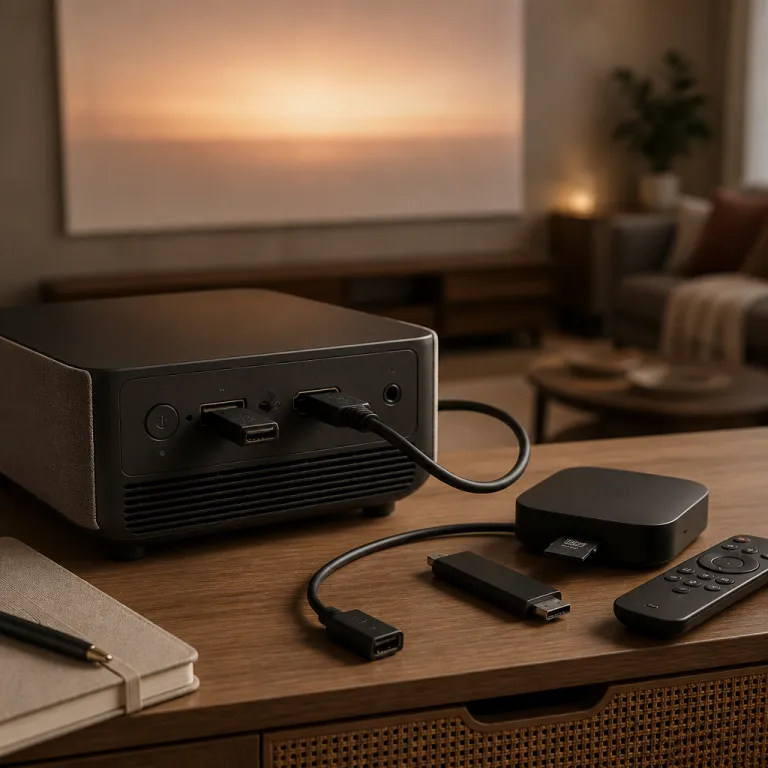
Standalone operating systems from brands like Epson or BenQ add another twist. Some Epson home cinema models include a very limited app store with only a handful of streaming apps, and Netflix support can vanish when the company stops updating that store. BenQ often sidesteps this by bundling a QS03 streaming dongle that adds Google TV externally, turning a basic projector HDMI port into a full smart interface.3
If you are shopping for the best home theater projectors for a small space, treat Netflix and Disney Plus as hard requirements, not nice extras. Check whether the smart projector or portable projector is officially certified for these services, and whether the streaming app runs at the projector’s native resolution with HDR enabled. For LCD based models, you can cross reference lists such as this overview of top LCD home theater projectors and then verify which operating system and app compatibility each one offers.
When a streaming stick beats any built in smart OS
Even the best smart projector operating system can be undermined by weak hardware. A sluggish SoC turns every menu into a chore, and no amount of auto focus magic or triple laser marketing will fix a laggy home screen. That is where an external streaming device often wins.
A Chromecast with Google TV or similar stick concentrates on one job, which is running streaming apps smoothly with strong app compatibility. Plug it into a projector with a clean HDMI input, and suddenly your ageing Android TV interface becomes irrelevant while the stick handles all streaming, recommendations, and voice search. This approach also sidesteps the Netflix certification mess, because the streaming device itself is usually fully certified and updated more often than the projector firmware.
For renters, an external device has another advantage. You can move it between projectors, TVs, and even travel setups with a smart portable projector, keeping your logins and preferences intact. If your landlord objects to permanent installations, you can still enjoy a flexible projection setup with a portable projector, a foldable screen, and a compact streaming stick that fits in a drawer.
There are cases where built in software still makes sense. Some smart projectors integrate auto keystone, keystone correction, and auto focus controls directly into the smart OS, making it easier to adjust projection geometry while watching content. Ultra short throw models with triple laser light engines sometimes tie their advanced picture modes to the internal operating system, so using only an external stick means you still navigate the projector menus for calibration.
If you are weighing short throw versus ultra short throw for a tight living room, it is worth reading a focused comparison such as short throw vs ultra short throw and what the missing half metre costs you. Once you know where the projector will sit and how you will route cables, you can decide whether a clean standalone OS plus a streaming stick, or a fully integrated Google TV platform, makes more sense for your space.
Choosing the right smart OS for renters and small spaces
For an apartment dweller, the best smart projector operating system is the one that disappears into the background. You want to power on the projector, have the screen fill correctly, and jump into your favourite streaming app without thinking about firmware versions. That means prioritising stability, app compatibility, and simple Wi‑Fi setup over flashy animations or experimental features.
Google TV currently offers the most balanced experience on smart projectors, especially when paired with a capable chipset and at least 2 GB of RAM. Its recommendation engine surfaces content from multiple streaming apps, and voice search across services reduces remote clicks when you are seated three metres from the projection. Android TV can still work on budget projectors, but you should treat it as a basic launcher and plan to add an external streaming device for serious viewing.
Standalone operating systems from projector brands can be acceptable if you treat them as bonus features. Epson’s limited app store or a minimal interface on a projector equipped only with basic Wi‑Fi may be enough for occasional YouTube, yet they rarely match the polish of Google TV or a dedicated streaming stick. Sony home cinema projectors often skip smart features entirely, assuming you will bring your own device, which is not a bad assumption for enthusiasts.
Hardware features still matter alongside software. A smart projector with reliable auto keystone, accurate keystone correction, and fast auto focus will be easier to align in a cramped living room where you cannot mount anything to the ceiling. A smart portable projector with decent ANSI lumens output and a triple laser or LED light source can double as a travel device, but only if the operating system handles offline content and flaky Wi‑Fi gracefully.
When you read spec sheets, look for clear statements about projector Wi‑Fi standards, Bluetooth audio support, and how long the manufacturer promises firmware updates. A projector built with a modern SoC, strong Wi‑Fi and Bluetooth radios, and a mature Google TV layer will age better than a brighter model stuck on an abandoned Android TV fork. In the end, the winning smart OS is the one that lets you forget about the operating system and simply enjoy the last row on movie night, not the lumens on the box.
FAQ
Is Google TV always better than Android TV on a projector ?
Google TV is usually better than Android TV on a projector because it adds a more modern interface, stronger recommendations, and better long term app support. However, it still depends on the hardware inside the projector and the manufacturer’s update policy. A well supported Android TV projector with a fast chipset can feel smoother than a poorly optimised Google TV model.
Do I still need a streaming stick if my projector has a smart OS ?
You may still want a streaming stick even with a smart projector, especially if Netflix or other key streaming apps are missing or limited to low resolution. A Chromecast with Google TV or similar device often receives updates more frequently than projector firmware. It also lets you move your streaming environment between different screens without reconfiguring everything.
Why will some projectors not run the Netflix app in full resolution ?
Some projectors cannot run the Netflix app in full resolution because they lack proper DRM certification or Widevine L1 support. In those cases, Netflix may restrict playback to a mobile style interface or lower resolution stream. Always check whether the projector is officially certified for Netflix and other major services before buying.
How important is wifi and bluetooth for a smart projector in a small apartment ?
Reliable Wi‑Fi and Bluetooth are crucial for a smart projector in a small apartment, because they handle both streaming and wireless audio. Weak Wi‑Fi can cause buffering even when the operating system is well designed. Poor Bluetooth implementation can lead to audio lag with soundbars or headphones, undermining the cinema experience.
Should I prioritise picture quality or smart features when choosing a projector ?
You should start with picture quality, including native resolution, contrast, and ANSI lumens that match your room’s ambient light. Once you have a shortlist of projectors that look good on your screen size, compare their smart operating systems and app compatibility. If the best looking model has weak smart features, plan to pair it with a reliable external streaming device.
References
- XGIMI has indicated multi‑year software support for several Google TV models in its product documentation and support pages; always confirm current policies on the official XGIMI website.
- Netflix’s device certification requirements, including Widevine L1 DRM for HD and 4K playback, are outlined in Netflix’s help centre and developer documentation.
- BenQ lists the QS03 Google TV dongle as an included accessory or optional add‑on for selected home cinema projectors in its official product specifications.