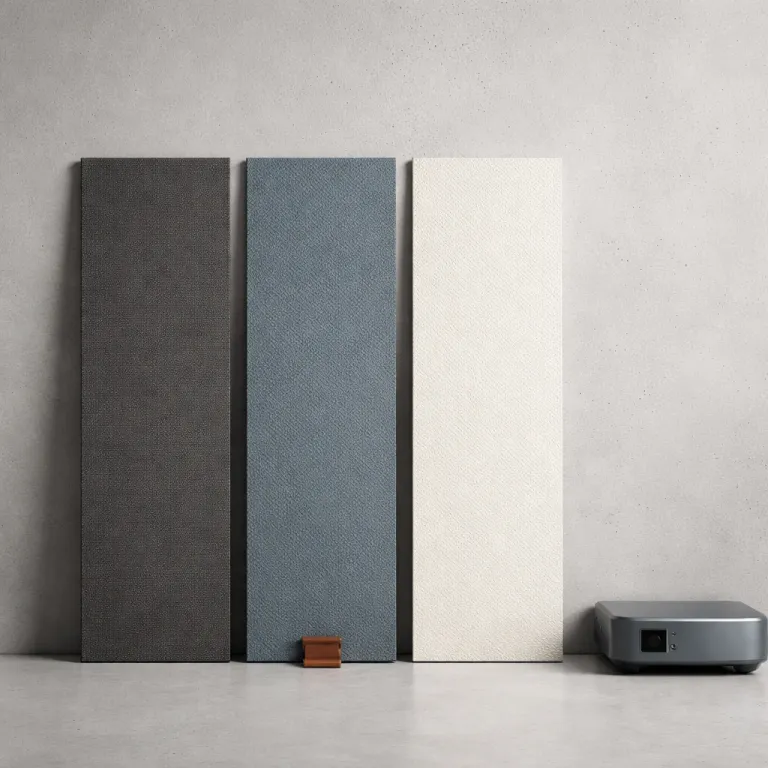
Why your wall is failing your projector
A white wall looks convenient until you see it beside a real projection screen. In a small apartment with street lamps, TV backlights and kitchen spill, that plain screen of paint reflects every stray light source straight back at you and crushes contrast. Independent measurements from manufacturers such as Elite Screens show that a neutral matte wall behaves like a 1.0 gain Lambertian surface, so it reflects ambient light in all directions and lifts black levels. Once you compare a calibrated projector on a bare wall versus on a dedicated ambient light rejecting screen, the difference in black levels, perceived sharpness and shadow detail is not subtle.
Think about how light behaves in your room, not just how bright the projector claims to be on its box. A standard matte white projector screen with a gain of 1.0 sends almost the same amount of ambient light back to your eyes as it does the image, so your carefully chosen throw projector ends up fighting your ceiling fixtures and windows. An ambient light rejecting screen, often called an ALR screen, uses microstructured layers to redirect off axis ambient light away from the viewing position while preserving most of the projected beam. For example, Elite Screens’ CineGrey 3D material is rated at 1.2 gain with a 90° viewing cone and a published ambient light rejection of 65% from above, which is why it maintains contrast in mixed lighting according to the CineGrey 3D specification sheet.
For renters using short throw or ultra short throw projectors as TV replacements, this is the missing half of the setup. You can buy a bright ALR projector and still get a washed out image if the screen material behaves like a white wall and ignores ambient light physics. The right type of rejecting screens, matched to your projector throw and room layout, will do more for perceived contrast than jumping to the next price tier of projector. In many living rooms, upgrading from a matte wall to a purpose built ALR or CLR screen can deliver a perceived contrast boost of two to three times, even when the projector’s measured lumen output stays the same, as shown in manufacturer ANSI contrast comparisons between matte white and ALR fabrics.
ALR vs CLR and why projector type decides everything
Not every ambient light rejecting screen is built for every projector, and this is where many buyers go wrong. Classic ALR screens are engineered for standard or short throw projectors mounted in front of the seating position, while ceiling light rejecting variants, often sold as CLR series products, are tuned for ultra short throw units sitting on a low cabinet. If you mismatch the ALR screen and the projector type, you can end up with hot spots, crushed blacks or even a dim image that looks worse than a cheap matte white.
With a conventional long throw or short throw projector, you want an ALR screen that rejects ambient light from the sides and above but accepts light from the projector’s direction. These ALR projector screens usually have a gain between 0.8 and 1.3, which balances brightness and viewing angle so people off center still see a uniform picture. For an ultra short projector, you instead need a dedicated CLR or UST screen whose optical structure is angled to catch light coming from below and send it straight out while bouncing ceiling light upward away from the viewers. Elite Screens’ CLR 3 material, for instance, is specified at 0.8 gain with a 170° viewing angle and a sawtooth structure that rejects up to 95% of overhead light, according to the CLR 3 datasheet, making it suitable for UST projectors in bright lounges.
Brands like Elite Screens make this distinction very clear in their CineGrey series and CLR series, but marketplace listings often blur the language and just shout about light rejecting performance. When you see a projector screen advertised as UST compatible, check that it is explicitly an ultra short throw design and not a generic ALR fabric cut to a different inch size. A simple decision flow helps: long throw or short throw projector → look for CineGrey style ALR material around 0.8–1.2 gain; ultra short throw projector → choose a CLR or UST labeled screen around 0.6–0.8 gain. If you are considering paint based options, manufacturer spec sheets for screen projection paint such as Screen Goo show that even their high contrast coatings remain essentially Lambertian with gain values around 0.95–1.1, which is why they cannot fully replicate the directional rejection pattern of a true ALR or CLR projection screen.
Gain, viewing angle and why brighter is not always better
Gain is one of the most misunderstood numbers on any projector screen spec sheet. In simple terms, gain describes how much light the screen reflects back toward the center compared with a theoretical perfect diffuser, but it also shapes the viewing angle and hotspot risk. A gain of 1.3 can make a dim projector feel punchier on axis, yet it may narrow the comfortable viewing angle so friends on the sofa edge see a flatter, less vibrant image. Manufacturer data often lists both gain and half gain angle; for example, a 1.3 gain ALR surface might have a 70° viewing cone, while a 0.8 gain material can maintain uniform brightness out to 90° or more.
For a small living room where the couch is only two to three meters from the screen, a moderate gain between 0.8 and 1.0 on an ambient light rejecting screen usually hits the sweet spot. You get enough gain viewing benefit to fight moderate ambient light without creating a bright center spot that follows your head as you move. High gain ALR screens can be tempting when you read the regular price and see a lower sale price, but they often trade away uniformity and off axis performance that matter more in tight spaces. If you notice a glowing patch in the middle of the image or colors that shift when you stand up, that is a sign your gain is too high for your seating layout, and stepping down to a lower gain material is the practical fix.
Ultra short throw setups are even more sensitive to gain and viewing angle because the projector sits so close to the screen. A UST specific CLR series screen with a gain around 0.6 to 0.8 will look dimmer on paper yet deliver richer blacks and more stable rejecting behavior under ceiling fixtures. Elite Screens’ CLR 2, for example, is rated at 0.6 gain with a 170° viewing cone and a published overhead light rejection of 90%, which trades peak brightness for better ambient light control and uniformity. If you plan to add a screen masker later to fine tune aspect ratios, choose a fixed frame or screens Aeon style frame that keeps the ALR screen surface flat so masking panels can sit flush and not introduce waves or shadows.
Floor rising, fixed frame and the new renter friendly trend
Apartment dwellers often cannot bolt a massive frame into the wall, which is why motorized floor rising screens have become the quiet hero of modern living rooms. These projector screens live in a slim case behind a media console, then lift a tensioned ALR screen surface straight up when you power on the projector, leaving bare wall or artwork visible the rest of the day. For a renter who wants a 100 inch or 120 inch image without drilling, a floor rising ambient light rejecting screen is often the most practical path to a cinematic setup, and many models now use CineGrey style materials with published gain figures around 0.8–1.0 to keep performance predictable.
Fixed frame ALR and CLR screens still offer the best flatness and long term stability, especially in larger inch sizes where fabric tension really matters. If you own your place and can commit wall space, a fixed frame CineGrey series or similar ALR screen from Elite Screens or another reputable brand will usually outperform a retractable design at the same price. The trade off is visual impact when the screen is not in use, which matters in a multi use room that doubles as a workspace or dining area. As a rule of thumb, if you prioritize absolute image quality and rarely move your setup, a fixed frame is the safer long term choice.
Portable tripod or pull up screens with basic matte white fabric remain the budget option, but they do almost nothing for ambient light control. In a bright room with a short throw projector, that means you are paying for lumens you cannot fully use because the screen is not rejecting stray light. Common symptoms include milky blacks, faded colors and an image that looks acceptable only with the lights fully off. If you want a flexible layout without permanent mounting, a compact floor rising ALR projector screen gives you most of the performance of a fixed frame with the discretion of a portable, and it pairs well with guides on enhancing your home theater experience with a screen masker when you later refine your setup.
Price tiers, paint options and when to save or spend
Budget is where many people default back to a white wall, assuming any dedicated screen will be too expensive. In reality, the price ladder for projector screens runs from roughly the cost of a mid range soundbar for a basic 100 inch matte white, up to the price of a premium television for a large motorized ambient light rejecting screen. The key is matching your spending to your projector, room light and how often you actually watch. A simple rule: if you regularly watch with lights on or blinds open, prioritize an ALR or CLR screen before chasing a brighter projector.
At the entry level, you will see portable projector screens and basic fixed frames around the low hundreds, often with aggressive sale price tags that hide a higher regular price. These are fine for dark rooms where ambient light is controlled, but they are not true rejecting screens and will not help a UST or short throw projector in a bright lounge. Stepping up to an ALR or CLR series screen roughly doubles the price, yet in a mixed light living room that jump usually delivers a bigger real world upgrade than spending the same money on a brighter projector. Manufacturer contrast measurements often show a twofold improvement in ANSI contrast when moving from matte white to a mid gain ALR surface under the same lighting.
Paint on solutions like Screen Goo or other screen projection paint kits sit in the middle ground for DIY inclined renters. Their published data typically lists gain values around 0.95–1.1 with wide viewing angles, which can improve uniformity and color over a bare wall, but they cannot fully mimic the directional ambient light rejecting behavior of a layered ALR screen, especially for an ultra short projector. If you are weighing whether to put more money into the screen or into surround speakers, a guide on how to choose surround sound rear speakers for a truly cinematic room can help you balance audio upgrades against the visual gains from a better projection screen, because the most convincing movie night comes from both ends working together.
Integrating ALR screens with real world projectors and rooms
Once you understand how ambient light, gain and projector type interact, choosing an ambient light rejecting screen becomes a practical exercise rather than a gamble. Start by mapping your room’s main light sources, including windows, ceiling fixtures and even hallway spill, then note where your projector will sit and what throw ratio it uses. A standard throw projector on a ceiling mount needs a different ALR screen geometry than an ultra short projector on a low cabinet, even if both are aimed at the same wall. From there, you can follow a simple decision path: long or short throw projector → ALR screen with 0.8–1.2 gain; UST projector → CLR or UST screen with 0.6–0.8 gain.
For a compact living room, a 90 inch to 110 inch screen size usually balances immersion and comfort, letting you sit around three meters back without scanning the image. If you use a UST projector as a TV replacement, prioritize a CLR series screen with a wide viewing angle so people can watch from the side chairs without washed out colors. With a long throw projector in a darker room, you can consider a slightly higher gain viewing surface to keep HDR highlights lively, but stay wary of extreme gain numbers that promise miracles and deliver sparkle or hotspot artifacts instead. If you see grainy shimmer on bright scenes or notice that the image darkens dramatically when you move a step sideways, that is a sign to move to a lower gain, wider angle material.
Names like Elite Screens, CineGrey series and screens Aeon frames come up often because they publish real gain and viewing angle data and design specific ALR projector and CLR models for different throws. Whatever brand you choose, ignore marketing that treats ambient light rejecting as a magic label and focus on diagrams that show from which directions the screen rejects light. In the end, the best screen is the one that makes your projector, your room and your habits work together so movie night is defined not by the lumens on the box, but by the last row on movie night. If you can sit in your usual spot with a lamp on, read subtitles easily and still see deep blacks, you have matched your ALR or CLR screen to your projector and space correctly.
FAQ about ambient light rejecting screens
Do I really need an ambient light rejecting screen in a small apartment?
If you watch mostly at night with lights off and can darken the room, a matte white screen or even a well prepared wall can be acceptable. The moment you introduce ceiling lights, windows or daytime viewing, an ambient light rejecting screen or CLR series screen for UST will preserve contrast and color far better. For renters using a projector as a TV replacement, ALR or CLR is usually the single biggest upgrade after the projector itself, often making a 1,500–2,000 lumen unit look more like a much brighter projector in real world use.
What gain should I choose for an ALR or CLR screen?
For most living rooms, a gain between 0.8 and 1.0 on an ALR screen balances brightness and viewing angle. UST specific CLR screens often sit lower, around 0.6 to 0.8, to deepen blacks and control ceiling light. Very high gain screens can look bright on axis but often introduce hotspotting and narrow viewing angles that are distracting in shared seating layouts. If you see a bright halo in the center of the image or colors that shift when you move your head, that is a cue to choose a lower gain, wider angle material.
Can I use a standard ALR screen with an ultra short throw projector?
Using a standard ALR screen with a UST projector usually leads to uneven brightness, color shifts and poor ambient light rejection. UST projectors fire light upward from a very steep angle, so they require a dedicated CLR or UST labeled screen whose optical layers are tuned for that geometry. If you own a UST, always look for a screen explicitly designed for ultra short throw use, with published gain and viewing angle data that match your seating layout.
Is screen paint a good alternative to an ALR screen?
Screen projection paint can improve a wall’s smoothness, color neutrality and perceived contrast compared with plain matte paint. However, it remains largely Lambertian, meaning it reflects light in all directions and cannot selectively reject ambient light the way a true ALR or CLR screen does. In bright rooms, paint is a compromise, not a full substitute for an ambient light rejecting screen. If you try paint and still see washed out blacks with a lamp on, that is your signal to move to a dedicated ALR or CLR surface.
How big should my ALR screen be for a small living room?
For a typical apartment living room with a seating distance of around three meters, a 90 inch to 110 inch diagonal screen usually feels immersive without causing eye strain. Check your projector’s throw ratio to ensure it can fill that size from your available mounting position. Remember that larger screens demand more light output, so pairing a huge ALR screen with a very low brightness projector can still result in a dim image. If you find yourself maxing out the projector’s brightness and still wishing for more punch, consider stepping down one screen size or choosing a slightly higher gain ALR material within the recommended range.