

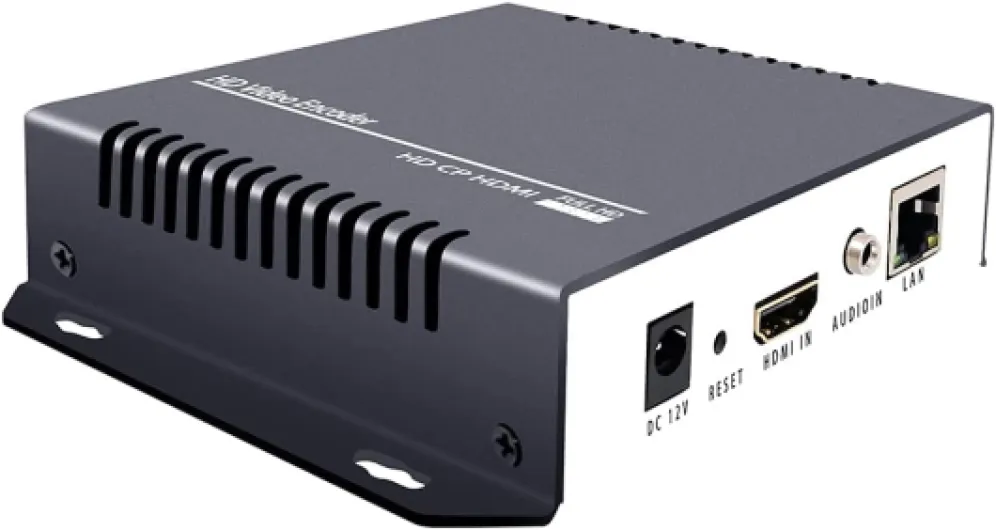
What is an HDMI H.264 encoder and why does it matter for home theaters
Understanding HDMI H.264 Encoders in Home Theater Systems
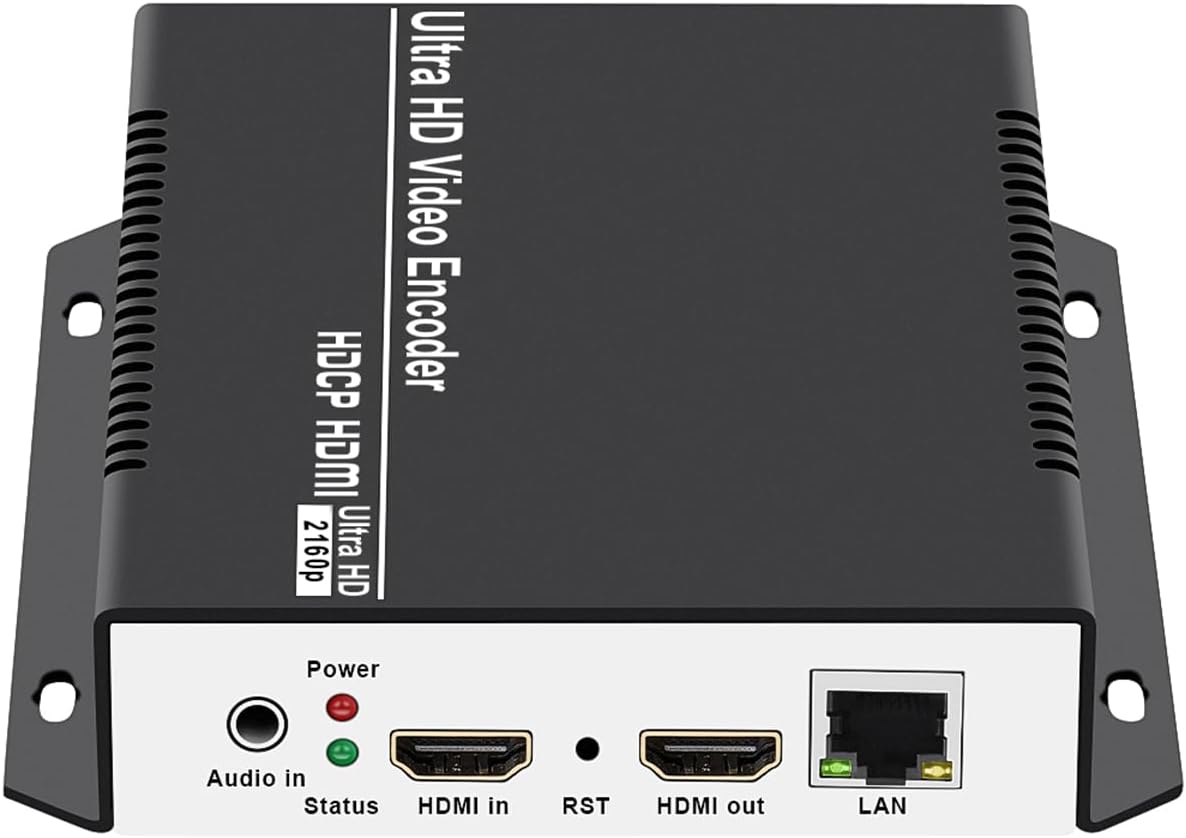
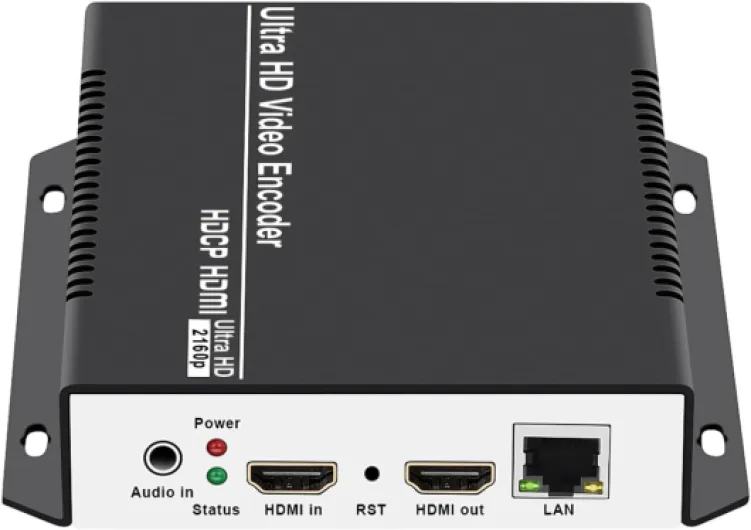
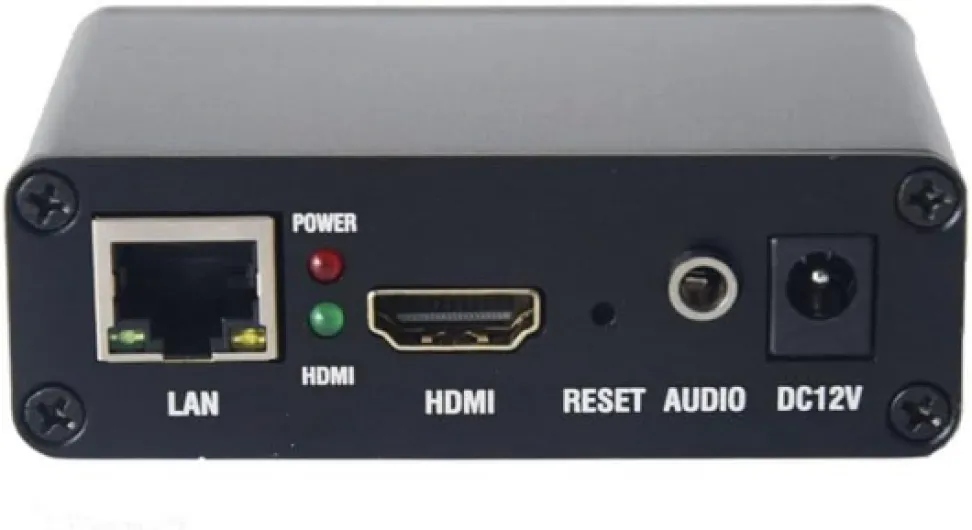
When setting up a home theater projector, the quality of your video and audio stream is crucial. An HDMI H.264 encoder is a specialized device that converts HDMI input signals—carrying both video and audio—into a compressed digital format using the H.264 codec. This process allows for efficient transmission of high quality video data over networks, making it possible to stream content in real time to your projector or other display systems.
Why does this matter for home theaters? Modern projectors often support a range of input options, but HDMI remains the standard for high definition content. By using an HDMI H.264 encoder, you can send video and audio streams over IP networks, including Ethernet, wireless video systems, or even multicast and unicast setups. This is especially useful for live streaming, IPTV, or when you want to distribute content to multiple rooms or devices without losing quality.
- Versatility: HDMI H.264 encoders support various formats, including HDMI video, SDI HDMI, and even NDI for networked video production.
- Efficiency: The H.264 codec compresses video data without significant loss of quality, making it ideal for streaming high definition content over limited bandwidth.
- Integration: These encoders can be part of a larger system, connecting to IPTV boxes, live streaming platforms, or other networked devices via HDMI output or Ethernet.
For those interested in the technical side, HDMI H.264 encoders are often used in environments where real time video streaming and high quality output are essential. They are compatible with a wide range of products and support multiple protocols, such as UDP, encoder IPTV, and live stream setups. If you want to dive deeper into how HDMI connections work in home theater projectors, check out this guide on everything you need to know about micro HDMI to micro HDMI for home theater projectors.
As you explore options for your home theater, understanding the role of an HDMI H.264 encoder can help you achieve high quality streaming and seamless integration with your projector system. The next sections will cover how these encoders improve streaming quality, compatibility considerations, and practical setup tips.
How HDMI H.264 encoders improve video streaming quality
Enhancing Video and Audio Quality for Home Theater Streaming
When it comes to enjoying movies or live events in a home theater, the quality of the video and audio stream is critical. HDMI H.264 encoders play a major role in delivering high quality, real time content from your source device to your projector. These encoders compress video data efficiently, allowing for smooth streaming over various network types, including ethernet and wireless video systems. A streaming encoder takes the HDMI input—whether from a Blu-ray player, gaming console, or live stream box—and converts it into a format suitable for network transmission. This process supports both multicast and unicast streaming, which means you can send your video audio feed to multiple displays or just one, depending on your setup. The encoder iptv and HDMI iptv functions are especially useful for distributing content across different rooms or devices in your home.- High quality video: H.264 compression maintains clarity while reducing bandwidth usage, so your projector receives crisp images without lag.
- Reliable audio support: Most HDMI video encoders transmit both video and audio, ensuring your sound system gets the same high fidelity as your visuals.
- Flexible output: With HDMI output, SDI HDMI, and even UDP or NDI streaming options, these encoders adapt to a wide range of home theater systems and network configurations.
- Live streaming capability: For those interested in live events or IPTV, a channel HDMI encoder can broadcast in real time to your projector, making it ideal for sports or live concerts.
Compatibility considerations with home theater projectors
Ensuring Seamless Integration with Your Home Theater System
When adding an HDMI H.264 encoder to your home theater setup, compatibility is a crucial factor. Not all projectors, streaming encoders, or video sources work together out of the box. Understanding how your devices interact will help you avoid frustration and get the most out of your investment.
- HDMI Input and Output: Check that your projector supports the HDMI input format provided by the encoder. Some projectors may only accept specific resolutions or refresh rates. Similarly, ensure the encoder’s HDMI output matches your projector’s requirements for high quality video and audio.
- Video and Audio Support: The encoder should support the video and audio formats your system uses. For example, if you plan to stream live video or use IPTV, confirm the encoder handles the necessary codecs and protocols, such as UDP, multicast, or unicast for network streaming.
- Network Connectivity: Many encoders offer Ethernet ports for wired connections, supporting real time data transmission over your home network. If you need wireless video, verify that both your encoder and projector can communicate effectively, especially for live streaming or NDI workflows.
- Product Compatibility: Some encoders are designed for specific use cases, like SDI HDMI conversion or HDMI IPTV streaming. Make sure the product you choose fits your system’s needs, whether you’re connecting a set-top box, a live stream channel, or integrating with an IPTV system.
Another important aspect is the longevity and maintainability of your setup. If your projector requires a replacement part, such as a lamp or a specific HDMI board, it’s wise to check how to choose the right replacement part for your home theater projector. This ensures your system remains compatible and high performing over time.
Finally, always review the technical specifications and support documentation for both your encoder and projector. This helps prevent issues with video data transmission, audio dropouts, or unsupported streaming protocols. If you encounter problems, refer to troubleshooting guides or contact the manufacturer’s support team (often listed as email protected) for expert advice.
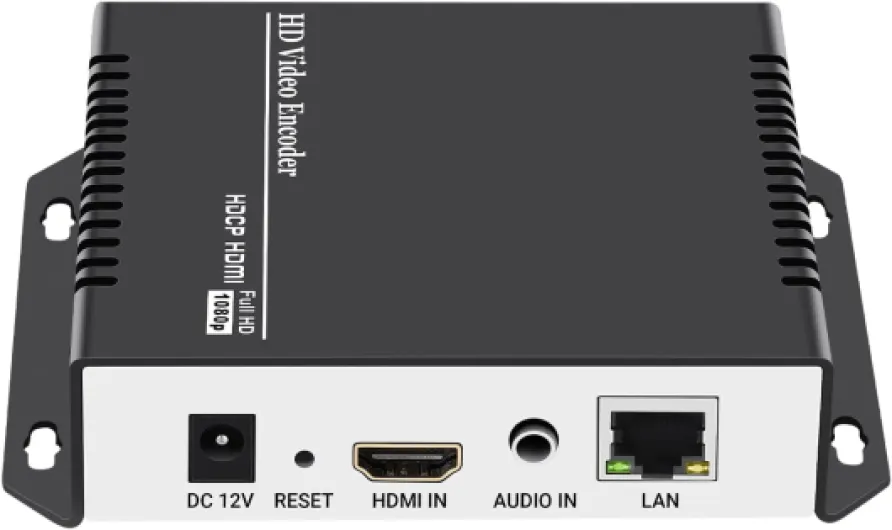
- + Supports multiple protocols: RTSP, RTMP, HTTP, UDP, HLS, SRT
- + High-definition video and audio encoding
- + Compatible with platforms like YouTube, Facebook, Wowza, Xtream Codes
- + Wired connection for stable performance
- + Live broadcast capability for IPTV

Setting up an HDMI H.264 encoder with your projector
Connecting Your HDMI H.264 Encoder to the Projector
To get started, make sure your home theater projector and HDMI H.264 encoder are both powered off. Connect the HDMI input on the encoder to your video source, such as a Blu-ray player, streaming box, or gaming console. Use a high quality HDMI cable to ensure reliable video and audio transmission. Next, connect the HDMI output from the encoder to your projector’s HDMI port. This setup allows the encoder to process the video data before it reaches the projector, optimizing the stream for high quality playback.
Integrating Network Streaming Features
If your encoder supports IPTV, NDI, UDP, or multicast unicast streaming, you’ll need to connect it to your home network using an Ethernet cable. This enables live streaming and real time video distribution across different devices or rooms. Configure the encoder’s network settings according to your router’s requirements. Many products offer a web interface for setup—simply enter the encoder’s IP address in your browser to access the configuration page. Here, you can adjust the streaming parameters, such as bitrate, resolution, and channel HDMI selection, to match your projector’s capabilities and your network’s bandwidth.
Configuring Audio and Video Settings
After physical connections are made, power on all devices. Access the encoder’s menu to fine-tune video audio settings. Select the appropriate input HDMI source, and set the output format to match your projector’s supported resolutions. For wireless video streaming, ensure your encoder and projector are both compatible with the chosen wireless system. Some encoders support SDI HDMI input for added flexibility, especially in professional setups.
- Check for high compatibility between your projector and encoder regarding supported resolutions and frame rates.
- Enable live streaming or live stream features if you plan to broadcast content over your network.
- Verify that your encoder supports the desired protocols (NDI, IPTV, UDP, etc.) for your streaming needs.
Testing the System
Once everything is connected and configured, play a test video through your source device. Observe the video and audio quality on your projector. If you notice any lag or quality loss, revisit the encoder’s settings and adjust the bitrate or resolution. For advanced setups, some encoders allow you to monitor video data in real time, helping you optimize for the best viewing experience.
Troubleshooting common issues with HDMI H.264 encoders
Common Problems and Practical Fixes
Even with a high quality HDMI H.264 encoder, issues can pop up during live streaming or when connecting to your home theater projector. Here are some of the most frequent problems users encounter, along with practical troubleshooting steps:
- No Video Output: If your projector isn’t displaying video, first check that the HDMI input and output cables are securely connected. Make sure the encoder is powered on and the correct input HDMI channel is selected. Try swapping cables or ports to rule out hardware faults.
- Audio Not Syncing or Missing: When video plays but there’s no audio, confirm that the audio stream is enabled in your encoder settings. Some encoders require you to select the audio source manually. Also, verify that your projector and any connected audio system support the audio format being sent.
- Network Streaming Issues: For encoders supporting NDI, IPTV, UDP, or multicast unicast over Ethernet, network congestion or incorrect settings can cause lag or dropped streams. Ensure your network bandwidth is sufficient for high bitrate video data. Double-check IP addresses and port numbers for your streaming encoder and receiving devices.
- Unsupported Video Formats: Not all projectors support every video or audio codec. If you see errors or a blank screen, check the encoder’s output settings and match them to your projector’s supported formats. Refer to your product manual for compatible resolutions and frame rates.
- Firmware or Software Glitches: Sometimes, a simple reboot of the encoder box or a firmware update can resolve persistent issues. Visit the manufacturer’s website for the latest updates and troubleshooting guides.
- Wireless Video Dropouts: If you’re using a wireless video encoder, interference from other devices or weak signal strength can disrupt your live stream. Try moving the encoder and projector closer together, or switch to a wired Ethernet connection for more stable performance.
When to Seek Support
If you’ve tried these steps and still experience problems, reach out to the product’s technical support team. Provide details like your encoder model, system setup, and any error messages. For advanced setups, such as integrating sdi hdmi or multiple input hdmi sources, professional assistance may be necessary to ensure smooth real time streaming and reliable video audio output.
Key features to look for when choosing an HDMI H.264 encoder
Essential Specifications for Reliable Streaming Performance
When evaluating an HDMI H.264 encoder for your home theater projector, it’s important to focus on features that directly impact video and audio quality, as well as system compatibility. Not all encoders are created equal, so understanding the technical details can help you avoid common pitfalls and ensure a seamless live streaming or video playback experience.- HDMI Input and Output: Confirm the encoder supports the HDMI input resolution and frame rate your projector requires. Some products offer both HDMI and SDI input, which can be useful if you have multiple sources.
- Video and Audio Quality: Look for encoders that support high bitrate streaming and advanced compression settings. This ensures your video data remains crisp and your audio stays in sync, even during real time live streaming.
- Network Connectivity: Ethernet ports are essential for stable, high bandwidth streaming. Some encoders also support wireless video transmission, but wired connections are generally more reliable for high quality streams.
- Streaming Protocols: Make sure the encoder supports the protocols you need, such as NDI, IPTV, UDP, multicast, and unicast. This flexibility is crucial for integrating with various live stream platforms and network systems.
- Output Options: Multiple output formats (HDMI output, IP stream, or even SDI HDMI) allow you to connect to different devices or distribute your stream across several channels.
- Latency and Real Time Performance: For live streaming or interactive applications, low latency is key. Check the product specifications for real time encoding capabilities.
- User Interface and Control: A user-friendly interface, whether via web browser or dedicated box controls, makes setup and adjustments easier. Some encoders offer remote management over the network or email protected access for added security.
- Firmware and Support: Reliable customer support and regular firmware updates can make a big difference, especially if you encounter issues or need new features in the future.
Comparing Products for Your Home Theater System
A side-by-side comparison can help clarify which encoder best fits your needs. Here’s a quick table highlighting key features to consider:| Feature | Why It Matters | What to Look For |
|---|---|---|
| HDMI Input/Output | Ensures compatibility with projector and sources | 4K/1080p support, multiple inputs |
| Streaming Protocols | Supports your preferred streaming method | NDI, IPTV, UDP, multicast, unicast |
| Network Connectivity | Stable, high quality streaming | Gigabit Ethernet, wireless video option |
| Audio Support | Maintains video audio sync | Embedded HDMI audio, external input |
| Latency | Critical for live streaming and real time use | Low latency mode, real time encoding |
| Firmware/Support | Ensures long-term reliability | Regular updates, responsive support |