

Understanding the role of an HDMI encoder in home theater projectors
What Does an HDMI Encoder Actually Do?
When building a home theater projector setup, you’ll often hear about HDMI encoders. But what exactly is their role? In simple terms, an HDMI encoder takes the HDMI video and audio signal from your source device—like a Blu-ray player, game console, or streaming box—and converts it into a digital stream. This stream can then be sent over a network, recorded, or even broadcast for live streaming. The encoder ensures that your projector receives a high quality, real time video stream with minimal latency, which is crucial for a smooth viewing experience.
How HDMI Encoding Fits Into Your Home Theater
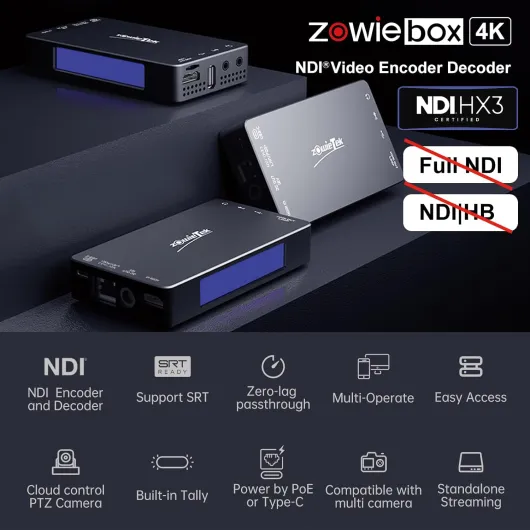
Modern home theater projectors support a wide range of video input options, but HDMI remains the standard for high definition content. An HDMI encoder acts as a bridge between your video source and the projector, especially when you want to stream content across different rooms or devices. For example, if you want to stream a movie from your living room to a projector in your home theater, an HDMI encoder can convert the signal and send it over your home network. Some encoders also support protocols like NDI, SRT, and RTMP, making them versatile for both local and live streaming applications.
Key Components and Features
- HDMI Input/Output: Allows connection to your video source and projector.
- Network Interface: Lets you stream video over Ethernet or Wi-Fi.
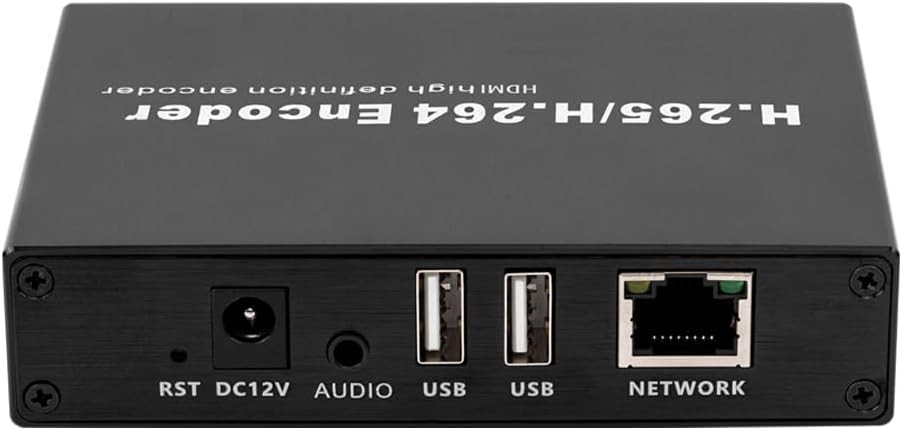
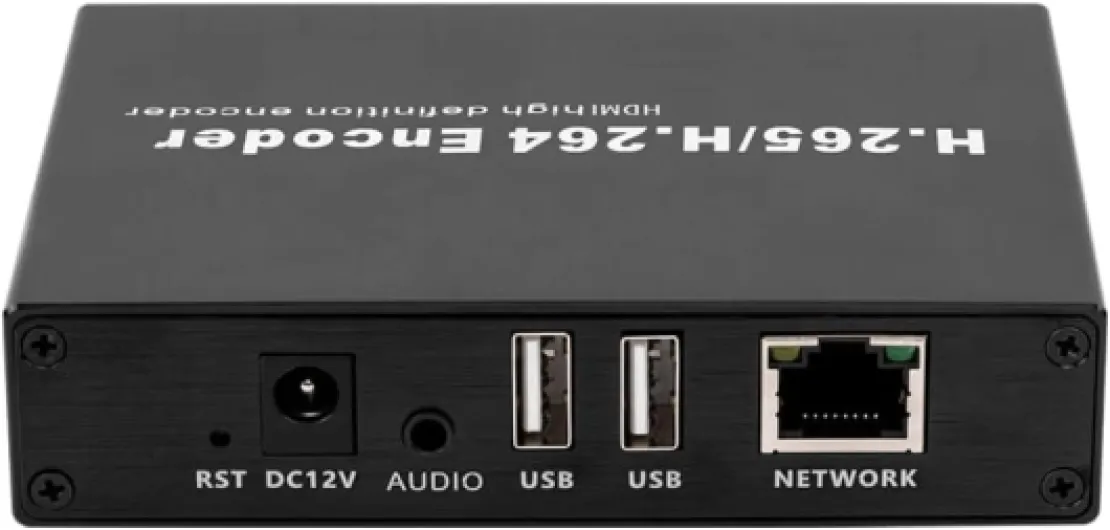
- Encoding Support: Many encoders support high quality formats like H.264 or H.265 for efficient streaming.
- Resolution and Audio: Good encoders maintain high resolution and audio fidelity, supporting up to 4K and multi-channel sound.
- Low Latency: Essential for real time video, especially for gaming or live events.
- Firmware and Interface: User-friendly web interfaces and regular firmware updates improve usability and compatibility.
Some advanced models even combine encoder and decoder functions, supporting both HDMI and SDI inputs for greater flexibility. USB ports may also be available for direct recording or additional input/output options.
If you want a deeper dive into how to use an H.264 HDMI encoder for your home theater projector setup, check out this practical guide on HDMI encoder setup.
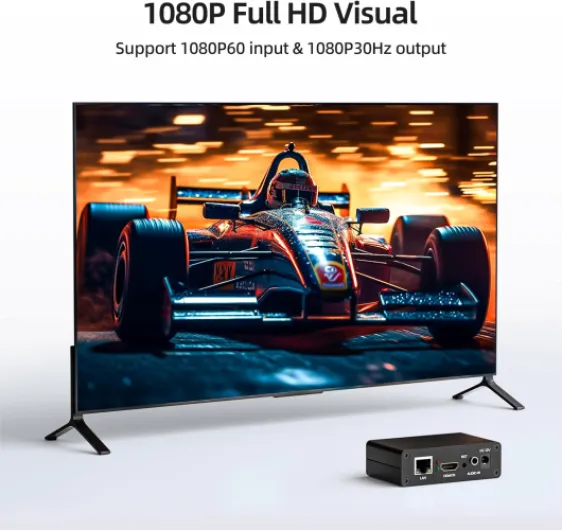
- + Supports multiple protocols: SRT, RTMP, RTSP, RTMPS, UDP, HTTP, HLS
- + High definition 1080P at 60fps
- + Compatible with platforms like YouTube, Facebook, Twitch
- + Easy to use for live streaming
- + Compact and portable design

Key benefits of using an HDMI encoder with your projector
Why HDMI Encoders Matter for Projector Performance
Adding an HDMI encoder to your home theater projector setup can make a noticeable difference in how you experience movies, sports, and live events. These devices are designed to convert and transmit high quality video and audio signals, ensuring your projector receives the best possible stream. Whether you are streaming content over a network or connecting multiple sources, an HDMI encoder helps maintain resolution and low latency, which is crucial for real time viewing.
Key Advantages for Home Theater Enthusiasts
- High Quality Video and Audio: An HDMI encoder supports high resolutions, including 4K, and ensures that both video and audio signals are transmitted without loss. This means you get crisp visuals and clear sound, even when streaming over a network.
- Flexible Input and Output Options: Many encoders offer HDMI input and output, as well as support for SDI HDMI and USB connections. This flexibility allows you to connect a variety of devices, from Blu-ray players to streaming boxes, and even integrate with NDI or SRT RTMP protocols for live streaming.
- Low Latency Streaming: For live streaming or gaming, low latency is essential. Modern HDMI encoders are optimized for real time encoding, reducing delays between input and output so your projector displays action as it happens.
- Network Streaming Capabilities: With network encoding, you can stream video to multiple rooms or devices. Some products also support HDMI NDI and sdi ndi, making it easier to distribute your main stream throughout your home or even broadcast live events.
- Firmware and Product Support: Reliable encoders come with regular firmware updates and strong product support, ensuring compatibility with the latest streaming standards and projector models.
Enhancing Your Setup for Live Streaming and More
For those interested in live streaming or integrating multiple video sources, an HDMI encoder decoder combination can be a game changer. These devices not only handle encoding but also decoding, allowing for seamless switching between sources and supporting high quality streaming encoder functions. If you want to dive deeper into how advanced encoders can elevate your projector experience, check out this guide on 4-channel HDMI encoders for home theater projectors.
What to Look for in an HDMI Encoder
- Resolution Support: Make sure the encoder supports the maximum resolution of your projector.
- Input Output Compatibility: Check for HDMI input, video input, and support for other interfaces like USB or SDI HDMI if needed.
- Streaming Protocols: Look for support for protocols such as SRT RTMP, NDI, and live stream capabilities.
- Low Latency and High Quality Encoding: Essential for real time video stream and live events.
- Firmware Updates: Ensure the product receives regular updates for ongoing compatibility and security.
Choosing the right HDMI encoder for your setup
Factors to Consider When Selecting an HDMI Encoder
Choosing the right HDMI encoder for your home theater projector setup can make a big difference in video quality, streaming performance, and overall user experience. With so many products on the market, it’s important to focus on features that match your needs and your projector’s capabilities.
- Resolution and Video Quality: Ensure the encoder supports the same or higher resolution as your projector. Look for models that handle 1080p or 4K video input and output for high quality streaming and real time playback.
- Input and Output Options: Check for HDMI input and output compatibility. Some encoders also support SDI HDMI, USB, or even network-based inputs like NDI, which can be useful for more advanced setups.
- Streaming Protocols: If you plan to live stream or distribute video across your home network, look for support for protocols like SRT, RTMP, or NDI. Streaming encoder products with these features offer more flexibility for live streaming and video stream management.
- Audio Support: Make sure the encoder can handle the audio formats your projector and sound system use. Some encoders offer advanced audio encoding and decoding for high quality sound.
- Latency and Real Time Performance: For live streaming or gaming, low latency is crucial. Look for encoders that advertise low latency or real time encoding to avoid delays between your source and projector.
- Firmware and Product Support: Reliable firmware updates and responsive product support can help resolve issues quickly. Some brands offer regular updates to improve encoding, streaming, and compatibility with new devices.
- Network Interface: If you want to stream video over your home network, check for Ethernet or Wi-Fi support. A robust network interface ensures stable streaming and high quality video transmission.
Comparing Popular HDMI Encoder Features
| Feature | Why It Matters |
|---|---|
| HDMI NDI / SDI NDI Support | Allows integration with networked AV systems and live stream setups |
| USB Interface | Enables direct connection to computers or storage devices for recording or streaming |
| Encoder Decoder Combo | Offers both encoding and decoding in one device for flexible input output options |
| High Bitrate Encoding | Delivers high quality video stream with less compression artifacts |
| Firmware Upgradability | Keeps your product up to date with the latest streaming and encoding features |
Before making a purchase, review the product specifications and compare them with your projector’s requirements. If you’re optimizing your entire home theater system, consider how your HDMI encoder will work with other components, such as your audio setup. For more on optimizing your home theater sound, check out this guide on sub crossover settings for optimal home theater sound.
Setting up your HDMI encoder with a home theater projector
Connecting Your HDMI Encoder to the Projector
To get started, make sure your HDMI encoder is compatible with your projector’s hdmi input and supports the video resolution you need. Most modern encoders handle high definition and even 4K video streams, but always double-check the product specifications. Connect the hdmi output of your media source—like a streaming box, Blu-ray player, or PC—to the hdmi input on the encoder. Then, use another HDMI cable to connect the encoder’s output to your projector’s hdmi input.
Integrating Audio and Network Streaming
If your setup includes external audio, ensure the encoder supports audio input and output options. Some encoders allow you to embed audio directly into the video stream, which is useful for live streaming or when using a streaming encoder for real time events. For network streaming, connect the encoder to your home network using Ethernet or Wi-Fi. Many encoders support protocols like srt rtmp or ndi for flexible live stream distribution.
Configuring the Encoder’s Interface and Firmware
Access the encoder’s web interface or control panel—usually via a browser or dedicated app. Here, you can adjust encoding settings such as bitrate, resolution, and main stream quality. Make sure your encoder’s firmware is up to date to benefit from the latest support and features. Some encoders offer usb ports for direct updates or additional input output options.
Testing and Optimizing for Low Latency and High Quality
- Test the video input and output by playing a sample video and checking the hdmi video quality on your projector.
- For low latency and high quality streaming, adjust the encoder’s settings to match your network’s bandwidth and your projector’s capabilities.
- If using sdi hdmi or sdi ndi converters, ensure all cables and adapters are securely connected.
Pairing with Decoders and Other Devices
If your setup includes a decoder or you’re streaming to multiple displays, configure the encoder to send the video stream to the correct IP address or network location. Many encoders support hdmi ndi or encoder decoder pairing for seamless integration across your home theater system.
Troubleshooting common HDMI encoder issues
Quick Fixes for HDMI Encoder Problems
When using an HDMI encoder with your home theater projector, you might encounter some common issues. Here are practical steps to resolve them and ensure your video stream remains high quality and stable.
- No Video Signal: Double-check your HDMI input and output connections. Make sure the HDMI cable is securely plugged into both the encoder and the projector. Try a different cable or port if possible.
- Audio Not Syncing: Confirm that your audio settings match between the encoder and projector. Some encoders allow you to adjust audio delay in the interface. If you use a streaming encoder, check for firmware updates that address audio sync issues.
- Low Resolution or Poor Image Quality: Verify that the encoder supports the resolution of your projector. Adjust the encoding settings for higher quality if your network bandwidth allows. If using sdi hdmi or ndi, ensure the main stream settings match your projector’s capabilities.
- Network Streaming Issues: For live streaming or real time video, network stability is crucial. Use a wired connection instead of Wi-Fi for lower latency. If you notice buffering, lower the bitrate in your encoder settings or check for network congestion.
- Firmware or Compatibility Errors: Regularly update your encoder’s firmware. Manufacturers often release updates to improve support for new video formats, audio codecs, and streaming protocols like srt rtmp. Always download firmware from the official product website.
- NDI or Decoder Not Detected: If your setup includes ndi or an encoder decoder pair, confirm both devices are on the same network segment. Restart both devices and check the network interface settings.
When to Seek Further Support
If you’ve tried these steps and still face issues, consult the product manual or contact the manufacturer’s support team. Provide details about your video input, output devices, encoding settings, and network environment. Including information about your usb, sdi ndi, or hdmi ndi connections can help technical support diagnose the problem faster. For persistent problems, consider testing your encoder with a different projector or video source to isolate the issue.
Future trends in HDMI encoding for home theaters
Emerging Technologies Shaping HDMI Encoding
HDMI encoding is evolving rapidly, driven by the demand for higher video quality, lower latency, and seamless integration with modern home theater projectors. As streaming and live video become central to home entertainment, new standards and features are emerging to meet these needs.
- Higher Resolutions and Frame Rates: Modern HDMI encoders now support 4K and even 8K video input and output, delivering high quality visuals for projectors. This means sharper images and smoother motion, especially for live streaming and real time video playback.
- Low Latency and Real Time Streaming: For live events or gaming, low latency is crucial. New encoder decoder products are designed to minimize delay, ensuring that audio and video stay in sync for a more immersive experience.
- Advanced Streaming Protocols: Support for SRT, RTMP, and NDI is becoming standard. These protocols improve reliability and flexibility when streaming video over a network, making it easier to share content across devices or platforms.
- Flexible Input Output Options: HDMI encoders now often include USB, SDI HDMI, and even network interfaces. This allows users to connect a variety of video input sources and stream to multiple destinations, whether it’s a live stream or a recorded session.
- Firmware Updates and Remote Management: Many new products offer firmware upgrades and remote configuration via web interfaces or email protected logins. This helps keep your encoder up to date and secure, while also making troubleshooting more convenient.
Integration with Home Theater Ecosystems
As HDMI encoding technology advances, compatibility with other devices is a key focus. Modern encoders and decoders are designed to support a wide range of projectors, audio systems, and streaming encoder platforms. This ensures that your main stream and video stream remain high quality, regardless of your setup.
Support for both HDMI NDI and SDI NDI means you can integrate your projector with professional video networks, expanding your home theater’s capabilities for live streaming or multi-room distribution. High resolution and high quality encoding are now accessible to more users, not just professionals.
What to Watch For
- Look for products that support the latest HDMI video standards and offer easy-to-use interfaces.
- Check for low latency features if you plan to use your projector for live events or gaming.
- Consider future-proofing your setup with encoders that support multiple protocols and high resolutions.
Staying informed about these trends will help you choose an HDMI encoder that keeps your home theater projector setup ready for the next wave of streaming and video innovations.