


Understanding what an HDMI digital IP encoder does
What is an HDMI Digital IP Encoder and How Does It Work?
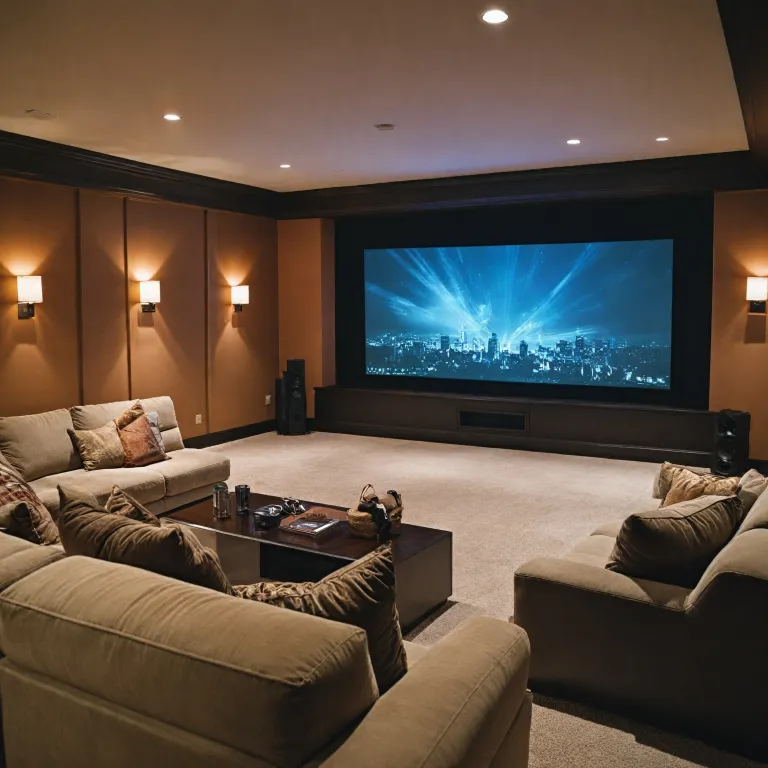
An HDMI digital IP encoder is a device that converts HDMI video and audio signals from sources like Blu-ray players, streaming boxes, or gaming consoles into digital data streams. These streams can then be transmitted over a network, such as your home Ethernet or Wi-Fi, making it possible to send high quality video and audio to your home theater projector—even if the projector is far from the source device.
The encoder takes the HDMI input, processes the video and audio, and outputs a digital signal that can be decoded by compatible devices or software. This process is essential for live streaming, video wall setups, and distributing content to multiple displays. Many encoders support popular streaming protocols like RTMP and RTSP, which are commonly used for live broadcast and streaming applications.
Key Features and Capabilities
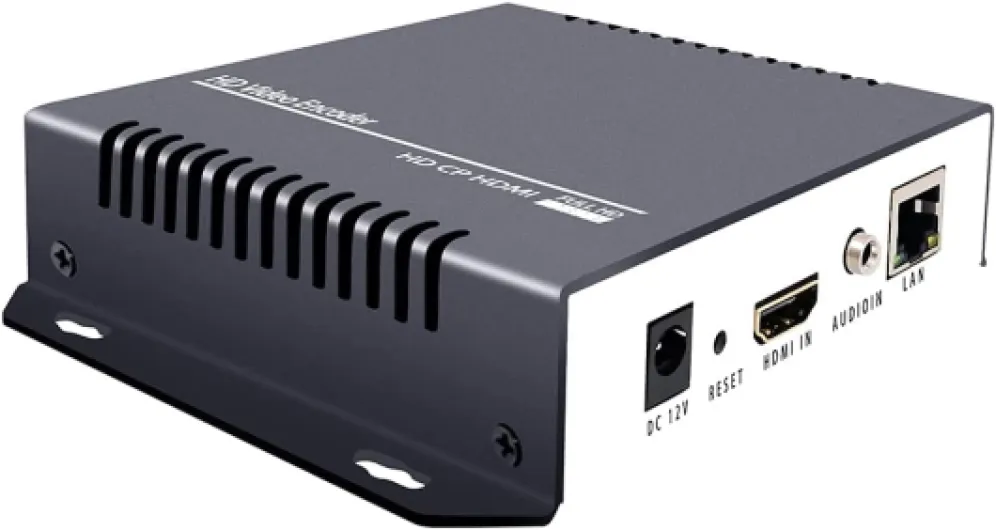
- HDMI Input and Output: Accepts HDMI signals from your source device and provides HDMI output to your projector or decoder.
- Network Streaming: Sends video and audio over your home network, supporting both wired and wireless connections.
- Resolution Support: Many products support full HD and even 4K resolutions, ensuring high quality video for your home theater.
- Encoder Decoder Functionality: Some devices combine both encoding and decoding, making them versatile for various setups.
- Control and Configuration: Most encoders offer web-based control panels, user manuals, and technical support for setup and troubleshooting.
These products are widely available in the United States and often come with customer service and technical support. When choosing an encoder, look for features like multiple input HDMI ports, support for various streaming protocols, and compatibility with your projector’s video and audio requirements. For more details on how HDMI signals are extended and managed in home theater setups, check out this guide on choosing the right HDMI extender.
Benefits of using an HDMI digital IP encoder with a projector
Why HDMI Digital IP Encoders Elevate Your Home Theater Experience
When you add an HDMI digital IP encoder to your home theater projector setup, you unlock a range of benefits that go beyond just connecting devices. Here’s why these products are becoming a key part of modern home entertainment:- Flexible Video Distribution: An HDMI encoder lets you send high quality video and audio signals from your source (like a Blu-ray player or streaming box) over your home network. This means you can broadcast the same content to multiple projectors or screens, or even create a video wall for a more immersive experience.
- Support for Multiple Formats: Most encoders support a wide range of video resolutions, including Full HD and 4K, ensuring your projector receives crisp, clear images. Many products also handle different audio formats, so your sound system gets the best possible signal.
- Live Streaming and Broadcast Options: If you want to live stream content or share your projector’s output to other rooms or online platforms (using RTMP or RTSP protocols), an HDMI encoder is essential. This is especially useful for events, gaming, or sharing live video with friends and family.
- Remote Control and Management: With network-based encoders, you can control and adjust settings remotely, often through a web interface or dedicated app. This makes it easier to manage your home theater without needing to physically access each device.
- Reliable Signal Transmission: By converting HDMI signals to digital IP, you reduce the risk of signal loss or degradation over long distances. This is a big advantage if your projector is far from your source device, or if you want to avoid running long HDMI cables.
- Integration with Other Digital Products: Many encoders and decoders are designed to work with a variety of products, making it easier to expand your system as your needs grow. Look for encoder decoder kits that offer both HDMI input and HDMI output for maximum compatibility.
What to Expect from Technical Support and Documentation
Most reputable encoder products come with a user manual and access to customer service or technical support, often via email protected addresses. This is important if you need help with setup, troubleshooting, or understanding advanced features like live stream configuration or network control. In the United States, many brands offer local support, which can be a big plus if you run into issues. In summary, an HDMI digital IP encoder is more than just a connector. It’s a tool that enhances your home theater’s flexibility, streaming quality, and overall user experience.
- + Supports multiple formats: HEVC H265, H264, AVC
- + High resolution: 4K and 1080P
- + Versatile streaming: Compatible with YouTube, Facebook, OBS
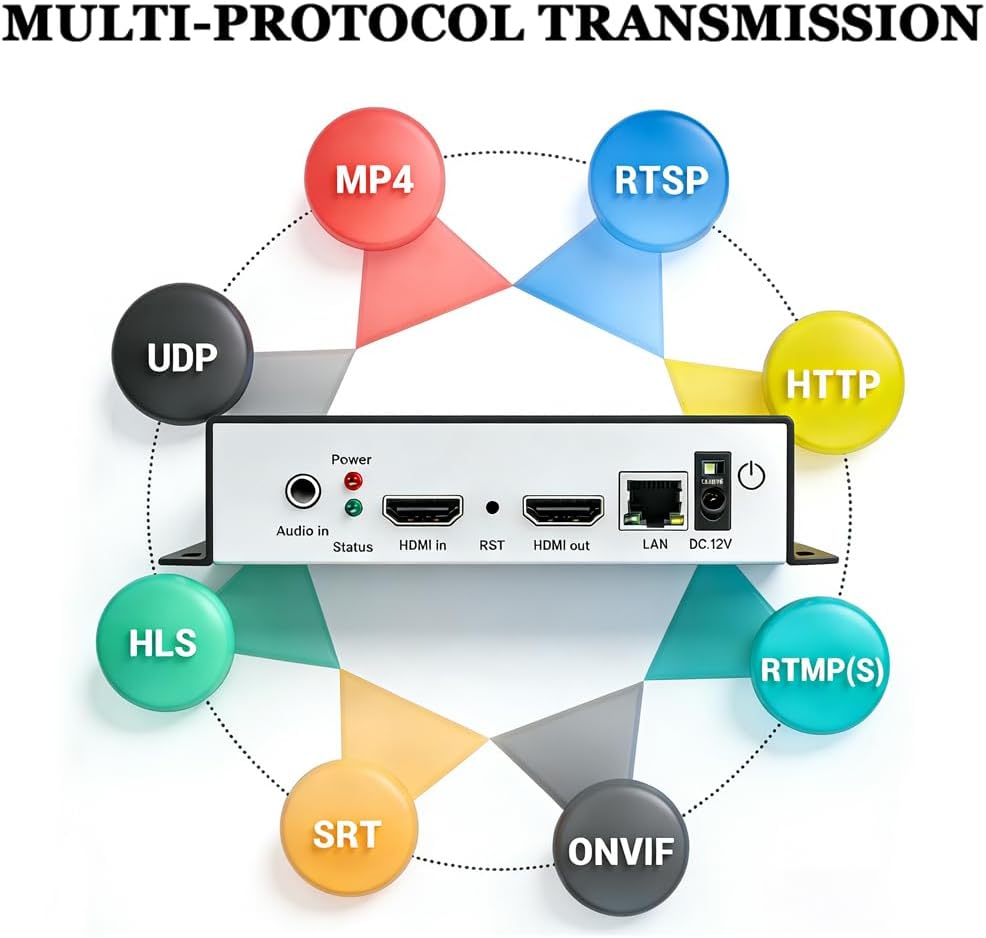
- + Multiple protocols: RTSP, RTMPS, HLS, UDP, SRT, HTTP, FLV, MP4, WebRTC
- + Hardware encoder for reliable performance

How to connect an HDMI digital IP encoder to your projector
Step-by-step connection guide for HDMI digital IP encoders
Connecting an HDMI digital IP encoder to your home theater projector is a straightforward process, but attention to detail is key for optimal video and audio performance. Here’s how to do it:- Check your equipment: Ensure your projector has an available HDMI input. Confirm that your encoder supports the video resolution and audio format you plan to use. Some products also offer decoder functionality for more complex setups.
- Connect the HDMI source: Plug your video source (such as a Blu-ray player, streaming device, or media server) into the encoder’s HDMI input port. This input HDMI connection is where your video and audio signals originate.
- Network setup: Use an Ethernet cable to connect the encoder to your local network. This step is essential for streaming or broadcasting your HDMI signals over IP. Make sure your network supports the required bandwidth for high quality live streaming.
- Encoder output: The encoder will convert the HDMI video and audio into a digital stream, typically using protocols like RTMP or RTSP. This stream can be sent to a decoder, video wall, or directly to your projector if it supports network streaming.
- Connect to the projector: If your projector supports network streaming, configure it to receive the stream from the encoder. Otherwise, use a decoder to convert the network stream back to HDMI output, then connect this output to the projector’s HDMI input.
- Power up and configure: Turn on all devices. Access the encoder’s control interface (often via a web browser) to set up streaming parameters, resolution, and output format. Refer to the user manual for product-specific instructions. For technical support or troubleshooting, check the manufacturer’s website or contact customer service (often listed as email protected in documentation).
Key considerations for a seamless setup
- Resolution and compatibility: Make sure the encoder and projector both support your desired video resolution. Mismatched settings can lead to signal issues or degraded image quality.
- Audio support: Some encoders may not support all audio formats. Verify compatibility to ensure both video and audio are transmitted correctly.
- Network reliability: For live streaming or broadcast applications, a stable and fast network connection is critical. Wired Ethernet is recommended over Wi-Fi for consistent performance.
- Firmware and updates: Keep your encoder’s firmware up to date for the latest features and bug fixes. This can also improve compatibility with new products and streaming protocols.
Choosing the right HDMI digital IP encoder for your needs
Key factors to evaluate before buying
When selecting an HDMI digital IP encoder for your home theater projector, it’s important to focus on several technical and practical aspects. Not all products are created equal, and the right choice depends on your specific streaming and broadcast needs. Here are the main points to consider:
- Video and audio support: Check the supported resolutions and audio formats. For high quality home theater experiences, look for encoders that handle at least 1080p video and multi-channel audio output. Some encoders also support 4K resolution, which is ideal for modern projectors.
- Input and output options: Make sure the encoder has the right HDMI input and output ports for your setup. Some products offer additional digital or analog audio outputs, which can be useful for integrating with AV receivers or sound systems.
- Network compatibility: The encoder should support your home network speed and protocols. Gigabit Ethernet is recommended for stable live streaming. If you plan to stream to multiple devices or a video wall, check for multicast or unicast support.
- Streaming protocols: Look for encoder support for RTMP, RTSP, or HLS if you want to live stream to platforms or local devices. This is key for flexibility in how you broadcast your HDMI signals.
- Control and configuration: Some encoders offer web-based control panels or remote management via email protected interfaces. A clear user manual and responsive customer service or technical support in the United States can make setup and troubleshooting much easier.
- Decoder compatibility: If you plan to use a decoder at the projector end, ensure the encoder and decoder are compatible. Some brands sell encoder decoder kits designed to work together for seamless video audio transmission.
- Reliability and product support: Consider the reputation of the brand, warranty terms, and availability of firmware updates. Reliable products with good customer service can save you headaches down the line.
Comparing popular products
| Feature | Basic Encoder | Advanced Encoder |
|---|---|---|
| HDMI Input/Output | 1 in / 1 out | Multiple in / out |
| Max Resolution | 1080p | 4K |
| Streaming Protocols | RTMP, RTSP | RTMP, RTSP, HLS, SRT |
| Network Support | 100 Mbps | 1 Gbps |
| Control Options | Manual, basic web UI | Advanced web UI, remote, email protected |
| Technical Support | Email only | Phone, email, live chat (United States) |
Choosing the right HDMI encoder means balancing your current needs with potential future upgrades. If you plan to expand your home theater, invest in an encoder that supports higher resolutions, more HDMI inputs, and advanced streaming features. Always check the user manual and reach out to technical support if you have compatibility questions or need help optimizing your live stream setup.
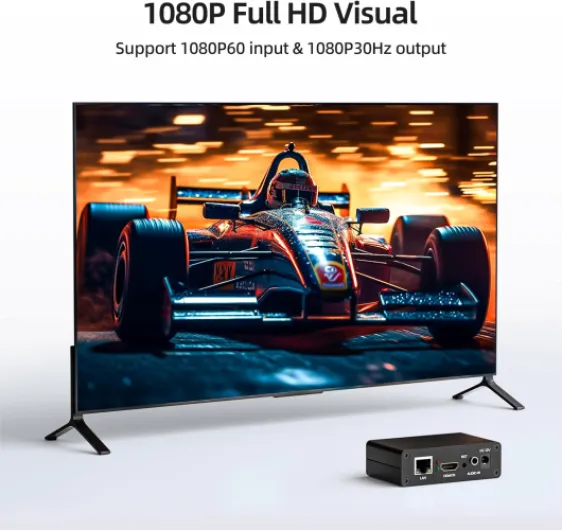
- + Supports multiple protocols: SRT, RTMP, RTSP, RTMPS, UDP, HTTP, HLS
- + High definition 1080P at 60fps
- + Compatible with platforms like YouTube, Facebook, Twitch
- + Easy to use for live streaming
- + Compact and portable design
Troubleshooting common issues with HDMI digital IP encoders
Common Problems and Practical Solutions
When setting up an HDMI digital IP encoder with your home theater projector, you might encounter a few technical hiccups. Here are some of the most frequent issues and how to address them, based on real-world product support and user experiences.- No Signal Detected: If your projector displays "no signal," first check that the HDMI input and output cables are securely connected. Make sure the encoder is powered on and the correct input HDMI port is selected. Sometimes, a simple reboot of the encoder or projector can resolve signal detection issues.
- Video or Audio Not Syncing: Audio and video out of sync is a common complaint. This can be caused by network latency or encoder settings. Adjust the encoder’s audio delay settings if available, and ensure your network bandwidth supports high quality streaming. Refer to the user manual for guidance on latency control.
- Poor Streaming Quality: If the live stream appears pixelated or lags, check your network speed and stability. Lowering the resolution or bitrate in the encoder settings can help, especially if your network is congested. Make sure your encoder supports the resolution and frame rate you need for your projector.
- Compatibility Issues: Not all projectors or decoders support every HDMI video format. Double-check that your encoder output matches the projector’s supported input HDMI formats. Some products may require firmware updates for full compatibility.
- RTMP/RTSP Streaming Fails: If you’re broadcasting to a live streaming platform, verify your stream key and server URL. Encoder products often require precise RTMP or RTSP settings. If you’re unsure, consult the technical support team or the user manual for step-by-step instructions.
- Network Configuration Problems: For encoders on a managed network, IP conflicts or firewall restrictions can block video audio signals. Assign a unique IP address to your encoder and ensure necessary ports are open for streaming protocols.
Getting Help and Support
If you’ve tried these troubleshooting steps and still face issues, reach out to the product’s customer service or technical support. Many encoder decoder manufacturers in the United States offer dedicated support via email (often listed as email protected on their websites). Keep your product details and user manual handy for faster assistance. Reliable support can help you resolve advanced HDMI signals or video wall setup challenges, ensuring your home theater streaming experience remains high quality and hassle-free.Tips for optimizing streaming quality in your home theater
Improving Streaming Performance and Stability
When setting up your home theater projector with an HDMI digital IP encoder, achieving high quality video and audio streaming is key. The right configuration can make a big difference in the clarity and reliability of your live stream or broadcast. Here are some practical tips to help you get the most out of your encoder and network setup:
- Check Your Network Bandwidth: Stable streaming requires a strong and consistent network connection. Make sure your network supports the resolution and bitrate you want to stream. Wired Ethernet connections are usually more reliable than Wi-Fi for transmitting HDMI signals and video audio data.
- Adjust Encoder Settings: Most HDMI video encoders let you control output resolution, bitrate, and compression. Lowering the resolution or bitrate can help if you experience buffering or dropped frames, but always balance quality with network capacity.
- Use the Right Protocols: Many encoders support RTMP and RTSP for live streaming. Choose the protocol that matches your streaming platform or decoder for smoother playback and compatibility.
- Monitor Signal Quality: Some products offer real-time monitoring of input HDMI and output signals. Use these features to check for errors or interruptions in your video stream.
- Keep Firmware Updated: Manufacturers often release updates to improve encoder performance and add support for new features. Check the user manual or product website for firmware updates and technical support resources.
- Optimize Audio Settings: Ensure your encoder supports the audio format you need and that the HDMI input is properly configured. Mismatched audio settings can cause sync issues or loss of sound.
- Consider Environmental Factors: If your setup includes a video wall or multiple output devices, make sure your network can handle the extra load. High quality streaming to several devices may require a more robust network infrastructure.
Getting Help and Support
If you run into persistent issues, check the user manual for troubleshooting steps or reach out to customer service. Many manufacturers in the United States offer email protected support and detailed documentation for their encoder decoder products. Reliable technical support can be a key factor when choosing between different products.