

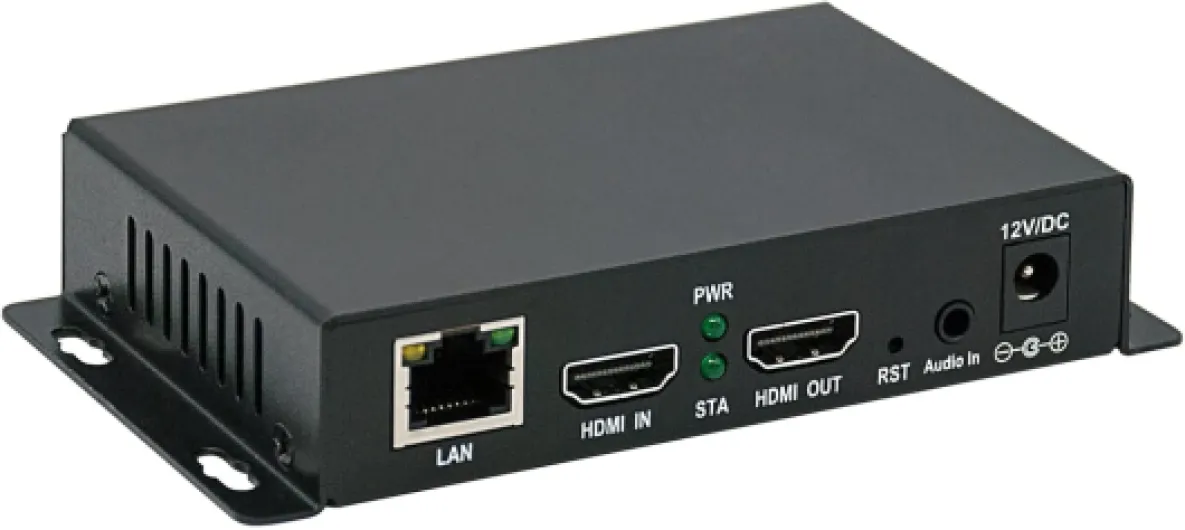
Understanding the role of an H.264 HDMI encoder in home theater projectors
What an H.264 HDMI Encoder Does in a Home Theater System
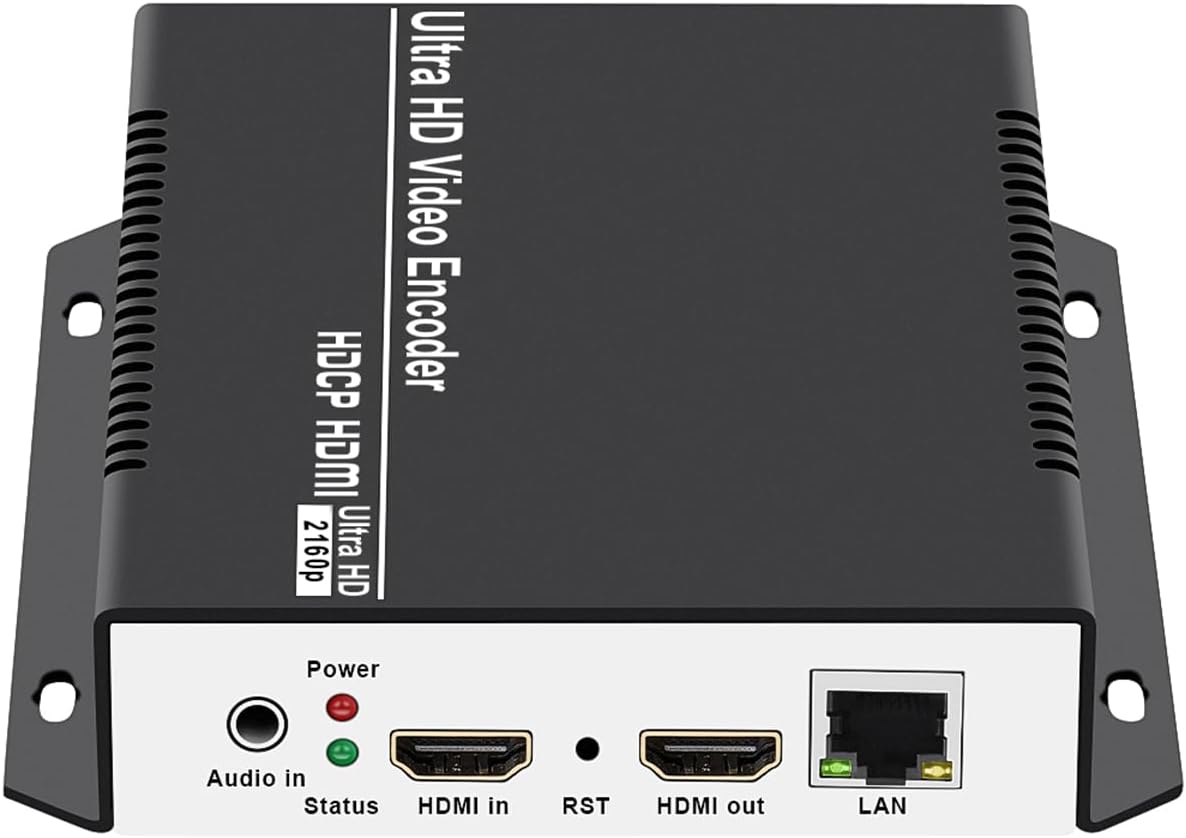
When building a modern home theater projector setup, the H.264 HDMI encoder is a key piece of equipment. This device takes the HDMI video and audio signal from your source—like a Blu-ray player, streaming box, or gaming console—and converts it into a compressed digital stream using the H.264 encoding standard. The result is a high quality video stream that can be sent over your home network, through ethernet cables, or even wirelessly, to your projector or other displays.
Why Use an Encoder Instead of Direct HDMI?
Direct HDMI connections work well for short distances, but if you want to stream video data to multiple rooms, share content over your network, or integrate with IPTV or live streaming platforms like YouTube or Facebook, an encoder becomes essential. The H.264 standard is widely supported, offering efficient compression without sacrificing too much quality. This makes it possible to multicast your video stream, send it to multiple devices, or even broadcast it over UDP, RTP, or NDI protocols.
- Network streaming: Send your HDMI video to any device on your network, not just the projector.
- Live streaming: Share your home theater experience on platforms like YouTube or Facebook.
- Flexible inputs and outputs: Many encoders support both HDMI and SDI, making them compatible with a wide range of video audio sources.
- Professional features: Some models offer channel HDMI selection, multicast support, and adjustable bit rate for optimal streaming quality.
How Encoders Fit into Your Home Theater Workflow
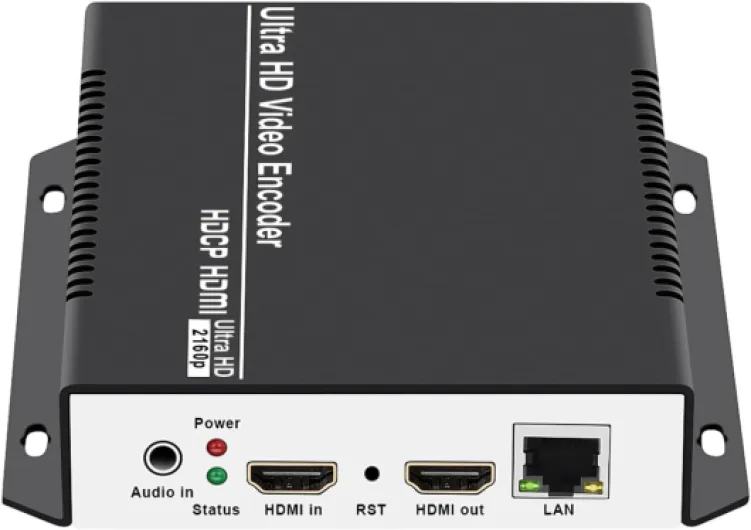
In a typical setup, your video source connects to the encoder via HDMI input. The encoder processes the video and audio, then outputs the encoded stream through ethernet or another network interface. This stream can be received by your projector, IPTV box, or any device that supports the chosen protocol. Some advanced encoders also support SDI HDMI conversion, allowing integration with professional video equipment.
For those interested in optimizing every part of their home theater system, understanding how to connect XLR to RCA for your home theater projector can further enhance your audio setup, ensuring that both video and sound are transmitted with high fidelity.
As you explore the features and setup options for your streaming encoder, keep in mind the importance of compatibility, support for various protocols, and the ability to handle high quality video data. These factors will help you achieve a seamless live stream or multicast experience in your home theater environment.
Key features to look for in an H.264 HDMI encoder
Essential Specifications for Choosing an H.264 HDMI Encoder
When selecting an H.264 HDMI encoder for your home theater projector system, it’s important to focus on features that directly impact video quality, compatibility, and streaming performance. The right encoder ensures your video and audio signals are transmitted smoothly over your network, whether you’re live streaming to YouTube, Facebook, or sharing content across your home system.
- HDMI Input and Output: Confirm the encoder supports the HDMI video resolutions and frame rates your projector and source devices use. Some models also offer SDI HDMI or multiple channel HDMI options for added flexibility.
- Video and Audio Encoding: Look for support for high-quality H.264 encoding, as well as options for audio encoding. This ensures your video audio data is preserved during streaming and playback.
- Streaming Protocols: Check for compatibility with UDP, RTP, multicast, and NDI protocols. These are essential for live streaming, IPTV, and network distribution. A streaming encoder with broad protocol support can adapt to different network setups.
- Network Connectivity: Ethernet support is crucial for stable, high-bandwidth video data transmission. Some encoders also offer Wi-Fi, but wired connections are generally more reliable for high quality streaming.
- Bit Rate Control: Adjustable bit rate settings help you balance video quality with available network bandwidth, reducing buffering and ensuring a smooth stream.
- Device Compatibility: Make sure the encoder integrates with your existing equipment, including projectors, AV receivers, and streaming boxes. HDMI IP, HDMI NDI, and HDMI IPTV support can be important for advanced setups.
- Customer Support and Firmware Updates: Reliable customer service and regular firmware updates can extend the lifespan of your encoder and resolve compatibility issues with new video formats or streaming platforms.
For more tips on optimizing your home theater system, including speaker placement and network setup, check out this guide on how to optimize speaker placement for your home theater projector setup.
| Feature | Why It Matters |
|---|---|
| HDMI Input/Output | Ensures compatibility with your projector and source devices |
| Encoding Quality | Delivers high quality video and audio for immersive viewing |
| Streaming Protocols | Supports various streaming and network distribution needs |
| Ethernet Support | Provides stable, high-speed data transmission |
| Bit Rate Control | Optimizes stream quality based on your network |
| Customer Support | Helps resolve technical issues and ensures long-term reliability |
Setting up your H.264 HDMI encoder with a home theater projector
Connecting your HDMI encoder to the projector system
To get started, make sure your HDMI encoder is compatible with your home theater projector and other equipment. Most modern encoders support HDMI input and output, SDI HDMI, and can handle high quality video and audio signals. Begin by connecting your video source, such as a Blu-ray player or streaming box, to the HDMI input on your encoder. If your source uses SDI, use an SDI to HDMI converter or an encoder with SDI HDMI support.
Integrating with your network for streaming
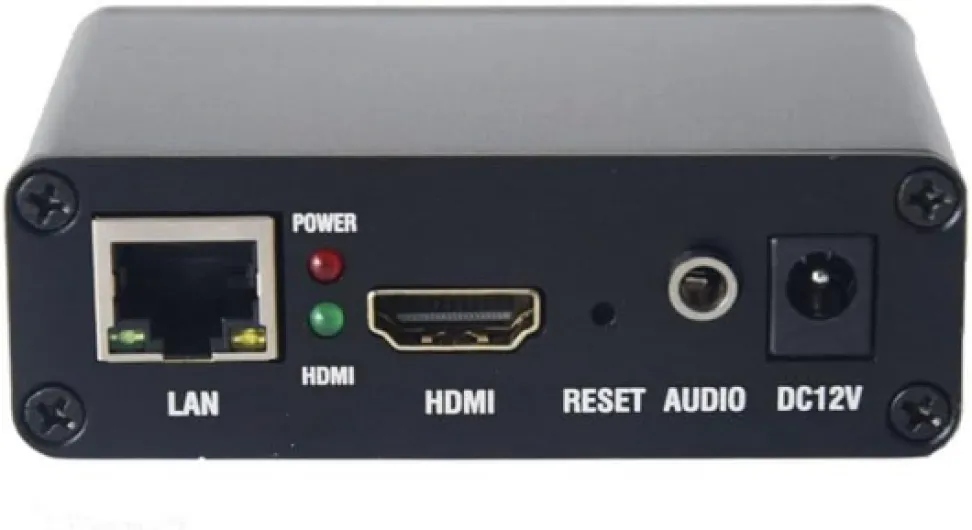
Next, connect the encoder to your home network using an Ethernet cable. This step is crucial for streaming video data across your system. Many encoders support protocols like UDP, RTP, multicast, and NDI, allowing you to stream content to multiple devices or platforms, including IPTV systems and live streaming services like YouTube and Facebook. Configure your encoder’s network settings according to your router and network requirements. Some encoders offer web interfaces for easier setup and management.
Configuring output and encoding settings
Set the HDMI output from the encoder to match your projector’s resolution and refresh rate. Adjust the bit rate and encoding settings for optimal video quality and smooth streaming. If your projector supports HDMI NDI or HDMI IPTV, enable these features for direct streaming. Make sure audio is properly routed through the encoder to maintain video audio sync.
Testing and optimizing your live stream
Once everything is connected, test your live stream by playing content from your source device. Check the video and audio quality on your projector. If you notice any lag or artifacts, tweak the encoding settings, bit rate, or network configuration. For larger setups or multi-channel HDMI streaming, ensure your network bandwidth can handle the video data load.
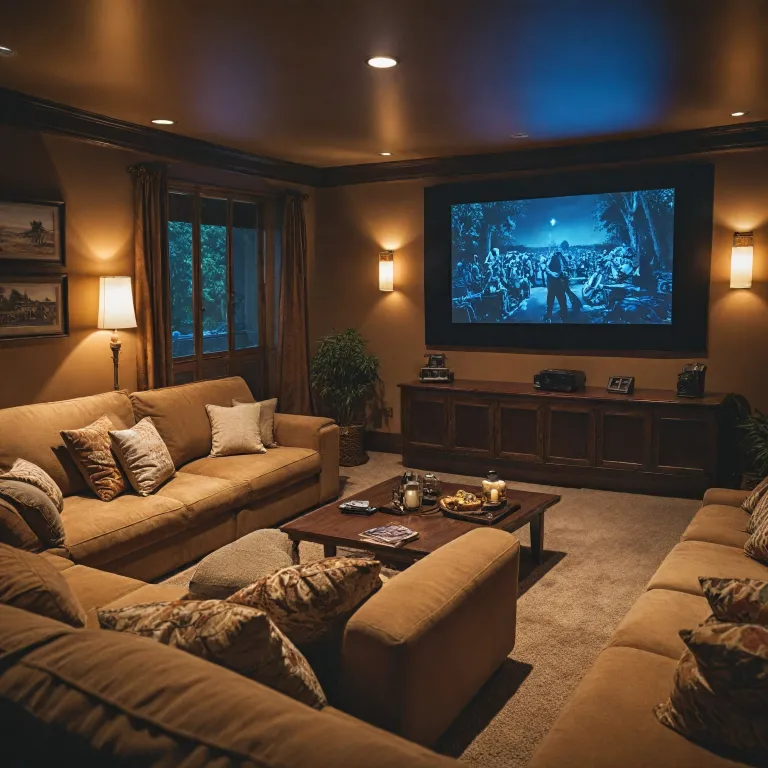
For more tips on creating a seamless home cinema experience, check out this guide on transforming your basement into the ultimate home cinema.
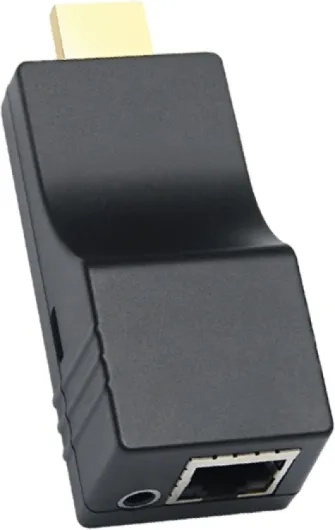
- + Supports multiple streaming protocols: SRT, RTMP, RTMPS, RTSP, HLS
- + Resolution up to 1080P/1080i
- + Hardware encoder for improved performance
- + Cloud control compatibility for easy management
- + Ideal for YouTube and IPTV

Streaming and sharing content using an H.264 HDMI encoder
Making the Most of Your Streaming Encoder
Once your H.264 HDMI encoder is connected to your home theater projector system, you can unlock a wide range of streaming and sharing possibilities. The encoder takes your HDMI input, processes the video and audio data, and converts it into a digital stream. This stream can then be sent over your network, making it accessible on various devices or platforms.
- Live Streaming: Many encoders support direct live streaming to platforms like YouTube and Facebook. By configuring the encoder with your channel's stream key and destination URL, you can broadcast high quality video and audio from your projector setup in real time.
- Multicast and IPTV: If your home network supports multicast, you can distribute the HDMI video stream to multiple devices simultaneously. This is especially useful for IPTV systems, where you want to watch the same content in different rooms without extra equipment.
- Protocol Support: Modern HDMI encoders offer support for a range of streaming protocols, such as UDP, RTP, and NDI. UDP and RTP are often used for low-latency streaming within a local network, while NDI is popular for high quality video transport in professional AV environments.
- Flexible Output: Depending on your encoder, you may have options for both HDMI output and SDI HDMI conversion. This flexibility allows you to integrate with various video equipment, including professional video audio systems.
Sharing Content Across Your Network
With the encoder connected via Ethernet, you can stream video data to computers, smart TVs, or even dedicated IPTV boxes. Some encoders allow you to set up multiple channels, so you can stream different HDMI inputs to different destinations. Adjusting the bit rate and encoding settings helps balance video quality and network bandwidth.
For advanced setups, look for encoders that support email protected management interfaces. This feature lets you configure and monitor your streaming encoder remotely, ensuring stable performance and easy troubleshooting if issues arise.
Best Practices for Reliable Streaming
- Ensure your network equipment supports the required bandwidth for high quality video streaming.
- Use wired Ethernet connections for the encoder and receiving devices whenever possible to minimize latency and packet loss.
- Regularly update your encoder's firmware to benefit from improved encoding algorithms and expanded protocol support.
By understanding the capabilities of your HDMI encoder and optimizing your network, you can enjoy seamless live streaming, reliable multicast distribution, and easy content sharing throughout your home theater system.
Troubleshooting common issues with H.264 HDMI encoders
Common Problems and How to Fix Them
When using an H.264 HDMI encoder in your home theater projector system, a few issues can pop up. Here’s a look at some frequent problems and practical solutions to keep your streaming and video experience smooth.- No Video Signal Detected
If your projector or streaming encoder isn’t showing video, first check the HDMI input and output connections. Make sure the HDMI cable is firmly connected to both the encoder and your projector. Try swapping cables or ports to rule out hardware faults. If you’re using SDI HDMI or other equipment, confirm compatibility with your video encoder. - Audio Not Syncing or Missing
Audio issues can stem from incorrect settings. Double-check the audio input source on your encoder and ensure it matches your system’s configuration. Some encoders require you to select between HDMI audio and external audio inputs. If using a video audio stream, verify the audio format is supported by both the encoder and projector. - Network Streaming Problems
Streaming over ethernet or Wi-Fi can introduce lag or buffering. Confirm your encoder and projector are on the same network, and check your router’s bandwidth. For multicast or UDP streaming, make sure your network supports these protocols. If you’re using NDI or IPTV, verify that your system’s firewall isn’t blocking video data. - Poor Video Quality or Bit Rate Issues
Low-quality video can result from incorrect encoding settings. Adjust the bit rate and resolution in your encoder’s menu. For high quality live streaming to platforms like YouTube or Facebook, use the recommended bit rate for your channel HDMI output. If your encoder supports multiple channels, ensure each channel’s settings are optimized for your projector and streaming needs. - Firmware and Software Compatibility
Outdated firmware can cause glitches or loss of support for new streaming protocols. Regularly check the manufacturer’s website for updates. Some encoders allow remote updates via email protected links or direct downloads. Always back up your settings before updating.
When to Contact Customer Support
If you’ve checked all cables, settings, and network connections but still face issues, it may be time to reach out to customer support. Provide details about your equipment, such as the model of your HDMI encoder, projector, and network system. Include information about your streaming setup, like whether you use UDP RTP, HDMI NDI, or HDMI IPTV. This helps support teams diagnose and resolve your problem faster.Quick Troubleshooting Table
| Issue | Possible Cause | Solution |
|---|---|---|
| No video on projector | Loose HDMI connection or incompatible video format | Check HDMI cables, try different HDMI input/output ports, verify video format |
| No audio | Incorrect audio source or unsupported format | Select correct audio input, check audio format compatibility |
| Laggy or buffering stream | Network congestion or low bit rate | Increase bit rate, use wired ethernet, check network bandwidth |
| Firmware errors | Outdated software | Update encoder firmware, restart equipment |
Keeping your H.264 HDMI encoder and related equipment updated and properly configured is key to a reliable home theater projector system. Regular checks and a methodical approach to troubleshooting can help you enjoy uninterrupted high quality video and audio streaming.
Comparing popular H.264 HDMI encoder models for home theater use
Side-by-side look at leading H.264 HDMI encoders for home theaters
When choosing an H.264 HDMI encoder for your home theater projector system, it helps to compare some of the most popular models on the market. Each encoder offers a unique mix of features, connectivity, and streaming capabilities. Here’s a practical comparison to help you decide what fits your needs best.| Model | HDMI/SDI Support | Streaming Protocols | Network Options | Audio/Video Quality | Special Features |
|---|---|---|---|---|---|
| Box Encoder A | HDMI input/output, SDI HDMI | RTMP, UDP, RTP, NDI, Multicast | Ethernet, WiFi | Up to 1080p, high quality video audio encoding | NDI support, YouTube Facebook live streaming |
| Streaming Encoder B | Channel HDMI, SDI | UDP, RTP, HTTP, IPTV | Ethernet only | 1080p60, adjustable bit rate | Low latency, multicast system compatibility |
| Encoder Box C | HDMI video, HDMI output | RTMP, UDP, NDI | Ethernet, optional WiFi | 720p/1080p, stable video data streaming | IPTV data support, email protected customer service |
What to consider when comparing encoders
- Connectivity: Some encoders offer both HDMI and SDI input options, which is useful if your equipment varies. Make sure your video encoder matches your projector’s HDMI input or SDI HDMI requirements.
- Streaming protocols: If you plan to live stream to platforms like YouTube or Facebook, look for RTMP or NDI support. For internal network streaming or IPTV, UDP, RTP, and multicast are essential.
- Network compatibility: Ethernet is standard for stable streaming, but WiFi can add flexibility. For larger systems, multicast and UDP RTP support can help distribute video data efficiently.
- Audio and video quality: Check the maximum supported resolution and bit rate. High quality encoding ensures your home theater projector displays crisp images and clear audio.
- Customer support: Reliable support (sometimes listed as email protected) can be crucial if you run into setup or streaming issues.