


Understanding the role of an 8 channel IPTV encoder in home theaters
Why IPTV Encoders Matter in Home Theater Setups
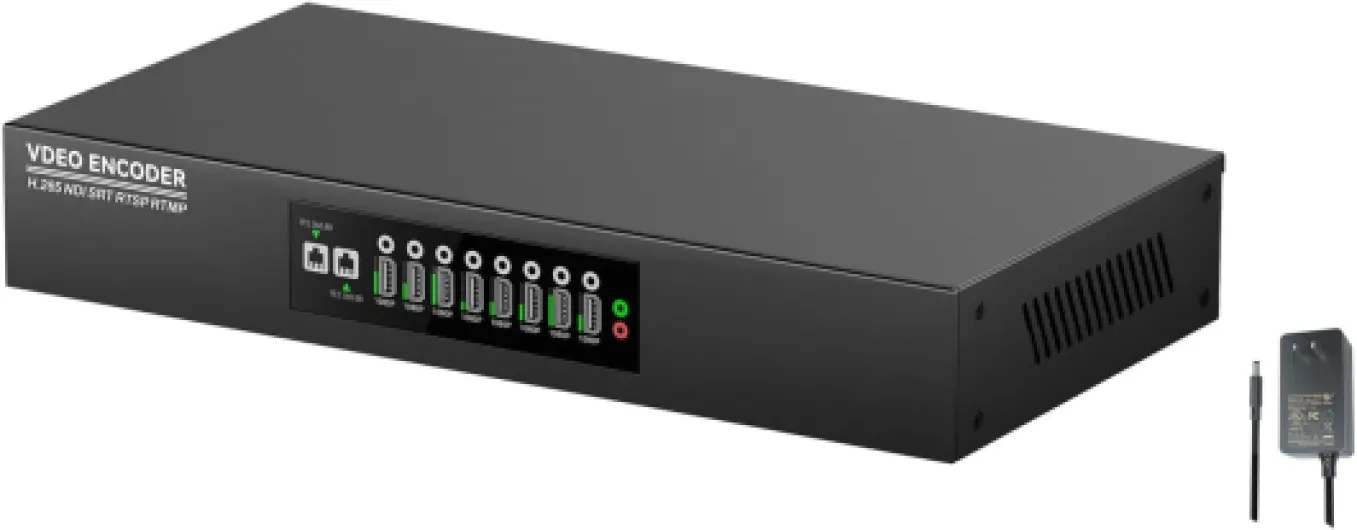
When building a modern home theater, the ability to stream and broadcast high-quality video and audio content is essential. An 8 channel IPTV encoder plays a central role in this process. It takes multiple HDMI or SDI video sources—like Blu-ray players, gaming consoles, or set-top boxes—and converts them into digital streams for your network. This means you can distribute live or pre-recorded video content to different rooms or devices, all from a single box.
How an Encoder Fits Into Your Home Theater
The encoder acts as a bridge between your video sources and your projector or display. With support for multiple HDMI inputs, an 8 channel encoder can handle several devices at once, making it ideal for home theaters with diverse entertainment needs. Whether you want to stream a movie night to multiple screens or broadcast live sports in real time, the encoder ensures smooth video quality and reliable output.
- Video and audio: Encoders process both video and audio signals, maintaining sync and quality.
- Streaming protocols: Many products support RTMP, RTSP, and MPEG transport streams, allowing flexibility in how you stream or broadcast content.
- Network integration: The encoder connects to your home network, enabling streaming to smart TVs, projectors, or even an IPTV server.
- Multiplexing: Some encoders include multiplexer features, letting you combine multiple channels into a single stream for easier management.
Real-World Benefits for Home Theater Enthusiasts
Choosing the right encoder can elevate your home theater experience. With support for HDMI broadcast, SDI encoder options, and advanced bit rate controls, you can tailor the video quality to match your projector’s capabilities. Thor Broadcast and similar brands offer encoder IPTV solutions designed for both ease of use and professional-grade streaming.
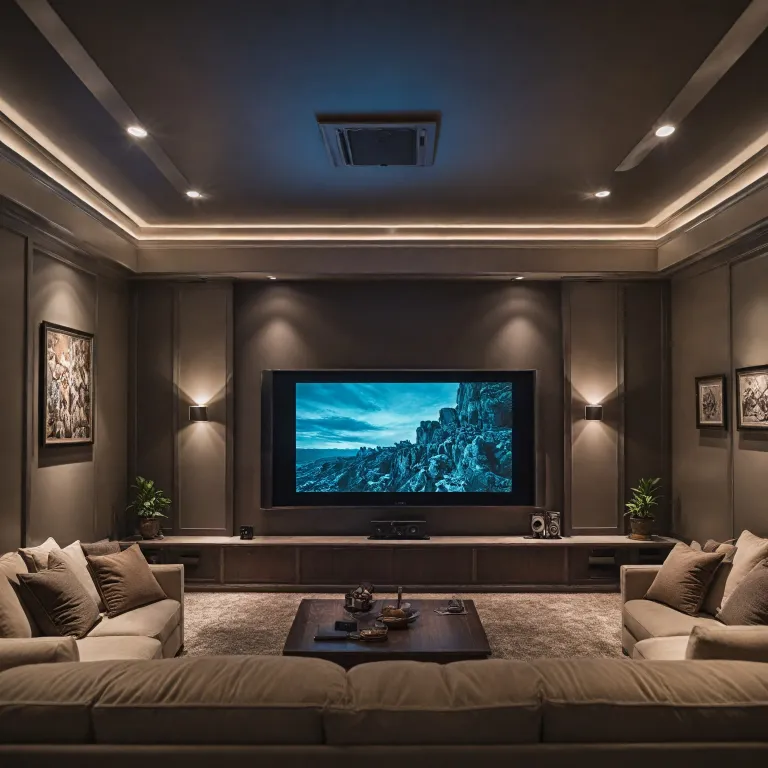
If you’re also considering the comfort of your home theater, check out this guide on choosing the perfect home cinema sofa for your theater experience to complete your setup.

Key features to look for in an 8 channel IPTV encoder
What Makes a Good 8 Channel IPTV Encoder for Home Theater?
When selecting an 8 channel IPTV encoder for your home theater projector, it’s important to focus on features that directly impact video quality, compatibility, and ease of use. The right encoder will ensure your video and audio streams are smooth, reliable, and ready for real time broadcast or streaming. Here’s what to look for:
- Video Quality and Bit Rate Control: Look for an encoder that supports high-definition video (HDMI input and output) and allows you to adjust the bit rate. This flexibility helps you balance video quality with your network’s bandwidth.
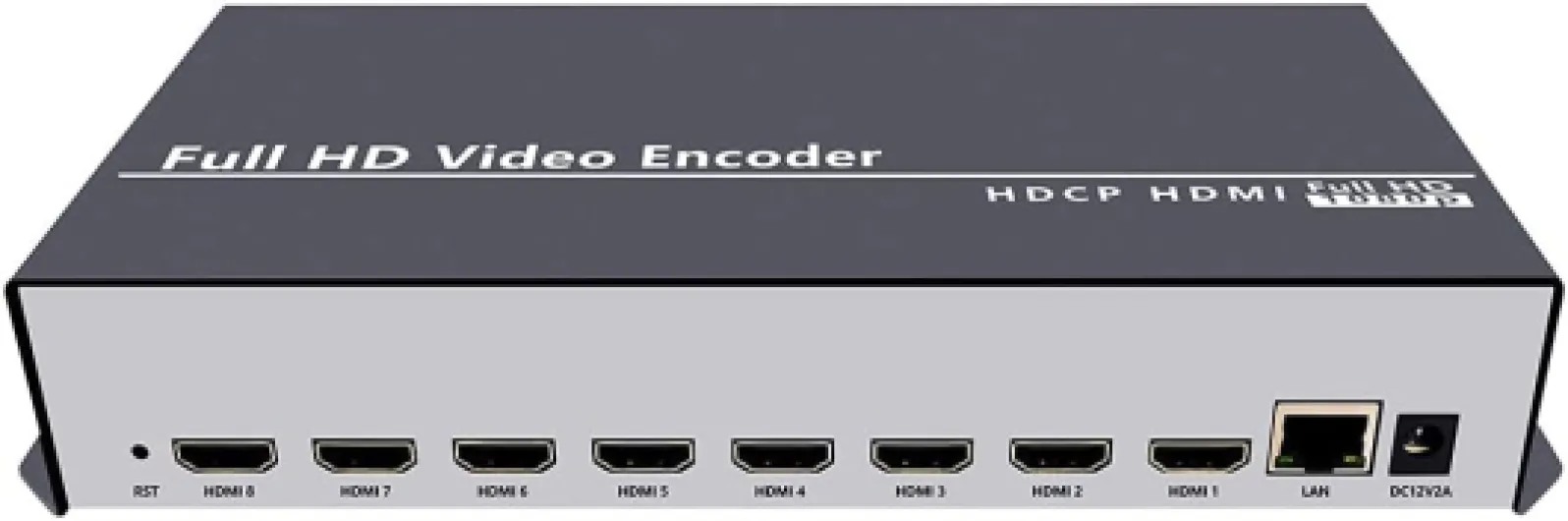
- Multiple HDMI Inputs: An 8 channel HDMI encoder should support multiple HDMI inputs, letting you connect various sources like Blu-ray players, set-top boxes, or gaming consoles. Some products also offer SDI or ASI inputs for more professional setups.
- Audio Handling: Ensure the encoder supports both embedded HDMI audio and external audio inputs. This is key for synchronizing video audio with your projector and sound system.
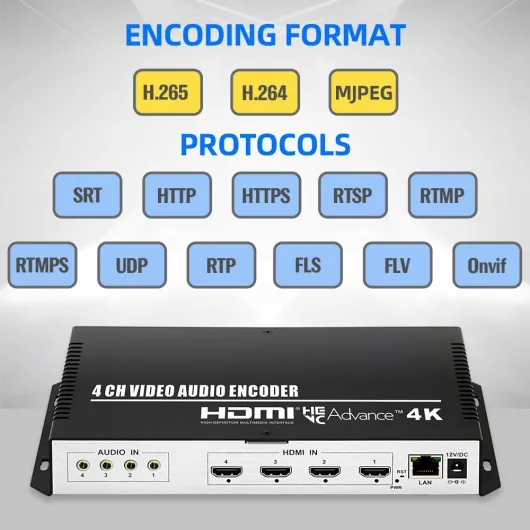
- Streaming Protocols: The encoder should support popular streaming protocols like RTSP, RTMP, and MPEG transport streams. This enables live streaming to different platforms or an IPTV server, and ensures compatibility with most network setups.
- Output Flexibility: A good encoder multiplexer will let you output to multiple destinations, whether you’re streaming live, broadcasting over your home network, or sending feeds to a multiplexer IPTV box.
- Network Integration: Look for products that offer easy network configuration and management. A broadcast encoder with a user-friendly web interface can simplify setup and monitoring.
- Reliability and Brand Reputation: Consider established brands like Thor Broadcast, known for robust encoder IPTV and SDI encoder solutions. Reliable hardware reduces downtime and troubleshooting.
Some advanced encoders also offer features like real time monitoring, customizable overlays, and support for both HDMI video and SDI video sources. These can add flexibility to your home theater setup, especially if you plan to expand or integrate with automation systems. For more on how a Crestron system can transform your home theater projector experience, check out this guide on Crestron integration.
Choosing an encoder with these features will help ensure your home theater projector receives high quality video and audio streams, whether you’re watching live TV, streaming movies, or broadcasting your own content.
Compatibility with home theater projectors and other devices
Ensuring Seamless Integration with Your Home Theater Setup
When selecting an 8 channel IPTV encoder for your home theater projector, compatibility is a critical factor. The right product should connect effortlessly with your projector, AV receiver, and other devices, supporting both video and audio signals in real time. Here are some key points to consider:
- HDMI and SDI Inputs: Most modern home theater projectors rely on HDMI for high-definition video. Make sure your encoder offers multiple HDMI inputs, and if you use professional equipment, SDI encoder support can be valuable for broadcast-level video quality.
- Output Flexibility: Look for encoders that provide a variety of output formats, such as RTMP, RTSP, and ASI. This ensures you can stream or broadcast content to different platforms or an IPTV server without compatibility headaches.
- Video and Audio Standards: The encoder should support common video formats like MPEG and H.264, as well as audio standards that match your projector and sound system. This is crucial for maintaining high video quality and synchronized video audio playback.
- Network Integration: Your encoder must work smoothly with your existing network, supporting both wired and wireless connections for reliable streaming. Check for encoder iptv features that allow for easy integration with your home network and streaming devices.
- Multiplexer Capabilities: Some advanced encoders, like those from Thor Broadcast, include encoder multiplexer functions. This lets you combine multiple HDMI video channels into a single stream, simplifying your setup and reducing cable clutter.
Before making a purchase, verify that the encoder is compatible with your projector’s resolution and refresh rate. For those using a true 4K projector, it’s worth reviewing the advantages of a true 4K projector for your home theater to ensure your encoder can deliver the highest possible video quality.
| Feature | Why It Matters |
|---|---|
| HDMI Inputs | Essential for connecting Blu-ray players, streaming boxes, and gaming consoles |
| SDI/ASI Support | Ideal for professional or broadcast-level setups |
| Multiple Output Protocols (RTMP, RTSP, etc.) | Allows flexible streaming and broadcasting options |
| Network Compatibility | Ensures stable streaming across your home network |
| Encoder Multiplexer | Combines multiple channels for easier management |
Ultimately, a compatible 8 channel IPTV encoder will let you add, stream, and broadcast content from multiple sources, maximizing your home theater experience without technical headaches. Always check product specifications and consult with a trusted vendor if you’re unsure about compatibility with your projector or other devices.
Installation tips for setting up your IPTV encoder
Preparing Your Space and Equipment
Before you start connecting your 8 channel IPTV encoder, make sure your home theater area is organized. Place your encoder box close to your projector, IPTV server, and other devices like HDMI sources or SDI equipment. This helps minimize cable clutter and signal loss. Double-check that you have all the necessary cables: HDMI, SDI, or ASI, depending on your video and audio sources. If your product supports multiple input types, label each cable for easy identification.Connecting Video and Audio Sources
Most 8 channel encoders, such as those from Thor Broadcast, support several HDMI inputs and sometimes SDI or ASI. Connect each video source (like Blu-ray players, streaming boxes, or game consoles) to the appropriate HDMI input or SDI port on the encoder. For audio, use embedded HDMI audio or separate audio inputs if your encoder supports them. Make sure each channel is assigned correctly, as this will affect your output streams and overall video quality.- Use high-quality HDMI cables for best video audio performance.
- Check that each input is securely connected to avoid signal dropouts during live streaming or real time broadcasts.
- If your encoder multiplexer supports RTSP or RTMP, note which channels are assigned to each protocol for easier management.
Network and Streaming Setup
Connect your encoder to your home network using a reliable Ethernet cable. Configure the encoder’s network settings, such as IP address and gateway, to match your IPTV server or streaming destination. Many encoder IPTV products allow you to set up multiple output streams, so you can broadcast to different devices or platforms at once. Adjust the bit rate and resolution for each channel to balance video quality and network bandwidth.Testing and Final Adjustments
Once everything is connected, power on your devices. Use the encoder’s web interface or control panel to monitor each HDMI input and output stream. Test each channel by playing video through your projector and checking for sync issues, lag, or audio dropouts. If you notice problems, try lowering the bit rate or switching HDMI cables. For advanced setups, some Thor Broadcast encoders offer real time monitoring and diagnostics to help you fine-tune your system.- Keep firmware updated for the latest features and bug fixes.
- Label each HDMI input and output for quick troubleshooting in the future.
- If you’re using a multiplexer IPTV setup, confirm that all channels are visible on your IPTV server and streaming devices.
Troubleshooting common issues with IPTV encoders
Common Problems and Practical Solutions
Even with a high-quality 8 channel IPTV encoder, issues can arise during setup or daily use. Recognizing typical problems and knowing how to address them will help you maintain reliable video and audio streaming for your home theater projector. Here are some of the most frequent challenges and actionable tips to resolve them:
- No Video Output: If your projector displays a blank screen, first check the HDMI inputs and outputs. Ensure the HDMI cable is securely connected between the encoder and the projector. Test with another HDMI cable or port to rule out hardware faults. If using SDI or ASI connections, verify that the cables are compatible and properly seated.
- Audio Not Syncing with Video: Audio and video out of sync can be frustrating. Adjust the encoder’s audio delay settings if available. Make sure the video audio formats are supported by both the encoder and the projector. Sometimes, lowering the bit rate or changing the audio codec can help.
- Network Streaming Issues: For live streaming or IPTV broadcast, unstable network connections can cause buffering or dropped streams. Confirm your network bandwidth supports the total output of all channels. Use a wired Ethernet connection for the encoder instead of Wi-Fi for more stable performance. If streaming to an IPTV server, double-check the RTSP or RTMP settings and credentials.
- Encoder Not Recognized by Devices: If your projector or IPTV box does not detect the encoder, verify that the encoder’s firmware is up to date. Some products, like Thor Broadcast encoders, offer regular updates to improve compatibility. Also, confirm that the encoder’s output resolution matches the projector’s supported formats.
- Poor Video Quality: Low video quality may result from incorrect encoder settings. Increase the bit rate for better image clarity, but ensure your network can handle the higher data rate. Experiment with different MPEG profiles or adjust the encoder multiplexer settings for optimal results.
- Multiple Channel Conflicts: When using all 8 channels, ensure each HDMI input is assigned to the correct output stream. Label cables and inputs to avoid confusion. If you experience cross-talk or signal overlap, check the encoder’s channel mapping and reset if necessary.
When to Seek Support
If troubleshooting does not resolve the issue, consult the product manual or reach out to the manufacturer’s support team. Brands like Thor Broadcast and other reputable encoder IPTV providers offer detailed documentation and responsive technical assistance. Keeping your encoder’s firmware updated and following recommended installation practices will minimize problems and help you get the most from your home theater streaming setup.
Maximizing your home theater experience with advanced encoder settings
Fine-tuning Encoder Settings for Superior Home Theater Streaming
Once your 8 channel IPTV encoder is installed and running, the real magic happens when you start exploring advanced settings. These adjustments can make a noticeable difference in video quality, audio clarity, and overall streaming performance for your home theater projector setup.
- Optimize Bit Rate: Adjusting the bit rate is crucial. A higher bit rate can improve video quality, especially for HD or 4K content, but it also requires more network bandwidth. If your network can handle it, increasing the bit rate will deliver sharper images and smoother motion on your projector.
- Select the Right Output Format: Most encoders support multiple output formats like MPEG, RTMP, and RTSP. Choose the format that matches your IPTV server or streaming box for seamless playback. For live streaming, RTMP is a common choice, while MPEG is often used for broadcast applications.
- Configure HDMI and SDI Inputs: If your encoder supports both HDMI and SDI inputs, make sure you’re using the correct input for your source device. HDMI is standard for home theater devices, while SDI is more common in professional broadcast environments. Some products, like Thor Broadcast encoders, offer both options for flexibility.
- Audio Settings Matter: Don’t overlook audio. Ensure your encoder is set to pass through or encode audio in a format compatible with your projector or AV receiver. This helps avoid sync issues and ensures the best possible sound quality.
- Leverage Multiplexing: If your encoder is also a multiplexer, you can combine multiple video and audio streams into a single output. This is useful for managing several channels through one HDMI output or for advanced broadcast scenarios.
- Monitor Real-Time Performance: Use the encoder’s web interface or monitoring tools to check for dropped frames, latency, or network congestion. Real-time feedback helps you tweak settings for the best streaming experience.
Advanced Features to Enhance Your Viewing Experience
Modern IPTV encoders come with features designed to maximize your home theater enjoyment:
- Channel Management: Easily switch between multiple HDMI inputs or channels without needing to physically swap cables. This is ideal for setups with multiple sources like Blu-ray players, streaming boxes, or gaming consoles.
- Network Adaptability: Some encoders automatically adjust video and audio quality based on your network conditions, ensuring smooth playback even if bandwidth fluctuates.
- Broadcast and Streaming Flexibility: Products like Thor Broadcast encoders support both IPTV and traditional broadcast outputs, including ASI and SDI. This means you can stream content to your projector and broadcast it elsewhere simultaneously.
- Integration with IPTV Servers: Advanced encoders can be configured to work directly with your IPTV server, making it easier to manage multiple streams and outputs from a single interface.
By taking the time to explore and adjust these advanced settings, you’ll unlock the full potential of your 8 channel IPTV encoder. Whether you’re streaming live events, watching movies, or managing a multi-channel home theater, these tweaks ensure you get the most out of your video, audio, and network investment.
