

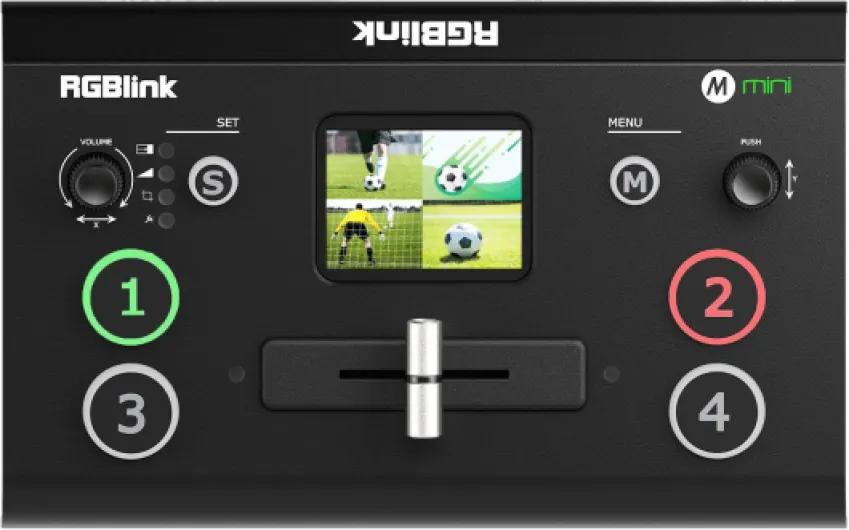
Understanding the role of a video mixer in home theaters
Why add a video mixer to your home theater?
When you think about upgrading your home theater projector, a video mixer might not be the first thing that comes to mind. But for anyone looking to create a more dynamic, interactive, or professional viewing experience, a mixer or switcher can make a huge difference. A video mixer, sometimes called a video switcher, lets you combine and switch between multiple video sources—like Blu-ray players, streaming boxes, game consoles, or even a live camera—right from your seat. This means you can easily transition between watching a movie, streaming live content, or showing a multi-camera video feed for events or gaming nights.
What does a video mixer actually do?
At its core, a video mixer takes several HDMI or USB video inputs and lets you control which one is displayed on your projector. Some advanced models, like the ATEM Mini or Roland V series, even allow real-time mixing, adding effects, picture-in-picture, and audio mixing. This is especially useful for live streaming, multi-camera setups, or anyone who wants to add a professional touch to their home theater. For example, you could use a mixer to switch between a camera video feed and your favorite streaming service, or to add overlays during a live stream.
How does it fit into your setup?
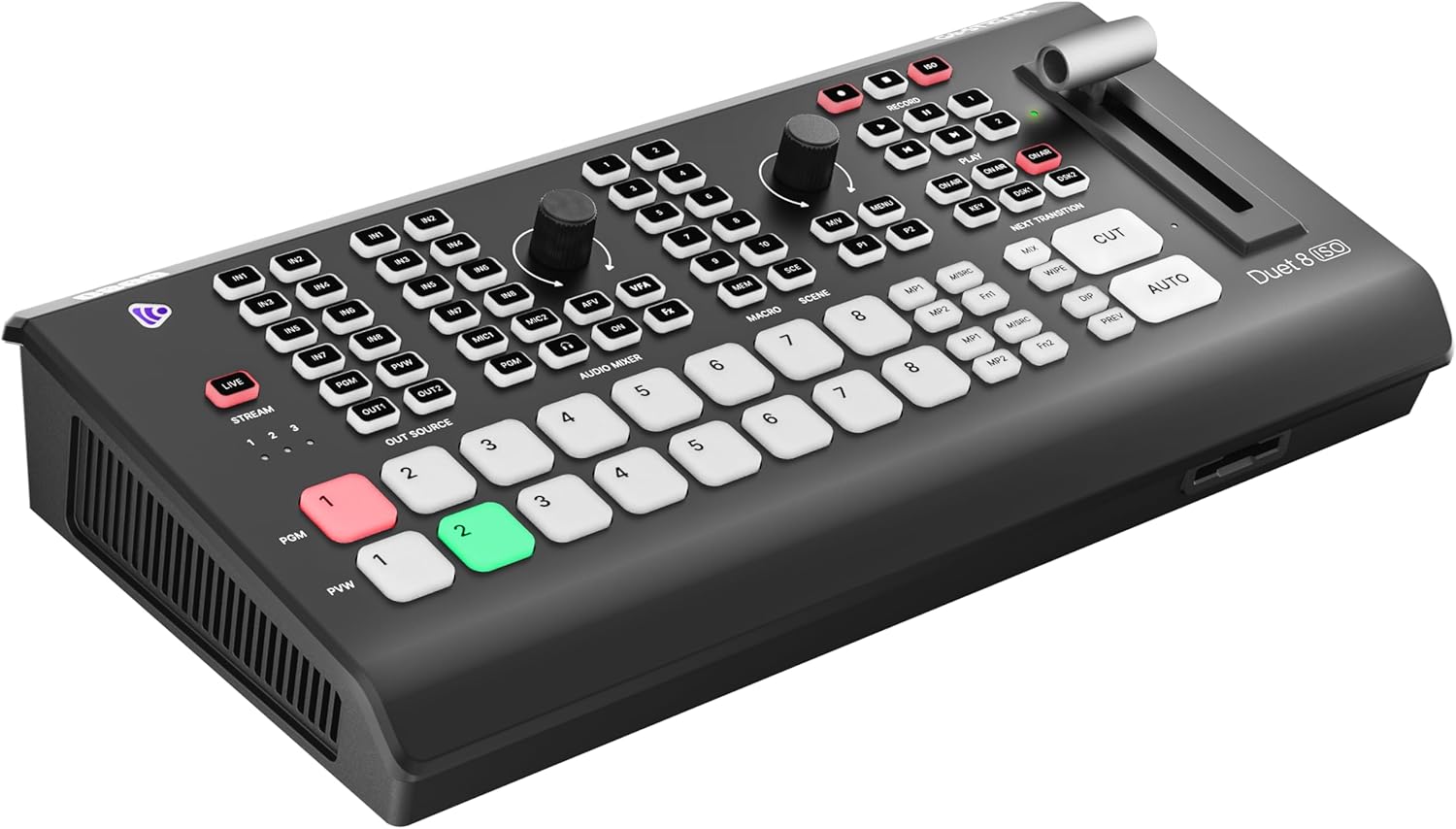
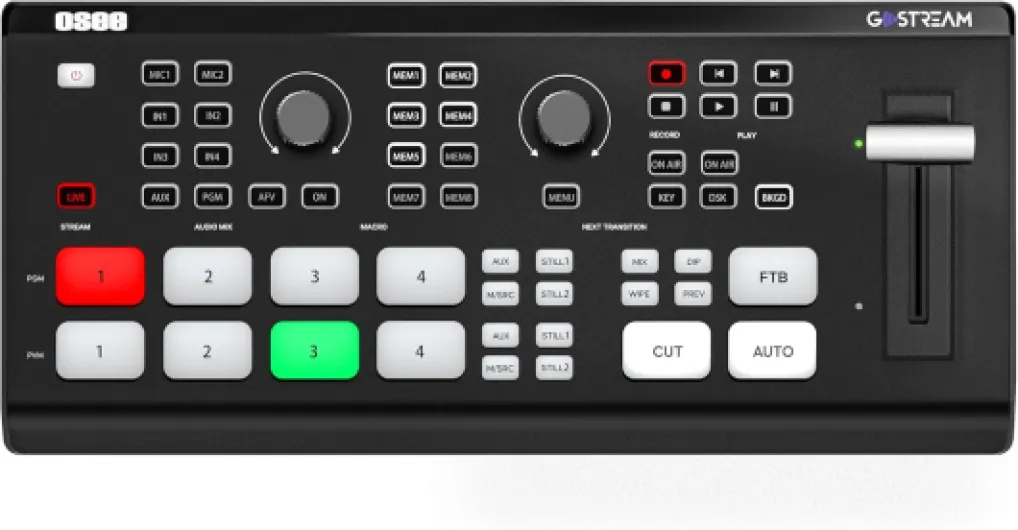
Integrating a video mixer or switcher HDMI device into your home theater is easier than you might think. Most units, such as the Blackmagic Design ATEM Mini Pro or the Feelworld Live Pro, offer plug-and-play HDMI inputs and USB outputs. This means you can connect your devices directly, and many mixers even double as an audio mixer, letting you control sound levels without extra gear. Some models, like the Osee GoStream or Roland V-1HD, come with a control panel for hands-on operation, while others offer software control for more advanced features.
For those interested in more technical details about how video encoders and mixers work together in a home theater environment, you can check out this guide on unicast encoder encoders for home theater projectors. It covers how these devices interact and what to consider for seamless integration.
- Switch between multiple HDMI inputs (Blu-ray, streaming, camera, etc.)
- Mix audio and video in real time for live production or streaming
- Add effects, overlays, or transitions for a professional look
- Control everything from a physical panel or software interface
As you explore the world of video mixers, you’ll find options at various price points, with features like free shipping or bundled software like DaVinci Resolve for editing. Whether you’re just starting out or want to build a full live production setup, understanding the role of a video mixer is the first step to transforming your home theater experience.

Key features to look for in a video mixer
Essential functions and specs for a seamless experience
When you’re looking for a video mixer or switcher to enhance your home theater projector setup, it’s easy to get overwhelmed by the range of options and technical terms. The right mixer can make your multi camera live streaming or movie nights much more dynamic, but knowing what to look for is key.
- HDMI Inputs: The number of HDMI inputs determines how many devices you can connect at once. For most home theater enthusiasts, at least four HDMI inputs are ideal, letting you switch between a camera, streaming device, game console, and Blu-ray player with ease.
- Real-time Switching: Look for a mixer switcher that offers smooth, real-time transitions between sources. This is especially important for live production or live streaming, where delays or glitches can ruin the experience.
- Audio Integration: Some video mixers, like the ATEM Mini or Roland models, include an audio mixer. This lets you control sound levels from different sources without needing extra gear. HDMI live audio embedding is a plus for streamlined setups.
- USB Streaming Output: If you plan to live stream or record your sessions, a mixer with USB output is essential. This feature allows direct connection to your computer for platforms like YouTube or Twitch.
- Control Panel: Physical buttons, touchscreens, or software control panels make it easier to manage your video switcher. Some models, such as the Blackmagic Design ATEM Mini Pro, offer advanced control options and integration with software like DaVinci Resolve.
- Multi-View Preview: Being able to preview all your sources on one screen helps avoid mistakes during live switching. This is a feature found on higher-end mixers and is invaluable for multi camera setups.
- Price and Shipping: Consider your budget and check for free shipping offers. Brands like Feelworld, Osee GoStream, and Blackmagic Design offer a range of models at different price points.
For those interested in the technical side, understanding how passive component crossovers work in home theater projectors can also help you make informed decisions about audio and video signal management. You can read more about this topic in our guide to passive component crossovers in home theater projectors.
As you explore the options, keep in mind how your mixer will fit into your overall setup. The next steps will cover practical setup tips and creative ways to use your video mixer at home.
Setting up a video mixer with your projector
Connecting Your Video Mixer to the Projector
Setting up a video mixer or switcher with your home theater projector can feel technical, but it’s manageable with the right approach. Most modern mixers, like the ATEM Mini or Roland models, offer HDMI inputs and outputs, making them compatible with a wide range of projectors and sources. Start by connecting your video sources—such as a camera, streaming device, or media player—to the mixer’s HDMI inputs. Then, use an HDMI cable to link the mixer’s output to your projector’s HDMI port. This setup allows you to switch between multiple video feeds in real time, ideal for live streaming, multi camera setups, or even integrating a gaming console.Integrating Audio and Control
Many video mixers also function as audio mixers, letting you manage sound alongside video. Connect your audio sources (microphones, soundbars, or AV receivers) to the mixer’s audio inputs. Some models, like the Blackmagic Design ATEM Mini Pro, offer USB outputs for direct streaming or recording, which is handy for live production or sharing content online. Control panels, whether physical or software-based, help you manage transitions, effects, and sources without interrupting your viewing experience.Optimizing for Your Home Theater Space
Consider the layout of your home theater when placing your mixer switcher. Keep cables organized and ensure your control panel is accessible. If you’re using multiple HDMI inputs, label them for quick source switching. For those interested in advanced calibration, understanding the vertical viewing angle in home theater projectors can help optimize projector placement and image quality.- Check compatibility between your projector and mixer’s HDMI live output
- Test all sources before your first live stream or multi camera event
- Explore free shipping options when purchasing gear like the Feelworld, Osee GoStream, or Blackmagic Design products
Tips for Smooth Operation
- Update your mixer’s firmware for the latest features and stability
- Use high-quality HDMI cables to avoid signal loss
- If you’re editing or color grading, consider integrating DaVinci Resolve for post-production workflows
Creative uses for a video mixer at home
Unleashing Creativity with Your Video Mixer
Once your video mixer or switcher is set up with your home theater projector, a world of creative possibilities opens up. These devices, whether you’re using an ATEM Mini, Roland, or FEELWORLD model, are not just for switching between HDMI inputs—they can transform your viewing and entertainment experience at home.
- Multi-Camera Live Events: Host movie nights or sports watch parties with multiple camera angles. Connect several camera video sources to your mixer switcher and switch between them in real time, just like a live production studio. This is especially engaging for live streaming events to friends or family.
- Live Streaming and Recording: Many video mixers, such as the ATEM Mini Pro or OSEE GoStream, offer USB or HDMI live streaming capabilities. You can broadcast your home theater events or gaming sessions directly to platforms like YouTube or Twitch, with professional-quality transitions and overlays.
- Picture-in-Picture and Overlays: Use the control panel to add picture-in-picture effects, graphics, or lower thirds. This is perfect for presentations, karaoke nights, or interactive trivia games. Some mixers integrate with software like DaVinci Resolve for advanced video and audio effects.
- Audio Mixer Integration: Enhance your sound by connecting external audio sources. Many video switchers feature audio mixer controls, letting you balance microphones, music, and movie audio for a seamless experience.
- Creative Editing: Record your multi-camera sessions and edit them later using tools like DaVinci Resolve. This allows you to create highlight reels or share memorable moments with friends.
When choosing a video mixer, consider the number of HDMI inputs, compatibility with your projector, and whether you need features like free shipping or bundled software. Brands like Blackmagic Design, Roland, and FEELWORLD offer a range of options at different price points, so you can find a mixer switcher that fits your needs and budget.
Experimenting with your video mixer can turn your home theater into a dynamic, interactive space for live stream events, multi-camera productions, and more. The key is to explore the control panel and try out different setups—each session can bring something new to your home entertainment experience.
Common challenges and troubleshooting tips
Dealing with Signal and Compatibility Issues
Many home theater enthusiasts encounter signal problems when connecting a video mixer or switcher to their projector. HDMI handshake failures, unsupported resolutions, or lag can disrupt your live streaming or multi camera setup. Double-check that your mixer switcher, such as the ATEM Mini or Roland models, supports the same HDMI inputs and outputs as your projector. If you notice flickering or no video, try swapping HDMI cables or updating the firmware on your video mixer.Audio Sync and Mixing Challenges
Audio can easily fall out of sync with video, especially when using multiple sources or integrating an audio mixer. To avoid lip-sync issues, use mixers with built-in audio delay features or synchronize your audio and video sources before connecting to the mixer. Some devices, like the Blackmagic Design ATEM Mini Pro, offer real time audio control, which helps maintain a seamless live production experience.Managing Multiple Inputs and Control
Juggling several camera video feeds or HDMI live sources can be tricky. Organize your inputs clearly on the control panel, labeling each source for quick access during live stream events. If your mixer supports USB control or remote software, such as DaVinci Resolve integration, take advantage of these features for smoother operation. For complex setups, consider a mixer switcher with more HDMI inputs, like the Osee GoStream or Feelworld models.Firmware, Software, and Streaming Hiccups
Live streaming platforms and mixer software updates can introduce new bugs or compatibility issues. Always check for the latest firmware updates from brands like Blackmagic or Roland. If your stream drops or the video freezes, restart both your mixer and streaming software. For USB streaming, ensure your computer recognizes the mixer as a video source. Free shipping offers from reputable retailers can help you upgrade to newer, more reliable models if needed.- Check all HDMI cables and connections regularly
- Update firmware for both mixer and projector
- Test audio and video sync before live production
- Label all inputs for quick troubleshooting
- Consult the manufacturer’s support for persistent issues
Price and Shipping Considerations
Sometimes, the challenge is finding the right mixer at the right price, especially with shipping delays. Compare models like the ATEM Mini, Feelworld, or Roland for features and price. Look for free shipping options and check return policies in case your mixer doesn’t meet your needs. Reliable brands and authorized dealers can make a big difference in post-purchase support.Recommended video mixers for home theater enthusiasts
Top Picks for Home Theater Video Mixers
Choosing the right video mixer or switcher for your home theater setup can make a big difference in both usability and performance. Here are some well-regarded options that balance features, price, and ease of use for enthusiasts looking to enhance their projector experience.- Blackmagic Design ATEM Mini Series
The ATEM Mini line is a favorite among home theater and live streaming fans. With multiple HDMI inputs, real-time switching, and a built-in audio mixer, it’s ideal for multi-camera setups or integrating various sources like a Blu-ray player, game console, or streaming device. The ATEM Mini Pro version adds live streaming and recording features, making it a versatile choice for both entertainment and live production. The control panel is intuitive, and the price is competitive for the feature set. Blackmagic’s reputation for quality and support adds to its appeal. - Roland V-1HD
Roland’s V-1HD video switcher is compact yet powerful, offering four HDMI inputs and robust audio mixing capabilities. It’s well-suited for users who want reliable switching between multiple sources, such as cameras and media players. The tactile control panel and clear layout make it easy to operate, even for beginners. Roland’s build quality and responsive support are also strong points. - Feelworld LivePro L1 V1
This mini video mixer is a budget-friendly option for home theater users who want basic multi-camera or multi-source switching. It supports four HDMI inputs, USB streaming output, and simple audio mixing. The compact design makes it easy to integrate into most setups, and it’s a good entry point for those new to live streaming or video mixing. - Osee GoStream Deck
The Osee GoStream is designed for users who want a portable, all-in-one solution. It features multiple HDMI inputs, USB streaming, and a user-friendly control panel. Its real-time switching and audio integration make it suitable for live streaming events or movie nights. Free shipping is often available from major retailers, which can help with overall price.
What to Consider When Choosing
| Model | HDMI Inputs | Audio Mixer | Streaming Output | Price Range |
|---|---|---|---|---|
| ATEM Mini Pro | 4 | Yes | Yes (USB/Network) | Mid |
| Roland V-1HD | 4 | Yes | No (HDMI only) | Mid-High |
| Feelworld LivePro L1 V1 | 4 | Basic | Yes (USB) | Low |
| Osee GoStream Deck | 4 | Yes | Yes (USB) | Low-Mid |
Additional Tips
- Check for compatibility with your projector’s HDMI inputs and audio system.
- Consider whether you need live streaming or multi-camera support for your setup.
- Look for models that offer free shipping or bundled accessories to maximize value.
- Software integration, such as with DaVinci Resolve, can be a bonus for advanced users.