

Understanding the role of an IP streaming encoder in home theaters
Why IP Streaming Encoders Matter in Home Theater Setups
When building a modern home theater, the ability to stream high quality video and audio is essential. An IP streaming encoder acts as the bridge between your video sources—like Blu-ray players, set top boxes, or even live cameras—and your home network. This device converts HDMI or SDI input signals into digital streams that can be distributed over your network, making it possible to enjoy live streaming, IPTV, or even broadcast content on your projector.
How Encoders Fit Into Your Home Theater Workflow
Encoders take your video and audio signals and transform them into formats suitable for streaming, such as RTSP, RTMP, UDP, or RTP. This process, known as encoding, ensures that your content can be transmitted efficiently and with minimal loss of quality. Whether you want to stream live events, share content to multiple rooms, or broadcast to platforms like YouTube or Facebook, a reliable video encoder is key.
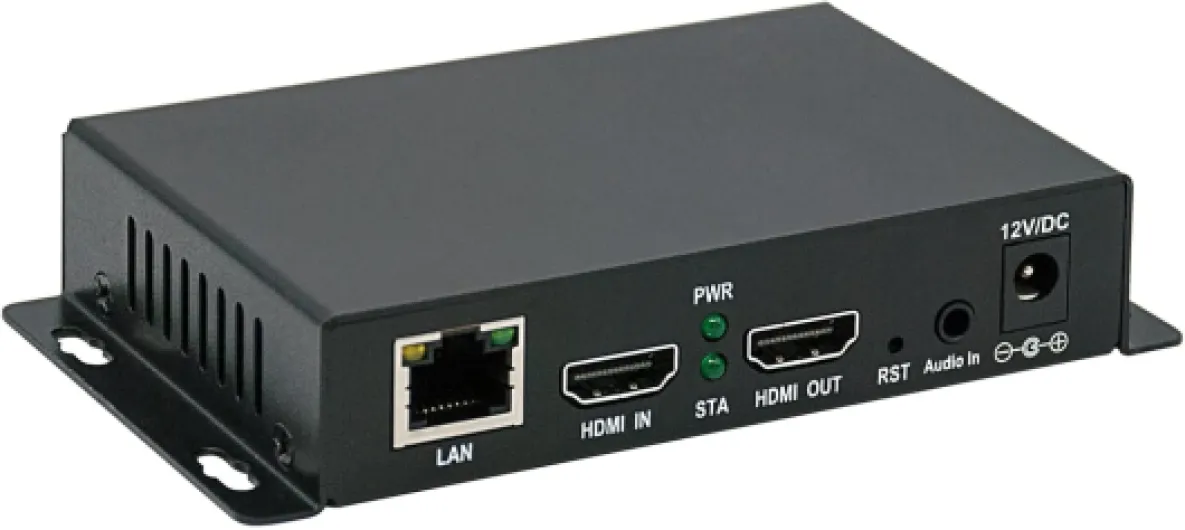
- Input and Output: Most encoders support HDMI video and SDI input, allowing flexibility for different devices. The output video can be sent to your projector or other displays via the network.
- Network Integration: By connecting to your home network, encoders enable real time streaming and control, making it easy to manage video streams from a central location.
- Quality and Support: High quality video and audio are maintained throughout the process, provided you choose an encoder with robust encoding capabilities and support for the formats you need.
For those interested in the technical side of signal management in home theaters, understanding passive component crossovers can further enhance your setup. You can learn more about this topic in our detailed guide on passive component crossovers in home theater projectors.
Ultimately, the right streaming encoder ensures your home theater projector receives high quality video streams, whether for live events, IPTV, or networked content. This foundational role sets the stage for exploring key features, compatibility, and setup tips in the following sections.
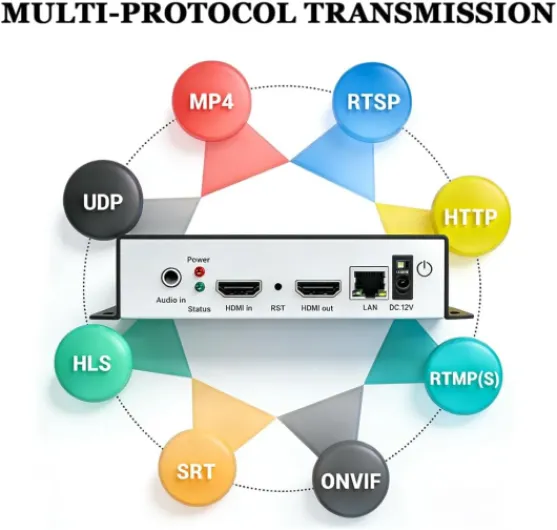
- + Supports multiple formats: HEVC H265, H264, AVC
- + High resolution: 4K and 1080P
- + Versatile streaming: Compatible with YouTube, Facebook, OBS
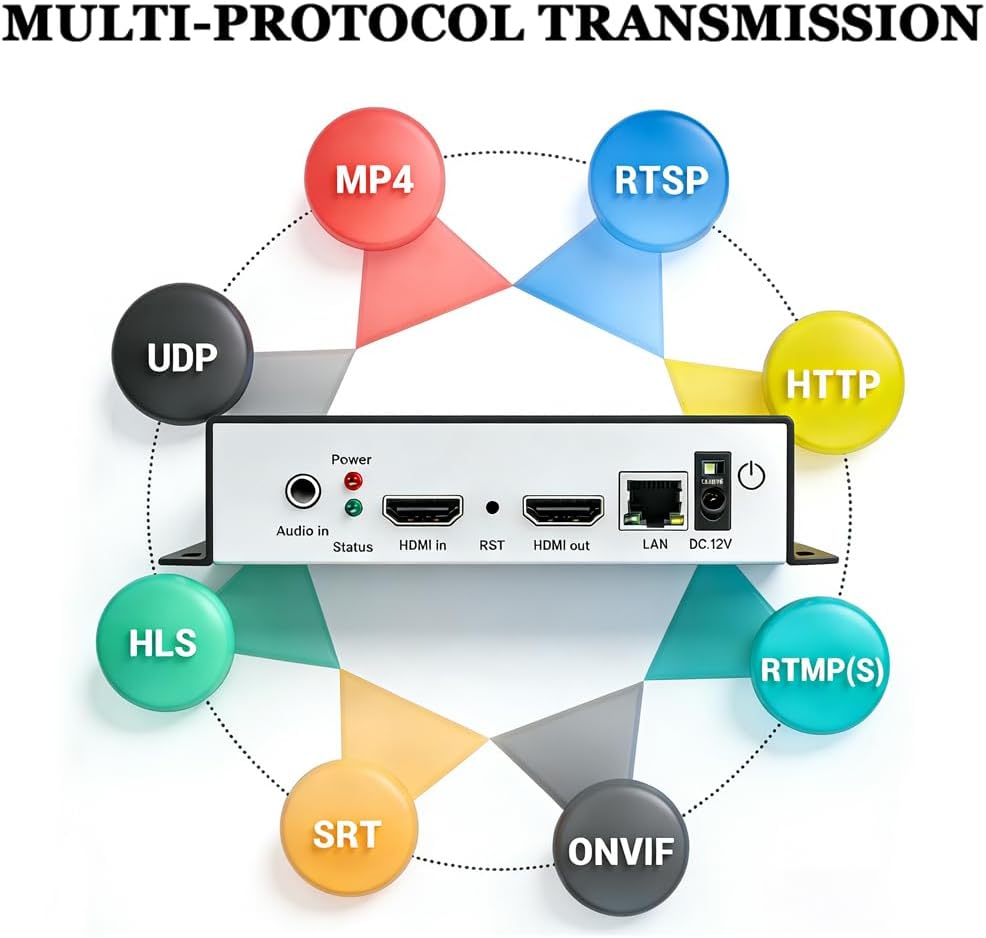
- + Multiple protocols: RTSP, RTMPS, HLS, UDP, SRT, HTTP, FLV, MP4, WebRTC
- + Hardware encoder for reliable performance

Key features to look for in an IP streaming encoder
Essential Capabilities for Home Theater Streaming
When selecting an IP streaming encoder for your home theater projector, it's important to focus on features that will ensure high quality video and audio streaming. The right encoder will make a difference in your viewing experience, especially when it comes to live streaming or broadcasting content from various sources.- Video and Audio Quality: Look for encoders that support high-definition HDMI video and audio input. High quality encoding preserves the clarity and detail of your content, whether you're streaming movies, IPTV, or live events.
- Input and Output Options: Versatility is key. Many encoders offer HDMI, SDI, or both as input options. SDI input is often used for professional setups, while HDMI is common for home use. Make sure the encoder has the right ports for your devices, including set top boxes and media players.
- Streaming Protocols: Support for popular streaming protocols like RTSP, RTMP, UDP, RTP, and HLS is essential. These protocols allow you to stream to platforms like YouTube, Facebook, or to your own network devices in real time.
- Network Connectivity: Reliable network support is crucial for uninterrupted streaming. Check for gigabit Ethernet ports and Wi-Fi options, especially if you plan to stream high bitrate video streams or broadcast over your home network.
- Control and Configuration: User-friendly control interfaces, such as web-based dashboards or mobile apps, make it easier to manage your encoder. Some encoders offer remote control and monitoring, which can be a big plus for home theater setups.
- Encoding Flexibility: The ability to adjust encoding settings like bitrate, resolution, and codec (H.264, H.265) lets you optimize for quality or bandwidth as needed. This is especially useful for live streaming or when sharing content with multiple devices.
- Multi-Channel Support: If you plan to stream from multiple sources, consider encoders that support multiple video audio channels. This can enhance your home theater experience, especially for events or multi-room setups.
Quick Comparison Table: Key Features to Consider
| Feature | Why It Matters | Common Options |
|---|---|---|
| Video Input | Connects your source (HDMI, SDI, set top box) | HDMI, SDI, Composite |
| Audio Input | Ensures synced, high quality sound | Embedded HDMI, Analog, Digital |
| Streaming Protocols | Compatibility with platforms and devices | RTSP, RTMP, UDP, RTP, HLS |
| Network Support | Stable, high-speed streaming | Ethernet, Wi-Fi |
| Encoding Options | Adjusts for quality and bandwidth | H.264, H.265, Bitrate Control |
| Multi-Channel | Streams from multiple sources | 2, 4, 8 channels |
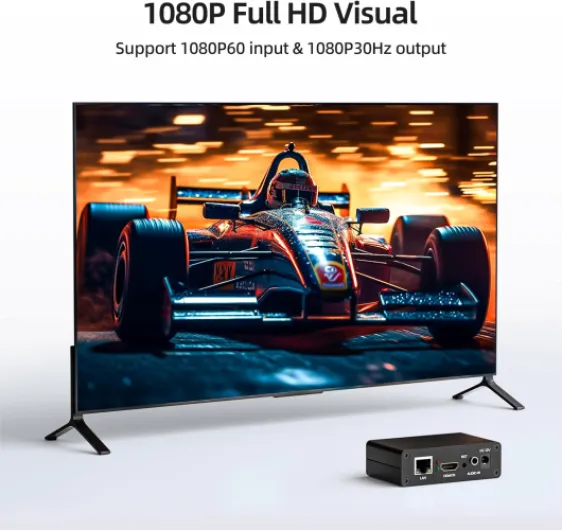
- + Supports multiple protocols: SRT, RTMP, RTSP, RTMPS, UDP, HTTP, HLS
- + High definition 1080P at 60fps
- + Compatible with platforms like YouTube, Facebook, Twitch
- + Easy to use for live streaming
- + Compact and portable design
Compatibility with home theater projectors and other devices
Ensuring Seamless Integration with Your Home Theater Setup
When selecting an IP streaming encoder for your home theater projector, compatibility is a critical factor. The encoder acts as a bridge between your video sources and your projector, so it must support the formats and connections you use most. Here’s what you need to know to avoid headaches and ensure high quality streaming and video output.
- HDMI and SDI Inputs: Most modern home theater projectors rely on HDMI video input for high quality video streams. If your sources include professional cameras or broadcast equipment, look for encoders with SDI input or even SDI HDMI combo ports. This flexibility lets you connect a wider range of devices, from set top boxes to Blu-ray players and IPTV receivers.
- Output Video Formats: Your streaming encoder should support output formats compatible with your projector and other devices. Common formats include RTSP, RTMP (for live streaming to platforms like YouTube Facebook), UDP, and RTP. Some encoders even offer direct broadcast or multicast support for larger setups.
- Audio Handling: Don’t overlook audio. Quality video is only half the experience. Make sure your encoder supports both embedded HDMI audio and separate analog or digital audio inputs, so your sound matches your video streams in real time.
- Network Connectivity: Reliable network connections are essential for live streaming and IPTV. Check for gigabit Ethernet ports and support for both wired and wireless connections, depending on your home theater’s layout.
- Device Control and Setup: Some encoders offer web-based control panels or dedicated apps, making it easier to manage encoding settings, monitor stream quality, and troubleshoot issues without leaving your seat.
For those integrating multiple devices, such as a set top box, game console, or broadcast receiver, verify that your encoder supports simultaneous input and output video streams. This ensures smooth switching and high quality encoding across all your sources.
Finally, if you’re looking for more guidance on integrating advanced components or finding compatible hardware, check out this guide for home theater enthusiasts for practical tips and recommendations.
Setting up your IP streaming encoder for optimal performance
Connecting Your Streaming Encoder to the Network and Devices
Setting up your IP streaming encoder for a home theater projector starts with connecting it to your network and devices. Most encoders support HDMI and SDI input, so check your projector and source devices for compatible ports. Use high quality HDMI video or SDI cables to connect your video source (like a set top box or Blu-ray player) to the encoder input. For audio, ensure your encoder supports embedded audio or connect a separate audio input if needed. Next, connect the encoder to your home network using an Ethernet cable for stable, high bandwidth streaming. Wi-Fi can work, but wired connections are more reliable for live streaming and high quality video streams.Configuring Video and Audio Encoding Settings
Once connected, access the encoder’s control interface—usually through a web browser. Here, you’ll set the video and audio encoding parameters. Choose the right encoding format (such as H.264 or H.265) for your needs. Set the output video resolution and bitrate to match your projector’s capabilities and your network’s bandwidth. For live streaming or IPTV, select the appropriate streaming protocol (RTSP, RTMP, UDP, or RTP). Many encoders support multiple output streams, so you can broadcast to platforms like YouTube, Facebook, or your own IPTV network simultaneously.Optimizing for Quality and Low Latency
To get the best quality, adjust the encoder’s settings for high quality video and audio. Increase the bitrate for better image quality, but be mindful of your network’s limits to avoid buffering. If you need real time streaming, lower the latency settings, but keep in mind this can affect quality. Test different configurations to find the right balance for your setup.Integrating with Your Home Theater Projector
Connect the encoder’s output to your projector using HDMI or SDI output, depending on your projector’s supported inputs. Some encoders offer direct HDMI output for local viewing, while others stream over the network to a compatible set top box or smart projector. Make sure your projector or receiver can decode the video and audio formats you’ve selected.Tips for Reliable Streaming and Broadcast
- Use high quality cables for HDMI, SDI, and network connections.
- Keep your encoder firmware updated for the latest features and support.
- Monitor the stream quality using the encoder’s web interface or a compatible app.
- If you experience issues, check for network congestion or try lowering the output bitrate.
- For advanced setups, some encoders allow remote control and monitoring, which is helpful for troubleshooting and adjustments.
Troubleshooting common issues with IP streaming encoders
Identifying and Resolving Streaming Encoder Issues
When setting up a home theater projector with an IP streaming encoder, technical hiccups can disrupt your viewing experience. Here are some practical ways to troubleshoot common problems and maintain high quality video and audio streaming.- No Video Output: Double-check HDMI or SDI connections between your source, encoder, and projector. Ensure the input source is active and the correct input is selected on your encoder. If using an HDMI encoder, confirm the cable supports the required resolution and bandwidth.
- Audio Not Syncing or Missing: Verify that the audio input is properly connected and supported by your encoder. Some video encoders require separate audio input, especially with SDI or HDMI video sources. Adjust audio settings in your encoder’s control panel to match your projector’s capabilities.
- Poor Video Quality or Lag: Check your network bandwidth. Streaming high quality video, especially live, demands a stable and fast connection. Lower the encoding bitrate if your network is congested. For real time streaming, ensure your encoder supports protocols like UDP, RTP, or RTSP RTMP for efficient delivery.
- Encoder Not Detected on Network: Confirm the encoder and all devices are on the same network segment. Assign static IP addresses if possible. If using a set top box or IPTV box, make sure it supports the same streaming protocols as your encoder.
- Streaming Interruptions or Buffering: Reduce the number of simultaneous video streams on your network. Use wired Ethernet connections instead of Wi-Fi for critical devices. Some encoders offer dual output (HDMI and IP) for redundancy—use this feature if available.
- Compatibility Issues: Not all projectors or set top boxes support every encoding format. Check that your encoder supports common formats like H.264 or H.265 for video and AAC or MP3 for audio. If your projector has an SDI input, use an SDI encoder or an SDI HDMI converter for best results.
Tips for Reliable Live Streaming and Broadcast
- Update your encoder’s firmware regularly for improved support and security.
- Test your setup with different output video resolutions to find the best balance between quality and network stability.
- For live streaming to platforms like YouTube or Facebook, ensure your encoder supports direct RTMP output and has reliable encoding control features.
- When broadcasting to multiple devices, consider multicast support or use a dedicated encoder IPTV solution for efficient distribution.
Comparing popular IP streaming encoder models for home theaters
Comparing Leading Streaming Encoders for Home Theater Use
When choosing a streaming encoder for your home theater projector, the market offers a range of options, each with its own strengths. Here’s a look at how some of the most popular models stack up for video and audio streaming, live broadcast, and network integration.| Model | Inputs/Outputs | Supported Protocols | Key Features | Best For |
|---|---|---|---|---|
| AVMatrix H.264 HDMI Encoder | HDMI input/output, audio input, USB | RTSP, RTMP, UDP, RTP, HLS | 1080p high quality, real time encoding, YouTube Facebook support | Live streaming, YouTube, IPTV, set top box integration |
| Teradek VidiU Go | HDMI, SDI input, audio input, USB, Ethernet | RTMP, RTSP, MPEG-TS, SRT | Dual input (SDI HDMI), portable, network bonding, high quality video streams | Broadcast, live events, multi-platform streaming |
| Epiphan Webcaster X2 | HDMI input, audio input, USB, Ethernet | RTMP, Facebook Live, YouTube Live | Easy control, plug-and-play, direct streaming to platforms | Home theater streaming, social media, simple setups |
| Kiloview E1/E2 Encoder | SDI input (E1), HDMI input (E2), audio input, Ethernet | RTSP, RTMP, UDP, RTP, HLS, SRT | Encoder iptv, real time encoding, multi-protocol support | IPTV, broadcast, professional video audio streaming |
What to Consider When Comparing Encoders
- Input/Output Flexibility: If your projector or AV receiver uses HDMI or SDI, make sure the encoder supports those connections. Some encoders offer both SDI and HDMI video inputs, which is useful for mixed setups.
- Protocol Support: For live streaming, look for encoders supporting RTSP, RTMP, UDP, and RTP. These protocols are essential for real time streaming and compatibility with set top boxes or IPTV systems.
- Quality and Encoding: High quality video and audio encoding is crucial for a premium home theater experience. Check for support of 1080p or higher, and options for adjusting bitrate and output video quality.
- Network Integration: Ethernet connectivity is standard, but some models offer Wi-Fi or network bonding for more reliable streaming. Consider your home network’s capabilities and how the encoder will fit in.
- Control and Setup: User-friendly interfaces, remote control, and clear setup instructions make a big difference, especially if you’re new to video encoders.