

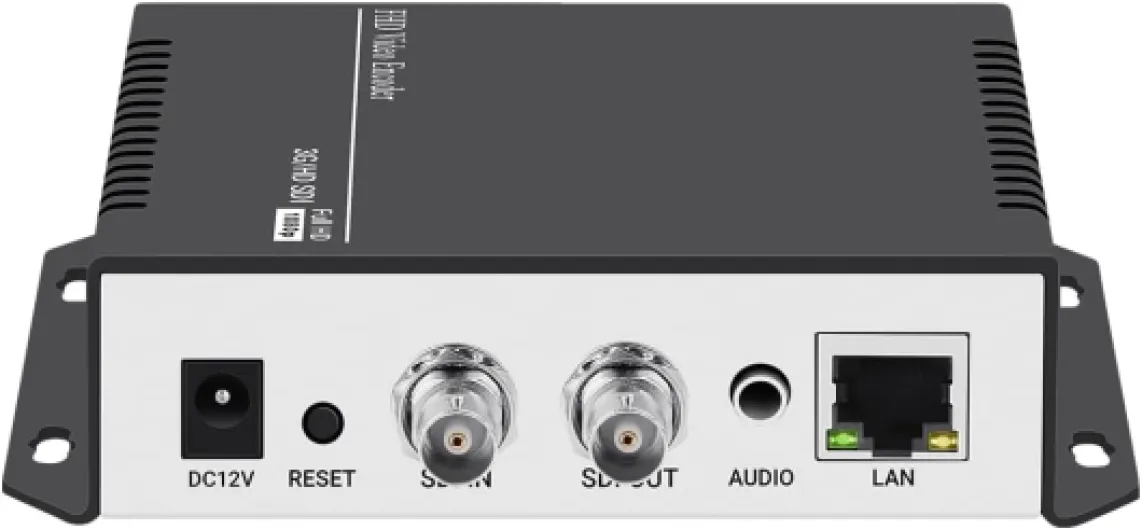
Understanding 4 channel HEVC encoders
What is a 4 Channel HEVC Encoder?
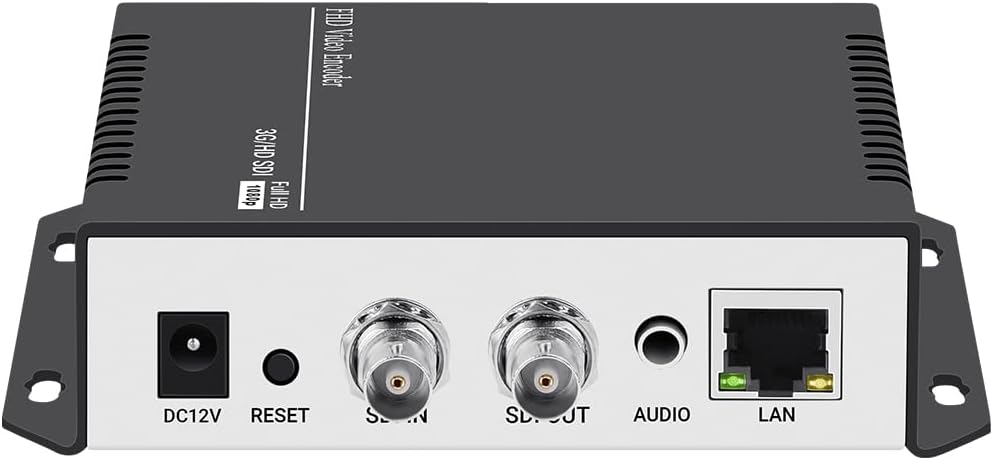
A 4 channel HEVC encoder is a specialized device or software solution designed to compress and transmit multiple video streams simultaneously. HEVC, also known as H.265, is a modern video encoding standard that delivers high quality video at lower bitrates compared to older codecs. This makes it ideal for home theater projector setups where UHD and 4K content are becoming the norm. With support for up to four channels, these encoders can handle several video sources at once, such as Blu-ray players, streaming boxes, and gaming consoles, all routed through HDMI or SDI inputs.
Key Features and Capabilities
- Multi-channel support: Enables encoding of up to four separate video and audio channels, making it easy to switch between sources or display multiple feeds.
- HEVC encoding: Provides efficient video compression for UHD and 4K content, reducing bandwidth needs without sacrificing quality.
- Flexible inputs: Most products offer HDMI and SDI video inputs, supporting both consumer and professional-grade equipment.
- Real-time and low latency: Designed for live video streaming and ultra low latency applications, which is crucial for live broadcast or interactive viewing experiences.
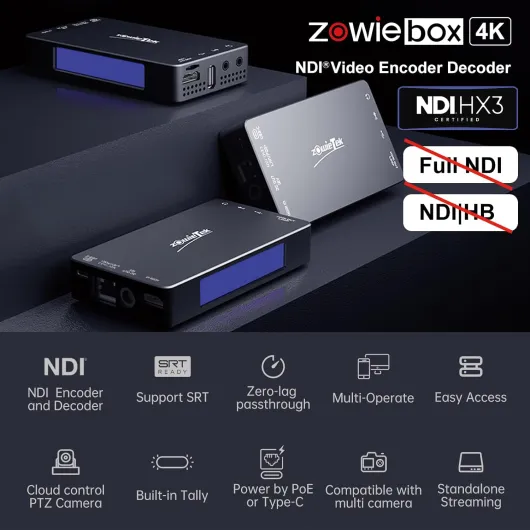
- Network protocols: Supports streaming protocols like SRT, UDP, and RTP for reliable video transmission over local networks or the internet.
- Audio channel management: Handles multiple audio channels, ensuring synchronized video audio playback for immersive home theater experiences.
Why HEVC Matters for Home Theater Projection
HEVC encoding is a game changer for home theater enthusiasts. By compressing video more efficiently, it allows for smoother streaming of UHD content, even on limited bandwidth. This is especially important when using projectors that support high resolutions and demand high quality video sources. For those interested in the technical differences between projector types, you might find this guide on choosing between laser and LED projectors helpful as you consider the best video solutions for your setup.
How Encoders Fit into Your Home Theater System
Integrating a 4 channel HEVC encoder into your home theater means you can connect multiple devices, manage live video feeds, and optimize your streaming quality. These encoders are compatible with a wide range of video and audio equipment, making them a versatile addition to any home theater. They also support advanced features like broadcast encoder modes, encoder live monitoring, and seamless switching between channels, ensuring your viewing experience is both flexible and future proof.
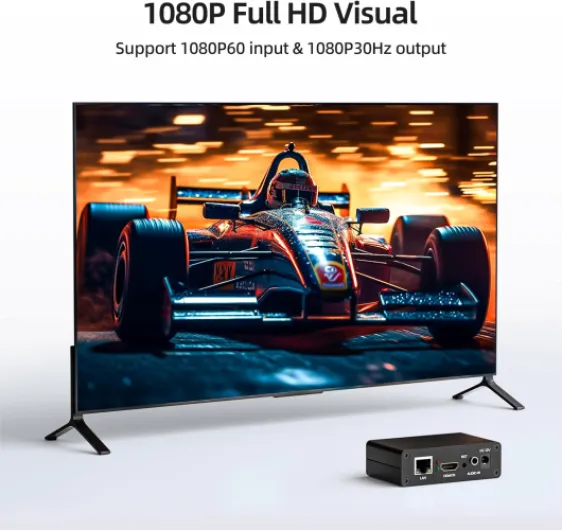
- + Supports multiple protocols: SRT, RTMP, RTSP, RTMPS, UDP, HTTP, HLS
- + High definition 1080P at 60fps
- + Compatible with platforms like YouTube, Facebook, Twitch
- + Easy to use for live streaming
- + Compact and portable design

Benefits of HEVC encoding for home theater projection
Why HEVC Encoding Matters for Home Theater Projection
When it comes to home theater projectors, the quality of your video experience depends heavily on the efficiency of the video encoding process. HEVC, also known as H.265, is a modern video encoding standard that offers significant improvements over older codecs like H.264. By using a 4 channel HEVC encoder, you can enjoy ultra high definition (UHD) video with lower bandwidth requirements, which is especially important for streaming live video or playing back high-bitrate content in real time.
Key Advantages of HEVC for Projector Setups
- Superior Compression: HEVC encoding compresses video more efficiently, allowing you to stream UHD and 4K content without sacrificing quality. This means your projector can display crisp, detailed images even with limited network bandwidth.
- Low Latency Streaming: For live broadcast or real time video transmission, HEVC encoders deliver ultra low latency. This is crucial if you’re streaming live events or using interactive services in your home theater.
- Multi-Channel Support: With 4 channel encoders, you can handle multiple video sources simultaneously. This is ideal for setups that include different HDMI or SDI video inputs, letting you switch between sources or display them together.
- Enhanced Audio Handling: Modern HEVC solutions support multiple audio channels, ensuring your surround sound system receives high-quality audio alongside the video stream.
- Flexible Protocols: Many HEVC encoders support SRT, UDP, and RTP protocols, making it easier to integrate with various streaming services and broadcast encoder setups.
Features That Make a Difference
When evaluating a video encoder for your home theater, look for features support such as SDI inputs, HDMI compatibility, and robust software for managing video encoding. Some products also offer encoder live monitoring, real time adjustments, and compatibility with both encoders decoders for seamless video audio transmission. These features help optimize your projector’s performance and ensure a reliable streaming experience.
For more insights on how to choose the right projector technology for your home theater, check out this guide on choosing between laser and LED projectors.
Integrating multiple sources with 4 channel encoders
Managing Multiple Video Sources for Seamless Projection
Integrating several video sources into a home theater projector setup can be challenging, especially when you want to enjoy live video, UHD content, or real time broadcasts from different devices. A 4 channel HEVC encoder simplifies this process by allowing you to connect and manage up to four separate video channels—such as Blu-ray players, gaming consoles, streaming boxes, or live broadcast feeds—through a single encoder unit.- Flexible Inputs: Many HEVC encoders support HDMI and SDI inputs, making it easy to connect a wide range of video and audio sources. This flexibility is crucial for users who want to switch between devices without constant cable swapping.
- Unified Streaming: With multi-channel encoding, you can stream video from multiple sources simultaneously. For example, you might watch a live sports event on one channel while keeping a movie or gaming session ready on another, all managed through the same encoder live solution.
- Advanced Features Support: Modern encoders offer features like ultra low latency, SRT (Secure Reliable Transport), UDP, and RTP protocols for stable video transmission. These features ensure your video audio streams remain synchronized and high quality, even when switching between channels or services.
- Centralized Control: Using dedicated software, you can monitor, switch, and configure each channel in real time. This makes it easier to optimize video encoding settings for each source, whether you’re streaming live video, UHD content, or standard broadcasts.
Optimizing streaming quality for projectors
Fine-tuning Streaming Quality for Projector Performance
Achieving the best possible video and audio experience with your home theater projector depends on how well you optimize streaming quality. With a 4 channel HEVC encoder, you can manage multiple video sources and ensure that each channel delivers crisp, clear images and synchronized audio. Here are some practical considerations for getting the most out of your setup:- Choose the right encoding settings: HEVC encoding is known for its efficiency, but you need to balance bitrate, resolution, and frame rate. For UHD or 4K projectors, setting the encoder to support higher resolutions and bitrates ensures detailed images without visible compression artifacts.
- Leverage low latency modes: Many encoders offer ultra low latency or real time streaming features. These are crucial for live video or live broadcast scenarios, where delays can disrupt the viewing experience. Make sure your encoder and software support these modes, especially if you use UDP, RTP, or SRT protocols for video transmission.
- Match audio channels to your projector system: If your home theater supports multi-channel audio, configure the encoder to transmit the correct number of audio channels. This ensures immersive sound that matches the video quality.
- Check HDMI and SDI inputs: Some encoders support both HDMI and SDI video sources. Using SDI inputs can be beneficial for longer cable runs or professional-grade video solutions, while HDMI is common for consumer devices. Make sure your product supports the input types you need.
- Monitor network bandwidth: Streaming multiple channels in UHD requires significant bandwidth. Use encoder features that allow you to adjust bitrate or enable adaptive streaming, so your video stays smooth even if network conditions fluctuate.
Compatibility considerations with home theater equipment
Ensuring Seamless Integration with Your Home Theater Setup
When adding a 4 channel HEVC encoder to your home theater, compatibility is a key concern. Not every video encoder or decoder will work out of the box with all projectors, AV receivers, or source devices. Understanding the technical requirements and supported features can help you avoid frustration and get the most out of your investment.
- Video Inputs and Outputs: Check if your encoder supports HDMI and SDI inputs, as these are common for home theater and broadcast setups. Some encoders offer multiple SDI video or HDMI channels, which is useful for integrating Blu-ray players, streaming boxes, or live video sources.
- Audio Channels: Make sure the encoder supports the number of audio channels your system requires. For immersive experiences, multi-channel audio support is essential, especially if you use surround sound.
- Resolution and UHD Support: If you want to stream video in 4K or UHD, confirm that both your projector and the encoder support these resolutions. Some products may only handle up to 1080p, limiting your viewing experience.
- Streaming Protocols: Look for support for protocols like SRT, UDP, and RTP. These are important for real time, low latency video transmission, especially if you plan to stream live broadcast content or use ultra low latency solutions.
- Software and Firmware: Some encoders require specific software for configuration or offer firmware updates that add new features. Check for compatibility with your operating system and ensure ongoing support from the manufacturer.
- Network and Streaming Services: If you plan to stream video to multiple rooms or devices, verify that your network can handle the bandwidth and that the encoder supports the necessary streaming services and protocols.
It's also wise to review the product documentation for details on video encoding formats, supported audio formats, and any special features support like ultra low latency or broadcast encoder modes. If your setup includes both SDI and HDMI sources, look for encoders with flexible input options and robust video solutions.
Finally, consider how the encoder will fit into your existing workflow. Will you need additional adapters or converters? Does your projector support the output formats provided by the encoder? Addressing these questions early can save time and ensure a smooth integration for your home theater experience.
Troubleshooting common issues with HEVC encoders
Identifying and Resolving Encoder Issues in Home Theater Setups
When using 4 channel HEVC encoders in a home theater projector environment, a few common issues can disrupt your video and audio experience. Understanding these problems and their solutions can help you maintain smooth streaming and optimal video quality.- No Signal or Video Dropouts: If your projector displays a blank screen or loses signal, first check all HDMI and SDI connections. Loose cables or incompatible video formats between the encoder and projector can cause interruptions. Ensure your encoder supports the UHD or HD resolutions your projector requires.
- Audio Sync Problems: Sometimes, audio channels may lag behind video. This can result from mismatched encoding settings or unsupported audio formats. Confirm that your encoder and projector both support the same audio codecs and that the audio bitrate is compatible with your streaming solution.
- Low Latency and Real-Time Streaming Issues: For live broadcast or ultra low latency applications, network congestion or improper configuration of protocols like SRT, UDP, or RTP can cause delays. Make sure your network infrastructure is robust and that your encoder’s software is updated to the latest version for optimal real time video transmission.
- Compatibility with Multiple Channels: If you’re using all four channels for live video or multiple sources, ensure your encoder’s features support simultaneous encoding without overloading the hardware. Some products may require firmware updates to handle multiple SDI inputs or to balance video audio streams across channels.
- Encoding Artifacts or Poor Video Quality: HEVC encoding is efficient, but incorrect bitrate settings or unsupported features can lead to blocky images or color issues. Adjust the encoding parameters in your encoder software, and verify that your projector supports the selected HEVC profile and level.
- Network and Streaming Service Issues: If you’re streaming to online services or using broadcast encoders, check that your encoder live settings match the requirements of your chosen platform. Some services may need specific stream video formats or authentication methods.
| Issue | Potential Cause | Solution |
|---|---|---|
| No video/audio | Loose HDMI/SDI cables, unsupported formats | Check connections, match formats |
| Audio out of sync | Codec mismatch, bitrate issues | Align codecs, adjust bitrate |
| High latency | Network congestion, protocol misconfigurations | Upgrade network, configure SRT/UDP/RTP |
| Artifacts/poor quality | Low bitrate, unsupported HEVC features | Increase bitrate, check projector support |