
Understanding smart streaming laser projectors
What Makes a Smart Streaming Laser Projector Different?
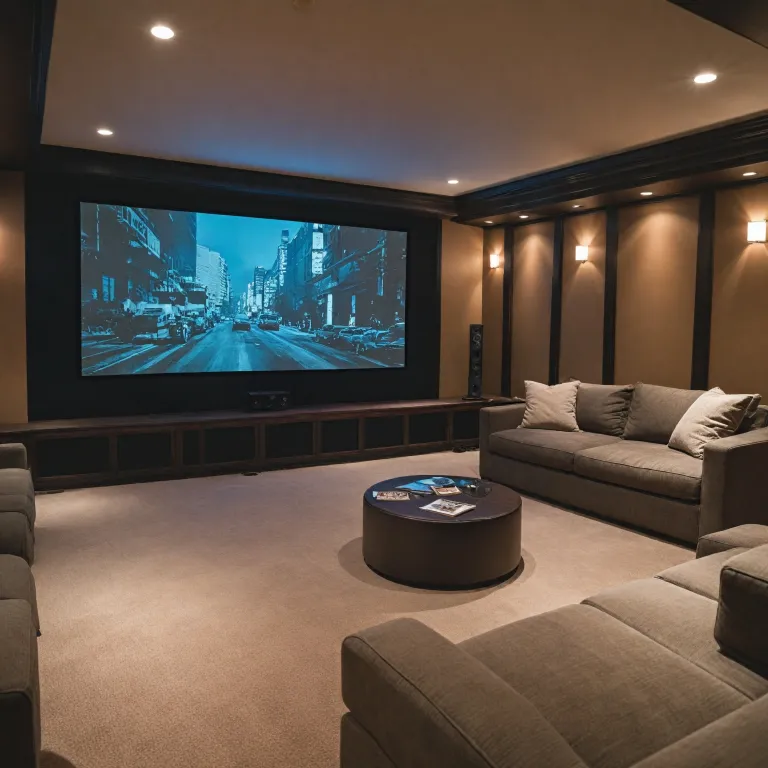
Smart streaming laser projectors are changing the way people enjoy movies, sports, and games at home. Unlike traditional projectors, these devices combine advanced laser technology with built-in streaming capabilities, offering a true screenless experience. With brands like Epson leading the market—especially with their EpiqVision and EpiqVision Ultra models—users get a blend of high-quality picture, integrated audio, and smart features in one product.
Laser Technology and Picture Quality
Laser projectors use a laser array to deliver bright, vibrant images with excellent color accuracy. The RGB laser light source ensures consistent performance and longer lifespan compared to lamp-based models. This means you get better picture quality, deeper blacks, and more vivid colors, even in rooms with some ambient light. Ultra short throw and short throw laser projectors, like the Epson EpiqVision Ultra, can project a large image from just inches away from the wall, making them ideal for smaller spaces.
Integrated Streaming and Smart Features
One of the main advantages is the built-in streaming functionality. Many models come with Android TV or similar platforms, so you can access popular apps directly from the projector—no extra devices needed. This smart streaming capability simplifies your setup and keeps your entertainment options wide open. For a closer look at how these features compare, check out this in-depth review of the XGIMI Horizon Pro.
Audio Experience and Built-in Sound
Sound is just as important as visuals for a true home cinema experience. Many smart streaming laser projectors feature built-in audio systems, with some models partnering with audio experts like Yamaha. The sound Yamaha delivers in these projectors can fill a room without the need for external speakers, although you can always add your own for an even richer audio experience.
Product Support, Warranty, and Reviews
When considering a projector, look at the product description, specifications, and reviews. Reliable brands like Epson offer strong warranty and support, which is important for peace of mind. Check the return policy and warranty details before purchasing, and read user reviews to get a sense of real-world performance and support experiences.
- Laser array for superior picture quality
- Smart streaming with built-in Android TV
- Ultra short throw for flexible placement
- Integrated sound by Yamaha or similar
- Comprehensive warranty and support
Key features to look for in a smart streaming laser projector
Essential Aspects That Shape Your Viewing Experience
When searching for a smart streaming laser projector, understanding the features that truly matter can make all the difference in your home cinema setup. The market is filled with options, from the Epson EpiqVision Ultra series to other ultra short throw models, each promising a unique screenless experience. Here’s what to look for to ensure your projector delivers on both performance and value.
- Laser Technology: Laser projectors, such as those with a laser array, offer brighter images, longer lifespan, and more consistent color than traditional lamp-based models. This is especially important for those seeking a vibrant, reliable picture quality over years of use.
- Smart Streaming Capabilities: Built-in streaming platforms, often powered by Android, allow you to access your favorite content without extra devices. Look for models labeled as smart streaming or streaming laser projectors for seamless integration with popular apps.
- Audio Performance: Integrated sound systems, like those tuned by Yamaha, can elevate your experience. While external audio is always an option, built-in sound Yamaha solutions in products like the EpiqVision Ultra provide impressive audio for most rooms.
- Throw Distance: Ultra short throw and short throw laser projectors can project large images from just inches away from the wall, making them ideal for smaller spaces or for those who want a clean, type screenless setup.
- Picture Quality: Pay attention to RGB color accuracy, contrast, and brightness specifications. Reviews and product descriptions often highlight these, and they directly impact your viewing experience.
- Product Support and Warranty: Reliable support, a clear return policy, and a solid warranty are crucial. Epson, for example, is known for its responsive support and comprehensive warranty coverage on its EpiqVision streaming products.
- Connectivity and Compatibility: Ensure the projector supports the devices and streaming items you use most. HDMI, Wi-Fi, and Bluetooth are standard, but check for additional features if you have specific needs.
For those interested in exploring more advanced features, such as 3D capabilities, you might find this guide to 3D theater projectors helpful as you compare specifications and reviews.
Ultimately, the right smart streaming laser projector will combine convenience, performance, and support, ensuring your home cinema experience is both immersive and hassle-free.
Comparing smart streaming laser projectors to traditional models
Smart Streaming Laser Projectors vs. Traditional Projectors: What Sets Them Apart?
When comparing smart streaming laser projectors like the Epson EpiqVision Ultra to traditional models, several differences stand out. The most obvious is the built-in streaming capability. With smart streaming, you can access platforms like Netflix or YouTube directly from the projector, often thanks to built-in Android TV. This means fewer external devices and a more streamlined experience.
- Laser Technology: Unlike traditional lamp-based projectors, laser projectors use a laser array for illumination. This results in brighter images, more accurate RGB color reproduction, and a longer lifespan. The Epson EpiqVision Ultra, for example, is known for its vibrant picture quality and consistent performance over time.
- Ultra Short Throw: Many smart streaming laser projectors feature ultra short throw or short throw lenses. This allows you to place the projector close to the wall and still get a large image, making it easier to set up in smaller rooms and reducing shadows or obstructions.
- Screenless Experience: The type screenless experience offered by these projectors means you don’t need a traditional TV. You can project directly onto a wall or specialized screen, creating a flexible home cinema setup.
- Sound Integration: Products like the EpiqVision Ultra often come with built-in audio systems, such as sound by Yamaha. This eliminates the need for external speakers and enhances the overall experience, though some users may still prefer a dedicated audio setup for richer sound.
- Smart Features and Support: With built-in smart platforms, you get access to app stores, voice assistants, and regular software updates. Support and warranty options are typically more robust, as manufacturers like Epson back their smart streaming products with clear return policies and customer support channels.
Traditional projectors, on the other hand, usually require external streaming devices, separate audio systems, and more manual setup. They may also have shorter lamp life and less advanced color accuracy compared to laser-based models.
For those interested in optimizing their setup, integrating a PC or adjustable projector can further enhance your viewing experience with a PC-compatible adjustable projector. This approach allows for even more flexibility in content sources and control.
| Feature | Smart Streaming Laser Projector | Traditional Projector |
|---|---|---|
| Streaming Capability | Built-in (Android, apps) | External device needed |
| Light Source | Laser array | Lamp or LED |
| Audio | Built-in (Yamaha, others) | Usually external |
| Throw Distance | Ultra short/short throw | Standard/long throw |
| Warranty & Support | Comprehensive (Epson, etc.) | Varies by brand |
| Picture Quality | High (RGB, laser) | Varies, often lower |
When reading specifications reviews and product descriptions, pay close attention to the warranty, return policy, and support options. These items can make a big difference in your long-term satisfaction with your projector purchase.
Setting up your smart streaming laser projector for the best experience
Optimizing Placement and Throw Distance
Getting the most out of your smart streaming laser projector, like the Epson EpiqVision Ultra, starts with proper placement. Ultra short throw and short throw laser models allow you to position the projector close to the wall or screen, creating a large, immersive view without taking up much space. Always check the product description and specifications reviews for recommended throw distances. This ensures the picture quality remains sharp and vibrant, especially with RGB laser array technology.
Choosing the Right Screen or Screenless Experience
Some users prefer a type screenless setup, projecting directly onto a white wall. However, for the best experience, consider a dedicated projector screen that matches your projector’s resolution and brightness. EpiqVision streaming projectors are designed to work well with both options, but a screen can enhance contrast and color accuracy. Always review the product’s support documentation for screen compatibility.
Connecting Audio and Enhancing Sound
Many smart streaming laser projectors come with built-in audio systems. For example, the Epson EpiqVision Ultra features sound by Yamaha, delivering clear and powerful audio. If you want a more cinematic experience, connect external speakers or a soundbar. Check the audio output options in the product specifications and reviews to ensure compatibility with your existing setup.
Setting Up Smart Features and Streaming
Smart streaming projectors often include built-in Android TV or similar platforms, making it easy to access streaming services directly. During setup, connect the projector to your Wi-Fi network and sign in to your preferred streaming apps. This built-in smart functionality eliminates the need for extra devices, streamlining your home theater experience. If you encounter issues, refer to the warranty and support items provided by the manufacturer.
Fine-Tuning Picture Quality
Adjusting brightness, contrast, and color settings can make a big difference in your viewing experience. Use the projector’s on-screen menu to calibrate these settings based on your room’s lighting. Some models, like the EpiqVision Ultra, offer preset modes for movies, sports, or gaming. Always consult the product description and user reviews for tips on achieving the best picture quality.
Understanding Warranty and Return Policy
Before finalizing your setup, review the warranty and return policy for your projector. This information is crucial if you encounter any issues with your streaming laser product. Epson and other reputable brands typically offer solid warranty support, ensuring peace of mind as you enjoy your new home theater system.
Troubleshooting common issues with smart streaming laser projectors
Common Problems and How to Fix Them
Even with the latest smart streaming laser projectors, like the Epson EpiqVision Ultra series, users can encounter issues that affect the viewing experience. Here’s a look at frequent problems and practical solutions, drawing on real user reviews and product specifications.
- Picture Quality Issues: If the image appears blurry or colors seem off, check the projector’s focus and ensure the RGB settings are correctly adjusted. For laser array models, verify that the lens is clean and the projector is positioned at the recommended throw distance. Some ultra short throw projectors need precise placement for optimal clarity.
- Streaming App Problems: Built-in Android platforms or smart streaming features may sometimes freeze or fail to load. Restart the projector and update the firmware if available. For persistent app issues, reinstall the streaming apps or consult the product support page for your specific model, such as the EpiqVision streaming lineup.
- Audio Concerns: If the sound from built-in Yamaha speakers is distorted or too low, check the audio settings and ensure the projector is not muted. For a richer audio experience, connect external speakers via Bluetooth or HDMI ARC. Reviews often mention improved sound with external audio setups.
- Connectivity Glitches: Wi-Fi or Bluetooth connection drops can disrupt streaming. Place the projector closer to your router or use a wired connection if possible. For Bluetooth audio, ensure no other devices are interfering with the signal.
- Remote Control Not Responding: Replace the batteries and ensure there’s a clear line of sight to the projector’s sensor. Some models support smartphone apps as alternative remotes.
Support, Warranty, and Return Policy
When troubleshooting doesn’t resolve the issue, check the product description for warranty details. Epson, for example, typically offers a limited warranty on EpiqVision Ultra smart streaming laser projectors. Keep your purchase receipt and warranty card handy. If you need to return the product, review the seller’s return policy to ensure a smooth process. Many retailers require all original items, packaging, and accessories for a valid return.
Maximizing Your Screenless Experience
For the best screenless or type screenless experience, make sure your wall or projection surface is clean and neutral in color. Adjust the projector’s specifications according to the room’s lighting and size. Refer to user reviews for tips on optimizing the view and overall experience with your chosen streaming laser projector.
What to consider before buying a smart streaming laser projector
Factors That Shape Your Projector Choice
Before you invest in a smart streaming laser projector, it’s important to weigh several factors that will impact your satisfaction and the overall experience. Here’s what you should keep in mind as you compare products and brands:
- Picture Quality and Laser Technology: Look for projectors that use advanced laser array technology, which delivers brighter images and richer colors. Models like the Epson EpiqVision Ultra offer impressive RGB color accuracy and sharpness, making them ideal for a screenless experience in various lighting conditions.
- Throw Distance and Placement: Consider whether you need a short throw or ultra short throw projector. These types allow you to place the projector close to the wall or screen, which is perfect for smaller rooms or flexible setups. Check the product description for throw specifications to ensure it fits your space.
- Built-in Streaming and Smart Features: Many modern projectors come with built-in Android TV or similar smart streaming platforms. This means you can access popular streaming apps without extra devices. Make sure the projector supports the streaming services you use most.
- Audio Quality: Integrated sound systems, like those tuned by Yamaha, can make a big difference. If you want immersive audio without external speakers, look for models with high-quality built-in sound. The sound Yamaha partnership in some EpiqVision streaming models is a strong selling point.
- Support and Warranty: Reliable customer support and a solid warranty are essential. Check what kind of warranty is offered and read reviews about the manufacturer’s support and return policy. This can save you headaches if you encounter issues.
- Product Reviews and Specifications: Always read user reviews and expert opinions to get a sense of real-world performance. Pay attention to comments about picture quality, ease of use, and any recurring issues. Specifications reviews can help you compare items side by side.
- Connectivity and Compatibility: Make sure the projector has the ports and wireless support you need for your devices. HDMI, USB, and Bluetooth are common, but check for compatibility with your sound system or gaming console.
Other Details That Matter
- Return Policy: Before you buy, understand the return policy. This is especially important if you’re ordering online or trying a new brand.
- Room Environment: Think about your viewing environment. Ambient light, wall color, and room size all affect the viewing experience. Some ultra smart projectors are designed for a type screenless setup, but results can vary.
- Budget and Value: Higher-end models like the Epson EpiqVision Ultra may cost more, but they often deliver a premium experience. Balance your budget with the features you need most.
By considering these factors, you’ll be better prepared to choose a streaming laser projector that fits your needs and delivers a true home theater experience.