
Summary
Editor's rating
Value for money: when the low price makes sense (and when it doesn’t)
Design and build: basic, a bit bulky, but wall‑mount friendly
Build quality, reliability, and long‑term worries
Picture, sound, and Fire TV performance in real use
What you actually get with this INSIGNIA Fire TV
Day‑to‑day use: setup, streaming, and living with it
Pros
- Very low price for a 50" 4K HDR TV, especially on frequent sales
- Decent 4K picture quality and enough ports (3 HDMI, eARC, USB, optical, Ethernet)
- Built‑in Fire TV with Alexa voice remote and access to all major streaming apps
Cons
- Fire TV interface is sluggish and sometimes buggy (slow app loading, possible update loops)
- Annoying auto power‑off behavior when pausing content, no simple setting to fully avoid it
- Basic sound quality and slightly clumsy design choices (hidden power port, no real manual)

Specifications
View full product page →| Brand | INSIGNIA |
A cheap 50" 4K that looks tempting on paper
I picked up the INSIGNIA 50" F50 Series mainly because I wanted a bigger 4K TV without spending a fortune. This one is often on sale around that $170 mark, and it sits at the top of Amazon’s TV rankings, so I figured, “Okay, it can’t be that bad.” I’ve used Insignia in the past (non‑Fire models) and they were fine, so I went in expecting a basic but usable living‑room TV.
After a couple of weeks of use, my overall feeling is: the screen and features are pretty solid for the price, but the Fire TV software can be a pain, especially during setup and if you’re not patient. If you just want to plug in a console or a Blu‑ray player, it works fine. If you really want to lean on all the smart features and streaming, be ready for some quirks and slowdowns.
I used it mostly for streaming (Netflix, Prime, YouTube), some Xbox gaming, and regular TV via an antenna (which you have to buy separately). In day‑to‑day use it gets the job done: decent 4K picture, HDR support, enough ports, and it mounts easily on the wall. But there are some annoying details that make it feel cheaper than the spec sheet suggests, especially the sluggish interface and the weird behavior when you pause content.
So this isn’t a disaster, but it’s also not a miracle bargain. It’s a budget 50" 4K TV with Fire TV built in, with all the pros and cons that implies. If you’re fine fighting a bit with the interface and you care more about screen size and price than polish, it might make sense. If you hate tech hassles, there are safer options, even if they cost a bit more.
Value for money: when the low price makes sense (and when it doesn’t)
The main reason to buy this TV is simple: price for size. A 50" 4K HDR TV around the $170 mark is hard to argue with if you’re on a budget. For that money, you get a decent‑looking 4K picture, all the major streaming apps built in, Alexa voice remote, and enough ports for a normal setup. If you’re outfitting a college bedroom, a guest room, or you just want a bigger screen without caring too much about polish, it’s a pretty good deal.
Where the value starts to feel less great is when you factor in the time and frustration cost. If you end up stuck in setup hell, dealing with update loops, slow menus, and weird auto shut‑off behavior, the cheap price feels less attractive. There are slightly more expensive models from brands like TCL or Hisense that often have smoother interfaces (especially with Roku TV) and fewer software headaches. You might spend $50–$100 more but save yourself a lot of annoyance over the next few years.
For people who are a bit more tech‑savvy and don’t mind tinkering or occasionally rebooting the thing, the trade‑off is acceptable. You get a big 4K panel that’s good enough for movies, shows, and casual gaming. If the Fire TV side gets on your nerves later, you can always plug in a separate streaming stick and basically treat this as a cheap 4K monitor with speakers. In that scenario, the value is actually decent, because the panel itself is fine.
So in terms of value: good if you catch it at the lower price and know what you’re getting into, average if you pay more or expect a smooth, premium smart TV experience. It’s not a total bargain miracle, but it’s not a ripoff either. It sits in that middle ground where the price justifies the flaws, as long as your expectations are realistic and you’re not too picky about speed and software polish.
Design and build: basic, a bit bulky, but wall‑mount friendly
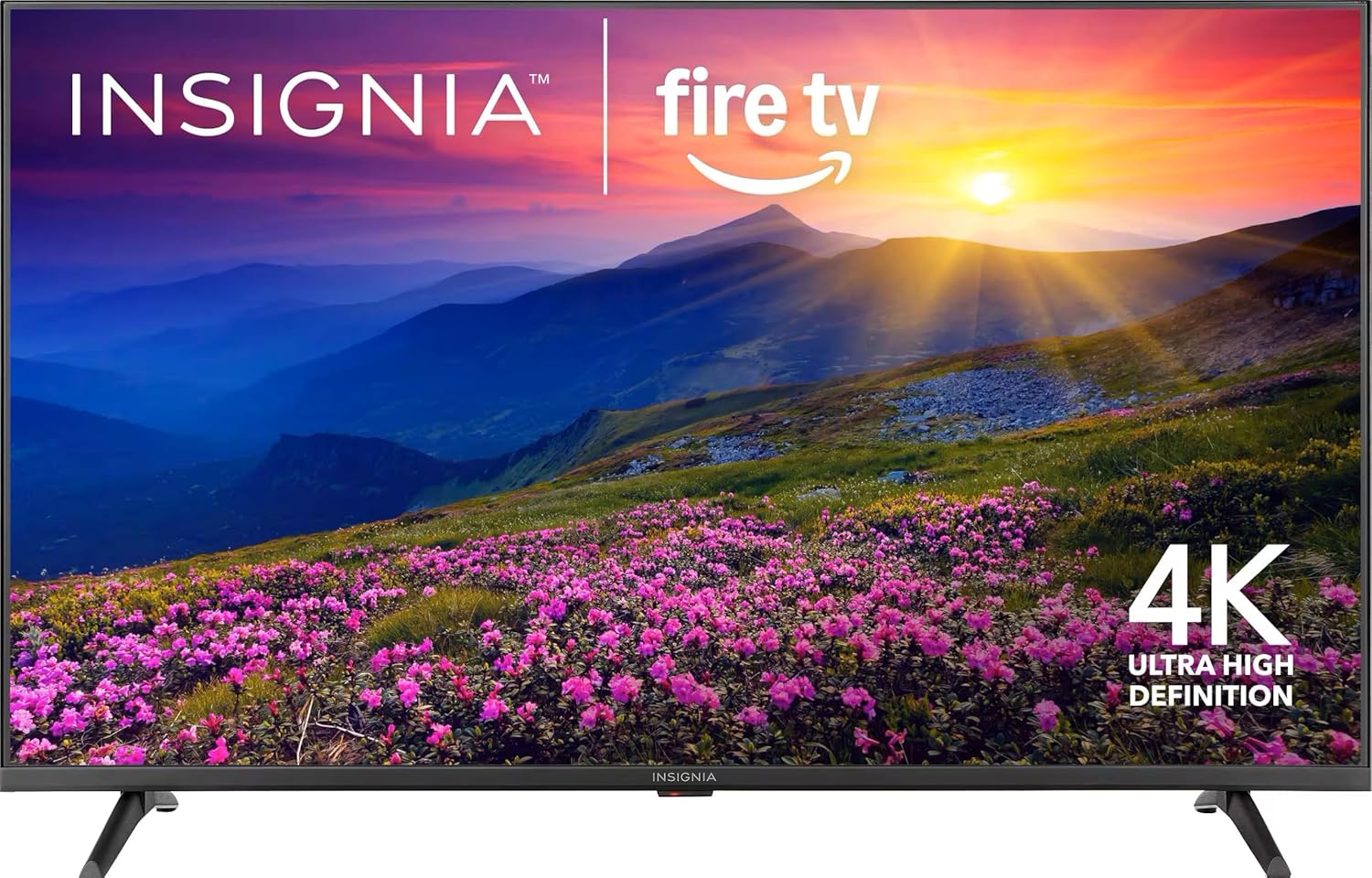
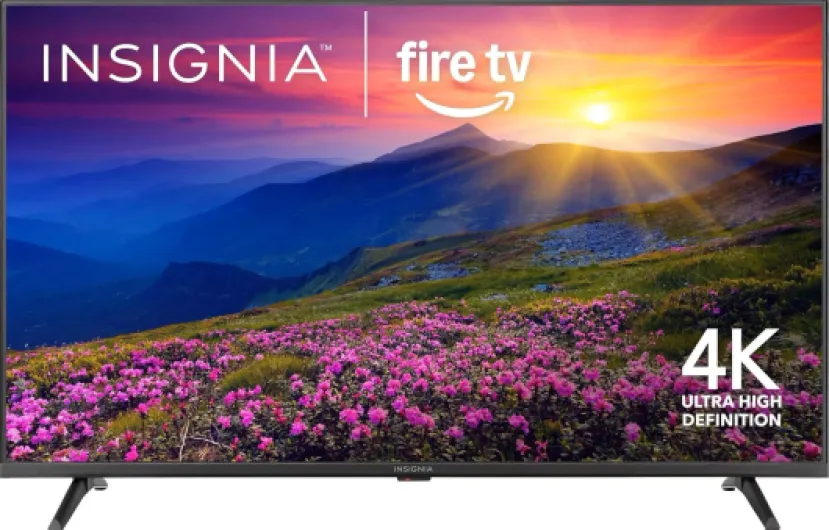
Design‑wise, this INSIGNIA is nothing special, but it’s fine. It’s a 50" black slab with fairly standard bezels. Not super thin, not super thick, just average. It’s not one of those ultra‑slim OLEDs that look fancy on the wall, but once you’re actually watching something, you don’t really care. The plastic doesn’t feel premium, but it also doesn’t feel like it’s going to fall apart. At around 40 pounds, it’s a bit heavier than some competing 50" models, so keep that in mind if you’re mounting it alone.
The good point: VESA 200 × 200 support. That’s a pretty common pattern, so most cheap wall mounts on Amazon will fit it. I mounted it on a generic bracket I already had, and it lined up without any drama. If you prefer the stand, you’ll need a decent‑sized TV bench because it’s about 43.8" wide. The feet are spaced fairly wide too, so this isn’t going to sit comfortably on a tiny dresser without some overhang.
One design choice that’s just annoying is the location of the power plug. It’s hidden in a vertical recess on the back left side (when you’re facing the back of the TV). You can’t see it easily; you have to feel around with your fingers to find the socket. There’s no clear diagram in the little pamphlet pointing it out, so if you’ve never dealt with this style before, you might spend a couple of minutes swearing at it. Once it’s plugged in, fine, but the first time is unnecessarily confusing.
Ports are mostly on the back, some facing sideways, some straight out. If you’re wall‑mounting, the sideways ports are handy, but it’s a bit cramped if you’re trying to plug in multiple HDMI cables plus Ethernet and optical. Nothing terrible, just typical budget TV layout. In short: the design is basic and practical, with a couple of awkward details like the hidden power port. It looks okay in a living room or bedroom, but it’s not something you buy for looks. You buy it because it’s a cheap 50" that fits on your wall and does the job.
Build quality, reliability, and long‑term worries
In terms of physical build, the TV feels sturdy enough for a budget model. The plastic shell doesn’t flex much, the stand holds it steady, and once it’s on the wall, it doesn’t feel like it’s going to fall apart. It’s not premium, but it’s not flimsy toy‑level either. I’d still recommend wall‑mounting if you have pets or kids running around; a cat knocking it off the stand is a real scenario, and this size of TV doesn’t handle falls well.
Where I have more doubts is software reliability. Fire TV on cheaper hardware tends to get slower over time as updates pile up. Right now, it’s already a bit sluggish in menus and app switching. I don’t expect that to improve in a year or two. There are also some worrying signs from user reviews: people getting stuck in endless update cycles or having issues with serial numbers not matching what Amazon expects. That kind of thing doesn’t scream long‑term confidence.
The serial number issue one reviewer mentioned is especially odd: two different labels with different dates, one being flagged as invalid. I didn’t personally run into that, but if you ever need warranty support, that kind of mismatch could turn into a headache. It also raises the question of how long these units sit in storage before being sold. Not a huge deal if the panel and electronics are fine, but it doesn’t inspire trust.
On the plus side, I’ve had other Insignia TVs (non‑Fire) last several years with no hardware failures, so the brand isn’t terrible by default. I’d say the panel and electronics are probably okay for a few years of normal use, but the Fire OS experience might degrade as apps get heavier. If you want to play it safe, one option is to treat this like a dumb 4K screen down the line: when the built‑in smart side gets too slow, plug in a separate streaming stick or box and ignore the internal Fire TV. That way you still get value out of the hardware even if the software ages badly.
Picture, sound, and Fire TV performance in real use
Let’s start with the picture. For the price, the 4K image is pretty solid. With decent 4K HDR content (Netflix, Prime, Disney+), you get good sharpness and enough detail to feel like a real upgrade from a 1080p set. Colors are decent out of the box, maybe a bit too punchy and cool, but you can tweak that in the settings. Don’t expect deep, inky blacks like an OLED; dark scenes are more grayish, and you’ll see some blooming and light bleed if you watch in a dark room. For casual use in a living room or bedroom, it’s fine, but if you’re picky about picture quality, you’ll notice the limits.
The 60 Hz refresh rate is okay for movies and regular TV. For gaming, it’s usable, but you’re not getting fancy features like VRR or super low input lag that you see on more expensive gaming TVs. I used it with an Xbox, and once I dialed in the settings (turning on the right HDMI mode), it looked good enough for casual play. Fast shooters or competitive games are better on a dedicated gaming monitor or a higher‑end TV, but for chill console gaming, this works.
Sound is where you really feel the budget side. DTS Virtual‑X is more of a marketing label here. The speakers get loud enough for a bedroom or small living room, and voices are understandable, but there’s not much bass and everything sounds a bit flat. If you care about audio at all, pair it with at least a basic soundbar, ideally using HDMI eARC for cleaner sound. The built‑in speakers are okay for news, YouTube, and casual shows; movies and games feel a bit lifeless without external audio.
Now the main weak point: Fire TV performance and stability. The interface works, you get all the apps, but it can be sluggish. Opening Prime Video or Netflix sometimes takes longer than it should, and switching between apps isn’t very snappy. I also ran into the classic Fire TV quirk: when you pause a movie and leave for a bit, the TV can shut itself off to "save power." When you come back, you end up on the home screen and have to dig up your movie again. It usually resumes where you left off, but it’s still annoying. There are some settings you can tweak for sleep timers and power saving, but there’s no perfect fix. Overall: picture is decent for the price, sound is meh, and the smart interface works but feels slow and a bit clumsy.
What you actually get with this INSIGNIA Fire TV
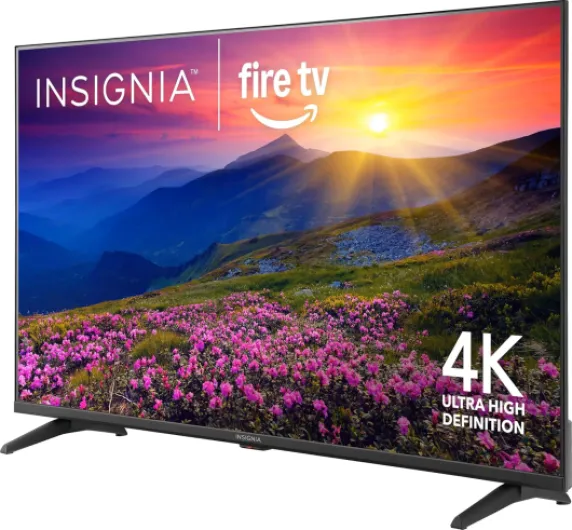
On paper, the INSIGNIA 50" F50 Series is pretty stacked for the price. You get a 50‑inch 4K UHD LED panel (2160p), HDR10 support, Fire TV built in, and a voice remote with Alexa. It supports Apple AirPlay, has DTS Virtual‑X for fake "3D" audio through the TV speakers, and it can handle HDMI eARC if you’re plugging it into a soundbar or AV receiver. For connections, it’s decent: 3 HDMI ports, composite input, optical audio out, USB, headphone jack, coax for antenna/cable, Ethernet, plus Wi‑Fi. So in terms of plugs, you’re covered.
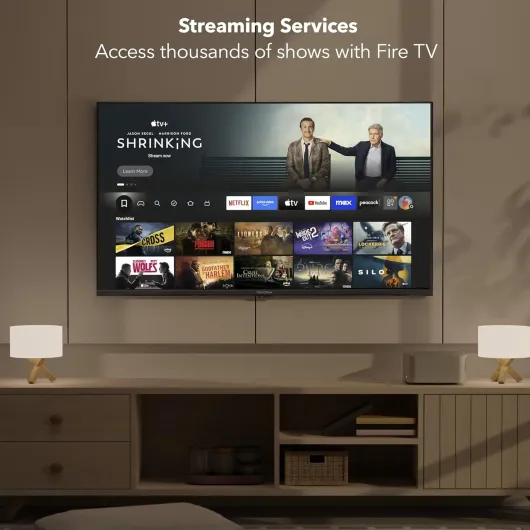
The Fire TV part is both the good and the annoying side. Good because you get access to all the usual apps: Prime, Netflix, Disney+, Hulu, Max, plus free stuff like Pluto TV, Tubi, and Fire TV Channels. You can also pair smart home devices, see camera feeds, and use Alexa on the remote. In theory, it’s your all‑in‑one hub for streaming and smart home control. In practice, the system sometimes feels slow and clunky, especially when you first turn it on or switch between apps.
One thing that surprised me a bit: you’re basically forced to tie everything to an Amazon account. That’s expected for a Fire TV, but if you’re trying to set this up for someone who doesn’t want to mess with accounts and logins, it’s not plug‑and‑play. Also, there’s no real manual in the box, just a thin quick‑start pamphlet. If you hit weird issues (like the long update loop some people mention), you’re pretty much on your own or stuck chatting with support.
Overall, from a pure feature list standpoint, it looks like a strong deal: big screen, 4K, HDR, plenty of apps, voice remote, and decent connectivity. But you have to remember this is a budget TV. The hardware behind the Fire TV system doesn’t feel super powerful, which is why menus and app loading can lag. If you go in expecting a mid‑range or high‑end smart TV experience, you’ll be disappointed. If you see it as a cheap 4K panel with built‑in streaming that sometimes drags its feet, it makes more sense.
Day‑to‑day use: setup, streaming, and living with it
In theory, setup should be quick: plug it in, connect to Wi‑Fi, sign into your Amazon account, done. In practice, it’s a bit hit or miss. On my unit, the first setup worked, but it took a while with updates and reboots. I can totally see how some people end up stuck in update loops or get random errors. There’s no full user manual in the box, so when something weird happens, you just guess, unplug everything, and hope for the best. If you’re not comfortable troubleshooting, this can get frustrating fast.
Once it’s running, basic use is straightforward. The Fire TV home screen is packed with content suggestions and ads for Prime stuff, which might annoy you if you just want to see your apps. But the main apps (Netflix, Prime, YouTube, Disney+, etc.) are there and work. The interface does feel sluggish, especially right after turning the TV on. You click an app, wait, stare at a spinning circle, and then eventually it loads. It’s not unusable, but it reminds you this is a budget TV with limited processing power.
One thing that really bothered me is the auto power‑off behavior when pausing. More than once, I paused a movie or show, went to grab food, came back, and the TV had turned itself off. When you turn it back on, it doesn’t go straight back to the paused content; you land on the home screen and have to reopen the app and find the title again. Usually it offers to resume where you left off, but hunting for it every time gets old. You can dig into settings and try to loosen the power‑saving features, but there’s no simple "don’t shut off on pause" toggle.
On the positive side, parental controls are handy if you have kids. You can block apps or content by rating and unlock with a PIN. The Alexa voice remote is also convenient: saying "Open Netflix" or "Play The Office" is quicker than scrolling around. Just don’t expect the voice features to be flawless; sometimes it misunderstands or takes a few seconds to catch up. Overall, as a daily driver, the TV does the job: you can watch all your stuff, connect your devices, and control it fairly easily. But the rough edges in setup, lag, and auto shut‑off keep it from feeling truly smooth.
Pros
- Very low price for a 50" 4K HDR TV, especially on frequent sales
- Decent 4K picture quality and enough ports (3 HDMI, eARC, USB, optical, Ethernet)
- Built‑in Fire TV with Alexa voice remote and access to all major streaming apps
Cons
- Fire TV interface is sluggish and sometimes buggy (slow app loading, possible update loops)
- Annoying auto power‑off behavior when pausing content, no simple setting to fully avoid it
- Basic sound quality and slightly clumsy design choices (hidden power port, no real manual)
Conclusion
Editor's rating
If you strip it down to basics, the INSIGNIA 50" F50 Series is a cheap 50" 4K TV with a usable picture and a slightly annoying brain. The hardware side – screen, ports, mounting, general build – is decent for the price. 4K content looks sharp enough, HDR adds a bit of pop, and it works fine for casual console gaming and everyday streaming. Sound from the built‑in speakers is just okay, but good enough until you add a soundbar. For a bedroom, dorm, or secondary TV, it does the job.
The weak link is clearly the Fire TV experience on this hardware. Setup can be rough if you hit the update bugs, the system feels sluggish, and the auto power‑off behavior when pausing content is just irritating. If you’re not comfortable troubleshooting or dealing with support, you might regret saving the extra cash versus a slightly more expensive, smoother TV from another brand. There are also some concerns around serial number labeling and long‑term software performance that don’t inspire a lot of confidence.
I’d say this TV makes sense if you: want the biggest 4K screen you can get for as little money as possible, don’t mind a slower interface, and are okay eventually using an external streaming device if the Fire OS gets too annoying. If you care more about a clean, fast smart TV experience and hate technical hiccups, you’re better off spending a bit more on a TCL/Hisense with Roku or Google TV. This INSIGNIA isn’t terrible, it’s just clearly a budget choice with budget compromises.