
Summary
Editor's rating
Value for money: where it makes sense and where it doesn’t
Design: light, simple, and clearly built to hit a price
Everyday use: remote, Fire TV, and small details that matter
Build quality and long‑term feel
Picture & smart performance: good for the price, with some quirks
Specs on paper vs reality in the living room
Gaming, motion, and sound: does it really handle it all?
Pros
- Sharp 4K QLED picture with good colors and solid HDR support (Dolby Vision, HDR10+ etc.) when viewed from the center
- Fire TV and Alexa voice remote built in, no need for an extra streaming stick
- Lightweight and easy to set up or wall‑mount, with good value for the price
Cons
- Weak built‑in speakers that really benefit from adding a soundbar (ARC on HDMI3)
- Narrow viewing angles; picture washes out noticeably when you move off center
- 60 Hz panel and Fire TV interface that’s a bit slow and ad‑heavy for picky users

Specifications
View full product page →| Brand | Hisense |
A budget 43" that tries to do a bit of everything
I’ve been using the Hisense 43" E6 Cinema Series Hi‑QLED (43E6QF) for a little while as a bedroom / office TV, and I’ll be honest: I bought it mainly because of the price and the specs on paper. 4K, QLED, Dolby Vision, Fire TV built in, and all that under the usual big‑brand price. I wasn’t expecting a miracle, just something that looks good enough for Netflix, sports, and some casual console gaming.
First impression when I set it up: it’s light, easy to move, and the setup is straightforward. You plug it in, connect Wi‑Fi, log into your Amazon account, and you’re basically done. If you’ve used any Fire TV device before, you won’t be lost. Within 15–20 minutes I had my main apps installed (Netflix, Prime, YouTube, Disney+, plus a couple of niche ones) and HDMI sources renamed.
Picture quality out of the box was a bit too bright and punchy for my taste, but that’s pretty standard these days. After turning off some of the motion smoothing and tweaking brightness/contrast, it started to look much better. The QLED panel helps with color pop, and for a 43" at this price, it honestly looks pretty solid once you dial it in. It’s not on the same level as high‑end OLEDs, but that’s not really a fair comparison given the cost difference.
Overall, my first days with it were positive: it does what it says, it runs Fire TV without needing a separate stick, and the picture is clearly a step up from older budget LCDs I’ve used. It’s not perfect, especially if you’re picky about viewing angles or super smooth gaming, but for a secondary room or someone who just wants a decent 4K screen with smart features, it gets the job done.
Value for money: where it makes sense and where it doesn’t
For me, the main reason to look at this Hisense 43E6QF is value. You’re getting a 43" 4K QLED panel with wide HDR support, Fire TV built in, Wi‑Fi 6, and some gaming features, at a price that’s usually quite a bit lower than big‑name brands with similar specs. Compared to a basic 43" non‑QLED model, the bump in color and HDR is noticeable enough to justify spending a bit more, especially if you watch a lot of movies and series in 4K.
Versus more expensive TVs, you obviously give up a few things: real 120 Hz panels, better local dimming, wider viewing angles, and stronger built‑in sound. If you sit off to the side a lot, or you’re picky about deep blacks and perfect uniformity, it might be worth stretching your budget. But if you’re like most people and you just want a sharp, colorful screen that handles Netflix, sports, and a console decently, this Hisense sits in a sweet spot.
One thing to factor in: you almost certainly want to add a soundbar, even a cheap one. That’s an extra cost, but it’s the difference between “okay TV” and “actually enjoyable setup”. The good news is there are plenty of affordable soundbars, including refurbished ones, that pair nicely over HDMI ARC. Once you account for that, you still usually end up below what a higher‑end brand would cost for a similar picture quality.
So in terms of value, I’d say it’s good bang for the buck if your priorities are: 1) 43" size, 2) solid 4K HDR picture from the center, 3) Fire TV integration, and 4) you don’t want to pay premium‑brand pricing. It’s not the best choice if you care a lot about wide viewing angles or want top‑tier gaming performance. But as a budget or mid‑range option for a bedroom, office, or smaller living room, the price/quality ratio makes sense.
Design: light, simple, and clearly built to hit a price
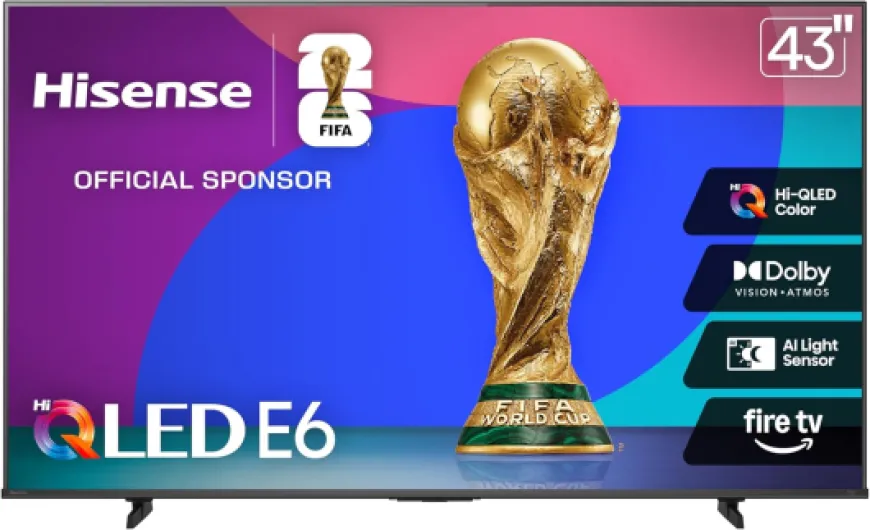
Design‑wise, this Hisense is pretty straightforward. The bezels are reasonably thin for a budget TV, not ultra premium‑thin but nothing that looks dated. From the front, it looks clean and modern enough. Once you go to the side or back, you can see the plastic build and the slightly thicker lower section where all the electronics and speakers live. It’s not bulky, but you can tell it’s not a high‑end unit either, which is fine given the price.
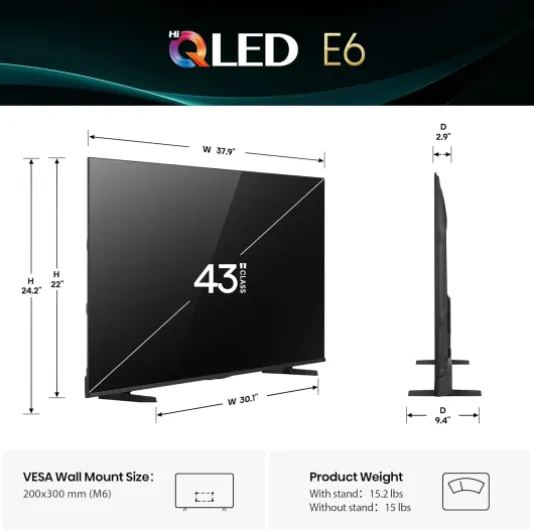
The TV is light (around 15 pounds), which made it easy to unbox and mount. I put it on a simple wall mount without any trouble, and you can also just use the included feet. The feet are the usual cheap plastic legs that screw in. They do the job, but they don’t inspire much confidence if you bump the furniture a lot or have kids running around. If you’re clumsy, I’d seriously consider a wall mount or a very stable TV stand to avoid accidents.
On the back you’ve got the usual ports: multiple HDMI ports (with eARC on HDMI3, which is easy to miss if you’re used to HDMI1 being ARC), USB, optical audio out, and Ethernet. The layout is okay, though some of the ports are sideways and others are rear‑facing, so if you’re wall‑mounting it close to the wall, plan your cables ahead. It’s not the worst layout I’ve seen, but it’s not the cleanest either. Cable management is basically up to you; there’s no fancy channeling or anything.
Overall, the design is functional, not flashy. It’s light, easy to handle, and looks fine once installed, especially from the front. If you’re expecting premium metal finishes and ultra thin profiles, this isn’t it. If you just want a 43" that doesn’t look ugly and is easy to mount or move around, it gets the job done. For a bedroom, office, or small living room, the look is totally acceptable and doesn’t call attention to itself, which I actually like.
Everyday use: remote, Fire TV, and small details that matter
In daily use, what matters to me is how quickly I can go from “TV off” to “watching something” without wanting to throw the remote at the wall. On that front, the Hisense E6 is mostly comfortable to live with. The Fire TV interface boots reasonably fast, and when you turn it on from standby, you’re back at the home screen or the last input in a few seconds. Not instant, but acceptable for a budget smart TV.
The remote is the usual Fire TV style: plastic, lightweight, with dedicated buttons for a few streaming services and an Alexa button. The layout is okay; volume and mute are easy to find in the dark, and the navigation ring is fine. Build quality is nothing special, but it doesn’t feel like total junk either. I like being able to just press the Alexa button and say “open HDMI 1” or “play The Boys on Prime Video” instead of navigating around. If you hate voice assistants, you can ignore that and just use it like a normal remote.
Switching inputs is one area where it’s a bit annoying. Using the full Fire TV UI to swap HDMI sources takes too many clicks. There is a shortcut button that shows recent inputs, which makes things better, but it’s still not as quick as the old‑school “input” button cycling through sources. If you’re constantly bouncing between a console, a PC, and a cable box, you’ll notice this. If you mostly stay in apps or one HDMI source, it’s not a big deal.
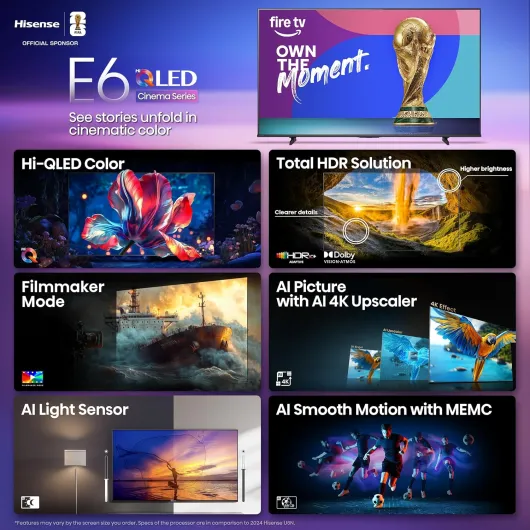
The AI Light Sensor is a nice touch: it adjusts screen brightness depending on room light. In practice, it works okay, but I ended up tweaking it because sometimes it dimmed a bit more than I liked for daytime sports. Still, it’s helpful if you don’t want to fiddle with brightness all the time and you care a little about saving energy. Overall comfort level: once you’ve done your initial picture tweaks and organized your apps, it’s a TV you can just use without thinking too much about it, with a few minor interface quirks you eventually get used to.
Build quality and long‑term feel
I obviously haven’t had this TV for years yet, so I can’t pretend to know how it will age in 5–6 years, but there are a few things you can already feel in terms of durability. The chassis is all plastic and very light, which is practical for handling but also means it doesn’t feel particularly tough. When you pick it up or slightly twist it while mounting, you can feel a bit of flex. It’s not scary, but you do get the sense that this is built to hit a certain price point, not to survive abuse.
On the positive side, the light weight means less stress on your wall mount or TV stand, and once it’s in place and you’re not moving it around, that flex doesn’t matter much. I haven’t noticed any weird creaks or panel issues so far. No dead pixels, no strange backlight zones, and no banding that would drive you nuts on sports. Hisense as a brand has improved a lot in the past few years, and user reviews (4.2/5 with over a thousand ratings) suggest most units are fine out of the box.
Heat management seems okay too. After a few hours of use, the back gets warm but not hot. That’s usually a good sign for the internal components’ lifespan. Fire TV updates install automatically in the background, and so far they haven’t broken anything for me. That said, like with any smart TV, you’re betting on software support over time. If Amazon or Hisense change something in the Fire TV interface in a few years, you’re stuck with it unless you plug in an external box.
Overall, I’d say durability feels acceptable for the price, but not bulletproof. If you treat it like an appliance (set it up, don’t move it constantly, don’t slam it around), I don’t see any obvious reason it wouldn’t last several years. If you’re looking for a TV to be dragged to LAN parties or moved every month, this isn’t built for that kind of life. For a fixed install in a bedroom, office, or living room, it feels adequate.
Picture & smart performance: good for the price, with some quirks
Let’s talk picture, because that’s why you buy a QLED in the first place. For a 43" in this price range, the image quality is pretty solid. 4K content from Netflix, Prime, and YouTube looks crisp, with good detail and nice color. The Hi‑QLED panel gives more punch than a basic LCD; colors have more pop and HDR content benefits from that extra brightness. It’s not at the level of a top‑tier QLED or OLED, but side‑by‑side with an older 1080p or basic 4K TV, the difference is obvious.
HDR support is broad: Dolby Vision, HDR10+ Adaptive, HDR10, and HLG. In practice, Dolby Vision content looks better than standard HDR10 stuff, with more controlled highlights and slightly better contrast. Don’t expect super deep blacks though. This is still an LCD, so in dark rooms you’ll see some glow in black scenes and the contrast isn’t cinema‑level. For normal mixed content (shows, sports, YouTube), it’s absolutely fine. The AI 4K upscaler does a decent job with 1080p and 720p content, making cable channels and older streams look cleaner without too much artificial sharpening.
Where the TV shows its budget side is viewing angles. Sitting directly in front, the picture looks great. Move more than about 30 degrees off center and colors start to wash out and the image loses punch. One of the Amazon reviewers nailed it: if you’re off to the side on a couch, it fades. So for a narrow room or if you mostly sit straight ahead, no issue. For a wide living room with people sitting far off to the side, it’s not ideal.
On the smart side, Fire TV is usable but not super fast. Apps load at a reasonable speed, and the interface is mostly smooth, but it’s not as snappy as a high‑end streaming box. There are ads and a strong Amazon push on the home screen, which I personally find a bit tiring. Voice search with Alexa works well enough and is convenient. Once you’re inside an app watching content, everything is stable. Wi‑Fi 6 connectivity has been reliable in my case; no random drops or buffering once the stream is up, even with other devices on the network.
Specs on paper vs reality in the living room
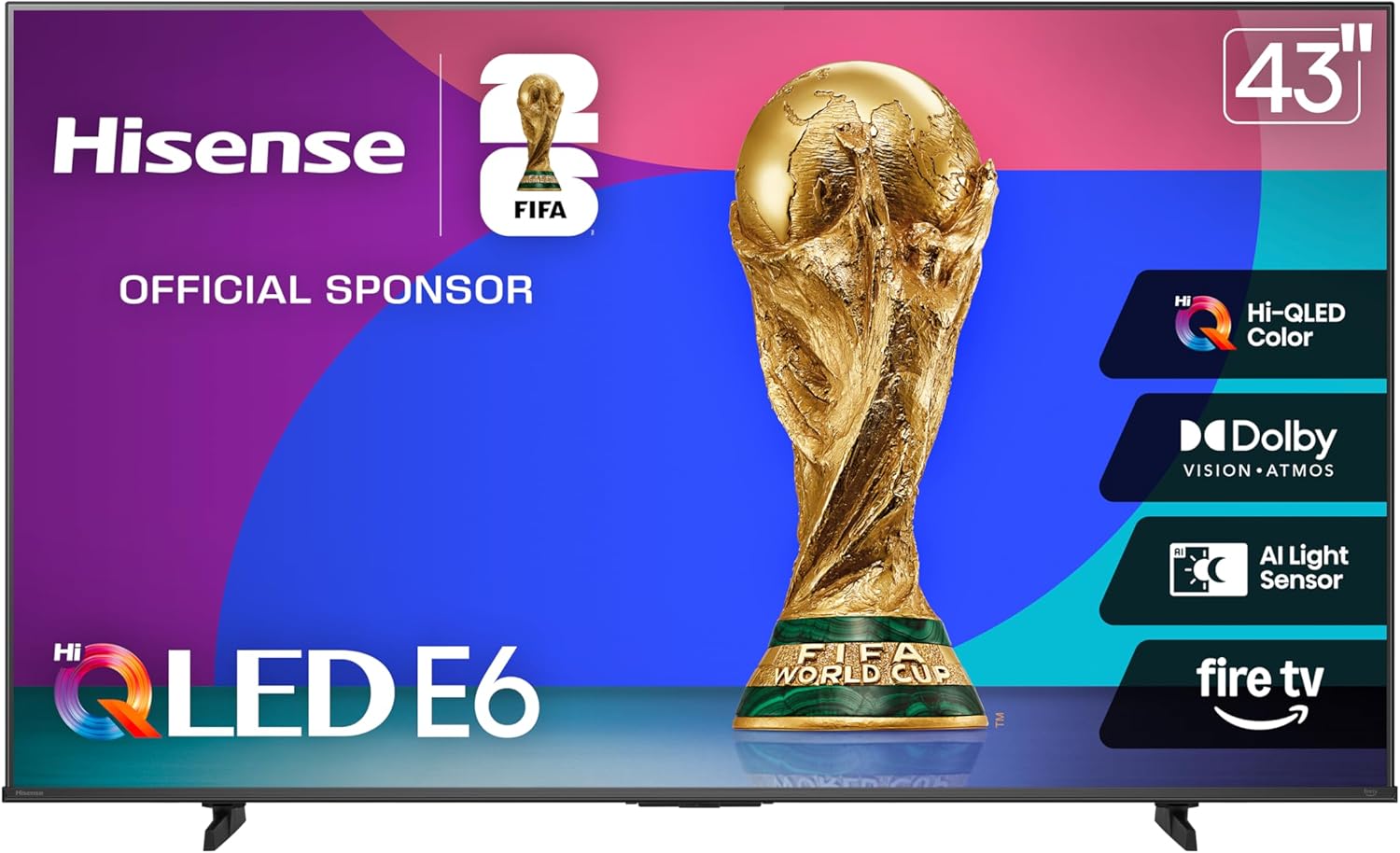
On paper, this Hisense E6 checks a lot of boxes: 43" 4K UHD, Hi‑QLED color, Dolby Vision and HDR10+ Adaptive, Dolby Atmos support, Fire TV built in, Wi‑Fi 6, and a bunch of AI features like AI 4K upscaling, AI Light Sensor, and AI Smooth Motion with MEMC. The marketing names are a bit much, but underneath all that you basically have a mid‑range QLED panel with a 60 Hz refresh rate and some processing to clean up motion and low‑res content.
In daily use, the important bits are these: picture is sharp, HDR works fine on the main streaming apps, and the TV is responsive enough for normal use. The Fire TV interface is familiar if you’re in the Amazon ecosystem. It pushes Amazon content quite a bit, which I personally find a little annoying, but you do get all the usual apps. The built‑in Alexa voice remote is handy for quick searches or launching apps without typing with the clunky on‑screen keyboard.
Hisense also promotes Game Mode Plus with VRR and Motion Rate 120. In practice, this is still a 60 Hz panel, so don’t expect real 120 Hz gaming like on more expensive TVs. What you get is some variable refresh support and a low‑latency mode, which is fine for casual console gaming or a Switch. If you’re a competitive FPS player on PC, this is probably not the screen you’re aiming for anyway. For normal people playing story games, sports titles, or Mario Kart, it’s perfectly usable.
So overall, the spec sheet sounds fancier than what you actually feel in the room, but that’s normal at this price. What matters is that the TV is good enough across the board: sharp 4K, decent HDR, smart platform built in, and enough ports (HDMI with ARC on HDMI3, USB, Bluetooth, Wi‑Fi 6). It’s a typical good budget‑mid TV that doesn’t blow your mind but does most things at a solid level for the cost.
Gaming, motion, and sound: does it really handle it all?
For gaming, the TV is good enough for casual use, but I wouldn’t call it a hardcore gamer’s dream. The Game Mode Plus with VRR helps reduce input lag and screen tearing a bit, and motion feels responsive enough for console games. I tried it with a PS5 and a Switch: story games, racing, and some shooters felt fine. But keep in mind it’s still a 60 Hz panel, so if you’re used to 120 Hz screens, you’ll notice the difference. For most people who just want to relax and play a few matches at night, it’s okay.
The AI Smooth Motion and MEMC are a bit of a mixed bag. For sports, it can be useful: fast moves in basketball or soccer look cleaner, and there’s less blur on quick camera pans. For movies and shows, I personally turn most of that stuff down or off because it gives that soap‑opera effect. The good news is you can adjust it in the settings and find a compromise that works for you. Motion handling on broadcast TV and streaming is generally clean once you tweak those options.
Sound is where the TV is clearly limited. The built‑in speakers are rear‑facing, and you can hear it: sound feels like it’s coming from behind the screen instead of towards you. Voices are understandable, but the audio is a bit thin and flat. At medium volume it’s okay for news or casual watching, but for movies or games you feel the lack of bass and presence. Several buyers mentioned adding a soundbar, and I did the same. Once you plug a basic soundbar into HDMI ARC (remember: it’s HDMI3 on this model), the whole experience improves a lot.
So in terms of “effectiveness” as an all‑in‑one entertainment screen, it’s like this: picture and smart features carry the weight, gaming is fine for non‑competitive use, and sound really benefits from an external speaker. If you pair it with even a cheap soundbar, it turns into a very decent little home setup for the price. If you insist on using only the built‑in speakers, just temper your expectations: it works, but it’s not great.
Pros
- Sharp 4K QLED picture with good colors and solid HDR support (Dolby Vision, HDR10+ etc.) when viewed from the center
- Fire TV and Alexa voice remote built in, no need for an extra streaming stick
- Lightweight and easy to set up or wall‑mount, with good value for the price
Cons
- Weak built‑in speakers that really benefit from adding a soundbar (ARC on HDMI3)
- Narrow viewing angles; picture washes out noticeably when you move off center
- 60 Hz panel and Fire TV interface that’s a bit slow and ad‑heavy for picky users
Conclusion
Editor's rating
If I sum up my experience with the Hisense 43" E6 Cinema Series, I’d say it’s a good budget‑friendly 4K QLED TV that does a lot of things well enough without really excelling anywhere. Picture quality from the front is sharp and colorful, HDR support is broad, and Fire TV built in makes life easy if you’re already using Amazon services. Setup is simple, the TV is light and easy to mount, and everyday use is mostly smooth once you’ve tweaked the settings to your taste.
On the downside, the viewing angles are clearly limited, the built‑in sound is mediocre, and the Fire TV interface is a bit ad‑heavy and not the fastest around. Gamers get usable performance and some VRR support, but this is still a 60 Hz panel, so it’s more for casual play than high‑end competitive use. I’d strongly recommend pairing it with a soundbar to get the most out of movies and shows.
Who is this TV for? People who want a 43" screen with solid 4K picture, built‑in Fire TV, and a decent spec sheet without spending a fortune. It fits well in a bedroom, office, dorm, or smaller living room where you sit fairly centered. Who should skip it? If you have a wide seating area, are very picky about deep blacks and uniformity, or you want a true 120 Hz gaming screen, you should look higher up the range. For everyone else, it’s a pretty solid, no‑nonsense option that gets the job done for the money.