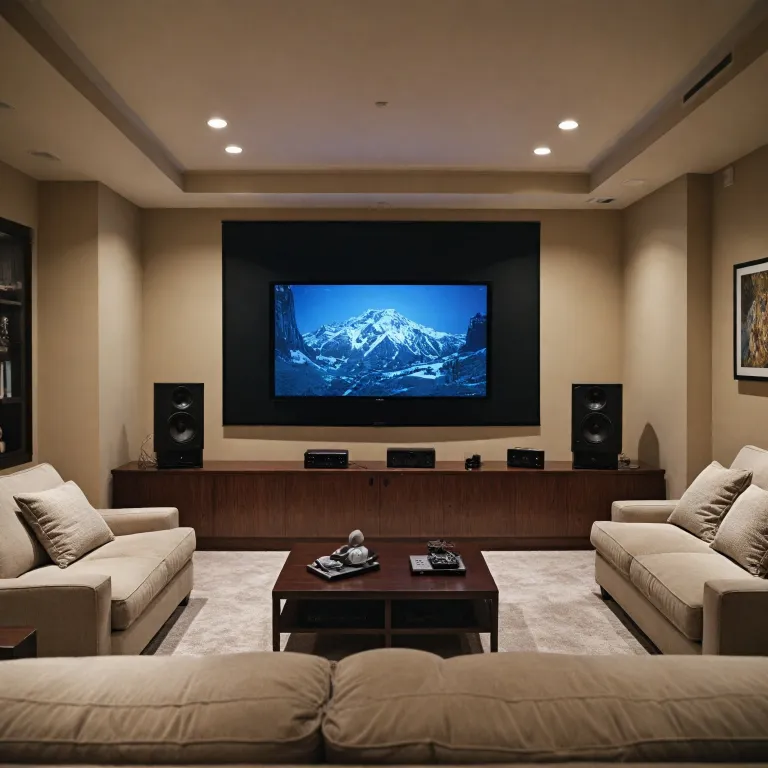

Understanding the basics of speaker wiring
What You Need to Know About Speaker Wiring Basics
Setting up a home theater projector system means understanding how to wire speakers correctly. This is essential for getting the best sound quality and avoiding issues like low impedance or poor connections. Whether you’re using an AV receiver or an amplifier, knowing the basics of speaker wire, cable, and terminals will help you connect speakers safely and effectively.
- Speaker wire: This is the cable that carries audio signals from your amplifier or receiver to your speakers. You’ll find options in different thicknesses (gauges) and materials, which can affect sound quality and compatibility with your setup.
- Terminals: Speakers and amplifiers use different types of terminals to connect wires. The most common are binding posts and spring clips. Binding posts let you use banana plugs or bare wire, while spring clips require you to press down and insert the wire directly.
- Polarity: Each speaker wire has a positive (often red) and negative (often black) side. It’s important to match the positive terminal on your amplifier or receiver to the positive terminal on your speaker, and the negative (black) to negative. Mixing these up can result in weak or distorted sound.
- Speaker cable options: The type of speaker cable you choose will depend on your room size, the distance between your amplifier and speakers, and your budget. Thicker cables are better for longer runs or low impedance speakers.
Before you wire speakers, check the terminals on both your receiver and speakers. You’ll find either binding posts or spring clips. Make sure you know which type you have, as this will affect how you connect the cable. If you’re unsure about choosing the right amplifier for your setup, learn more about selecting the best amplifier for your home theater projector.
Once you understand these basics, you’ll be ready to move on to selecting the right speaker wire for your room and planning your cable routes for a clean, professional installation.
Choosing the right speaker wire for your room
What to Look for When Selecting Speaker Cable
Choosing the right speaker wire for your home theater projector setup is more important than it might seem. The cable you select will impact sound quality, installation ease, and even long-term reliability. Here’s what you need to know to make an informed decision.
- Gauge (Thickness): The thickness of the speaker wire, measured in American Wire Gauge (AWG), affects how well it carries the signal from your amplifier or receiver to your speakers. For most home theater rooms, 16-gauge wire is sufficient. If you have longer cable runs or low impedance speakers, consider 14-gauge or even 12-gauge wire for minimal signal loss.
- Material: Most speaker cables are made from copper, which offers excellent conductivity. Some options use copper-clad aluminum (CCA) to save on cost, but pure copper is generally preferred for better performance.
- Length: Measure the distance from your AV receiver or amplifier to each speaker. Add a little extra length to account for routing around furniture or obstacles. Remember, longer runs may require thicker wire to maintain sound quality.
- Insulation and Jacket: Look for speaker wire with durable insulation to protect against wear and accidental damage. If you plan to run cable through walls, make sure it’s rated for in-wall use (CL2 or CL3).
- Connector Compatibility: Check the type of terminals on your speakers and receiver. Some use binding posts, others use spring clips. Make sure your wire fits securely, whether you’re connecting to a binding post or a spring clip terminal.
Understanding Positive and Negative Connections
Speaker wire typically comes with two conductors: one for positive (often marked with red or a stripe) and one for negative (usually black or plain). It’s crucial to connect positive to positive and negative to negative terminals on both the receiver and the speakers. This ensures your speakers are in phase, delivering clear and accurate sound.
Other Factors to Consider
- Budget: While high-end cables exist, most standard speaker wire options will perform well in a typical home theater setup. Focus on quality construction and the right gauge for your needs.
- Future-Proofing: If you plan to upgrade your amplifier or add more speakers later, consider buying a bit more cable or a thicker gauge to accommodate future changes.
For a deeper dive into how power management can affect your setup, check out this guide on understanding the role of a watt box in your home theater projector setup.
Planning your cable routes for a clean installation
Mapping Out Your Speaker Cable Pathways
Before you start to wire speakers, planning your cable routes is key for a tidy and efficient home theater setup. A well-thought-out plan helps avoid tangled wires, tripping hazards, and signal interference. It also makes it easier to connect speakers to your amplifier or receiver later on.
- Assess your room layout: Identify where each speaker will be placed. Consider the distance from your AV receiver or amplifier to each speaker terminal. This will help you determine how much speaker wire you need and the best cable routes.
- Choose your cable management options: You can run speaker cables along baseboards, behind furniture, or use cable raceways for a clean look. For a more permanent solution, consider routing speaker wire through walls or under carpets. Make sure to use in-wall rated speaker cable if you go this route.
- Plan for positive and negative connections: Mark your speaker wire to keep track of positive (often red) and negative (often black) leads. This will help you connect positive terminals to positive and negative terminals to negative on both the receiver and the speakers, avoiding phase issues.
- Account for obstacles: Avoid running speaker cables parallel to power cables to reduce interference. If you must cross electrical wires, do so at a 90-degree angle.
- Leave extra length: Give yourself a little extra cable at each end. This makes it easier to connect binding posts, spring clips, or terminals receiver without straining the wire.
Taking the time to plan your cable routes not only keeps your space organized, but also helps maintain low impedance and optimal sound quality. For more tips on arranging your home theater space for both aesthetics and performance, check out this guide on optimizing your space for a home theater experience.
Connecting speakers to your AV receiver or amplifier
Making the Right Connections: Step-by-Step Guide
Connecting your speakers to your AV receiver or amplifier is a crucial step for getting the best sound from your home theater projector setup. Here’s how to wire speakers correctly and safely:- Identify the terminals: On both your receiver or amplifier and your speakers, you’ll find speaker terminals. These are usually color-coded: red for positive and black for negative. Some systems use binding posts, while others use spring clips.
- Prepare your speaker wire: Strip about half an inch of insulation from each end of your speaker wire or speaker cable. Make sure you keep track of which side is positive and which is negative. Many wires have markings or a colored stripe to help you distinguish.
- Connect positive to positive, negative to negative: Always connect the red terminal (positive) on your receiver to the red terminal on your speaker, and the black terminal (negative) to the black terminal. This keeps your speakers in phase and ensures accurate sound.
- Choose your connection method: If your equipment uses binding posts, unscrew the post, insert the wire into the hole, and tighten. For spring clips, press down the clip, insert the wire, and release. Make sure the wire is secure and no copper strands are exposed, which could cause a short circuit or low impedance issues.
- Repeat for each speaker: Follow the same process for all speakers in your setup. Double-check that each speaker cable is connected to the correct terminals on both the receiver and the speaker.
Some AV receivers and amplifiers offer additional options for connecting speakers, such as banana plugs for binding posts. These can make installation easier and provide a more secure connection, but standard bare wire works well for most home installations.
Take your time to wire speakers carefully, as a good connection will help you get the most out of your home theater projector experience. If you’re unsure about any step, refer to your equipment manuals for specific guidance on terminal types and speaker wire compatibility.
Testing your speaker wiring for optimal sound
How to Check Your Speaker Connections
After you wire speakers to your amplifier or AV receiver, it's important to verify that every speaker cable is connected correctly. Start by double-checking that the positive (often red) and negative (often black) wires are matched to the corresponding terminals on both the receiver and each speaker. Mismatched connections can cause phase issues, leading to weak bass and muddled sound.- Inspect each binding post or spring clip on your speakers and receiver. Ensure the positive wire is in the red terminal and the negative wire is in the black terminal.
- For spring clips, gently tug the cable to confirm it's secure. For binding posts, make sure the speaker wire is tightly clamped.
- If your system uses banana plugs or spade connectors, check that they're fully inserted into the binding posts.
Testing for Sound and Polarity
Once all speaker cables are connected, power on your amplifier or receiver. Play audio that pans across the soundstage or use the built-in test tones if your receiver offers them. Listen for clear, balanced sound from each speaker. If a speaker sounds faint or out of phase, recheck the positive and negative connections at both ends of the cable. A simple way to test polarity is to play a bass-heavy track. If the bass feels weak or hollow, you may have accidentally reversed the positive and negative wire on one or more speakers. Correcting this will restore full, rich sound.Ensuring Low Impedance and Safe Operation
Properly connected speaker cables help maintain low impedance, which is crucial for your amplifier's performance. Loose or frayed wires at the terminals receiver can cause shorts, risking damage to your equipment. Always trim excess wire and avoid stray strands touching other terminals. If your system uses multiple speakers, double-check that each speaker terminal is free from overlapping wires. This prevents accidental shorts and ensures your amplifier will deliver clean power to each speaker.Final Tips for Reliable Speaker Wiring
- Label each speaker cable, especially if your setup includes several speakers and long cable runs.
- Keep speaker cables organized and away from power cords to reduce interference.
- After testing, secure cables with clips or ties to prevent accidental disconnection.
Safety tips and best practices for home installations
Essential Safety Measures for Speaker Wiring
When you wire speakers for your home theater projector setup, safety should always come first. Handling speaker wire, speaker cables, and connecting to your amplifier or receiver involves both electrical and physical risks. Here are some key tips and best practices to keep your installation safe and reliable:- Power Off Equipment: Always turn off your amplifier, receiver, and any connected devices before you connect speakers or touch any speaker terminals. This prevents accidental short circuits and protects your equipment.
- Double-Check Polarity: Make sure you connect positive to positive (usually red terminal or binding post) and negative to negative (usually black terminal or spring clip). Reversing polarity can result in poor sound quality and may damage your speakers over time.
- Secure Connections: Use the correct binding posts, spring clips, or terminals for your speaker wire. Loose connections can cause intermittent sound, distortion, or even short out your amplifier. Give each cable a gentle tug to ensure it's firmly in place.
- Avoid Exposed Wire: Trim excess wire and ensure no bare copper is exposed outside the terminal, binding post, or spring clip. Exposed wire can touch other terminals or metal parts, leading to shorts and potential damage.
- Respect Low Impedance Loads: Check your amplifier or receiver's specifications for supported speaker impedance. Connecting speakers with too low impedance can overheat your amplifier and cause shutdowns or permanent damage.
- Route Cables Safely: Keep speaker cables away from power cords and sources of interference. Use cable management options to prevent tripping hazards and to protect the wire from damage.
- Label Everything: If you have multiple speakers and cables, label each end of your speaker wire. This makes troubleshooting and future upgrades much easier.
| Connection Type | Color Code | Terminal Type | Safety Tip |
|---|---|---|---|
| Positive | Red | Binding post, spring clip | Connect positive wire to red terminal |
| Negative | Black | Binding post, spring clip | Connect negative wire to black terminal |