

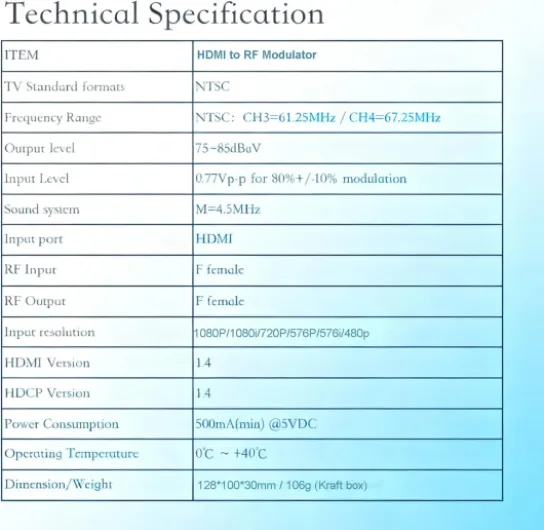
Understanding multi channel HDMI modulators
What is a Multi Channel HDMI Modulator?
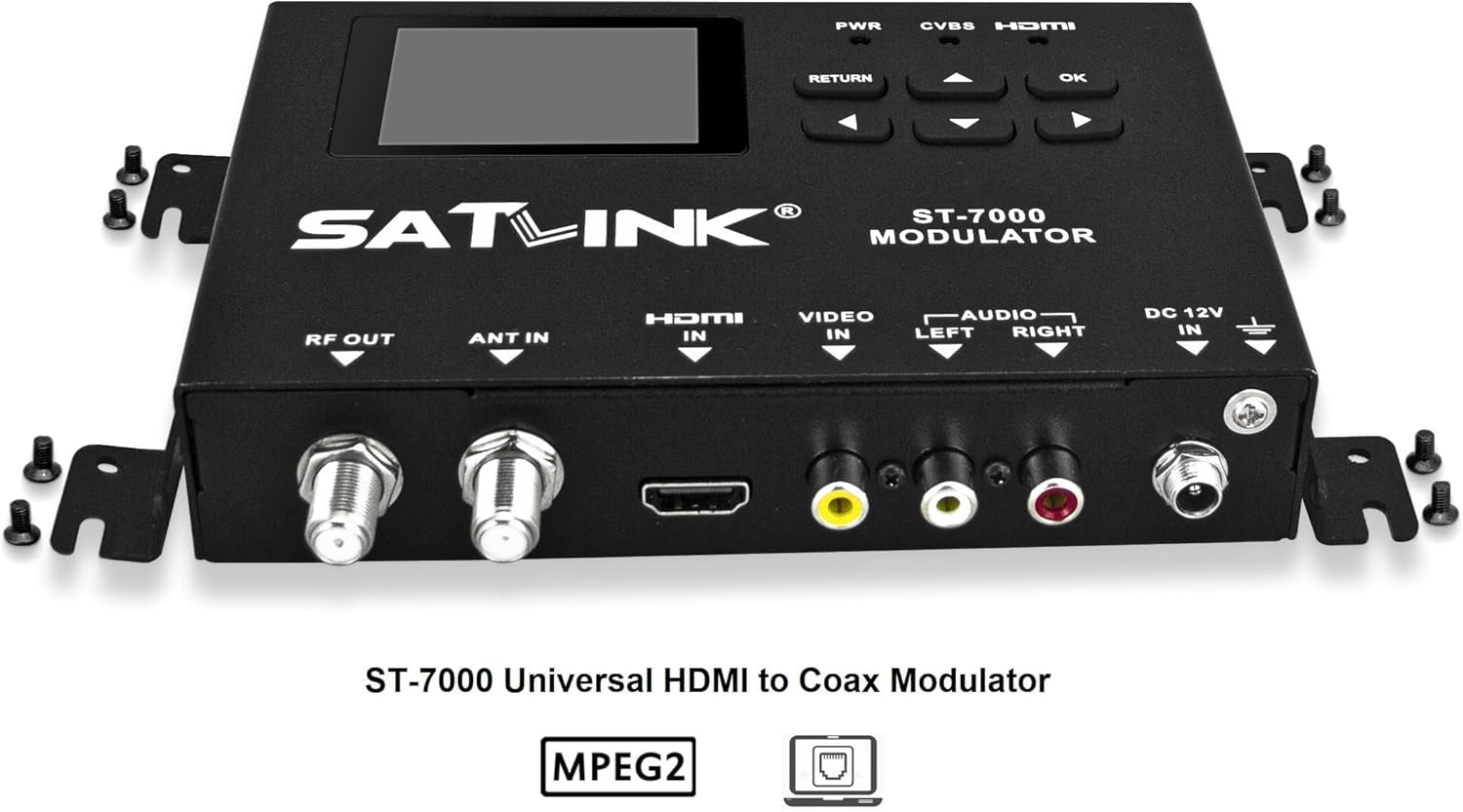
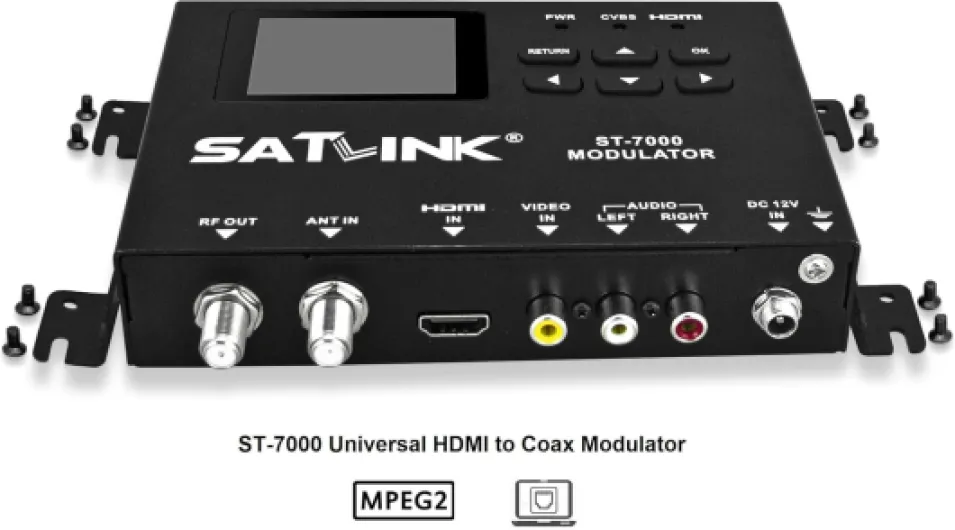
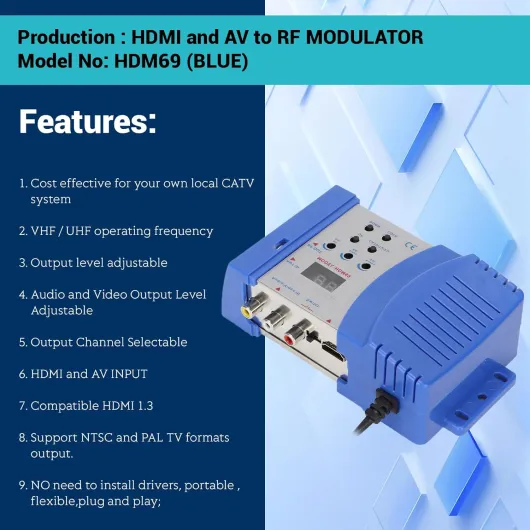
A multi channel HDMI modulator is a specialized device designed to convert multiple HDMI input signals into digital TV channels. These channels can then be distributed over coaxial cables to various displays, including your home theater projector. Unlike single channel modulators, which handle only one HDMI source at a time, multi channel modulators support several HDMI sources simultaneously, making them ideal for setups that require flexibility and scalability.
How Does It Work?
The modulator receives HDMI digital signals from devices like Blu-ray players, streaming boxes, or gaming consoles. It then encodes and modulates these signals into a format compatible with TV broadcast standards such as QAM, ATSC, DVB, or ISDB. This process allows the signals to travel over existing coaxial infrastructure, reaching your projector and other TVs in your home. The result is a seamless transmission of high-definition video and audio without the need for multiple long HDMI cables.
- HDMI input: Accepts multiple sources, supporting high-resolution video and digital audio.
- Modulation: Converts HDMI signals into digital TV signals (QAM, ATSC, DVB, ISDB).
- Channel output: Assigns each HDMI source to a unique TV channel for easy selection.
- Signal distribution: Broadcasts the modulated channels over coaxial cables to projectors and TVs.
Some modulators also support analog CVBS inputs, but for most home theater projector setups, HDMI digital input is preferred for the best quality. If you want to explore related technology, you might find this guide on using an HDMI UDP encoder for your home theater projector helpful.
Why Use a Multi Channel Modulator?
With the ability to convert signals from multiple sources and broadcast them as digital channels, a multi channel HDMI modulator offers a streamlined solution for complex home theater designs. It supports high-quality video and audio transmission, reduces cable clutter, and simplifies switching between sources. As you consider your options, understanding the benefits and key features will help you choose the right product for your needs.

Benefits of using a multi channel HDMI modulator with projectors
Why a Multi Channel HDMI Modulator Enhances Your Projector Experience
Integrating a multi channel HDMI modulator into your home theater projector setup can transform the way you distribute and enjoy video and audio content. These devices are designed to convert HDMI digital signals from various sources—like streaming boxes, Blu-ray players, or gaming consoles—into broadcast-quality signals. This allows you to transmit high-definition content over coaxial cables to multiple rooms or displays, including your projector, without loss of quality.
- Centralized Signal Distribution: With a multi channel modulator, you can send several HDMI input signals through a single coaxial cable, reducing cable clutter and simplifying your home theater design.
- Consistent High-Quality Video: Modulators support high-definition video formats, ensuring your projector receives crisp, clear images. Many models handle digital QAM, ATSC, DVB, or ISDB standards, making them compatible with a wide range of projectors and TVs.
- Flexible Channel Management: Assign different HDMI sources to separate channels, so you can easily switch between devices or broadcast the same signal to multiple rooms. This is especially useful for larger homes or setups with several viewing zones.
- Seamless Audio and Video Transmission: Modern modulators support both audio and video signals, maintaining synchronization and quality. Whether you’re using analog CVBS or digital HDMI input, the modulator ensures reliable transmission and output.
- Future-Proofing Your Setup: Many modulators support advanced modulation standards like QAM ATSC, making them suitable for evolving digital broadcast needs. This means your home theater can adapt to new technologies without frequent upgrades.
For those interested in expanding their streaming capabilities, consider learning about using an HDMI RTMP encoder with your home theater projector to further enhance your setup.
Ultimately, a multi channel HDMI modulator offers a robust solution for distributing high-quality digital signals throughout your home theater, ensuring every projector or display receives the best possible signal output.
Key features to look for in a multi channel HDMI modulator
Essential specifications for seamless signal transmission
When evaluating a multi channel HDMI modulator for your home theater projector, it’s important to focus on features that directly impact video and audio quality, compatibility, and ease of use. The right product ensures that your digital signals are transmitted reliably, with minimal loss or interference, across multiple channels.
- HDMI input and output support: Look for modulators that offer multiple HDMI inputs and outputs. This allows you to connect several sources—like Blu-ray players, streaming devices, or gaming consoles—to your projector setup without constant cable swapping.
- Multi channel capability: A true multi channel modulator can handle several HDMI signals at once, converting them into digital broadcast streams. This is crucial for setups where you want to distribute different content to various zones or rooms.
- Supported modulation standards: Check if the modulator supports popular digital modulation formats such as QAM, ATSC, DVB, or ISDB. QAM modulators are common in North America, while DVB and ISDB are used in other regions. Compatibility with your projector and existing equipment is key.
- Video and audio quality: High-definition support is a must. Ensure the modulator supports at least 1080p video resolution and digital audio passthrough. Some advanced models also handle 4K signals, which can future-proof your setup.
- Signal conversion flexibility: Some modulators can convert signals from analog CVBS to digital HDMI, or vice versa. This is useful if you have legacy devices in your home theater.
- Design and build quality: A robust design with efficient cooling helps maintain stable operation during extended use. Rack-mountable options are ideal for dedicated home theater rooms.
- User interface and remote management: An intuitive interface, either via front panel, web browser, or remote control, makes it easier to configure channels, monitor signal status, and troubleshoot issues.
When comparing HDMI modulators, also consider the number of channels supported, the type of signals output (digital QAM, ATSC, DVB, etc.), and whether the product can handle both single channel and multi channel transmission. For those building a comprehensive home theater, integrating the modulator with other components—like speaker stands for surround sound—can elevate the overall experience.
Ultimately, the best modulator for your needs will balance high-quality signal transmission, compatibility with your projector and sources, and user-friendly design. Take time to review product specifications and ensure the device supports the digital standards and channel requirements of your home theater setup.
Setting up your multi channel HDMI modulator with a projector
Preparing Your Equipment and Connections
Before you begin, make sure your multi channel HDMI modulator and projector are both powered off. Gather all necessary cables, including HDMI cables for each input device you plan to connect. Check that your modulator supports the number of channels and signal formats you need, such as digital HDMI, analog CVBS, or even ATSC DVB if your setup requires it.- Connect your video sources (Blu-ray players, streaming boxes, gaming consoles) to the HDMI input ports on the modulator.
- If your modulator supports analog signals, connect any legacy devices using the appropriate analog CVBS input.
- Link the modulator’s output to your projector using the recommended cable—typically HDMI for digital transmission or coaxial if using QAM or ATSC modulation.
Configuring the Modulator for Optimal Signal Transmission
Power on your devices. Access the modulator’s menu, usually via a front panel or web interface, to assign each HDMI input to a specific channel. Select the modulation standard that matches your projector’s tuner—common options include QAM, ATSC, DVB, or ISDB. Adjust the output resolution and audio settings to match your projector’s capabilities, ensuring high-quality video and audio signals.- Set the channel frequency and modulation type (QAM modulator, ATSC, or digital QAM) according to your region and projector requirements.
- Verify that the modulator supports the desired number of channels and that each input is mapped correctly.
- Enable features like HDCP pass-through or audio format support if your projector design requires it.
Testing and Fine-Tuning Your Setup
Switch your projector to the correct input or channel. Scan for available channels if using a built-in tuner. Confirm that each source device’s signal is visible and that both video and audio are clear. If you notice any issues, such as missing channels or signal distortion, double-check cable connections and input assignments on the modulator.| Step | Action | Purpose |
|---|---|---|
| Connect HDMI Inputs | Attach sources to modulator HDMI input ports | Transmit digital signals to modulator |
| Configure Channels | Assign each input to a channel | Enable multi channel broadcast |
| Set Modulation Type | Select QAM, ATSC, DVB, or ISDB | Match projector’s tuner and region |
| Test Output | Scan channels on projector | Verify signal and audio quality |
Tips for a Smooth Setup
- Label each HDMI cable and input for easy troubleshooting later.
- Keep firmware updated on your modulator for best compatibility with new devices.
- If you’re using a digital modulator with multiple outputs, ensure your projector supports the same digital standards (HDMI digital, QAM ATSC, etc.).
Troubleshooting common issues
Signal Loss and Image Distortion
One of the most common issues when using a multi channel HDMI modulator in a home theater setup is signal loss or image distortion. This can happen if the HDMI cables are too long or of low quality, or if the modulator is not properly matched to your projector’s input requirements. If you notice flickering, color shifts, or a loss of video signal, check all HDMI connections and ensure the cables support high bandwidth digital signals. Using certified HDMI cables and keeping cable runs as short as possible can help maintain signal integrity.
No Audio or Audio Sync Problems
Audio issues, such as missing sound or audio that is out of sync with the video, can occur with some modulators. Make sure the modulator supports the audio format your source device is outputting. For example, if your source is sending multi channel audio, confirm that the modulator and projector both support this format. Sometimes, adjusting the audio output settings on your source device or the modulator can resolve these problems. If your modulator supports both analog CVBS and digital audio, verify the correct output is selected.
Compatibility with Projector and Other Devices
Not all projectors support every type of digital modulation, such as QAM, ATSC, DVB, or ISDB. If your projector is not displaying the signal, check the modulator’s output format and ensure it matches what your projector can decode. Some modulators offer selectable output modes—switching between QAM ATSC or digital QAM may resolve compatibility issues. Refer to your projector’s manual for supported signal types and resolutions.
Channel Mapping and Tuning Issues
Multi channel HDMI modulators allow you to broadcast several HDMI signals over a single coaxial cable, but sometimes the channels do not appear correctly on your projector or TV. Double-check the channel mapping settings in the modulator’s menu. Make sure each HDMI input is assigned to a unique channel number and that your projector or tuner is set to scan for new channels. If you are using a QAM modulator, ensure your projector or TV supports QAM tuning.
Firmware and Product Updates
Occasionally, bugs or compatibility issues can be resolved by updating the modulator’s firmware. Check the manufacturer’s website for the latest updates for your specific product model. Keeping your modulator up to date ensures better performance and broader support for new HDMI signals and transmission standards.
- Always use high quality HDMI cables for best signal transmission.
- Match the modulator’s output format (QAM, ATSC, DVB, ISDB) to your projector’s supported input.
- Assign unique channels for each HDMI input to avoid conflicts.
- Update firmware regularly to benefit from the latest features and bug fixes.
Choosing the right modulator for your home theater needs
Factors to Consider Before Buying
When selecting a multi channel HDMI modulator for your home theater projector, it’s important to match the product to your specific needs. Not all modulators are created equal, and the right choice depends on your setup, the type of signals you want to transmit, and your future plans for expansion.
- Number of Channels: Assess how many HDMI sources you want to connect. Multi channel HDMI modulators support several inputs, allowing you to broadcast different video and audio sources to various displays. If you only need to connect one device, a single channel modulator might suffice, but for more complex setups, a multi channel model is essential.
- Supported Signal Formats: Check if the modulator supports the video and audio formats you use most. Some products handle only HDMI digital signals, while others can convert analog CVBS or support both digital and analog inputs. Compatibility with formats like QAM, ATSC, DVB, or ISDB ensures smooth transmission and broad device support.
- Output and Modulation Standards: Consider the type of output signal your projector and other devices require. QAM modulators are common for cable distribution, while ATSC is used for over-the-air broadcast. Make sure your chosen modulator can output the right digital modulation standard for your home theater system.
- Ease of Installation and Design: Look for a modulator with a user-friendly design and clear instructions. Features like front panel controls, web interfaces, or remote management can simplify setup and ongoing adjustments.
- Signal Quality and Reliability: High-quality modulators maintain strong signal integrity, minimizing video and audio loss during transmission. Check for features like support for high-definition (HD) signals, robust error correction, and stable channel switching.
- Future-Proofing: If you plan to expand your home theater, choose a modulator that supports additional HDMI inputs or higher channel counts. Some modulators allow for easy upgrades, which can save you money and hassle down the road.
Comparing Popular Products
| Product | Channels | Supported Inputs | Modulation | Key Features |
|---|---|---|---|---|
| Modulator A | 4 HDMI | HDMI digital, analog CVBS | QAM, ATSC | Web interface, HD support, compact design |
| Modulator B | 8 HDMI | HDMI only | QAM ATSC, DVB ISDB | High signal quality, rack-mountable, multi channel output |
| Modulator C | Single channel | HDMI input | Digital QAM | Simple setup, budget-friendly, reliable transmission |
Making the Final Choice
Ultimately, the best modulator for your home theater projector setup is the one that aligns with your signal requirements, device compatibility, and future plans. Take time to review product specifications, user reviews, and support options. Reliable HDMI modulators can make a significant difference in your viewing experience, ensuring seamless video and audio transmission across your home theater system.